


 Video Converter Ultimate
 Gravador de ecrã
 Reparo de vídeo
Mac MP4 Video Converter: Everything You Need To Know
Converting videos to MP4 on Mac should be simple, but with so many tools available, choosing the right one can quickly become overwhelming. Some software offers advanced features but feels complicated, while others are easy to use but lack the flexibility you might need.
That’s why finding a reliable Mac MP4 video converter matters, especially if you want smooth performance, high-quality output, and compatibility with modern macOS systems, including Apple Silicon devices.
In this guide, we’ll review the top 4 Mac MP4 video converters, breaking down their key features, pros and cons, pricing, and overall performance. Whether you’re looking for a beginner-friendly tool or a more powerful converter for batch processing and customization, this article will help you find the best option for your needs. Let’s get started!

How We Chose the Best Mac MP4 Video Converters
Finding the right MP4 video converter for Mac isn’t just about picking the most popular tool, it’s about choosing software that works seamlessly with macOS, delivers reliable performance, and supports modern hardware like Apple Silicon M1/M2 chips.
To ensure accurate and helpful recommendations, we evaluated each tool based on real-world usage and essential criteria that matter most to Mac users:
| MP4 Video Converter | M1/M2 Support | Preço | Conversão em lote | Fácil de usar |
| FVC Video Converter Ultimate | Yes (optimized) | Free with paid Version $14.50 Monthly | sim | Muito fácil |
| HandBrake | sim | Free and Open Source | sim | Moderately Easy |
| VLC Media Player | sim | Free and Open Source | Não | Moderately Easy |
| QuickTime Player | Native MacOS | Livre | Não | Moderately Easy |
From the table above, it’s clear that each Mac MP4 video converter offers different strengths. Some focus on simplicity, while others provide more advanced features and flexibility. Your choice will ultimately depend on what you value most, whether it’s speed, ease of use, or powerful conversion options.
To help you decide more easily, let’s take a closer look at each tool and what makes it stand out.
Part 1. Top Mac MP4 Video Converters
As said earlier, there are many video converters available for Mac, but not all of them offer the same level of performance, ease of use, and features. Some are designed for beginners who want quick and simple conversions, while others provide more advanced tools for better control and efficiency.
FVC Video Converter Ultimate
FVC Video Converter Ultimate is an all-in-one video desktop tool that allows users to edit, enhance, and convert various videos on both Windows and Mac platforms. With support for a wide range of popular input and output formats, it enables users to effortlessly convert their MP4 videos to formats suitable for various devices and platforms. Moreover, the tool has a very simple and intuitive interface that allows any user, even beginners, to easily navigate the tool. With this, FVC is a great choice if you’re looking for a Mac MP4 video converter tool.
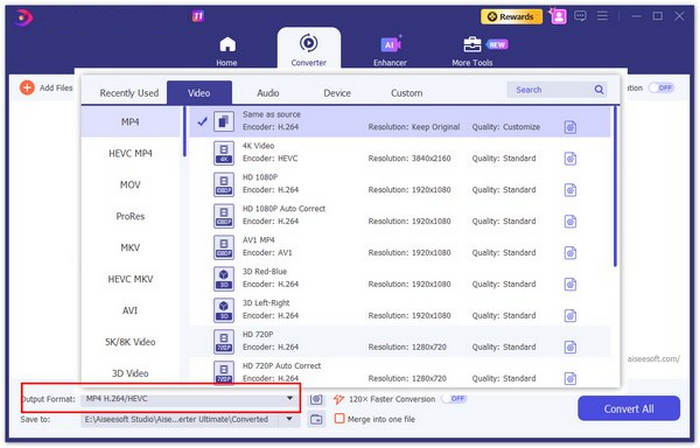
Rating: ⭐⭐⭐⭐⭐
Best for: Best for users who prefer desktop software solutions and need more flexibility in terms of format compatibility and device optimization. It's suitable for users who frequently convert videos and require a reliable tool with a user-friendly interface.
Prós
- Works on macOS and Windows.
- Supports a wide range of input and output formats, including MP4.
- Fast conversion with batch processing support.
- Simple and intuitive interface, ideal for beginners.
- Built-in editing tools to enhance videos before converting.
- Maintains good video quality after conversion.
Contras
- Os recursos completos exigem uma versão paga.
HandBrake
HandBrake is a popular open-source video and audio transcoder known for its simplicity and efficiency in converting videos to MP4. Available on Mac, Windows, and Linux, it provides a user-friendly interface while still offering essential customization options such as bitrate, resolution, and codec settings.
It supports conversion from various formats into modern, widely compatible codecs, making it ideal for users who want to ensure smooth playback across devices. While it lacks some advanced features found in premium tools, its reliability and straightforward design make it a strong choice as an MP4 video converter for Mac.
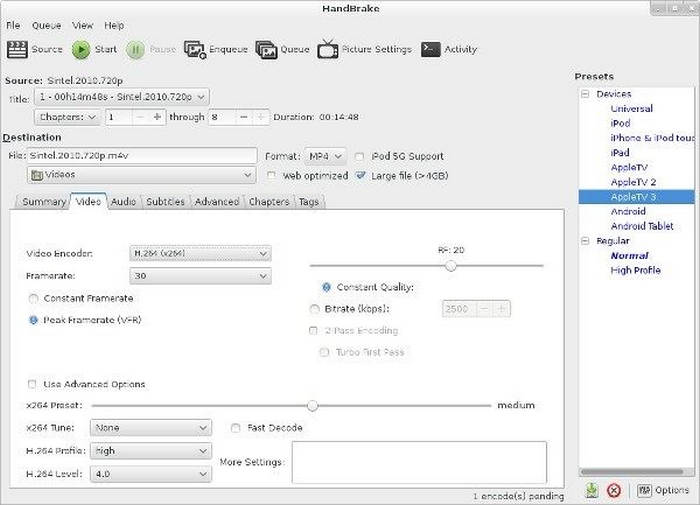
Rating: ⭐⭐⭐
Best for: Users who want a free, efficient, and reliable MP4 converter.
Prós
- Gratuito e de código aberto.
- Efficient MP4 conversion with good quality.
- Suporta processamento em lote.
- Simple yet functional interface.
Contras
- Recursos de edição avançados limitados.
- Infrequent updates may delay new improvements or optimizations.
VLC Media Player
VLC Media Player is widely known as a versatile media player, but it also includes a built-in feature for converting videos to MP4 on macOS. While it’s not a dedicated video converter, it can handle basic conversion tasks without requiring additional software. This makes it a convenient option for users who already have VLC installed and only need occasional MP4 conversions.
However, compared to specialized converters, VLC offers limited customization and a less streamlined conversion process. It works best for simple tasks rather than frequent or high-volume conversions.
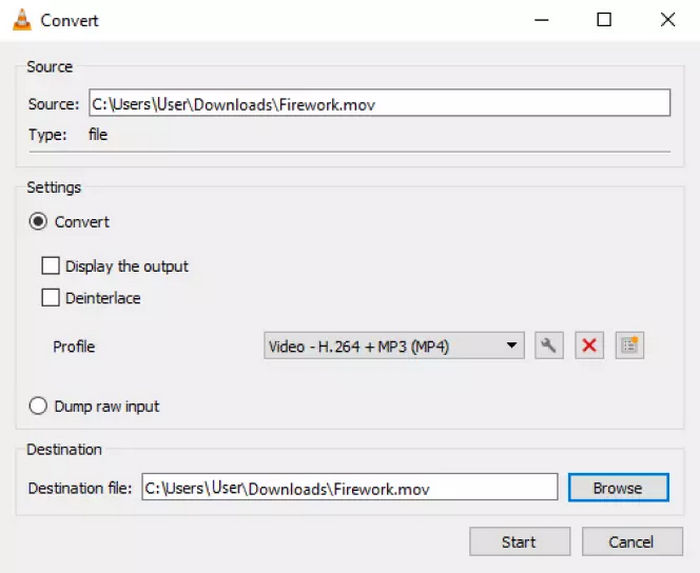
Rating: ⭐⭐⭐
Best for: Users who prefer a media player tool that can directly convert MP4 videos for free.
Prós
- Totalmente grátis.
- Supports MP4 video conversion.
- Has built-in video customizable features
Contras
- Might be overwhelming for new users.
- Slower performance compared to dedicated converters.
- No efficient batch conversion support.
QuickTime Player
QuickTime Player is Apple’s built-in media player on macOS that also offers basic video exporting capabilities. For users who need a quick way to convert videos to MP4 on Mac without installing additional software, QuickTime provides a straightforward and reliable solution.
Its clean and minimal interface makes it extremely easy to use, especially for beginners. However, while it handles simple MP4 conversions well, it lacks advanced features such as batch processing, format flexibility, and detailed customization. This makes it more suitable for quick, one-off conversions rather than frequent or professional use.
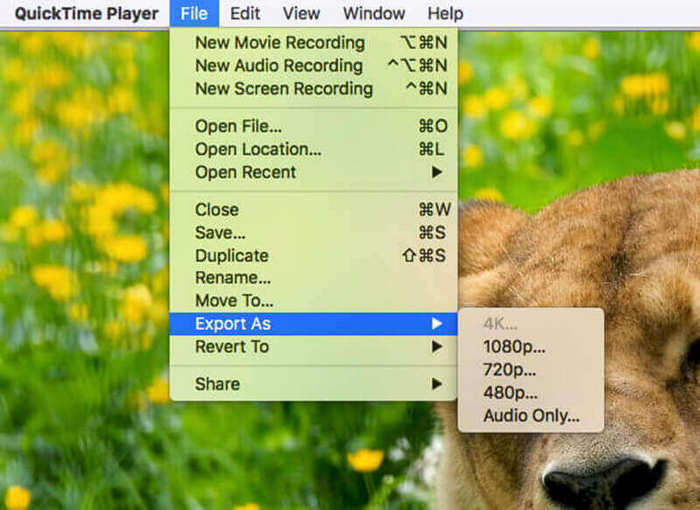
Rating: ⭐⭐⭐⭐
Best for: Mac users, especially those who need a free one and don’t want to install another.
Prós
- Pre-installed on macOS.
- Very easy and beginner-friendly.
- Quick and stable MP4 exporting.
- Clean and simple interface.
Contras
- No batch conversion support.
- Limited format and export options.
- No advanced editing or customization features.
Part 2. FAQs about Mac MP4 Video Converters
What is the best MP4 video converter for Mac?
The best MP4 video converter for Mac depends on your needs. If you want an all-in-one tool with advanced features, FVC Video Converter Ultimate is a great choice. For a free option, HandBrake is reliable and efficient, while VLC and QuickTime Player are better for simple or occasional MP4 conversions.
Does Mac support MP4 video format?
Yes, macOS fully supports MP4 video format. In fact, MP4 is one of the most compatible formats for Mac, especially when using built-in apps like QuickTime Player or other media players. This is why many users convert videos to MP4 for smoother playback and sharing.
Which MP4 converter for Mac is best for batch conversion?
If you need to convert multiple videos at once, tools like FVC Video Converter Ultimate and HandBrake are good options. They support batch conversion, allowing you to process several files efficiently, which is ideal for users handling large video collections.
Conclusão
Choosing the best MP4 video converter for Mac ultimately comes down to your specific needs and preferences. If you’re looking for a powerful and feature-rich tool, FVC Video Converter Ultimate stands out with its speed, flexibility, and editing capabilities. For users who prefer a free and reliable option, HandBrake offers efficient MP4 conversion with solid performance. Meanwhile, VLC Media Player and QuickTime Player are great choices for simple and occasional conversions, especially if you want a quick solution without installing additional software.
Each of these tools has its own strengths, whether it’s advanced features, ease of use, or accessibility. By understanding what each converter offers, you can easily choose the one that best fits your workflow and ensures smooth, high-quality MP4 video conversion on macOS.
-
 Conversores de MP3 para MP4 a considerar no desktop, online e móvel
 Descubra o poder dos conversores de MP3 para MP4 para desbloquear uma nova dimensão para sua coleção de músicas. Converta suas músicas MP3 favoritas em vídeos MP4 cativantes de forma eficiente.
-
 Melhor técnica para transformar HEIC em MP4 com eficiência
 Aprenda as melhores maneiras de realizar a conversão de HEIC para MP4 em seu computador e dispositivos iPhone. Esta postagem contém a técnica para uma conversão eficaz.
-
 How to Export iMovie to MP4 on Mac/iPhone/iPad [2025]
 Se você está procurando maneiras de exportar o iMovie para MP4, continue lendo. Além disso, preparamos soluções comuns sobre como consertar a exportação do iMovie que não está funcionando.
