


 Video Converter Ultimate
 Gravador de ecrã
 Reparo de vídeo
Converta MPEG para AVI com o 5 Conversor de Vídeo MPEG para AVI acessível
MPEG is one of the best formats you might already encounter as it stores files for videos and audio. Also, it is not just a container, but as well it uses MPEG 1 and MPEG 2 compression. However, MPEG 1 and 2 are the old formats that used to be stored on Blu-rays. So now, we will explain how to improve it by converting the format to an AVI. In the list below, we present different tools you can use to convert MPEG to AVI and deeper details about the MPEG and AVI.
Parte 1. Breve explicação sobre o formato de arquivo MPEG e AVI
MPEG e AVI são um dos formatos de primeira linha que você pode usar para armazenar um arquivo de mídia. Embora sejam ótimos, ainda existem algumas razões pelas quais você precisa usar o conversor de vídeo MPEG para AVI. Mas por enquanto, vamos explicar muitos detalhes sobre os dois formatos e ter uma ideia sobre MPEG e AVI.
Como dito anteriormente, o MPEG não é apenas um contêiner, mas também possui um compressor embutido. Basicamente, é um formato de arquivo de dupla finalidade. Além disso, este formato está sendo o formato mais usado no Blu-ray por causa da qualidade e da compactação que oferece. Além disso, o formato MPEG é classificado em 6, mas discutiremos os dois mais usados e que são o MPEG-1 e o MPEG-2. Além disso, MPEG-1 é a primeira geração de MPEGs. Este formato armazena a resolução baseada em padrão, mas comparado com a resolução do outro formato, o MPEG-1 é muito menor. Embora o MPEG-2 ofereça uma qualidade muito melhor do que o MPEG-1, funciona melhor em Blu-ray e DVDs. Além disso, esse formato é mais comumente usado pela estação de TV para transferir e reproduzir um vídeo.
But AVI is far different from MPEGs because it is uncompressed. Also, the quality this format provides is high because it doesn't compress the file it contains. Although the format is huge in size still it gains a lot of support on all platforms compared to MPEG files.
Parte 2. 2 do melhor conversor usado para converter o formato MPEG para AVI offline
1. FVC Video Converter Ultimate
If you are looking for a multi-purpose MPEG to AVI converter and download then FVC Video Converter Ultimate must be the tool for it. This tool already receives a higher position in this article because of the features and simplicity this tool provides. Although it is easy to use, you can achieve the phenomenal output you always want to have. Also, unlike any other converter, this software sets the standard into a high level one. So, if you want to achieve 100% success before, during, and after your conversion then it is a must to use this tool. And now, let's proceed to the step-by-step tutorial on how to use the FVC Video Converter Ultimate.
Step 1. So, to download the tool on your desktop click the button presented below. Install it after the process of downloading is finished, do the quick set-up and click Start Now.
Free DownloadFor Windows 7 or laterSecure Download
Free DownloadFor MacOS 10.7 or laterSecure Download
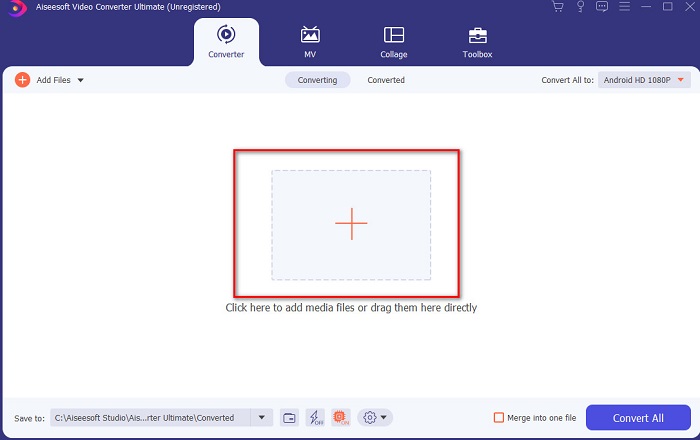
Step 2. The interface of the tool should look like this then click + sign in the middle part. A folder will show next on your display then select the MPEG video file you want to be converted and click Open.
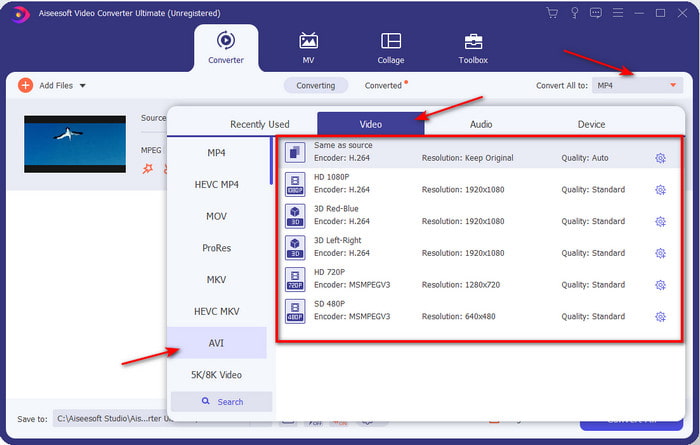
Step 3. If the file is already on your interface, click the Convert All to: and find the AVI format.
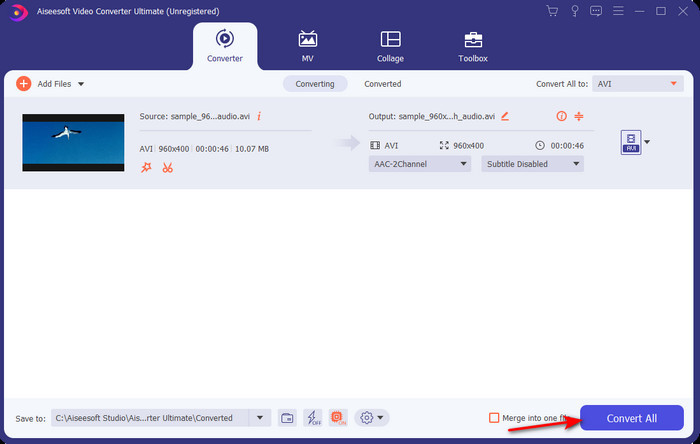
Step 4. And now to start the conversion of MPEG 4 movies to AVI format press Convert All.
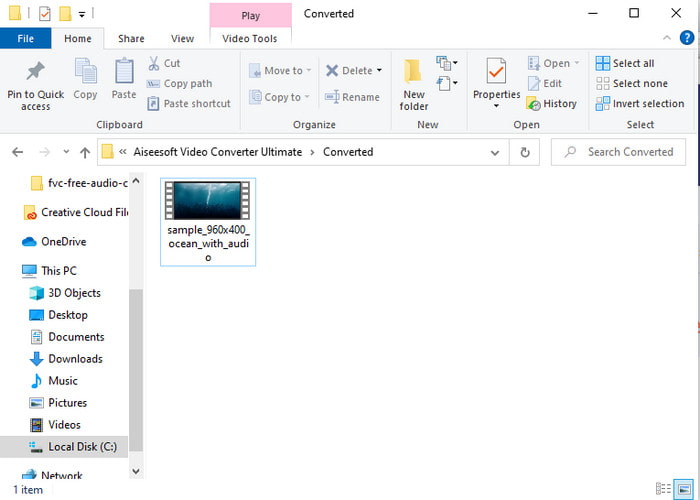
Step 5. Downloading the file will only take a few minutes and if it is done a folder will show next with the converted format. So now, click the file to watch the newly converted format of your MPEG.
2. FFmpeg
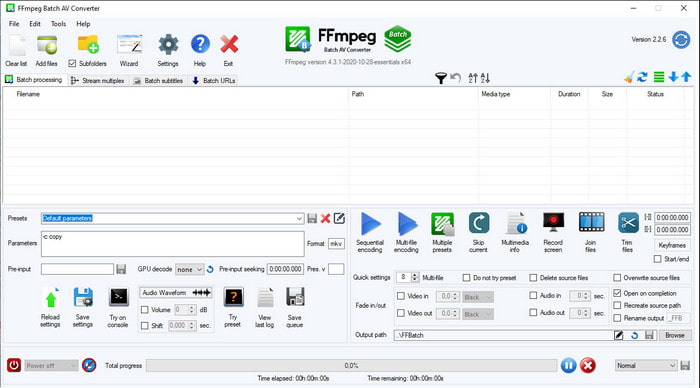
Another software available in this list is FFmpeg. If you're looking for open-source software, this is one of the choices you can find on the web. Also, the interface of this tool is tough to understand, especially for beginners and pros. The converting process here is generally excellent and produces a high output like any converters. So, if you want to convert using FFmpeg MPEG to AVI, then follow these steps accordingly as we make it simple to understand.
Step 1. Download the FFmpeg on your desktop and create a new folder then inside of it unzip the file.
Step 2. Search the CDM on your Window and open it.
Step 3. Find the file using command prompt, then insert this code ffmpeg -i input.mpeg -vn -ar 44100 -ac 2 -b:a 192k output.avi and hit Enter on your keyboard to start the process.
Parte 3. 3 do Melhor Conversor Usado para Converter o Formato MPEG para AVI Online
3. Conversor de vídeo gratuito FVC
If you are looking for the best free MPEG to AVI converter online the FVC Free Video Converter is the online converter that will suit your taste. Because of the simplicity of the interface of the web tool it provides. Also, the great thing about this online tool is that you can easily access it with your favorite browser. Moreover, converting with this tool has no limitation which means you can convert any format any time. However, you can't do the batch conversion here unlike on the FVC Video Converter Ultimate. And now if you want to try and use this online tool then follow the steps provided below.
Step 1. To go to the main website of the FVC converter you must click this link first.
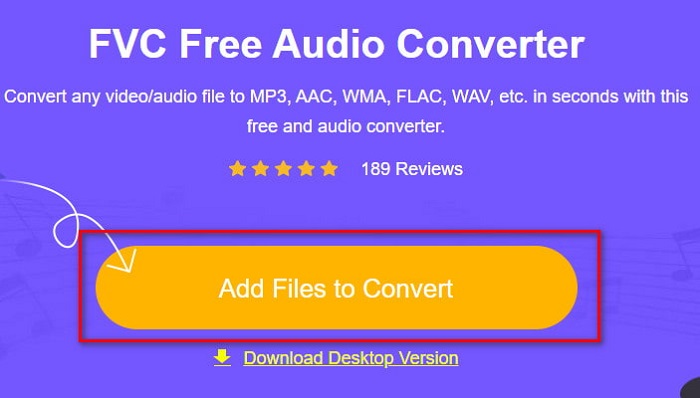
Step 2. Click Add Files to Convert then the web tool will launch and a folder will show. Locate the file and click Open.
Step 3. After the web tool is already launched, choose the format that is presented in this section.
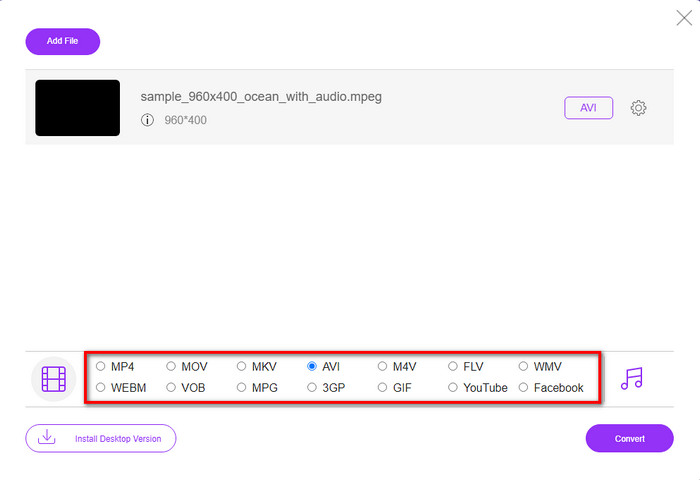
Step 4. If you already select the format, it is now the time to convert the format by clicking the Convert button.
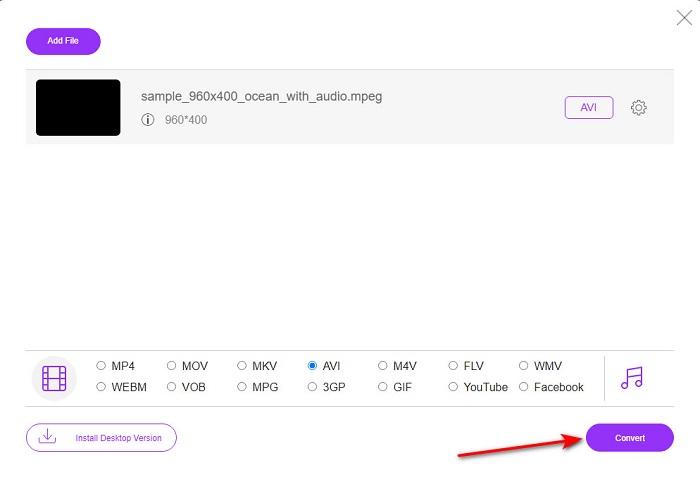
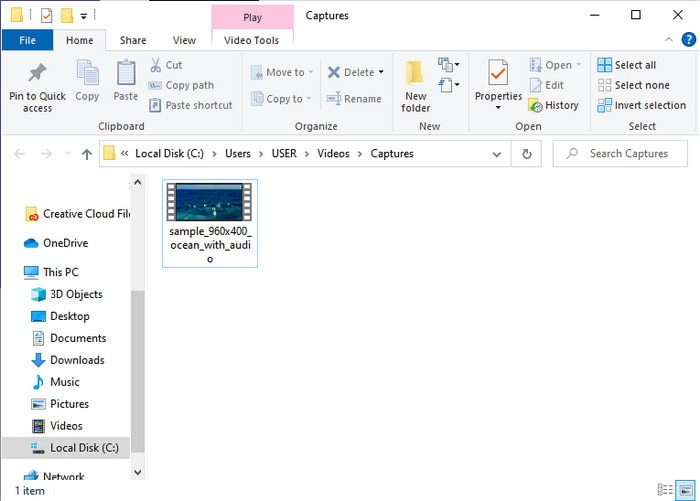
Step 5. Wait for an ample minute for the process to begin shortly. If the process is done, a folder will show with the converted file you've made earlier.
4. Freeconvert.com
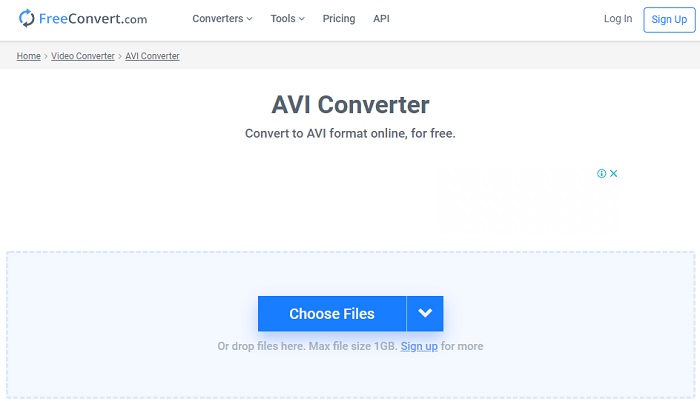
Just like the online tool mentioned above, this is another online tool you can use, Freeconvert.com. This web tool has already gained popularity among the users on the web. Also, many users praise this tool because of how easy it is to use and its other functionality. However, if you choose this web tool, there is a major drawback: the format the web tool supports is limited. Another is that the process of converting here is a bit slower than expected. So now, if you want to know how to use this online converter, then follow the steps.
Step 1. Search the website freeconvert.com on your web. Then click AVI under the Video Converters.
Step 2. Press the Choose File and locate the MPEG file on the folder that will show next. After the selection of the file made, click Convert To AVI.
Step 3. Wait for the uploading process to finish, then click Download AVI to save the file.
Parte 4. Perguntas frequentes sobre conversão de MPEG para AVI
A conversão de MPEG perde a qualidade?
Bem, depende do formato em que você vai transformá-lo. Portanto, se você transformar seu MPEG em GIF, espere uma mudança drástica, pois ele suporta uma combinação de cores menos do que o outro formato. No entanto, se você usar outro formato que não o GIF, não espere perda.
O MPEG é com ou sem perdas?
O MPEG suporta compactação com perdas, portanto, se você usar esse formato, espere um tamanho de arquivo menor, mesmo se tiver um vídeo e áudio longos.
O MPEG é um bom formato?
Antes era um dos melhores formatos que você pode usar para armazenar dados em seus DVDs. No entanto, nesta era, o MPEG não é a melhor escolha para armazenar dados. Mas se você deseja armazená-lo em DVDs, CDs ou Blu-ray e transferi-los muito mais rápido, isso deve ser uma escolha.
Conclusão
Para resumir, todos os softwares online e offline apresentados aqui são ótimos para serem usados para converter o formato. No entanto, existe uma ferramenta que prova que você pode obter uma conversão fenomenal facilmente com o FVC Video Converter Ultimate. Na verdade, podemos explicá-lo em 3 palavras e isso é fácil de usar, eficaz e seguro também. Portanto, se você deseja alcançar a grandeza, baixe esta ferramenta agora mesmo e experimente.
-
 Como converter arquivos MPEG para MP4 gratuitamente no Windows, Mac, Online
 Leia e obtenha 3 maneiras gratuitas de converter arquivos MPEG para MP4 em seu computador. Você pode usar conversores de vídeo online e de desktop para transformar o formato MPEG em MP4 com facilidade.
-
 [2021] Melhores ferramentas e maneiras fáceis de converter MPEG para MP3
 Este artigo fala principalmente sobre como você pode converter seus vídeos MPEG em MP3 com o uso das ferramentas mais confiáveis da lista.
-
 Tutorial para converter arquivos MP4 em AVI com 7 conversores de vídeo grátis
 Deseja obter todas as maneiras gratuitas de converter vídeo AVI para MP4? Você não deve perder este artigo. Aqui estão 7 maneiras de converter arquivos AVI para MP4 gratuitamente no Windows, Mac, iPhone, Android e online.
