


 Video Converter Ultimate
 Gravador de ecrã
 Reparo de vídeo
Aprenda as técnicas sobre como converter WebM para AVI com 3 conversores disponíveis
If you are looking for a format compatible with any HTML 5, then WebM must be the choice. This format is considered one of the best formats to use on your websites. Generally speaking, WebM formats are created for use on a website as it provides better quality and uses an EBML structure. EBML used binary codes that humans like us can't read but have a specific use. In that case, once you download a WebM on your drive, there will be a time that the format will be unplayable. However, there is a way to make it work to convert it into a new format like AVI. So now, let's talk about why you need to convert WebM files to AVI format and the tools available that you can use.

Parte 1. Por que precisamos converter WebM em AVI?
Como mencionamos anteriormente, esses dois formatos podem conter vídeo e áudio em um arquivo. Embora eles tenham semelhanças, eles ainda têm muitas diferenças. Como a estrutura, codec, especialidade, desempenho, plataformas suportadas e muito mais. Então, para ter uma ideia sobre isso, então vamos determiná-lo.
WebM está disponível em navegadores atualizados como Mozilla Firefox ou Google Chrome; no entanto, alguns navegadores não suportam este formato. É especializado para ser usado em navegadores da web para conter uma qualidade perfeita com o carregamento do arquivo mais rápido e melhor. Além disso, tem a mesma forma que o MKV com o mesmo codec também. Ao contrário do formato WebM, o formato AVI é conhecido em todas as plataformas de media player, web e compartilhamento de vídeo, pois ganha popularidade e suporte. Como o AVI armazena uma qualidade de vídeo e áudio de primeira classe que você adoraria. É melhor que WebM em quase todos os aspectos; ainda assim, o tamanho do arquivo é a principal desvantagem do formato. Então agora, se você quiser editar, salvar e reproduzir, use o WebM, então é obrigatório converter o formato WebM para AVI para fazer isso com as três ferramentas disponíveis na lista.
Parte 2. Como converter WebM para AVI com a ferramenta baseada em desktop disponível
1. FVC Video Converter Ultimate
Doesn't have any idea to convert WebM to AVI because you didn't have any experience in converting? And still, want to achieve an impressive final output? Then FVC Video Converter Ultimate is the phenomenal converter you would love as this converter supports more than 200+ formats for audio and video. Besides that, it also provides advanced features that you would love to use even if you aren't pro or pro. Moreover, the conversion process can be done in an instant as it supports hardware acceleration and fast conversion. But you can only use this software if you buy it and no need to worry because it is not expensive. So now, if you want to experience the magic of conversion this tool provides, then follow the steps indicated below.
Step 1. If you don't have the software, then download it first on your desktop drive. So now, if the downloading process finishes, install it next, and do the quick set-up to proceed.
Free DownloadFor Windows 7 or laterSecure Download
Free DownloadFor MacOS 10.7 or laterSecure Download
Step 2. Next, it is to hit the + button in the middle of the interface. Then search the video on the folder that will show on your screen, click Open to insert it.
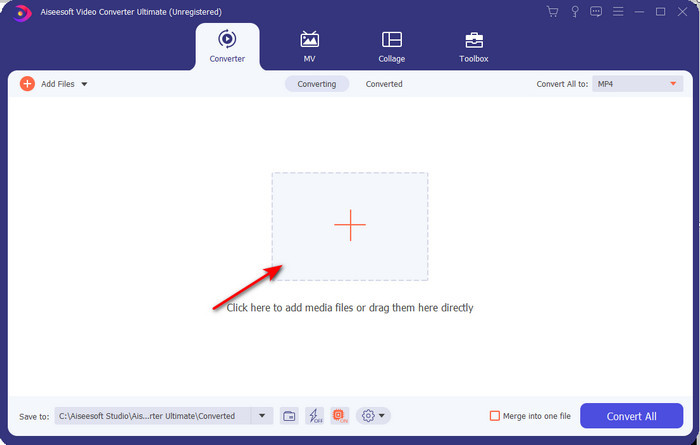
Step 3. Press Convert All to: change the WebM video to AVI format and choose the resolution on the options available.
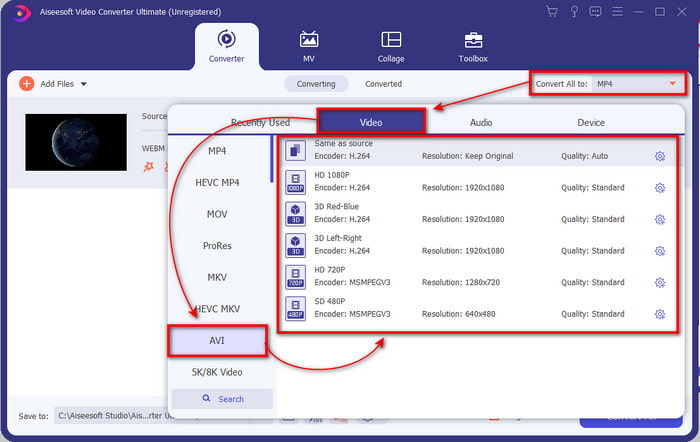
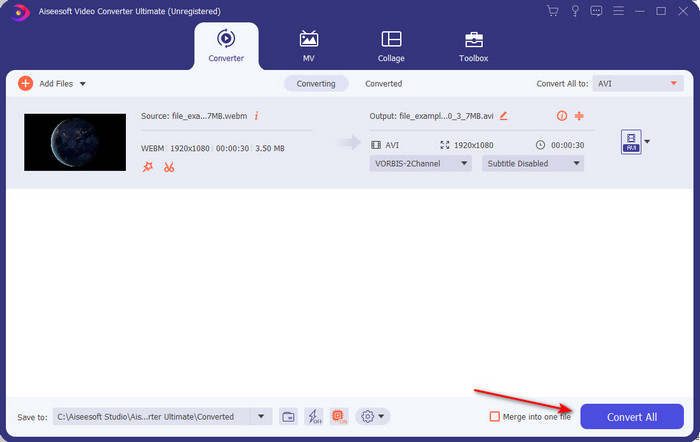
Step 4. And now that you've already chosen your format, it is now the right time to convert it by clicking Convert All.
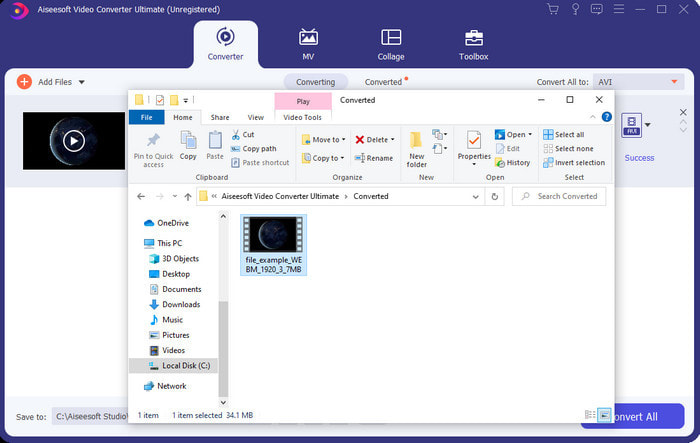
Step 5. The process of converting here is much faster, so no need to wait for too long. A folder will show on to your display with the file you converted into AVI format. To watch the converted file click it and enjoy watching your newly converted WebM.
2. FFmpeg
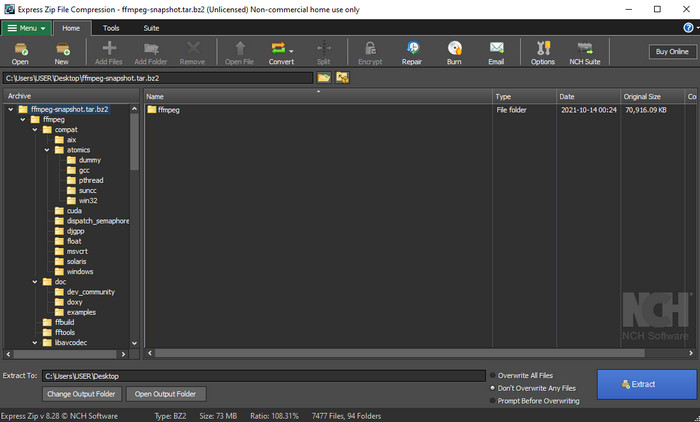
Changing the WebM format by using FFmpeg can be quickly done if you know how to use it. So, if you want to adjust much detailed information about your file, you must use this. However, this software is not the best choice for beginners as it uses codes to do the conversion correctly. Also, this software works CLI-interface. As said earlier, to command this, you will need to communicate into it. And now, if you want to use FFmpeg to convert WebM to AVI, follow the steps provided below.
Step 1. Download the FFmpeg on your desktop; this software you download needs to unzip. Then create a new folder to unpack it in the folder. Then copy the address of the folder because you will use it later.
Step 2. Hit the Windows on your desktop and type CMD to communicate with the software.
Step 3. Locate the WebM file by using the command prompt, then copy this code ffmpeg -i input.webm -vn -ar 44100 -ac 2 -b:a 192k output.avi and press the Enter key on your keyboard.
Parte 3. Como converter WebM para AVI usando a melhor ferramenta da Web disponível
FVC Free Video Converter Online
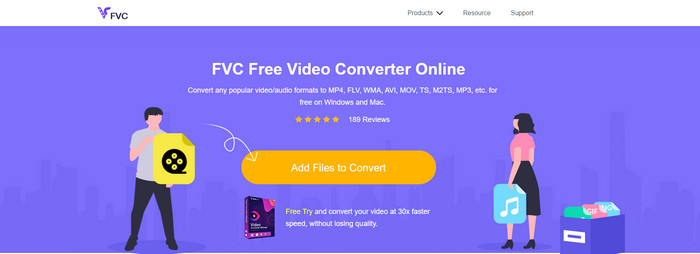
If you don't want to download software on your drive, search this WebM file to AVI online converter available. This FVC Free Video Converter Online is ready to be used by you anytime and anywhere but remember to have an internet connection because this tool is internet-dependent. Although the web tool is free to access, it still doesn't support different formats like the FVC Video Converter Ultimate. And so, you want to do the conversion without spending money, then follow the provided steps below to experience how to convert online.
Step 1. To open the website of the FVC Free Video Converter Online, you must click this link.
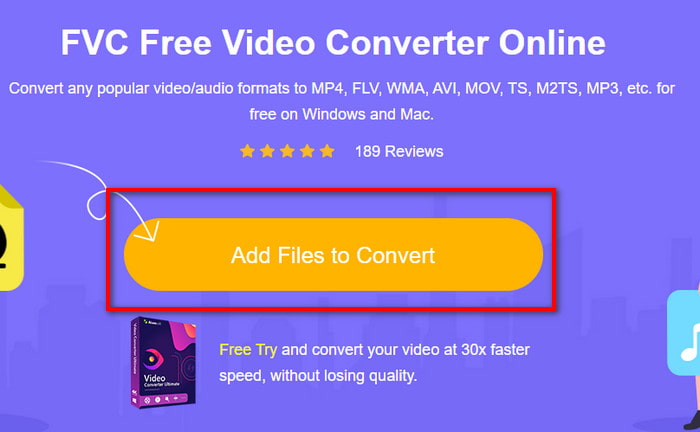
Step 2. And to launch the tool, click Add Files to Convert then a folder will show up on your screen display. Locate the file on the folder, then click Open.
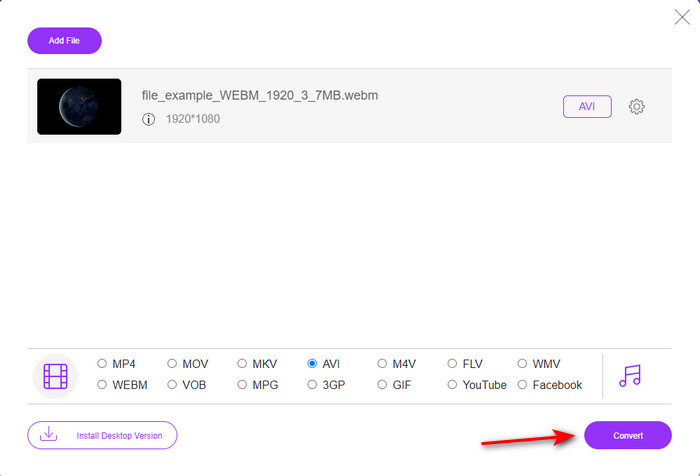
Step 3. Once the file is on the interface, choose the AVI format or the other format you want to turn into the lower part.
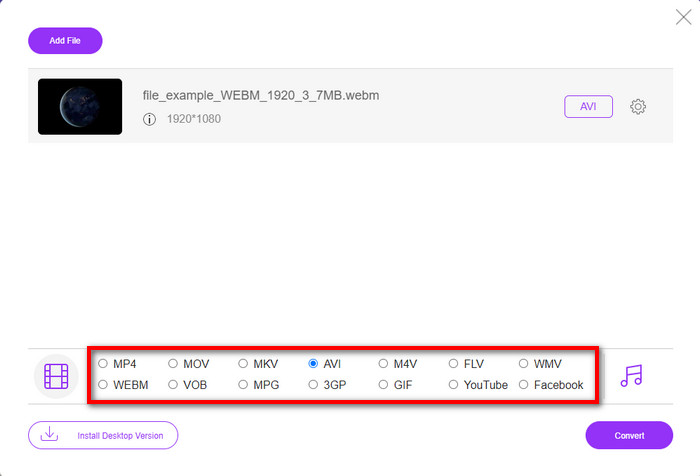
Step 4. So now, let's start the process of converting by clicking Convert. Also, you can convert a lot of files with this free WebM to an AVI converter; however, you can't do batch conversion.
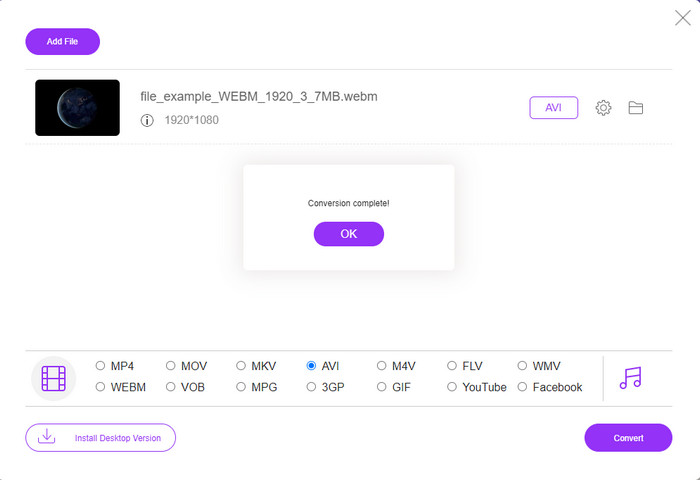
Step 5. Finally, once converting is done, you can check out the file in the folder.
Parte 4. Perguntas frequentes sobre WebM e AVI
Por que o formato WebM é suportado em navegadores modernos?
Videos in WebM format can play on your HTML 5 without any plug-in play. However, videos in the format of WebM are not playable in an older version of the browser. So, make sure that your browser is updated to play the WebM video. Here you can learn the best WebM players available to play your WebM files smoothly.
Qual codec o WebM usa?
O WebM usa dois codecs de vídeo diferentes, VP8 e VP9. Mas o VP9 é o codec de vídeo mais usado para WebM porque pode compactar bem o arquivo no Google e em outros navegadores. Além disso, o VP9 é o sucessor do VP8 e usado para competir com os codecs MPEG.
A conversão do WebM perde sua qualidade?
So, if you convert WebM into a new format, expect nothing to change on its quality. Because you only change the format, but if you change the WebM into GIF, then expect to lose some quality. Since GIFs support a small range of color palettes compared to the other formats.
Conclusão
To end this write-up, we come to find that all of the solutions above really do work. However, they are all different in the process of converting, fast conversion, and more. So if you are looking for a phenomenal converter that supports all of the formats, then FVC Video Converter Ultimate is the perfect tool for that job. So now, to experience the magic this ultimate tool provides, it is a must to download it.
-
 WebM para MP4 | Converta grátis WebM para MP4 (online e desktop)
 Como assistir a arquivos WebM sem navegador da web? Você precisa converter WebM para MP4. Aqui estão os 10 principais conversores de WebM para MP4 gratuitos para alterar o WebM para MP4 online e em computadores Mac e Windows.
-
 4 maneiras eficientes de converter MOV em AVI no PC e Mac [2021]
 Você quer saber qual é o melhor conversor de MOV para AVI da web? E por que o FVC Ultimate Video Converter pode ser a pessoa certa para você.
-
 3 métodos fáceis para converter FLV para AVI no desktop e online
 Aqui estão três métodos para ajudá-lo a converter com eficiência seus arquivos de vídeo FLV para o formato AVI no Windows e Mac, para que você possa assisti-los com alta qualidade.
