


 Video Converter Ultimate
 Gravador de ecrã
 Reparo de vídeo
Em análises detalhadas sobre os 3 conversores de web e desktop usados para converter arquivos WMV para AVI
There will be a time that you want to convert your file into a new one because they aren't playable. An excellent example in this situation is the WMV format. If you are a Windows user, you have already heard of this format. It stores different video and audio files in one container. However, this format doesn't gain support from most of the media players. So the best way to watch the video file stored in the file extension of .wmv is to convert. If you're asking the same question as others, can you convert WMV to AVI? Then try to proceed below as we accumulate different web tools you can use with the steps provided.
Parte 1. Os 3 principais conversores para converter WMV para AVI online grátis
Topo 1. Conversor de Vídeo Grátis FVC Online
Converting can be quickly done if you have internet access and use this FVC Free Video Converter Online. This software supports a much faster and better conversion, unlike other webtool. Also, you will not need to wait for the file to upload because this tool doesn't want you to wait for too long. Another good thing about this web tool is the built-in converted video library this tool provides. To access the video or audio, you convert efficiently and effectively. However, if you don't have internet access, you can't use this just like the other web tool below. Moreover, if you want to try this tool, then here are some provided steps you can follow to convert WMV to AVI for free online.
Step 1. First, go to the main website of the FVC by clicking this link.
Step 2. Then click Add Files to Convert to install the launcher of the web tool. No need to worry because it is only just a few bytes, and it is safe also. If the installer is on your drive, re-click the Add Files to Convert, choose the .wmv format on the folder, and click Open.
Download the Desktop Version to convert files in batch.
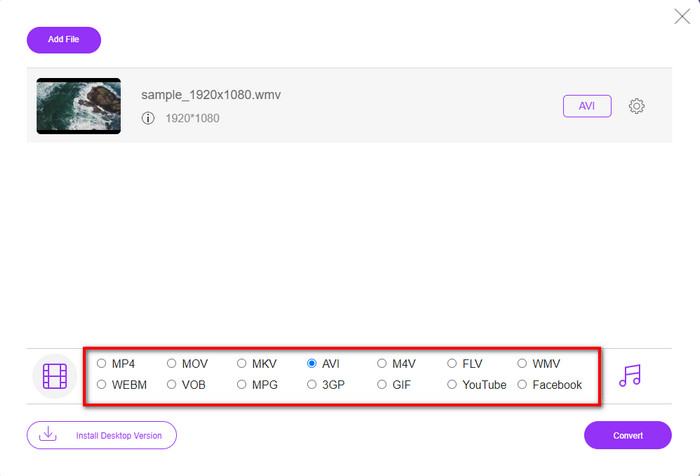
Step 3. Once the WMV file is on the interface, you must now choose the AVI format on the options available below.
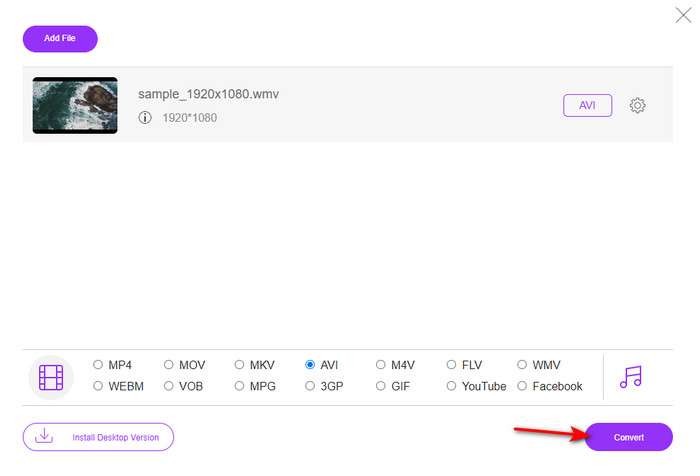
Step 4. After selecting the format, it is now the right time to convert it by clicking Convert.
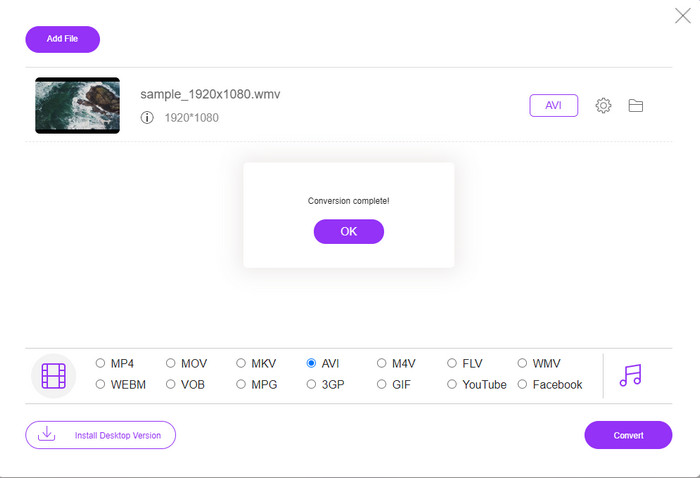
Step 5. Wait for a few minutes for the process to end, and if it is a folder containing your converted file will show on your screen. Then click it to watch the new WMV format you've made with this tool.
Topo 2. Conversão
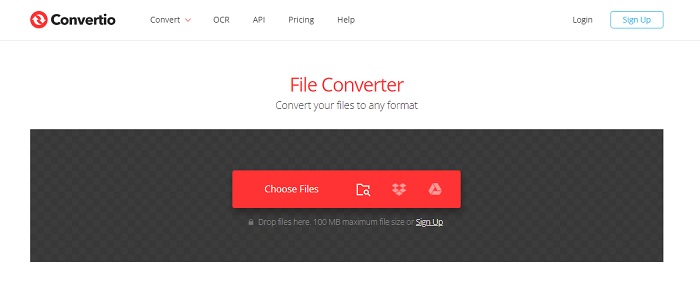
Another online converter you can use to convert WMV files to AVI for free is the Convertio. Unlike the web tool mentioned first, you will not need a launcher to use it. Also, you can convert PDFs, images, audio, and more in this tool. However, the major drawback is that uploading and downloading files will take a lot of time. Also, it doesn't have a built-in library containing all the converted files you've made. So now, if you want to use this as your converter, then follow these steps.
Step 1. Go to your favorite browser and search Convertio.io.
Step 2. Click Choose File and locate the WMV file you want to convert to the folder. Then click the drop-down button and choose AVI.
Step 3. The uploading process will take your time, and click Download to save the converted format.
Top 3. CloudConvert
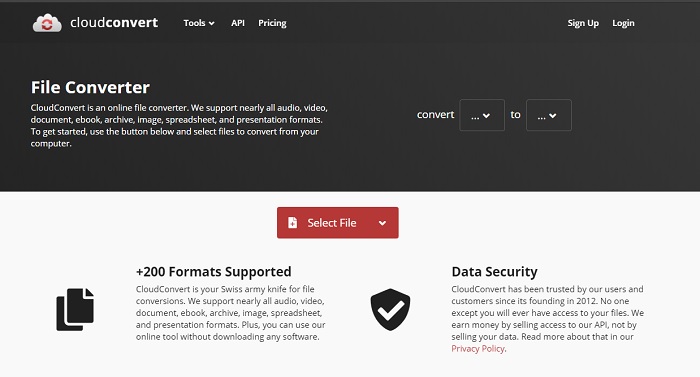
CloudConvert supports small-scale formats you can choose to convert on. Also, the conversion process here is safe and doesn't keep a record of your converting process. Just like the Convertio, this tool doesn't have a library as well. And the process of converting format here is so much slower as it doesn't support hardware acceleration to boost the conversion speed. Moreover, if you want to experience a free convert WMV to AVI online, copy the steps below.
Step 1. Open your web browser and search the Cloud Convert.
Step 2. Press Select File, then search for the .wmv file on the folder that will show on your screen.
Step 3. Click Convert to, choose the AVI format, click the Convert button, click Download after the conversion.
Parte 2. Como alterar WMV para AVI no Mac e PC com o Lightning Speed Converter
The online software mentioned above can't copy what FVC Video Converter Ultimate provides to its customers. If you are looking for a multi-purpose tool, this must be the best choice. Also, you can use this software as a converter, editor, GIF maker, and more. Moreover, this software is more than expected on what it can do and how fast it can finish. The overall performance of this tool amazes us and if you want to be surprised too, then download this phenomenal converter on your desktop. And now, let's proceed with converting WMV to AVI on Mac and PC by following the step-by-step procedure we made below.
Step 1. Before you can access the tool, you will need to download it first and choose which platform you are currently using. Then install the software on your desktop and so the quick set-up takes less than a minute.
Free DownloadFor Windows 7 or laterSecure Download
Free DownloadFor MacOS 10.7 or laterSecure Download
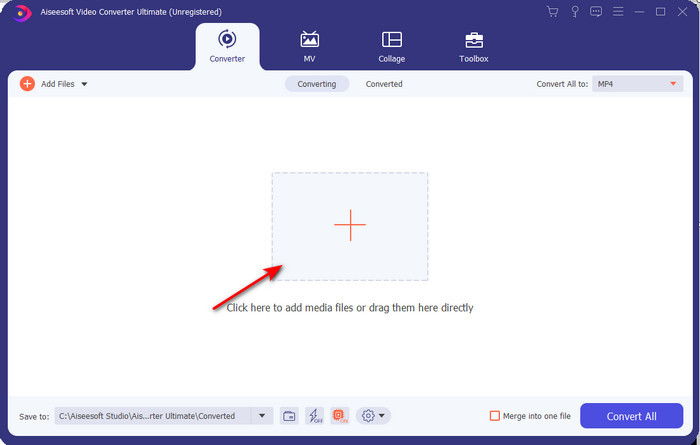
Step 2. Open the software to proceed to the next step; after launching it, you will see a + sign; click it to add the files, then select Open.
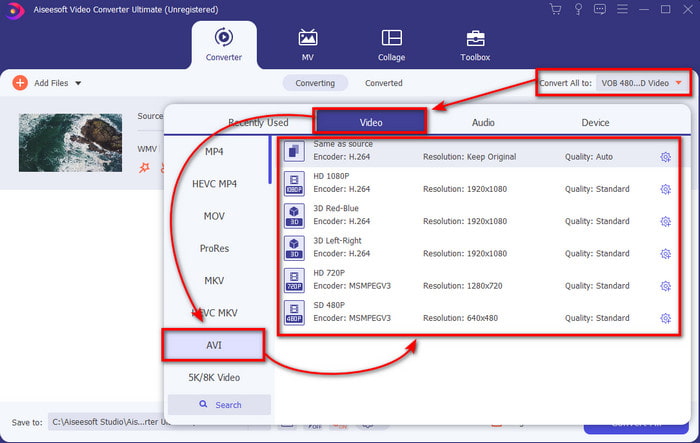
Step 3. To change the format, click the drop-down menu of Convert All to and choose AVI on the submenu.
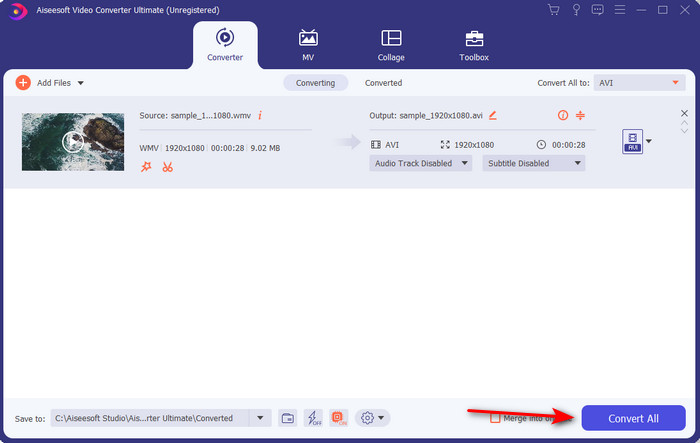
Step 4. So now, to convert the WMV file to AVI successfully, click Convert All and wait for several seconds for the process to be done.
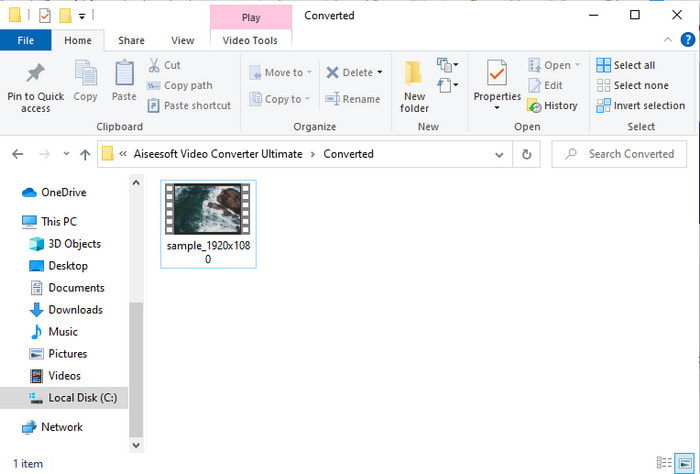
Step 5. After converting, a folder will show on your screen with the converted file you made a few seconds ago. To watch it click the video file and enjoy your converted WMV file without losing the quality.
Parte 3. WMV VS AVI; Qual formato tem melhor desempenho
WMV e AVI são alguns dos contêineres de arquivos de vídeo de primeira linha que você adoraria usar. Os dois formatos mencionados podem conter vídeo e áudio de alta qualidade, mas agora vamos determinar suas diferenças lendo este gráfico de comparação.
| WMV | AVI | |
| Também conhecido como | Vídeo do Windows Media | Interlevância de áudio e vídeo |
| Melhor uso para | Ele costumava transformar um arquivo grande em um menor para streaming de vídeo online bem estruturado. | Usado para armazenar vídeo e áudio separadamente e reproduzi-los simultaneamente sem atrasos. |
| Desenvolvido por | Microsoft | Microsoft |
| Desvantagens do formato | Ele ganha menos atenção e suporte dos players de mídia. | Ele precisa de um codec para compactar esse arquivo grande em um muito menor, mas dentro de um limite. |
WMV vs. AVI
Produzido pela Microsoft, o WMV era um dos formatos de vídeo mais comuns nos anos 2000. Ele pode ser visto na web e reproduzido por vários players de mídia no Windows. E também é o formato de arquivo de vídeo padrão do Windows Media Player. Mas foi assumido por outros formatos recentemente.
Baseado no Resource Interchange File Format (RIFF), o formato AVI foi introduzido pela Microsoft em 1992. Ele pode salvar vídeo/áudio de alta qualidade, pois usa menos compactação. Mas isso também causa o tamanho grande do arquivo AVI, o que pode ser um problema quando há espaço limitado.
Parte 4. Perguntas frequentes sobre o formato WMV e AVI
Transformar WMV em AVI afeta a qualidade?
A qualidade do arquivo WMV ao transformá-lo em AVI não deve ser alterada. No entanto, suponha que seu WMV mude e a qualidade caia. Nesse caso, o conversor que você usa não suporta um pixel de alta qualidade do seu vídeo.
O tamanho do meu WMV muda após a conversão?
O tamanho do arquivo do WMV pode ser um pouco diferente do tamanho do arquivo original. Há uma razão pela qual isso muda. Uma das razões é que o arquivo compactado fica descompactado, então o tamanho do arquivo muda. Mas as alterações devem estar próximas ao tamanho do arquivo original e não devem ser tão grandes ou distantes.
Posso usar o WMV para anexar um vídeo a um e-mail?
Sim, é ideal usar o formato WMV e anexar o vídeo a um e-mail porque ele suporta compressão melhor e mais rápida que o MPEG-4, segundo a Microsoft. Além disso, é conhecido como um formato em miniatura devido ao tamanho do arquivo que pode ser pequeno. No entanto, a qualidade do vídeo permanece.
Conclusão
À medida que terminamos, é mais fácil entendermos que nem todas as plataformas e softwares suportam WMV. Além disso, o webtool tem um bom desempenho, mas existe uma ferramenta que pode converter arquivos em lote muito mais rápido e fácil: o FVC Video Converter Ultimate. Suponha que você queira experimentar a conversão fenomenal que este software oferece. Nesse caso, você deve baixá-lo agora em sua área de trabalho e usá-lo.
-
 Como converter WMV para MP4 grátis e online [Resolvido]
 Como converter arquivos WMV para MP4? Aqui estão as 4 maneiras fáceis de converter WMV para MP4 no Mac e Windows com etapas simples.
-
 WMV para MP3 – Como converter vídeo para áudio gratuitamente [ Desktop/Online ]
 Enquanto assiste a um vídeo WMV, você acha a parte do áudio fascinante. Assim, você deseja reproduzi-lo em seu MP3 player. Mas claramente seu player não suporta o formato WMV. Isso faz você se perguntar se há uma maneira de converter WMV em MP3.
-
 2 maneiras mais fáceis de converter arquivos WMV para FLV no PC / Mac
 Como você pode converter WMV para FLV? Em primeiro lugar, você precisa ler nossa recomendação e encontrar seu método favorito e, em seguida, seguir nosso guia para fazer o trabalho rapidamente.

