


 Video Converter Ultimate
 Gravador de ecrã
 Reparo de vídeo
Top 3 conversor online e offline usado para converter arquivos XviD em formato AVI
XviD is a well-known codec because it is the competitor of Divx. After all, this codec is open-source, and the GNU License supports it. This codec is used to compress and decompress the file that is in your format. Although this codec helps your video become smaller, still some media players can't process this codec. So if your media player doesn't support XviD codec, you must convert the file into AVI. Here below are some of the most pick converters that are used to convert XviD to AVI.
Parte 1. XviD e AVI - Uma Visão Geral
Uma explicação adicional sobre o XviD é que este codec não é um formato ou contêiner como o AVI ou qualquer outro contêiner de mídia. Com a ajuda do XviD, seu arquivo de vídeo pode ser compactado em um tamanho muito menor sem destruir sua qualidade. Além disso, o XviD pode codificar AVI para torná-lo menor; no entanto, nem todos os formatos AVI usam o XviD como codec. Como o formato AVI é um formato acessível que não é compactado, se você tiver um arquivo com o nome de arquivo .avi, espere que esse arquivo seja enorme. Talvez você esteja se perguntando por que precisa converter o XviD, simplesmente porque nem todos os players de mídia suportam esse codec. Então, agora, vamos tentar transformar seu arquivo não reproduzível em um arquivo reproduzível aprendendo como converter o formato XviD para AVI.
Parte 2. 1ª e 2ª maneiras de como converter XviD para AVI offline
1ª Via. Conversor de Vídeo FVC Ultimate
For converting an encoded file under .xvid, you must let the professional do the work of converting this file into a new one. FVC Video Converter Ultimate is not only good in converting the file or format into a new version. But you can also use this tool to edit videos, boost audio, make GIFs, speed up videos, and more. This software is the swiss-knife, an all-out tool that you would love to have. However, before you can use this tool, you must buy this to use the advanced features this software provides. Overall performance, this software can convert any format into a 200+ new format you can choose. So now, if you want to see how to convert XviD to AVI with this tool, then read the steps provided below.
Step 1. Hit the download button to download the software on your drive. Install it next, follow the set-up, and press Start Now to launch the tool.
Free DownloadFor Windows 7 or laterSecure Download
Free DownloadFor MacOS 10.7 or laterSecure Download
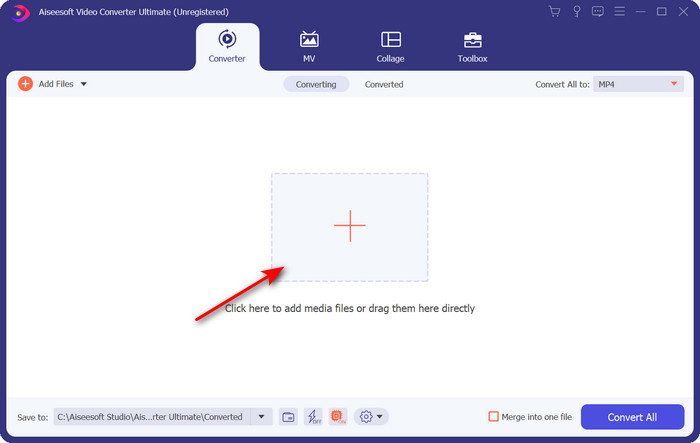
Step 2. The tool will be open after you click the Start Now; in the middle part, hit the + button to insert the file under .xvid and click Open.
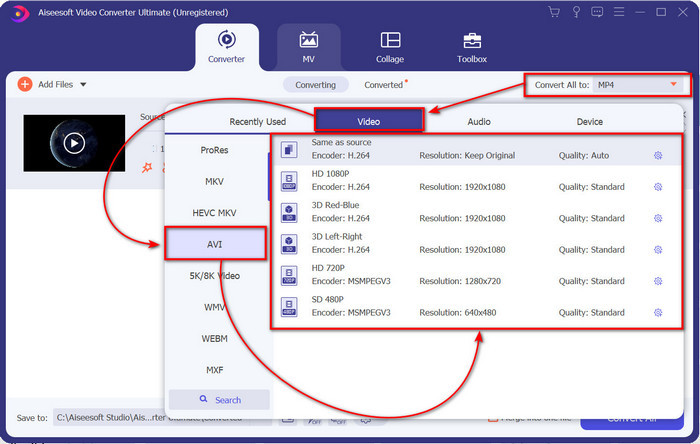
Step 3. To change the format to AVI, click Convert All to: and locate the AVI format; choose the resolution. Remember, the higher the resolution the better the quality, but the file size is more extensive.
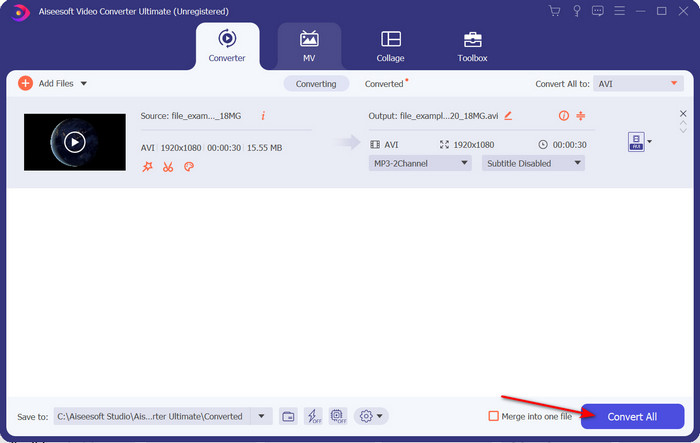
Step 4. Once you have already chosen a format, you can convert it by hitting the Convert All button.
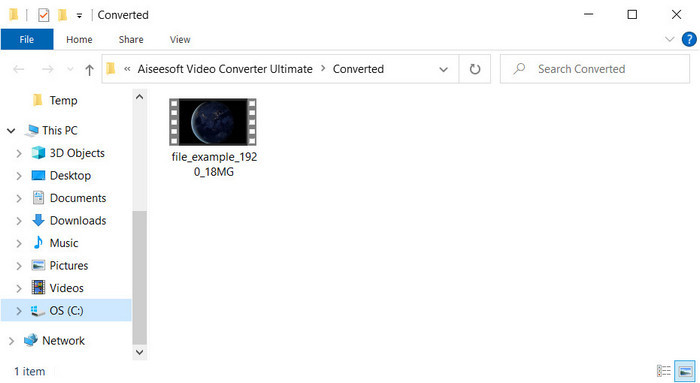
Step 5. Converting the file will take less than a minute; a folder will show after conversion with the AVI file. To watch the converted video click the file and enjoy watching it.
2ª Via. VLC
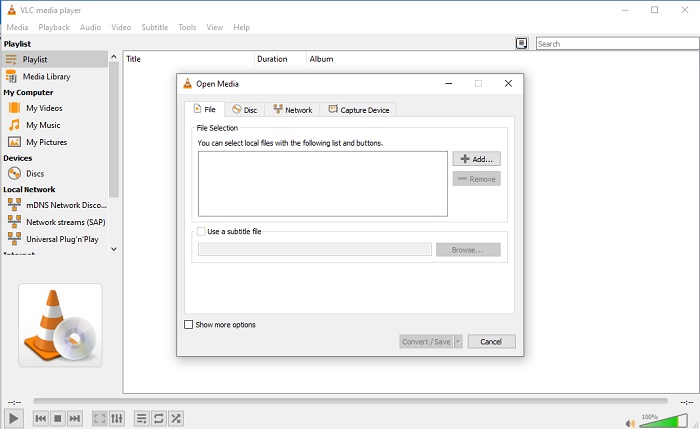
Se você estiver procurando por um conversor XviD para AVI gratuito, tente usar o VLC. Este software de código aberto não serve apenas para reproduzir vídeos, mas você também pode usar essa ferramenta para converter arquivos ou formatos. Embora a ferramenta ainda seja gratuita, você só pode escolher vários formatos para este conversor. Então agora, se você deseja converter seu arquivo XviD em um novo formato como AVI, siga as etapas abaixo.
Step 1. Launch the VLC on your desktop and click Media; under it, click Convert/Save.
Step 2. Press Add, search the file on the folder, Open it, and click Convert/Save.
Step 3. Change the format by clicking the drop-down button, clicking Browse to locate the folder, and clicking Start.
Parte 3. 3ª Melhor Maneira Gratuita de Converter XviD para AVI
3ª Via. Conversor de vídeo gratuito FVC online
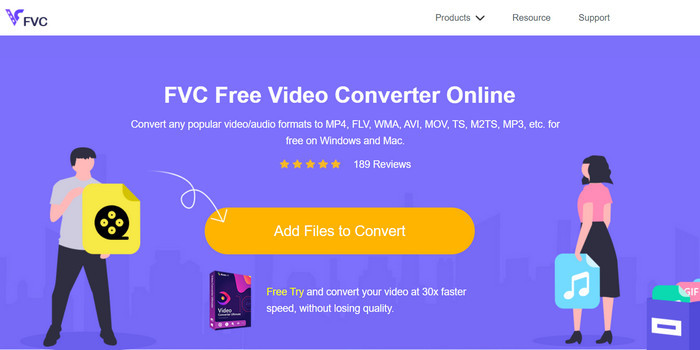
Are you looking for a web converter to convert XviD to AVI online and free of charge as well? FVC Free Video Converter Online is the best online converter you can use on your browser. This web tool already helps many users convert file problems, and maybe you are the next. One of the advantages of using this is that you wouldn't need to download the software on your desktop because you can access it thru your favorite browser anytime and anywhere. However, one of its disadvantages is that you can't use this if you don't have data or an internet connection in your area. Moreover, this web tool is a choice in regards to converting a format. So now, let's try to use this online software and follow the steps.
Step 1. To access this web tool, you must click this link.
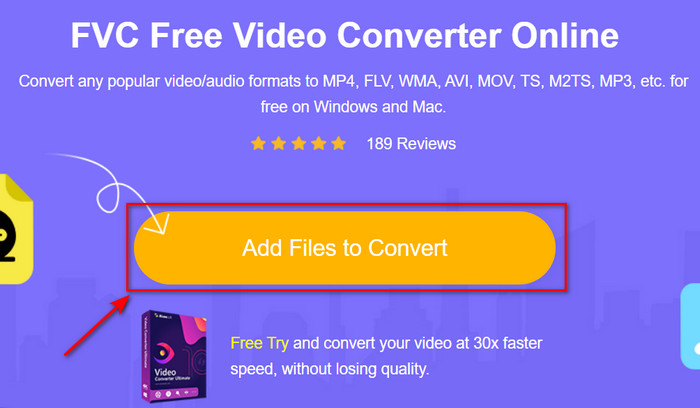
Step 2. Then click Add Files to Convert to open the web tool, and a folder will show after you click this, search the .xvid file on the folder, then click Open.
Step 3. After the file is uploaded, choose the AVI format under the submenu.
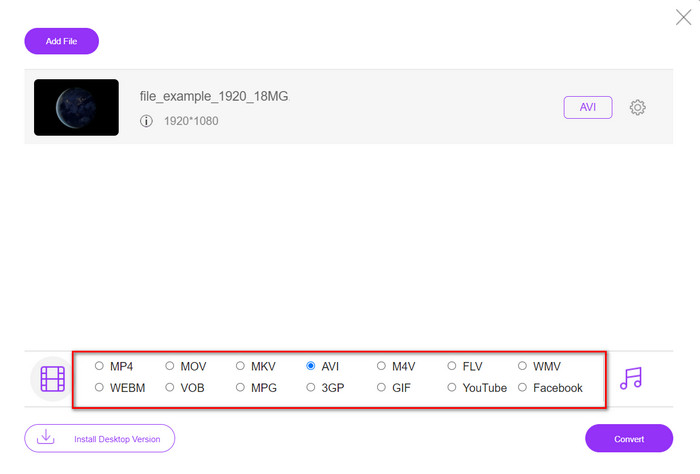
Step 4. Once you finish selecting the format, click Convert to start converting the format.

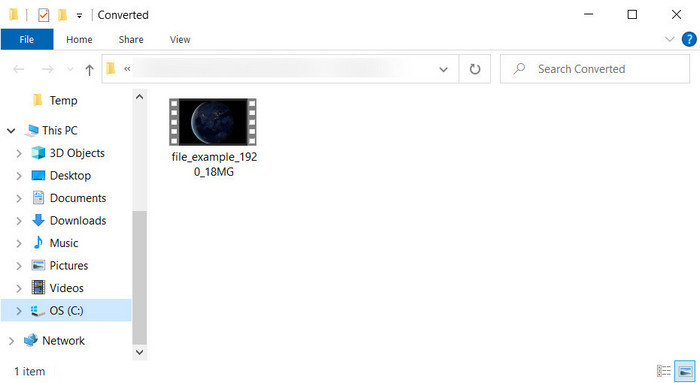
Step 5. A folder will be going to pop-up on your screen with the new .avi file.
Parte 4. Perguntas frequentes Conversão de XviD para AVI
Depois de converter XviD para AVI, a qualidade é a mesma?
Bem, claro, a qualidade do arquivo de vídeo XviD não deve mudar após a conversão. No entanto, se você alterar a qualidade da saída e defini-la como baixa ou média, espere uma mudança de qualidade, especialmente se o seu XviD for 1080 ou 4k pixels.
O tamanho do arquivo do XviD muda após a conversão?
Depende do formato em que você irá transformá-lo; por exemplo, ao transformar o .xvid em .avi, espere uma pequena alteração no tamanho do arquivo do vídeo. Mas não deve ser tão diferente do tamanho anterior.
Onde posso reproduzir meu vídeo Xvid?
Suppose you are looking for the best media player that supports the Xvid codec. Then try to click this link as we gather all of the top seven XviD players for Windows, Mac, iOS, and Android.
Conclusão
As we end, converting XviD can be quickly done if you use the tool available at the top. Moreover, the mentioned tool does perform excellently and will help you in solving the XviD problem. So now, it is in your hand to choose the perfect converter tool you can use. By downloading it or accessing it online, whatever choice you make expects to have an excellent output. But suppose you don't know what to choose. In that case, we suggest you download the FVC Video Converter Ultimate to achieve the phenomenal outcome. Also, if you download this you can do conversion and more of it if you tap the download button.
-
 Como converter M2TS para AVI com os melhores conversores na Web e na área de trabalho
 Quer converter seu arquivo M2TS para o formato AVI? Então leia este conteúdo, pois especificamos informações detalhadas sobre como converter e quais são as ferramentas disponíveis que você pode usar.
-
 4 conversores MXF de ponta para converter MXF em AVI [gratuito e pago]
 O que é um arquivo MXF? Como converter MXF para AVI? Estas são as poucas perguntas que respondemos. Então, se você tem a mesma pergunta, leia este artigo.
-
 As 4 maneiras mais eficazes de converter 3GP para o formato AVI [2025]
 Posso converter meus arquivos 3GP para AVI? Bem, você pode convertê-lo facilmente se experimentar essas ferramentas disponíveis, pois reunimos todas as soluções possíveis para o seu problema de conversão de 3GP em AVI.
