


 Video Converter Ultimate
 Gravador de ecrã
 Reparo de vídeo
 Secure Download
Tutorial sobre como editar metadados MKV na área de trabalho da maneira mais fácil
MKV is an extension that is very popular for the Matroska multimedia container formats. What makes the MKV popular over other formats? Many users thought that the MKV is a video compression used on audio and video, which isn't. This format became popular because of its flexibility in adapting codecs for audio, video, and subtitle while storing them on a single file. With these features, the format became future-proof, which implies that the file format will never be outdated, even the metadata stored here. So, if you want to add, remove, or edit the metadata on your MKV file, you must continue reading this article and learn how to edit MKV metadata more quickly.

Parte 1. Como editar os metadados do arquivo MKV com os 3 melhores softwares para desktop
FVC Video Converter Ultimate – O editor de tags MKV mais poderoso no Windows e Mac
FVC Video Converter Ultimate is the best MKV metadata editor you can download on both operating systems to finish the job like a pro. The ultimate software can handle the MKV file easily and open them to change their metadata if you want it to be changed. With its wide video and audio format support, uploading any media format like the MKV has never been a pain in the butt. While using the software, you will experience easy progress on learning how to grasp the whole idea of using it. Do you want to use the tool but don't have any tutorial you can depend on? Fortunately, the information we provided below will help you take the task like a pro; read the details below to know how to change the title of the MKV file in less than a minute.
Step 1. Firstly, clicking the download button will immediately download the software on your desktop and choose which software you are currently using. Then, install it on your desktop and launch it to add the metadata on your MKV files.
Free DownloadFor Windows 7 or laterSecure Download
Free DownloadFor MacOS 10.7 or laterSecure Download
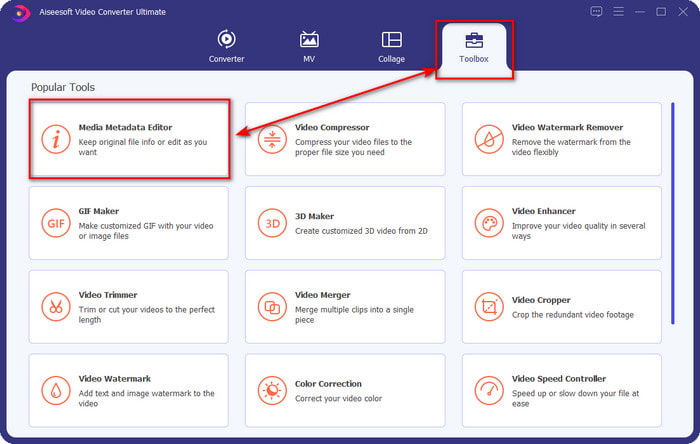
Step 2. Now that you've launched the tool, you must go to the Toolbox section and look for the Media Metadata Editor on the setlist below.
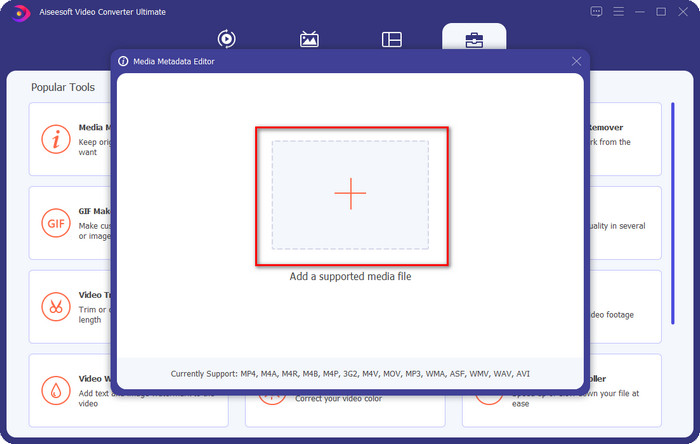
Step 3. To add the MKV file, click the + button that will show on your screen, find the .mkv file on the folder and click Open to proceed to the next step.
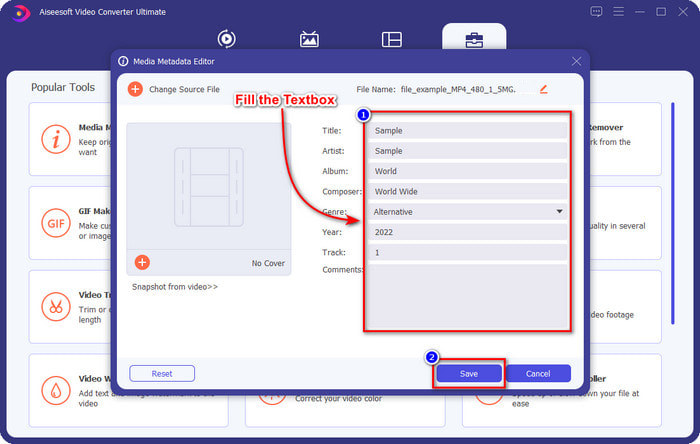
Step 4. In this part, you can now add the metadata you need on your MKV, fill them in according to your wants, and click Save if you've done it all and are ready to apply this. With that, you have added the tags on your MKV file to determine what's in the file quickly.
VLC Media Player - Editor de metadados MKV gratuito
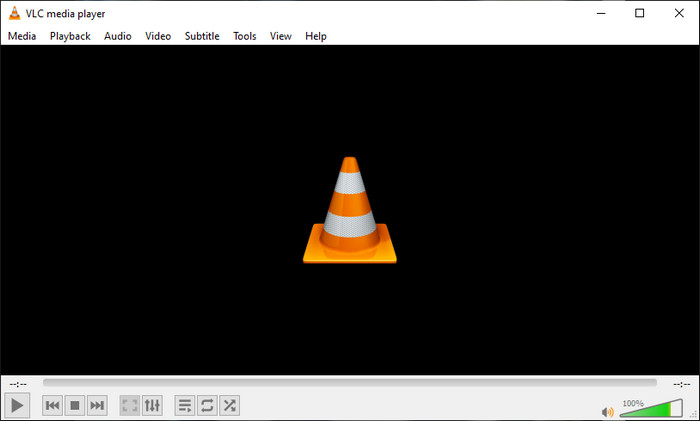
VLC Media Player can play and edit the tags of your MKV easily. This tool is open-source, so there is no need to worry if you download the software on your desktop because you can avail of the tool's full potential for free, but you can donate if you want. Although the tool is not as good as the other metadata editor on this list, it is still considered a dependable tool you can use on your device. In addition to that, you are free to add the basic information on your MKV file, whether the author's name, title, artist, album, etc. Follow the steps and learn how to edit MKV metadata using the media player as a metadata editor.
Step 1. Download, then open the VLC on your desktop.
Step 2. Go to Tools and click Media Information. If you want an easier way, you can use a hotkey instead by pressing CTRL + I. No matter what way you choose, their functions are the same.
Step 3. Type the information you need, and click Close to save the metadata automatically.
MKVToolNix GUI – Editor de tags MKV dedicado
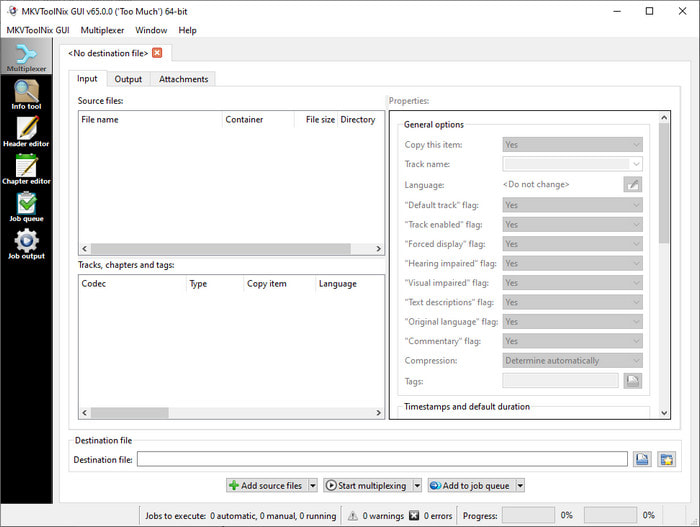
MKVToolNix GUI is a dedicated MKV file solution; although you can upload other formats, the software will change its format to MKV. The tool became known as a one-stop solution regarding MKV as it supports a toolset, which means you can have functions other than metadata editing. With its straightforward GUI, there isn't much to learn on how to use it; basically, you can learn how to use it within a few minutes. Even though the tool is straightforward, some users who already use an on-point metadata editor compared its GUI to others and said that the tool is not intuitive enough for them. After everything they said, it is still no doubt that the tool can teach us how to change the title of the MKV file.
Step 1. Download the software on your desktop, open it, click Add Source File, and locate the MKV file on the folder.
Step 2. Press Output and change the metadata here.
Step 3. If you've done all of these, you may now save it by clicking the Start Multiplexing.
Parte 2. Perguntas frequentes sobre o Editor de metadados MKV
Posso converter VOB para MKV?
You can easily convert VOB to MKV by clicking this link, and a new tab will be opened that will directly help you convert VOB to MKV. If you want more information about the VOB and MKV, this is the right article for you.
Por que meus arquivos MKV têm um tamanho de arquivo maior?
The reason why your MKV files are big is that the format contains not only video and audio. It also contains multiple elements such as subtitles, metadata, variable bit rate, and many more. So what should you do if you want to compress the MKV file to make it smaller without destroying the quality? There aren't many reliable video compressors, and because of that, we did some research to help you compress MKV without losing the quality at ease.
Quais são as desvantagens do formato MKV?
Mesmo que o formato do arquivo seja conhecido, alguns reprodutores de mídia e editores ainda podem lidar com o formato devido ao problema do codec e dos elementos. Além disso, o formato tem um tamanho enorme e nem todos os softwares suportam o upload de um tamanho de arquivo grande, pois importá-lo e exportá-lo consumiria muito tempo. O tamanho do arquivo também aumentará porque faz parte do arquivo, da mesma forma que o outro formato adicionado aos metadados. Mesmo tendo sua fraqueza, ainda é competitivo no que diz respeito ao armazenamento do arquivo de mídia e mantê-lo seguro para fins futuros.
Conclusão
Não é incrível? O que esses três softwares de desktop podem oferecer a você? O outro é um media player, enquanto o outro é um editor dedicado para MKV, mas qual ferramenta você deve usar? Se você quer o melhor, temos o prazer de trazer a melhor ferramenta para você. Aprender a editar metadados MKV com o FVC Video Converter Ultimate tornou-se fácil e eficaz. Então, o que você está esperando? Tenha a ferramenta ao seu alcance e use-a para corrigir os metadados em seus arquivos MKV como um profissional com apenas alguns cliques.
-
 2 melhores maneiras de editar metadados OGG que você deve experimentar gratuitamente
 Precisa editar metadados OGG? Bem, você pode facilmente editar as tags usando o software correto. Se você não tiver um, a leitura deste artigo é obrigatória.
-
 Uma visão geral absoluta sobre o Pentaho Metadata Editor [Atualizado em 2022]
 Não encontra um artigo confiável sobre o Pentaho Metadata Editor? Felizmente, nós mesmos revisamos a ferramenta para fornecer os fatos que você saberá sobre a ferramenta.
-
 Dicas e truques sobre o editor de metadados VLC que você deve conhecer em 2022
 Deseja usar o VLC como editor de metadados? Nesse caso, você pode ler este artigo, pois fornecemos uma revisão imparcial do editor de metadados do VLC.
