


 Video Converter Ultimate
 Gravador de ecrã
 Reparo de vídeo
Como avançar ou acelerar vídeos facilmente
You have a project that involves the observation of plant growths in your science subject. To accomplish this task, you need to video the plant from the process wherein you sow the seed until it grows and starts producing leaves. With the help of the fast forward, you can watch a plant grow within a minute, but you're having trouble with what applications, software, or online tool to produce a fast forward video about the said project. Continue reading this article to know all the best tools to use to adjust the speed of your video.

Parte 1. Melhor software para vídeo de avanço rápido
Video Converter Ultimate is the best software available that can edit your video to the next level with the help of its different features. These features are easy to use with just less than three steps to achieve the adjustments you desire. This software is free-to-download software, but some features need to be purchased to access its full potential. Video Converter Ultimate one feature is Video Speed Controller, which can fast forward and slow down a video in any video format. For you to be enlightened about this software, here are the steps prepared for you to follow:
Step 1. You may download the software for free by clicking Free Download and saving it to your PC. After that, you can customize and install the program.
Free DownloadFor Windows 7 or laterSecure Download
Free DownloadFor MacOS 10.7 or laterSecure Download
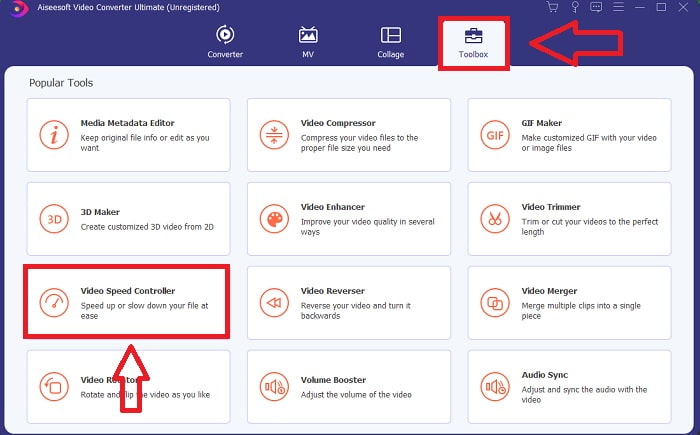
Step 2. Once the software has been installed, run it by selecting the Toolbox option from the menu bar and then selecting Video Speed Controller from the list that appears.
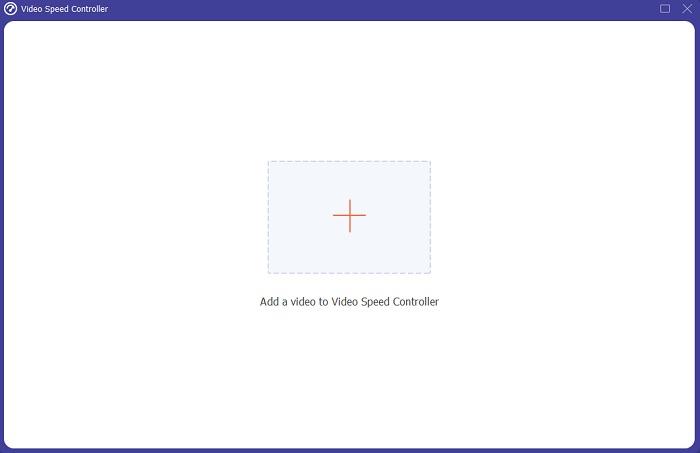
Step 3. Add any file by clicking the + button in your preference and proceed with editing the video clip.
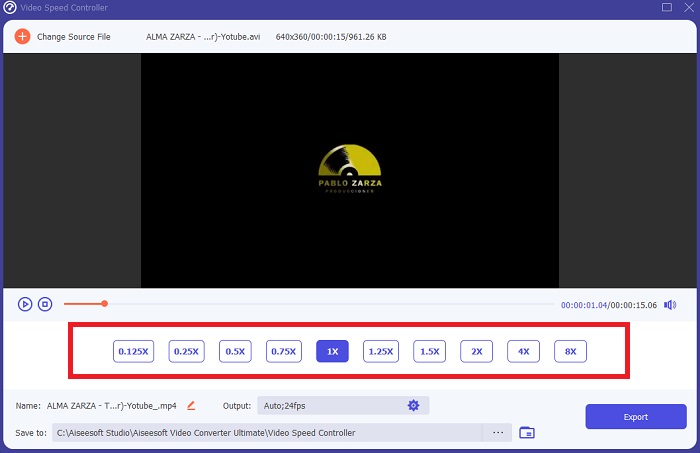
Step 4. Adjust the playback speed by choosing how many times the rate of the video will increase or decrease.
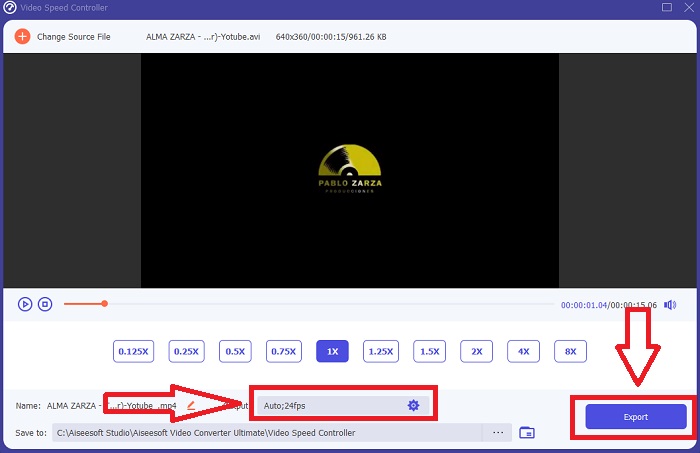
Step 5. After you've finished adjusting your video clip's playback speed, you can choose your desired output by changing the format, resolution, quality, and so on. When you're ready to save your work, click Export and choose a location.
Related:
Parte 2. Principais aplicativos de seleção de aplicativos para vídeo de avanço rápido
Aplicativos disponíveis em Android
◆ Fast Motion
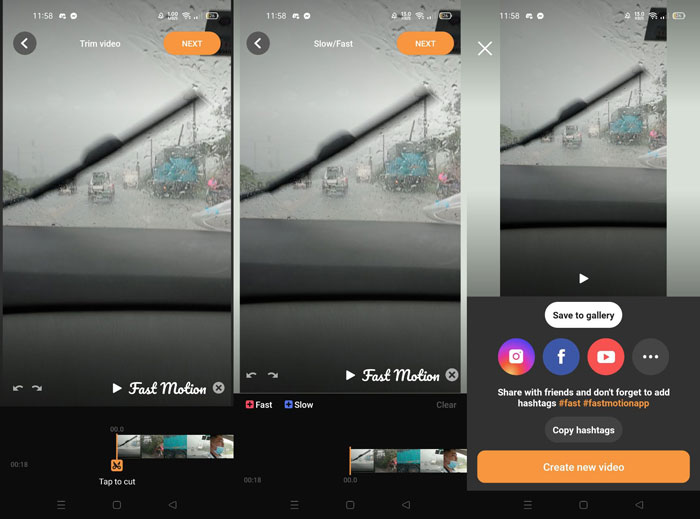
Fast Motion is an application available to download on android phones for free. It is a speed video editor that can adjust the video clip playback speed by selecting if it will play in a fast or slow phase. In its interface, you will see all the video clips you have on your mobile phone so that you can choose which clip you're going to edit. This application has a watermark, but you can remove it by buying the Fast Motion Pro. Fast Motion also offers a few tools to edit a video, like putting effects, text, and audio. The output of this product can be converted to three different qualities. You can consider this helpful app that can fast forward your video at ease.
◆ Viva Video
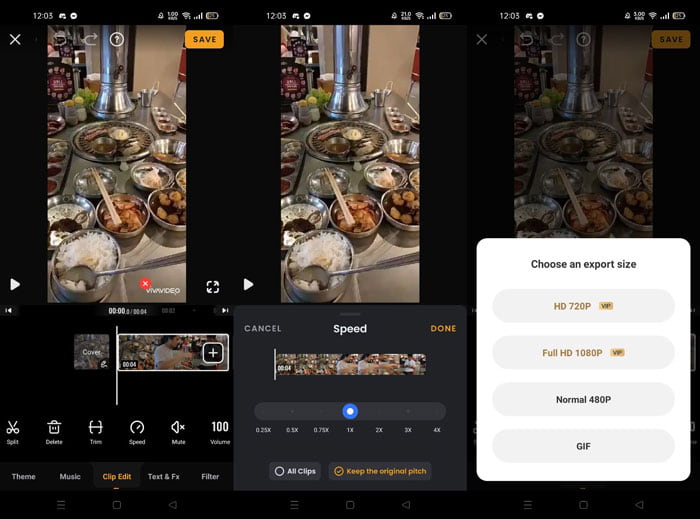
Viva Video can improve your video to its full potential because of its definition of utilizing tools in different ways possible. It has multiple professional tools available in this application that can make your video to the next level of editing. It has a theme, music, filter, and template offered for free, but the only bad thing is that you need to purchase the Viva Video Pro to access all the tools it features. Same with the other application said above, this app also has a watermark and has tools for creating a watermark. Still, you need to purchase the pro edition first to access the entire function of the tools and unlock all the available templates. You can edit the speed of GIF format in this application, yet the HD quality and the Full HD need to be purchased before you can use it.
Aplicativos disponíveis no iPhone
◆ iMovie
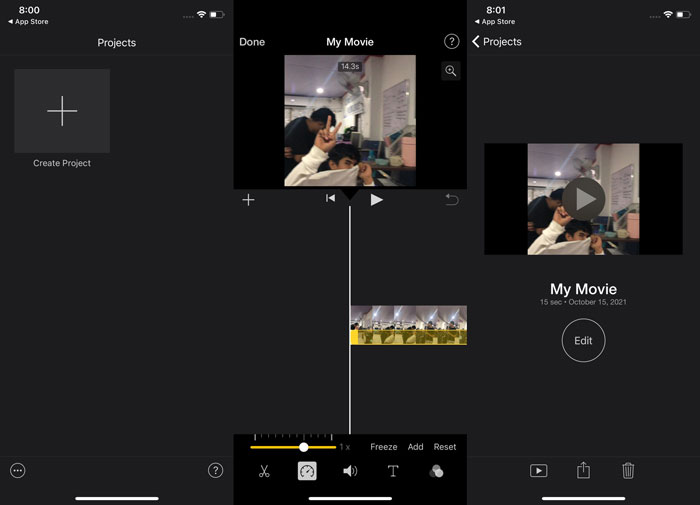
iMovie is the common video editor available in every iOS operating system and Mac. It has different kinds of tools to use in enhancing your video for free, it also has a featured tool that can adjust the playback speed of a video especially when you want to fast forward a video. It is free to download applications available in Apple Store, however, you need to purchase the premium version of it in order to produce a high-quality output of videos.
◆ Filmora Go
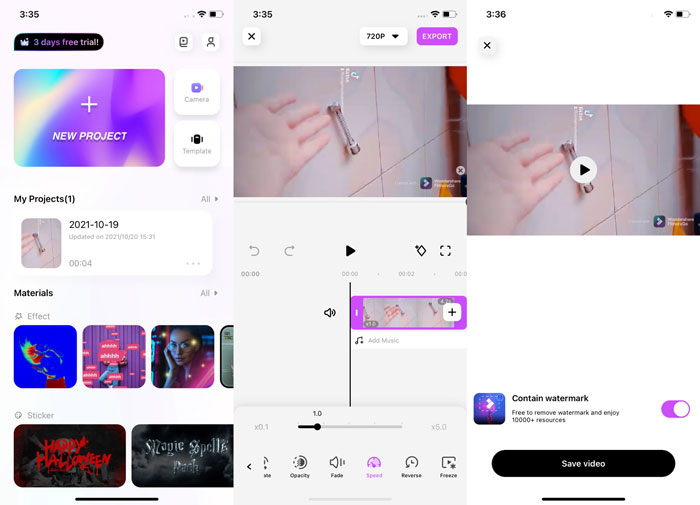
Filmora Go is a free-to-download application available on iPhone that can make a professional HD video. This app has many templates to edit and adjust your video on your preferred choices. You can trim, add text, stickers, and filters. The interesting features about this app are that you can adjust the frame rate of your video that makes your video smoother when it plays to a phone or other devices. As the different tools have offered, it also needs to be purchased before you access adjusting the quality of the output video and removing the watermark of the video.
Parte 3. Principais ferramentas online: ferramentas online para avançar o vídeo
◆ Clideo
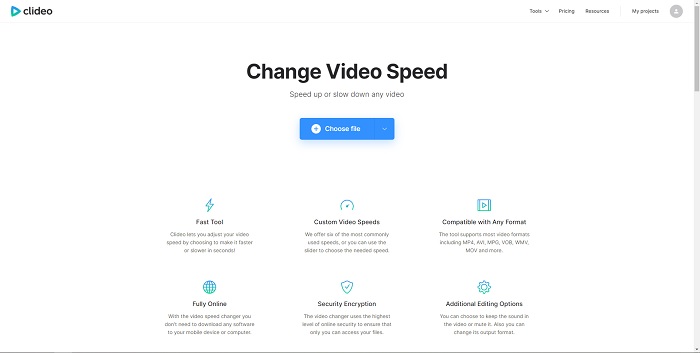
This online web tool Clideo is a free and easy-to-usewebtool. Clideo is a straightforward tool to adjust the speed of your video because it doesn't have any tool attached. Since it is a direct tool, the downside is that the interface is too simple and has few functions. This fast phase tool supports any format like MP4, AVI, MPG, VOB, WMV, MOV, etc. It is considered free to use, but it only needs to be purchased to remove the watermark like what the other tool offers.
◆ Fastreel
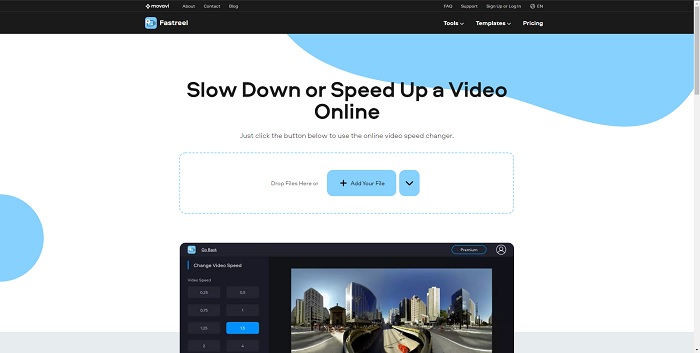
For beginner editors looking for a video editor online that can fast forward video at ease, Fastreel is one of them. This tool is a friendly user interface that has flexible settings to offer. This online editor has the quality of a professional user editor because of its fast speed conversion without installing any other 3rd party apps. You can also save any video watermark or select any option only if you purchase the premium.
Parte 4. Perguntas frequentes sobre Fast Forward Video
Eu perco a qualidade de um vídeo se avançar rapidamente um vídeo?
No, there's no quality loss if you fast forward a video, the frame rate will be divided depending on how fast you increase the playback speed of the video. Some applications can convert your video into different qualities you prefer after you fast-forward a video. But the Video Converter Ultimate is one of the preferable software you can use offline to fast forward your video. Not just that, as stated above it, this software can convert your video into high quality too.
Como posso avançar um vídeo no formato MP4?
Existem opções declaradas acima que podem converter MP4 ou avançar um MP4.
O que você recomenda que pode avançar um vídeo melhor?
Aplicativos, software e ferramentas da Web funcionam da mesma forma para fazer o vídeo avançar. Mas as ferramentas online ou da web funcionam de forma dependente da conectividade com a Internet. É por isso que o software é muito melhor para resolver o problema porque você pode usá-lo offline.
Conclusão
As I conclude, all of the tools, applications and software are very much aware of the fast-forward issues most people have in their videos. They only differ in few featured tools and additional functions, but they always have their common in having a watermark. On the other hand, Video Converter Ultimate is one of the choices above that doesn't provide a watermark when you export a video. That's why this software is the best option to choose, not just because of the watermark issue, but it also has other features to offer that can be used easily.
-
 6 Melhores fusões AVI: Como juntar arquivos de vídeo AVI no Windows e Mac
 Quando você deseja juntar vídeos AVI para um DVD, você pode aprender sobre os recursos dos 6 melhores usuários AVI incluindo ferramentas online gratuitas, bem como os programas de desktop do artigo.
-
 [Guia] 2 métodos definitivos para juntar-se a vídeos MXF da Sony X70
 Se você fez alguns vídeos MXF da Sony X70, quais são os melhores métodos para juntar arquivos MXF? Aqui estão os 2 métodos eficientes para combinar os vídeos com alta qualidade.
-
 Como recortar e mesclar músicas online - 4 maneiras que você deve conhecer
 Quando você deseja cortar e mesclar músicas online para criar uma peça musical, você pode aprender mais sobre as 4 melhores ferramentas online para recortar as músicas e combinar os arquivos do artigo.
