


 Video Converter Ultimate
 Gravador de ecrã
 Reparo de vídeo
 Secure Download
Como remover facilmente a marca d'água do Fiverr offline e online
Due to the pandemic, many people prefer to work in their homes. For that reason, many freelancing websites emerged online, and one of them is Fiverr. Fiverr is an online market and a freelancing website. However, buyers and sellers are having a problem removing the Fiverr watermark. We searched for solutions and found these amazing tools that can easily remove the Fiverr watermark. So, read this article if you want to remove the Fiverr watermark.

Parte 1. Introdução ao Fiverr
Mas o que é Fiverr? Como mencionado acima, o Fiverr é um mercado online e um site freelancer usado por vendedores e compradores para comprar e vender produtos online. Fiverr é um dos famosos sites de freelancers por causa de sua grande comunidade. Oferece serviços de alta qualidade sem taxas horárias. Além disso, se você possui um negócio e deseja promover e vender seus produtos, o Fiverr pode encontrar facilmente o freelancer certo para fazer o trabalho para você. Fiverr também é um site seguro e garante que todos os pagamentos são protegidos porque eles não liberarão nenhum pagamento até que você aprove o trabalho.
Além disso, você pode promover um produto usando estas opções: Gráfico & Design, Marketing Digital, Redação & Tradução, Vídeo & Animação, Música & Áudio, Programação & Tecnologia, etc. interface direta.
Agora que você conhece o Fiverr, vamos para a próxima parte, onde você aprenderá como remover a marca d'água do Fiverr.
Parte 2. Remova a marca d'água do Fiverr usando a ferramenta online definitiva
Muitas pessoas estão procurando métodos para remover a marca d'água do Fiverr. Procuramos soluções e ferramentas para ajudá-lo com esse problema. Felizmente, encontramos o removedor de marca d'água Fiverr mais notável que você pode usar online.
FVC Free Watermark Remover is the most outstanding tool that will help you remove the Fiverr watermark on your image. This software application is famous because it has an easy-to-use software interface, making it a beginner-friendly tool. Whatever format your image has, you can upload it on this app because it supports numerous image formats, including PNG, JPG, JPEG, BMP, and more. Also, it enables you to draw a polygonal outline or lasso tool to remove any watermark, logos, or text on your image. It also has different brush presets to choose the width of the brush to what you desire. Furthermore, this online tool has an erase to remove other unnecessary things from your image.
Pros
É 100% gratuito para uso.
É seguro usar.
Ele permite que você remova facilmente quaisquer marcas d'água, como textos, logotipos, imagens, etc.
Acessível em todos os navegadores da web, incluindo Google, Mozilla Firefox e Safari.
Como remover a marca d'água Fiverr usando o removedor de marca d'água gratuito FVC:
Step 1. First, search FVC Free Watermark Remover on your browser or go to their website by clicking this link.
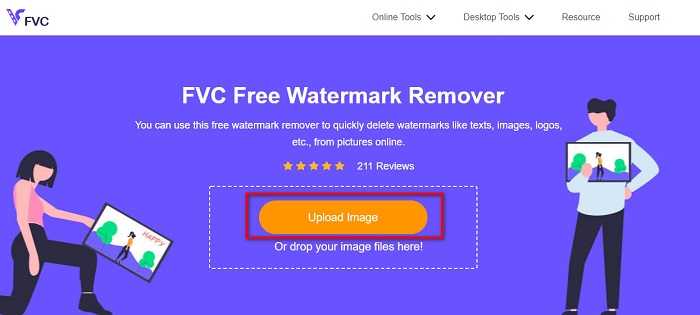
Step 2. And then, click the Upload Image button on the software’s main interface. Your computer files will prompt. Select your fiverr image, and click Open to upload it.
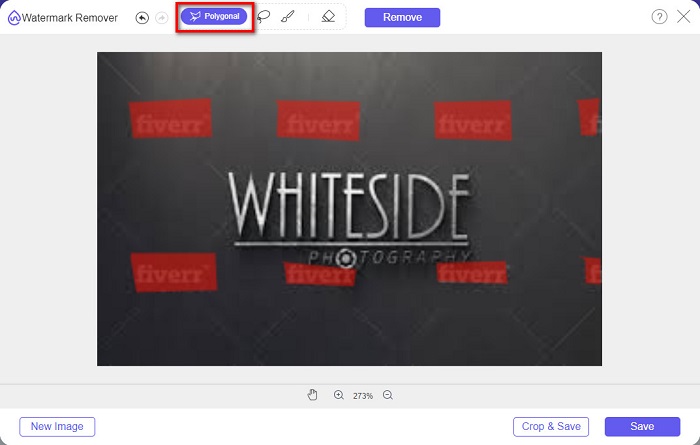
Step 3. Next, select the removing tool you want (Polygonal, Lasso, Brush). And then select the watermark area that you want to remove. This time, we will use the Polygonal tool as an example.
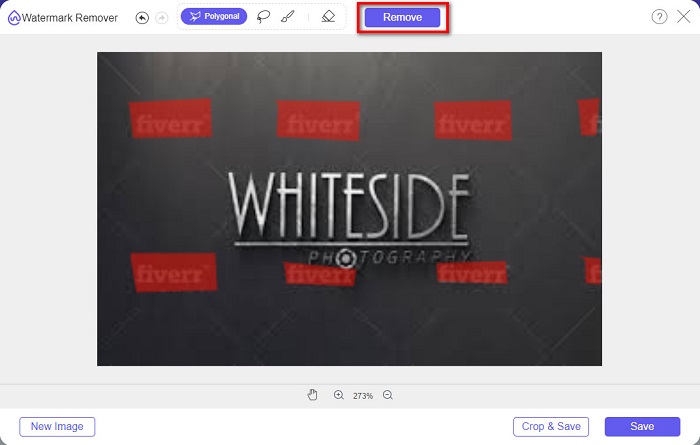
Step 4. Then click the Remove button to remove the watermark that you selected.
Step 5. You will observe that the watermark on your image is removed. Then, click the Save button to save your image on your device.
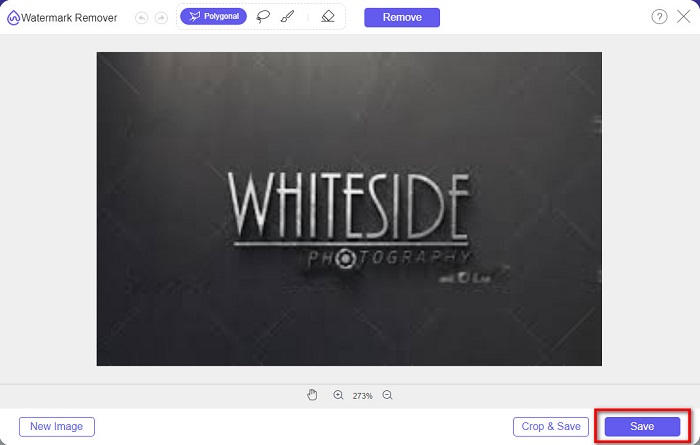
And that’s it! You can remove the Fiverr watermark on your image as easily as A-B-C. Also, you can use this software to remove watermarks from graduation pictures.
Parte 3. Outras maneiras de remover a marca d'água do Fiverr
Existem também algumas ferramentas que você pode usar para remover a marca d'água Fiverr em sua imagem. Esta parte lhe dará mais opções para escolher qual ferramenta você deseja. Portanto, leia esta parte de forma abrangente.
WatermarkRemover.io
WatermarkRemover.io is an online watermark remover that effortlessly removes the watermark on your image. This online watermark remover uses an AI algorithm that can predict the location of the watermark on your image. It also has a color separation feature where it segregates the color of the watermark from your background. But do not worry because it recreates the background after the process. What’s fantastic about this tool is that it can remove different watermark presets in your image.
Prós
- Ele usa a detecção automática de marcas d'água.
- É uma ferramenta amigável.
- Nenhuma instalação é necessária.
- Ele não contém anúncios perturbadores.
Contras
- Você experimentará um processo de carregamento lento se sua conectividade com a Internet for lenta.
Step 1. On your browser, search WatermarkRemover.io. Then, on the main interface, click the Upload Image button.
Step 2. And then, wait for your image to be uploaded. You will see that the watermark on your image will automatically be removed.
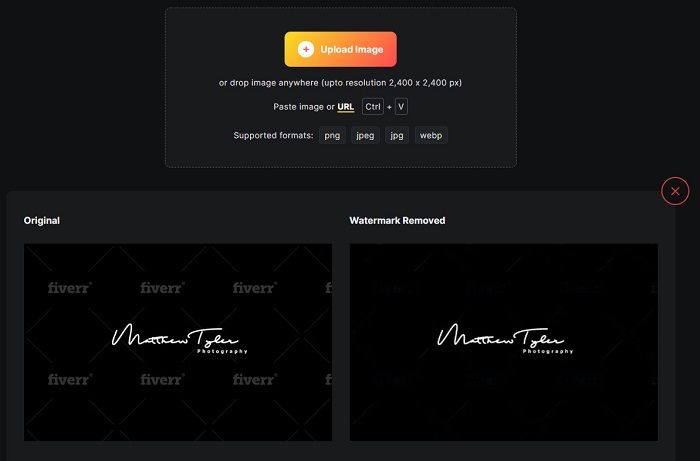
Step 3. Finally, click the Download Image button to download your image on your device.
Imgkits
Another online watermark remover that you must use is Imgkits. This online tool is famous because it has a simple user interface, making it user-friendly. It also comes with many removing tools presets, such as smear repair, tick repair, and polygonal. And if you committed a mistake, you can just restore your image. In addition, unlike other online tools, Imgkits does not contain any ads. However, many users are experiencing dissatisfaction because there are times that the watermark will not completely disappear. Nevertheless, it is still convenient to remove the watermark on your image. This tool is also a photobucket watermark remover.
Prós
- Ele suporta os formatos de imagem mais comuns, como PNG, JPG, BMP e WEBP.
- Possui uma interface de usuário intuitiva.
- É gratuito e seguro de usar.
Contras
- É dependente da internet.
Step 1. Search Imgkits on your browser, then go to their main page. On the software’s main interface, click the Upload Image button.
Step 2. And then, choose the remover preset that you want. Then, select the watermark area on your image. You will see that the watermark will be erased automatically.
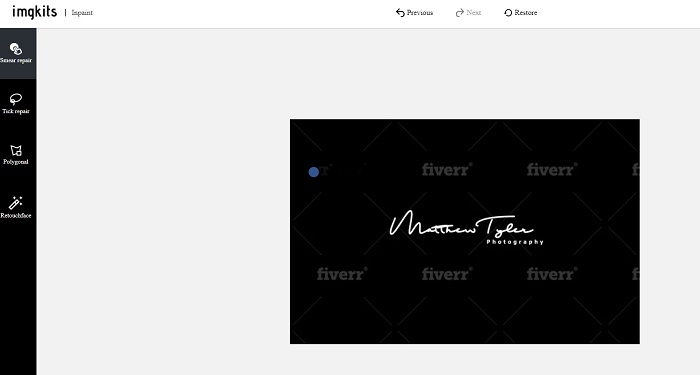
Step 3. Click the Download button to finish the process and download your image.
Parte 4. Perguntas frequentes sobre como remover a marca d'água do Fiverr
Existem aplicativos que podem remover marcas d'água?
Sim. Você pode baixar aplicativos no seu Android que podem remover marcas d'água. Alguns deles são PicLab, Photo Retouch, AirBrush e muito mais.
A remoção da marca d'água na sua imagem prejudica a qualidade?
Existem removedores de marca d'água que afetarão a qualidade da sua imagem quando você remover a marca d'água. Algumas ferramentas deixarão marcas na área da marca d'água que você removeu.
Por que você não deve colocar uma marca d'água em suas fotos?
Muitos fotógrafos não colocam uma marca d'água em suas fotos porque as marcas d'água são desagradáveis e podem reduzir a atratividade de sua foto. No entanto, as marcas d'água também são necessárias porque indicam a originalidade da sua imagem ou vídeo.
Conclusão
And there you have it! Those are the tools that will help you remove the Fiverr watermark. It is now in you what tool you will use to remove the Fiverr watermark. Any of the tools presented above will help you conveniently remove watermarks. But, if you want a watermark remover with the best features and the simplest user interface, use FVC Free Watermark Remover.
-
 Como remover a marca d'água Lumion no Windows e Mac facilmente
 Precisa remover a marca d'água Lumion para apresentá-la profissionalmente? Bem, existem ferramentas que você pode usar para ajudá-lo a se livrar da marca d'água que deixa.
-
 Como remover a marca d'água Weibo em vídeos e imagens facilmente
 Tendo problemas para remover a marca d'água Weibo em vídeo e imagem exportados? Nesse caso, você deve um removedor de marca d'água que listamos abaixo que pode ajudá-lo.
-
 Aprenda a remover a marca d'água Movavi gratuitamente [obrigatório!]
 Exportar um vídeo ou imagem no Movavi deixará uma marca d'água, mas é possível removê-la? Para ensinar como remover a marca d'água de graça leia isso.
