


 Video Converter Ultimate
 Gravador de ecrã
 Reparo de vídeo
 Secure Download
Como compactar vídeo online usando três ferramentas notáveis
One of the challenges of recording a lengthy video on a mobile device that contains high resolution is when you need to transfer it to other people online. It is because social media accounts contain a limited size of files it receives. That is why others have only one solution in mind: cut or trim the video. Starting today, users don't need to worry about recording lengthy videos because of the video compressors online listed below.

Parte 1. 3 maneiras de compactar vídeo online
1. Compressor de vídeo FVC on-line
FVC Video Compressor Online is the ultimate choice for users seeking an effortless video compression experience. Discover this online tool's unparalleled ease and simplicity, making it a standout among other online video compressors. By moving the slider from left to right, you can effortlessly determine the level of compression you desire for your files. Moreover, this incredible online video compressor empowers you with the freedom to select the precise format that perfectly suits your desired video outcome. You can experience the versatility and convenience of various formats, including the popular MP4, MOV, MKV, AVI, WMV, and many more. With various selections, you'll be free to enjoy your media in the format that suits you best. In addition, you have the incredible opportunity to enhance the resolution and bitrate of your file.
Prós
- Os usuários podem experimentar a facilidade e simplicidade de sua interface de usuário.
- Ele permite compactação de vídeo perfeita, sem marcas d’água.
- Ele permite que os usuários selecionem a taxa de bits e a resolução ideais para seus arquivos de vídeo.
- Ele transforma facilmente seus vídeos em uma ampla variedade de formatos.
Contras
- O processo de compactação depende da velocidade da internet.
Step 1: Once you reach the main interface of FVC Free Video Compressor, click on the Add Files to Compress button and proceed to download its launcher. After completing the installation process, click the button once more and add the video you wish to compress.
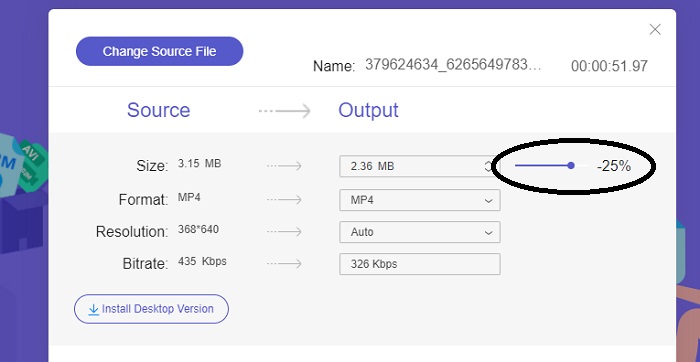
Step 2: To begin compressing the video, move the Slider bar from right to left after adding it. You can change the format of your video by selecting from the available formats.
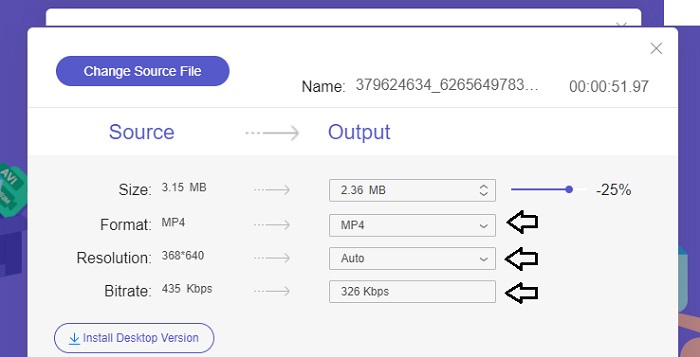
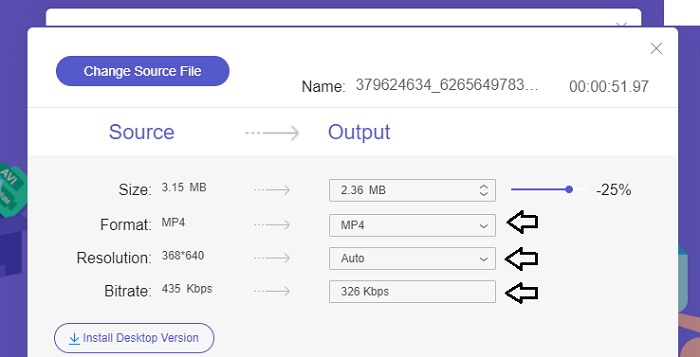
In addition, you can customize the Bitrate and Resolution of your video by selecting from the available options.
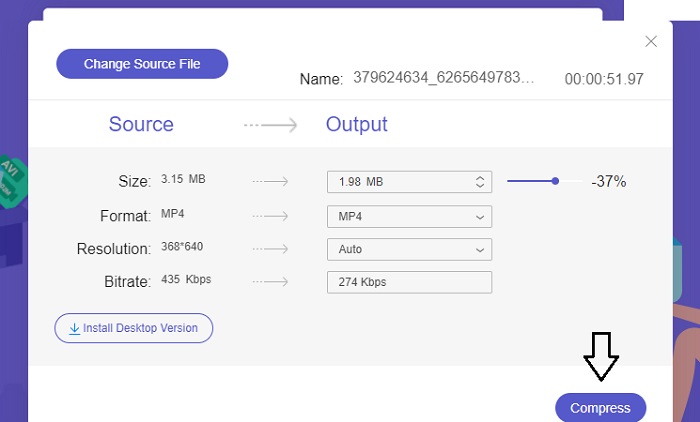
Step 3: Once you have made all the necessary modifications, you can save your video by clicking the Compress button. Then, select the folder where you would like the output video to be saved. And that concludes everything!
2. Conversão Grátis
FreeConvert é uma ferramenta online fácil de usar para compactar vídeos. Os usuários podem direcionar aspectos específicos, como tamanho do arquivo, qualidade de vídeo, resolução ou taxa de bits para compactação. O processo de compactação é rápido e fácil, consistindo em apenas alguns passos simples e fáceis de seguir. No entanto, como esta ferramenta está disponível exclusivamente online, os usuários necessitarão de largura de banda substancial tanto para upload quanto para download. A versão gratuita do FreeConvert tem certas limitações quanto ao tamanho dos arquivos e ao número de arquivos que podem ser convertidos mensalmente.
Prós
- A interface é amigável para iniciantes.
- Possui uma velocidade de download rápida.
Contras
- Para compactar arquivos grandes, os usuários devem pagar por uma conta premium.
- A versão gratuita possui limite diário de conversões.
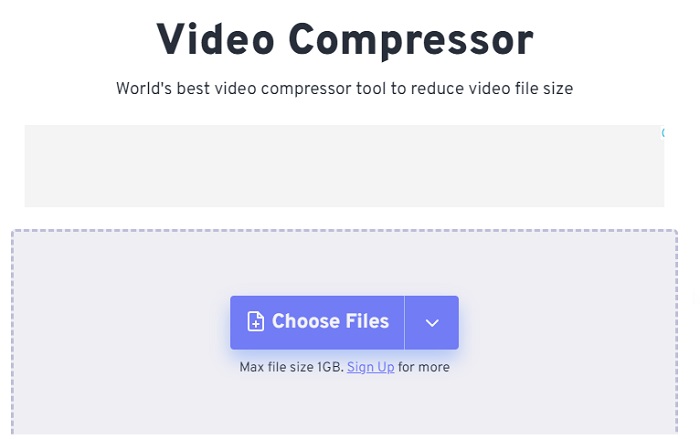
Step 1: Search your search engine for FreeConvert Video Compressor. After reaching the main interface, tap the Choose Files button to upload the video you wish to compress.
Step 2: After uploading your video, click the Compress button and patiently wait for the process to complete.
Step 3: To save the compressed video, tap the Download button and choose the desired folder where you would like to store the video.
3. Zamzar
Zamzar é uma ferramenta online conveniente que permite converter e compactar arquivos gratuitamente. Ele pode ser acessado em qualquer PC com conexão à internet. Este redutor de tamanho de vídeo online permite aos usuários, sejam eles iniciantes ou profissionais, compactar seus videoclipes de forma rápida e sem esforço. O software tem a capacidade de suportar uma ampla variedade de tipos de arquivos. No entanto, é importante observar que a versão gratuita restringe apenas duas compactações ou conversões em um período de 24 horas.
Prós
- No caso de qualquer problema técnico, há suporte por e-mail disponível.
- Os arquivos ficam armazenados por no máximo 24 horas.
- A navegação é muito fácil de usar.
Contras
- Na versão gratuita, os usuários ficam restritos a no máximo dois arquivos em 24 horas.
- Para acessar arquivos maiores que 400 MB, é necessário atualizar para a versão premium.
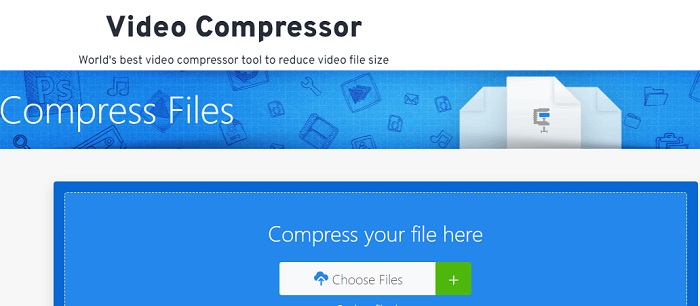
Step 1: To begin, navigate to the main page of Zamzar, where you will find the complete interface. To add the video from your desktop, click the Choose Files button.
Step 2: Once you upload the video, you must wait a few seconds for the compression process to complete and update the status.
Step 3: Finally, you can download the compressed file onto your desktop.
Parte 2. Melhor Compressor de Vídeo Offline
If you want software that combines video compression, conversion, and editing capabilities, consider switching to Video Converter Ultimate. The software offers a comprehensive solution that includes basic video editing, converting, and compressing features. Additionally, it provides advanced functions that allow users to create high-quality, professional videos effortlessly. It provides a wide range of powerful features. The solution also includes a tool that enables users to create impressive videos in a shorter time frame efficiently. Converting a video using this tool is a simple three-step process.
Step 1: To utilize this powerful video compressing software, download and install it on your computer. Following this, launch the software to begin using its features.
Free DownloadFor Windows 7 or laterSecure Download
Free DownloadFor MacOS 10.7 or laterSecure Download
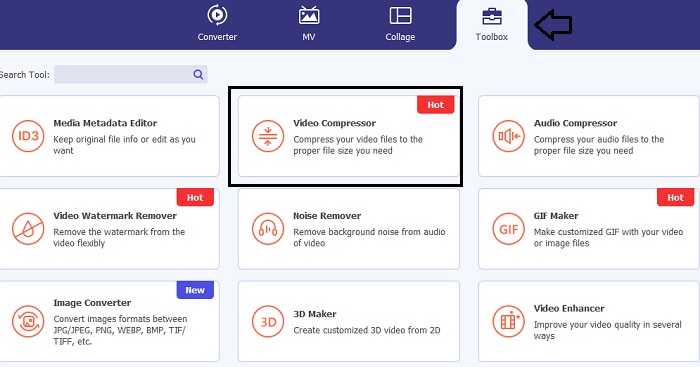
Step 2: To start, navigate to the Toolbox section and click the Video Compressor option. After that, you may now upload your video.
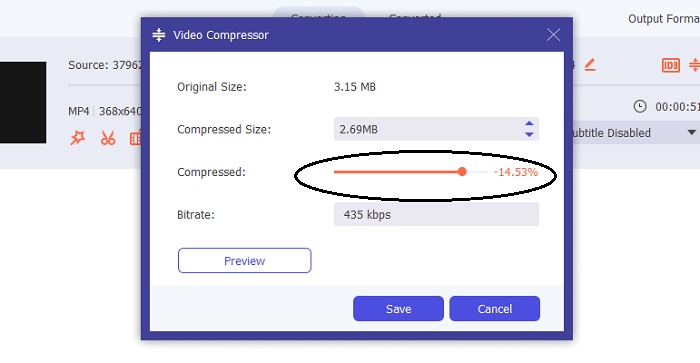
Once you enter the Video Compressor setting, move the Slider bar until you get your target size. Then, click the Save button to apply the changes.
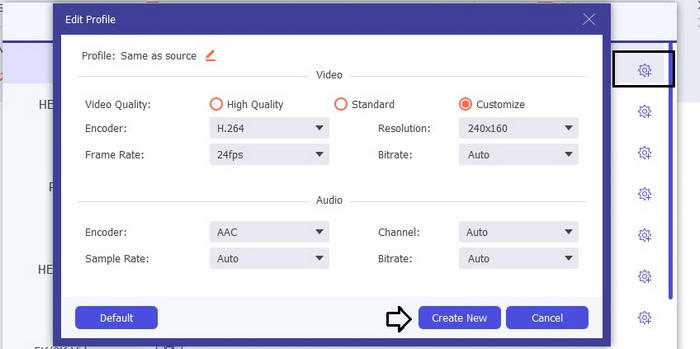
To select the appropriate video format, click the Profile option and choose from the available formats in the drop-down list. You can also adjust settings such as Encoder, Resolution, Bitrate, and various audio settings. Remember to click the Create New button to confirm these settings.
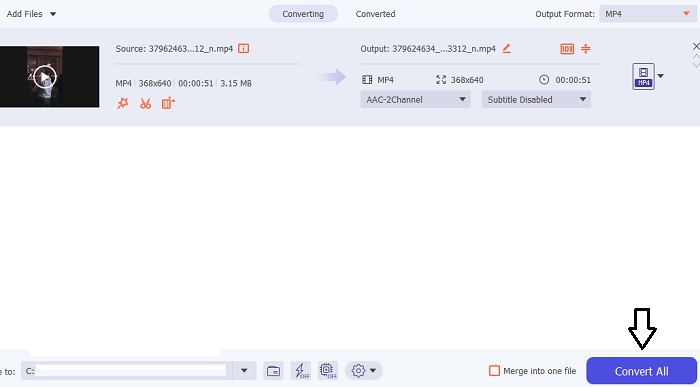
Step 3: To begin compressing the video, click the Compress button.
Further Reading:
How to Compress Video for Web Efficiently Without Losing Quality
Does Google Drive Compress Video? Find Out and Unravel Here
Parte 3. Perguntas frequentes sobre compressor de vídeo online
Como reduzo o tamanho em MB de um vídeo?
Mantenha a resolução da imagem e a taxa de quadros baixas sempre que possível. Para reduzir o tamanho em MB do seu arquivo, considere diminuir a taxa de bits e a resolução do seu vídeo. Mas lembre-se que à medida que você reduz o MB, a qualidade também fica comprometida.
Como posso reduzir o tamanho de um vídeo sem perder qualidade?
Vários métodos estão disponíveis para reduzir o tamanho de um arquivo de vídeo sem sacrificar sua qualidade. Você pode aprimorar seu vídeo utilizando um compressor de vídeo, cortando sua duração, ajustando a taxa de bits ou convertendo-o para um formato adequado para a web.
Reduzir o tamanho do vídeo reduz a qualidade?
Lembre-se de que compactar seu vídeo terá impacto em sua qualidade. Portanto, é fundamental ter a ferramenta adequada à sua disposição. Você pode usar o Video Converter Ultimate ou o FVC Video Compressor Online.
Conclusão
There are tons of methods available to compress videos, including the use of online video-size compressors. If you want to ensure that the quality of your video files remains intact even after compression, using Video Converter Ultimate is a must-try.
-
 Como compactar um vídeo MP4 para um tamanho menor
 O vídeo MP4 é muito grande para ser enviado? Quer reduzir o tamanho do vídeo? Aqui estão 3 maneiras eficientes de compactar um arquivo MP4 em um tamanho menor sem limite.
-
 Tutorial para compactar um vídeo para e-mail no iPhone / Android / Online
 Não consegue enviar um vídeo muito grande por e-mail? Se você tiver esse problema, poderá obter maneiras viáveis de compactar um vídeo para e-mail aqui. Este artigo mostrará como reduzir em detalhes grandes arquivos de vídeo gratuitamente.
-
 2 maneiras de compactar vídeo para o YouTube
 Os vídeos do YouTube são grandes e demoram para carregar? Basta comprimir o tamanho do arquivo de vídeo em um tamanho menor para o YouTube de 2 maneiras online e no computador.
