


 Video Converter Ultimate
 Gravador de ecrã
 Reparo de vídeo
Qual é a melhor alternativa do iMovie para Windows que você pode encontrar na Web
iMovie is a well-known free video editor on Mac because it is their default editor and even if you are between beginner and professional you can easily manage to use it. Although this tool is great at editing, it is not yet available to be accessed on Windows. So, here below are the list of the best video editor like iMovie for Windows and their definition also. For easier to decide which tool provides the best editing features and output as well.

Parte 1. Melhores alternativas do iMovie para PC com tabela de comparação
| Recurso(s) do Editor | Video Converter Ultimate | Editor de vídeo gratuito VSDC | Davinci Resolve | Hit Filme Expresso | Windows Movie Maker |
| Edição de recursos |  | | | | |
| Amigo do usuário | |  | | | |
| Experiência geral | Ele fornece um avanço total e saída profissional e ainda é fácil de usar. | Melhor ferramenta para usar na edição de vídeos mais detalhados com experiência profissional. | A ferramenta é construída para ser usada em edição pesada | Fornece muitos recursos de edição do que o VSDC Free Video Editor. | Possui edição básica e nada mais. |
| Tamanho do arquivo | 2,4 MB | 99,2 MB | 1,5 GB | 1,2 GB ou mais | 15,1 MB |
| Faixa de preço | Por 1 mês: $25,00 Por um ano: $31.20 Licença vitalícia: $55.20 | $19.99 para a edição Pro | $357.01 por recursos | $299 (sem taxa de assinatura) | Grátis para baixar |
| Requisitos do sistema: Plataformas, processadores e RAM compatíveis | SO compatível: Windows 10, Windows 8, Windows 7, Windows Vista, Windows XP (SP2 ou posterior) macOS 10.7 ou superior Processador: CPU Intel / AMD de 1 GHz ou superior RAM: 1G RAM ou mais | Microsoft Windows 2000/XP/2003/Vista/Win7/Win8 Processador: Intel ou AMD ou processadores compatíveis com no mínimo 800 MHz Resolução mínima de gráficos de exibição de 800x600x16 bits em cores RAM: 128 megabytes (MB) Microsoft DirectX 8.1b | Windows 10 Creators Update ou Blackmagic Design Desktop Video 10.4.1 ou posterior Processador: versão do driver NVIDIA/AMD/Intel GPU RAM: pelo menos 2 GB de VRAM | Windows: Microsoft Windows 10 (64 bits) Processador: Processadores Intel® Core™ de 4ª geração ou equivalente AMD. RAM: 4 GB (8 GB recomendado) | Microsoft Windows XP (SP2 ou posterior), Windows Vista, Windows 7, Windows 8, Windows 8.1, Windows 10 Processador: processador Intel/AMD de 1 GHz ou superior RAM: 256 MB de RAM (512 MB ou superior recomendado) |
1. Video Converter Ultimate
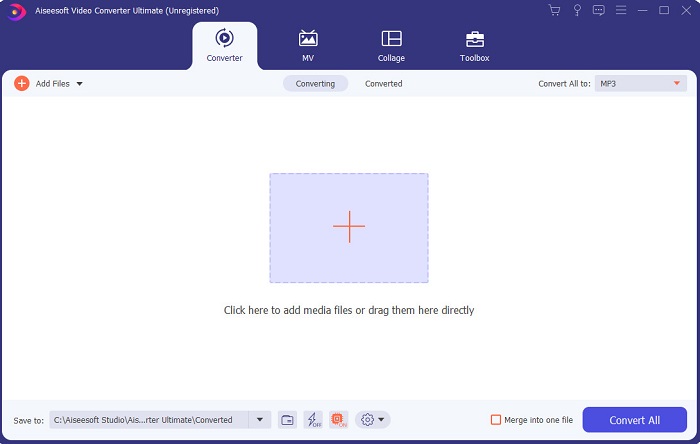
If editing is your problem, then Video Converter Ultimate makes up for it. As it showcases a lot of features than iMovie in editing or the other tool in this list. And also, this is the best iMovie alternative for Windows and on Mac. As it allows its user to experience a high-quality editing experience with less learning needed to do. Which means even if you are a beginner or newbie to editing a video, you can still manage to do the best editing by using this software for easier ways of editing with the touch of a pro. Also, it only presented easy to understand instructions to help its user to do their desired editing they want to do. Although the tool interface is great yet it still needs to be upgraded into a much better. As they say there is always room for improvement.
Free DownloadFor Windows 7 or laterSecure Download
Free DownloadFor MacOS 10.7 or laterSecure Download
2. Editor de vídeo gratuito VSDC
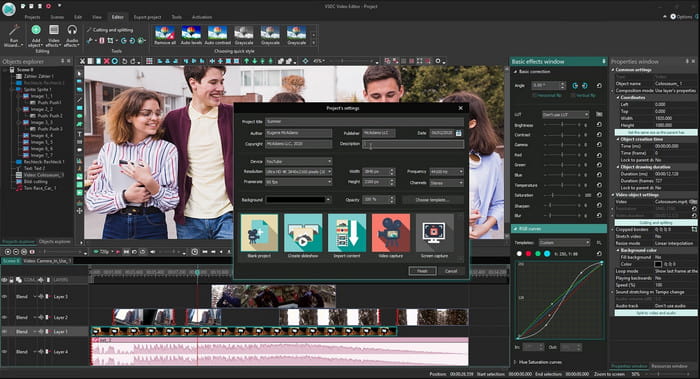
VSDC Free Video Editor is one of the admirable editors you can use for free on Windows. The software user interface became better and better every time the developer upgraded it. But they still need to enhance it to become better than ever. Also, some of this iMovie for Windows 10 editing features are hidden on the submenu of the tool. And because of that it will give you a hard time searching for the editing you want to do. But the price of its pro version is very cheap compared to the other tool presented. However, editing features seems to be fair because of the price. Also we encounter some bugs and crashes when we try this tool.
3. Resolução Davinci
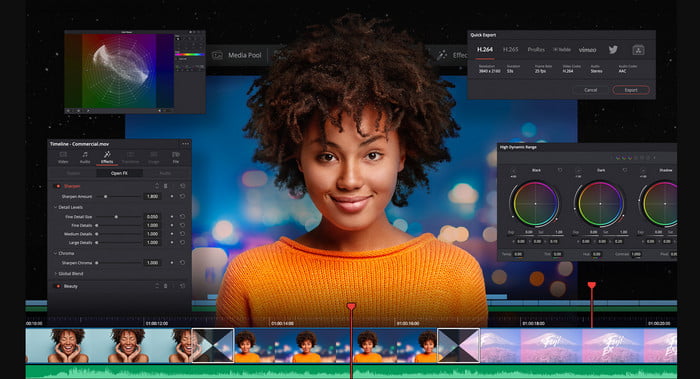
Davinci Resolve presents a lot of editing features you will need to improve your video. It is said that the combination of Adobe Premier and Apple Final Cut editing feature is presented in this tool. Because of that combination, expect a lot of advanced features you can use to make your video even better than ever. However, learning how to use this tool is burdensome to all the beginners and some pro who doesn't have experience in editing. Moreover, this iMovie for PC is the best alternative that has a lot of advanced features but it is not budget friendly. Because it will cost you more than $300 which is the most expensive editor tool in this list.
4. HitFilm Express
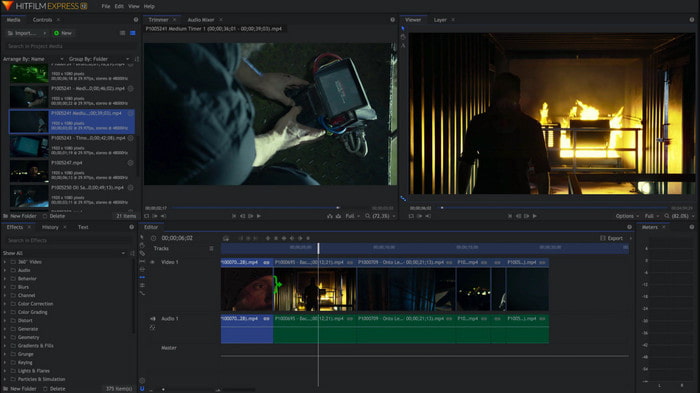
HitFilm Express is greatly appreciated by many users because of its performance. Although some tutorials are presented here, still it is not enough to explain how to use the editor. Also, it lacks some animated transition features that you will need to make your video extraordinary. However, if you want to only do simple editing then try to use this because it is like iMovie available on PC. Also, expect some minor and major bug issues while using this and beware of unexpected crashes.
5. Windows Movie Maker
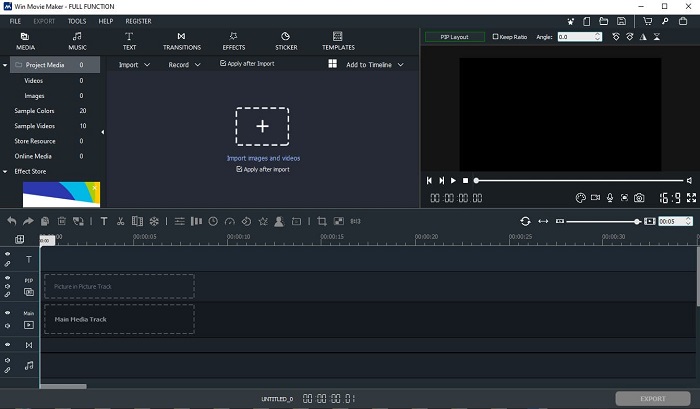
Windows Movie Maker became very popular in late 2016 because it has some advanced features you can use. Although it is now deleted as native media player for Windows still it is one of the alternative iMovie to download for PC. Additionally, be careful where you download this tool, because a lot of users try to download this tool on the web and get viruses from their computers from unknown sources. It also showcases basic editing that you will need. So, if you want to have a phenomenal output then you will not need to download this tool. But if you want to have simple editing then try to download and use this tool.
Parte 2. Perguntas frequentes sobre o iMovie para Windows
Qual é a melhor ferramenta para editar GIFs?
As GIF became a trend today, many of the users love to create their own GIFs. Also, GIFs are a lot smaller in size than another video format. So now, if you click this link a new website will be open about what is the best GIF editor for PC, Mac, iOS, and Android.
Como adicionar música de fundo a um vídeo?
Editing video is great but did you know that adding background music is also part of the editing stage? So, to know more on how to add music on video click this link to proceed.
Por que editamos os vídeos?
Como faz parte da pós-produção, isso aprimorará seu vídeo mesclando, cortando vídeos desnecessários, adicionando música de fundo e muito mais. Por causa deste software de edição, podemos nos expressar muito apenas fazendo a edição.
Conclusão
In conclusion, editing video is a very important stage that we need to take seriously. Although, if you don't have the complete set of an editor, you can still manage to do the editing. With the help of the 5 tools listed here, they have almost common concepts and features like iMovie. Moreover, the Video Converter Ultimate is the phenomenal editor you will need to make an impressive video that no one will expect you to do. So, what are you waiting for? If you want to experience all-out advanced editing features with a very cheap price and easy to do. Then download the ultimate converter on your PC.
-
 Como compactar arquivos MPEG-4 online - sem download, sem marca d'água
 Não tem armazenamento de arquivo suficiente para manter todos os seus arquivos MPEG-4? Aqui estão algumas soluções que podem ajudá-lo a diminuir o tamanho dos seus arquivos de vídeo.
-
 Como compactar arquivos VOB online e grátis [sem download]
 Você está procurando métodos para compactar arquivos VOB? Aprenda a melhor maneira de diminuir o tamanho dos arquivos VOB neste artigo.
-
 Como compactar um arquivo OGV sem perder qualidade
 Não consegue enviar arquivos OGV grandes para outras pessoas? Bem, este artigo apresentará 2 maneiras fáceis de ajudá-lo a compactar arquivos OGV facilmente.
