


 Video Converter Ultimate
 Gravador de ecrã
 Reparo de vídeo
Editor de metadados MP4 mais confiável para adicionar, editar, remover metadados MP4 facilmente
MP4 tags can help you organize and manage the files by sorting them according to the metadata. And for that reason, many users are looking for a perfect metadata editor to handle this task easily. Luckily, today we sifted out the best choice of tag editors you can use on your MP4 files on the market. With the help of deep research, let's see which MP4 metadata editor you should use to arrange the files accordingly.

Parte 1. 4 melhores editores de tags MP4 gratuitos disponíveis na Web e offline
VLC Media Player
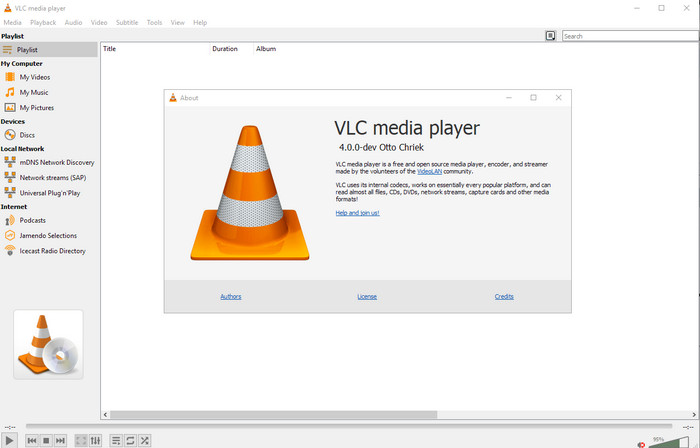
Available on: Windows, Mac, and Linux
First on our list is the best video player, but if you want to have an mp4 metadata editor freeware, you might need this one. VLC Media Player gives you a free experience of editing or removing the tags bound into your MP4 files. With this tool, you can easily manipulate the metadata on the file like title, copyright, genre, artist, date, time, and more. Although many users said it is easy to edit the metadata here, some contradict this comment. They find it confusing and ineffective, unlike the other tag editor. Nonetheless, if you want a safe tool to download that has already proven a lot to the users, then try to use the tool.
Editor de tags Amvidia
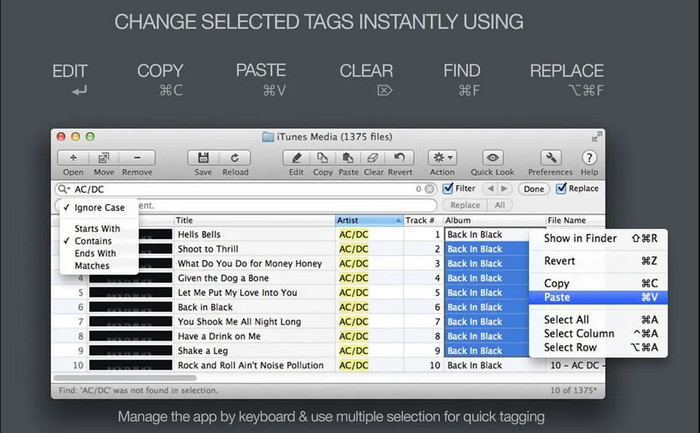
Available on: Mac
Another MP4 metadata editor on Mac is the Amvidia Tag Editor. If you need to add metadata, the image covers, tags on iTunes, or change the file's name, you can all do that here; if you need batch tagging, then this tool will help you. In addition to that, this free-to-download software supports a significant amount of media formats to upload on the tool, but you'll need to download it. Because of the in-detailed features it supports, beginners might take time to use the tools as you need to do many steps before adding the metadata. Also, the interface of it is outdated, like the VLC.
TigoTago
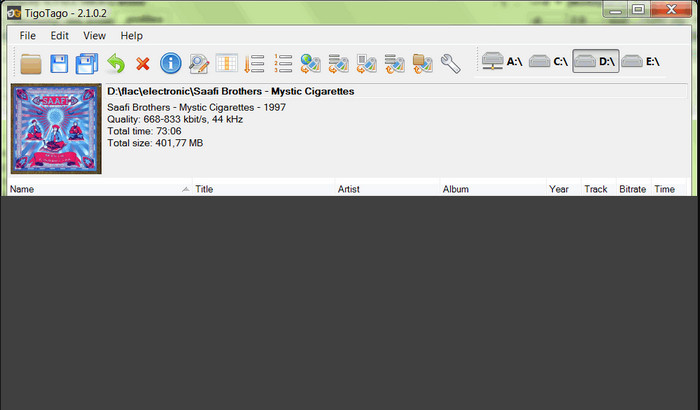
Available on: Windows
TigoTago is another MP4 metadata tagger you can use for free on Windows. So if you need to edit the specific data or tags of your MP4 file, download the tool and modify the MP4 tags easily one at a time. With this tool, you can fill the basic tags that a file has, such as a title, album, tracks, and artist, but you can also add some advanced tags like lyrics, comments, etc. If we compare this tool to VLC, we can say that this is much better because it prioritizes editing the tags. Although It offers better than the media player, it still needs improvement, including its GUI and other features.
InstantD3 - Editor de tags ID3 on-line gratuito
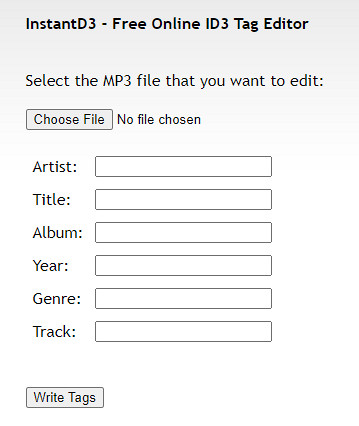
Available on: Web
Se você não deseja baixar o software, pode acessar este editor de tags de vídeo MP4 on-line, o InstantD3 - Editor de tags ID3 on-line gratuito. Embora a ferramenta esteja disponível na web, ela não pode pesquisar os metadados online para aplicar as tags que você precisa no seu MP4 automaticamente. A ferramenta oferece uma interface intuitiva para permitir que os usuários experimentem uma maneira fácil de adicionar tags aos seus arquivos de áudio. Como a ferramenta é gratuita, os anúncios estão no site, mas devemos avisar que os anúncios em seu site são impróprios para menores de 18 anos. Além disso, acesse a ferramenta por sua conta e risco; depois de acessar o site da ferramenta, sua conexão com a Internet não é segura.
Parte 2. Melhor Editor de Vídeo para Adicionar, Editar e Remover Metadados no Windows e Mac
Available on: Windows, Mac & Linux
The MP4 metadata editors mentioned above are best, but the FVC Video Converter Ultimate is the powerful metadata editor you will need in editing or removing the metadata. This tool offers the best editing features you can easily use but has a professional output. Unlike the tools mentioned above, which support limited media formats, with this tool, you can upload MP4, MOV, MKV, FLV, AVI, and other 1000+ formats and quickly change the metadata of all of this. Isn't it amazing what this tool can do? If you see the amazing tool, you can easily follow the step-by-step tutorial we provide to edit, add, and remove the tags on your MP4 files.
Step 1. Press the download button first to download the MP4 tag editor on Mac or Windows. Follow the installation process after clicking the file, and open it.
Free DownloadFor Windows 7 or laterSecure Download
Free DownloadFor MacOS 10.7 or laterSecure Download
Step 2. Now that you've opened the editor choose the Toolbox at the three sections available; under it, click the Media Metadata Editor.
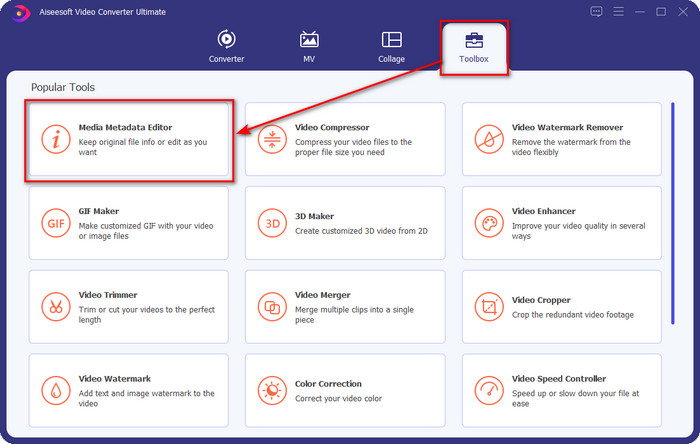
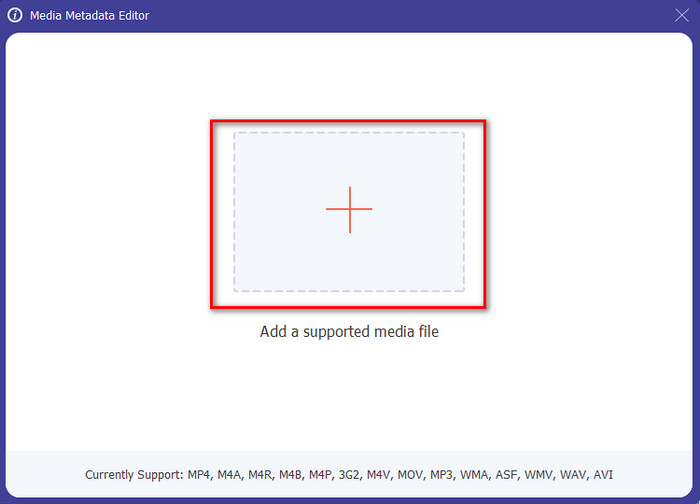
Step 3. To upload the MP4 file, click the + button, find the .mp4 on the folder that will show, and hit Open to insert it successfully.
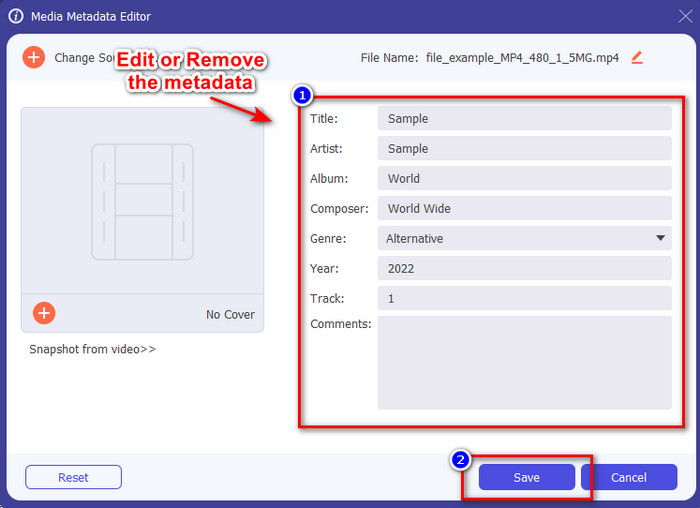
Step 4. Add, remove, and edit the information on the textbox that will show on your screen; fill them in according to your wants. And to save the changes you've made on the MP4 tag, click the Save button. You can easily say that it is an easy-peasy task if you choose the ultimate editor.
Related:
Parte 3. Perguntas frequentes sobre o MP4 Tag Editor
Como verificar metadados MP4 no Windows?
Se você quiser verificar os metadados do seu arquivo MP4, siga estas etapas. Primeiro, encontre o arquivo .mp4, toque no botão direito do mouse, vá para Propriedades e, por último, clique em Detalhes. Todas as informações necessárias sobre seus metadados estão nesta lista. Então, se você quiser editá-los de acordo com seus desejos, escolha a ferramenta que você deve usar acima.
Onde posso assistir arquivos MP4?
Most media players support MP4 files because it is the standard video file format. But the question is, where can you watch high-resolution MP4 videos? In that case, you must click this link. All you need to know is in this article.
Como escolher o melhor editor de tags MP4?
Você precisará se lembrar de algumas coisas antes de escolher o editor de metadados MP4 que usará; se você não sabe o que são, você pode confiar nesses padrões. Primeiro, certifique-se de que o editor de metadados seja compatível com o formato que você possui; nem todos os editores suportam uma ampla gama de formatos. Usar um editor de metadados que não suporta seu formato seria inútil. Em segundo lugar, certifique-se de que a ferramenta seja fácil de usar; se você é novo na edição de metadados, certifique-se de que a ferramenta escolhida não seja muito difícil de aprender. Por último, certifique-se de que é seguro usar; se estiver disponível para download ou online, você precisará saber se é seguro usá-lo. Certifique-se de que, antes de usar o editor, você precisará seguir todos esses padrões simples para ter apenas o melhor.
Conclusão
The MP4 metadata editors we added in this article can help you quickly edit, add, or remove the metadata on your MP4 files. With the relevant reviews we've written about the tools, we can now compare them and see which suits our needs regarding editing the MP4 tags. If you still haven't decided which you should use, we offer you the best on the list: the FVC Video Converter Ultimate. This fantastic tool will fit your needs; downloading the tool is the only way to have this. So, click the download button, follow the steps we provided for you, and enjoy editing the tags without breaking a sweat.
-
 5 maneiras mais fáceis de remover metadados em qualquer arquivo de mídia
 Como remover metadados? É difícil fazê-lo? Preciso comprar ou usar uma ferramenta gratuita para remover tags? Todas essas perguntas têm respostas neste artigo.
-
 Os 5 principais extratores de metadados disponíveis online e offline [2025]
 Você pode encontrar vários extratores de metadados no mercado, mas hoje, escolhemos apenas os cinco extratores de tags mais escolhidos de acordo com o público.
-
 Os 5 melhores editores de metadados de vídeo para 2025 [análise imparcial]
 Deseja visualizar os metadados do seu vídeo? Em caso afirmativo, leia os detalhes abaixo para entender completamente o tópico e saber qual ferramenta se adapta melhor a você.
