


 Video Converter Ultimate
 Gravador de ecrã
 Reparo de vídeo
Saiba quais são os 7 editores de tags de músicas populares disponíveis ao alcance
A media player has an inbuilt meta editor to edit or add music tags by filling the artist's name, title, and genre. However, most of them limit what they can provide to help the users add the tags or metadata. Isn't it frustrating? Fortunately, the best way to handle editing the metadata is to use a metadata editor on your phone. But the question is, which app should you use? Which app is suitable for your needs in regards to editing the metadata? If you're asking yourself the same question, there is no need to worry. Because today we review the six best apps you can use to edit it on your devices, so read them thoroughly to know more music metadata editor apps you can download and use.

Parte 1. Ultimate Music Tag Editor disponível para uso no Windows e Mac
If you have a Windows or Mac to edit metadata, then which tool should you use? Then we suggest that you depend on FVC Video Converter Ultimate. Unlike the tag editors, this tool supplements all the needs that you want to have or add to your metadata in a few clicks. Imagine this: all of the apps you can offer are inside this tool, but not the auto tags. More importantly, you can edit, remove, and update all of the tags on your audio file by following the steps below. So, to edit music tags on Windows 10/11 or Mac, the tutorial below will help you do it.
Step 1. To download the metadata editor on your Windows or Mac, press the appropriate button below. Once it is finished, click the file to install the app, follow its process, then open the tool.
Free DownloadFor Windows 7 or laterSecure Download
Free DownloadFor MacOS 10.7 or laterSecure Download
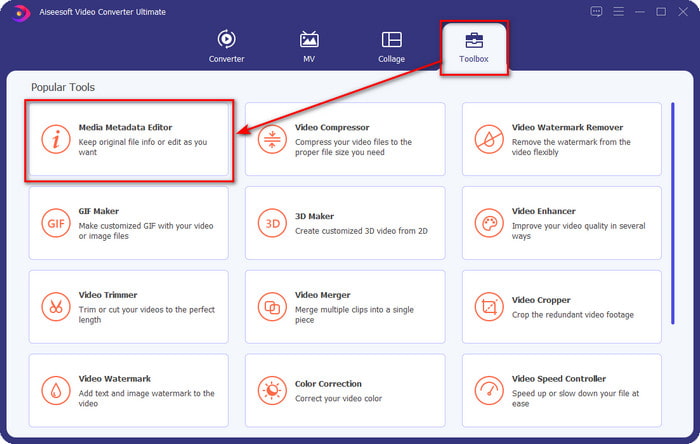
Step 2. Hit the Toolbox section, locate and click the Media Metadata Editor on the list that will show.
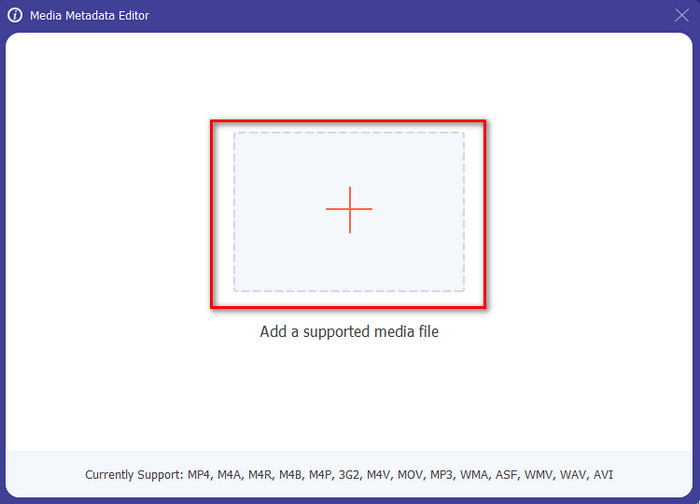
Step 3. By pressing the + icon, the folder will show on your screen; find the audio file you wanted to edit and press Open to go to the next step.
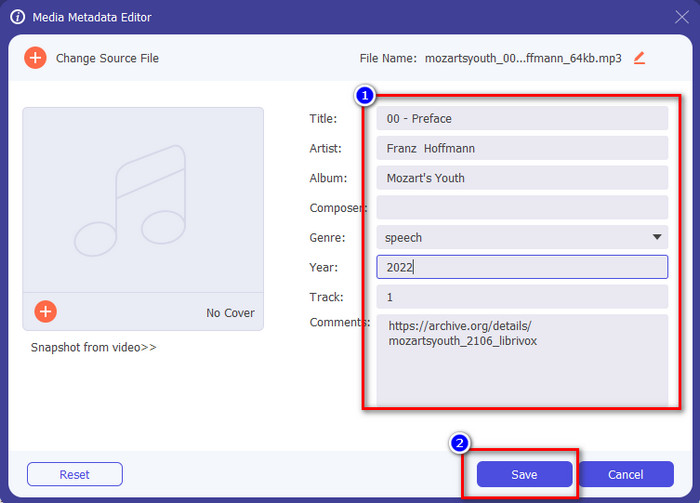
Step 4. Update the audio file tag by typing it out on the text box. After that, you must now click the Save, and all the tags you change will update. Even if you transfer the file on your mobile phone, the tags are still intact on the audio file.
Related:
Parte 2. 6 dos melhores aplicativos de edição de tags de música em dispositivos Android e iOS
Editor de tags automático
Device Supported: Android
Stars on Playstore: 4.4 Stars
Reviews or Ratings: 81, 332 People
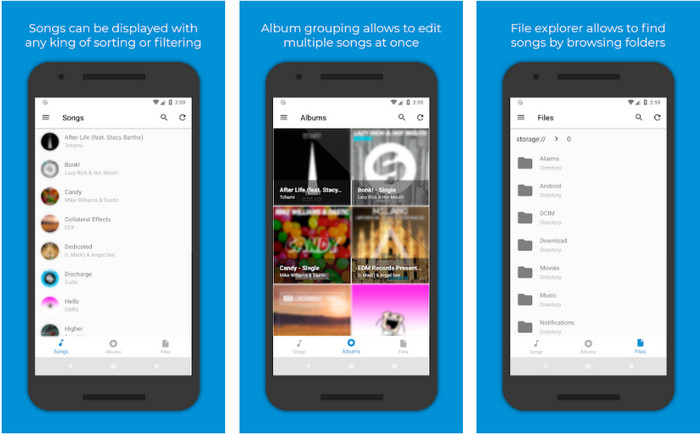
You can access the Automatic Tag Editor, the best music metadata editor if you are an Android user. This app is perfect for editing tags on your audio files in less than a minute. Another good thing about this app is that it has an automatic metadata editor for filling or updating the data on your files, especially if you bought the digital copy. It supports multiple tags it can fill in, such as title, genre, year, and many more, to help you recognize the file even better. In the recent update, many users find that some glitches and bugs happen while using the app on their Android. Also, it supports an average music format you can upload on like MP3, M4A, OGG, FLAC, WMA, and WAV.
Editor de tags de música estrela
Device Supported: Android
Stars on Playstore: 4.0 Stars
Reviews or Ratings: 293, 598 People
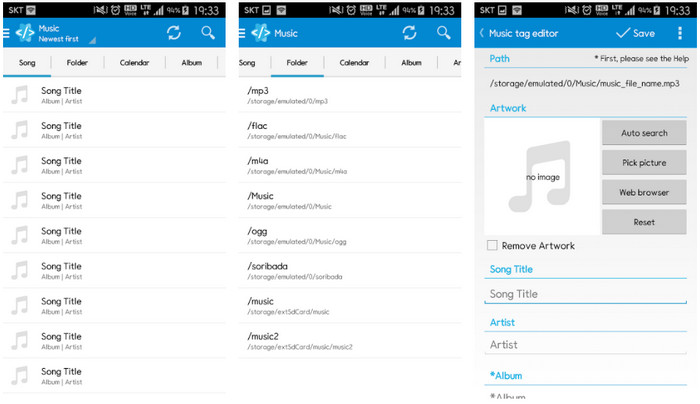
Star Music Tag Editor is another music tag editor you can download on the Playstore. This app is excellent because it provides a simple GUI to understand it better than the other app can offer. Same as the first tool, it also supports auto-search that effectively fills your music tags. Although the app is easy to use and has a lot to offer, there are some cases that it isn't as effective as the other says. When we tried to edit the metadata on this app, there were times that it didn't save. Also, if you're about to keep the metadata, a pop-up text will show on your screen saying invalid audio frame exception with the new music because of the corrupted file. But some users don't have that kind of problem using the app, so if you want to use this app, you can download it on the Playstore to use it.
Editor de tags de música - Mp3 Tagger | Editor de música grátis
Device Supported: Android
Stars on Playstore: 3.8 Stars
Reviews or Ratings: 11, 378 People
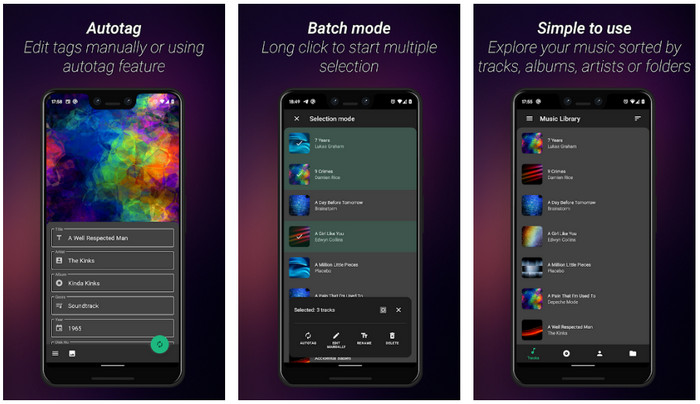
If you have a problem with the wrong tags, use the Music Tag Editor - Mp3 Tagger | Free Music Editor to fix the music metadata quickly. This tool can fill the other data if you insert the song and artist name first to search the proper tags correctly. With this app, you can easily add tags to different audio files at once. However, the automatic search tags it offers take a lot of time to gather the information, and sometimes it includes unrelated tags. Also, when you are about to add an image on the audio track, it won't attach the image on that track you've edited.
Ever Tag: Music Tag Editor 4+
Device Supported: iOS
Stars on Playstore: 4.7 Stars
Reviews or Ratings: 1.1k People
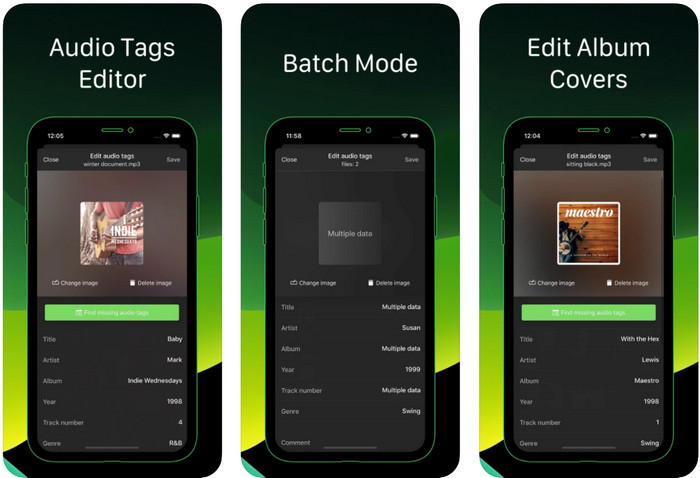
Learn how to edit music tags on iPhone with the help of the Ever Tag: Music Tag Editor 4+. This app on iOS supports multiple audio formats, so uploading metadata is easier than ever; the same goes for editing the data. Moreover, this app offers you different sets of metadata tags to add to your audio file by filling them individually, starting from the title up to ratings. The downside of using the app is that it can't automatically fill the tags with the auto search the other Android tool can offer to you. Even though the app said it provides a batch process for editing the metadata, you can't do it in reality. But if you want to try and use this app, download it on your App Store now.
Gerador de tags de música
Device Supported: iOS
Stars on Playstore: 4.5 Stars
Reviews or Ratings: 55 People
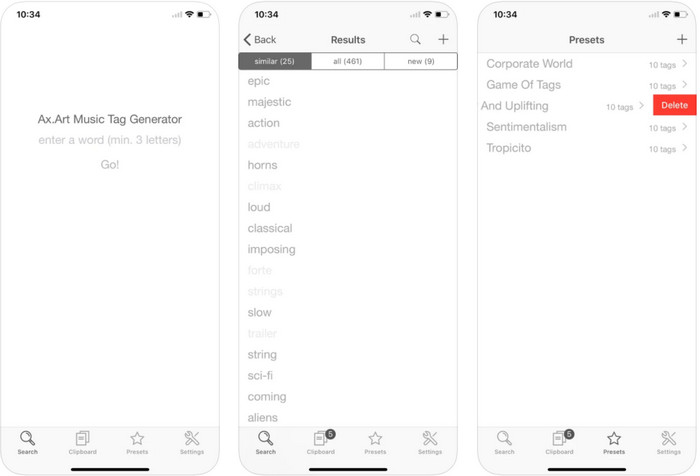
Although the popularity of Music Tag Generator isn't as much as the other editors, you can still see and edit what a tag in music is. This tool is your mini utility app to find and arrange the music tracks by tags. Besides arranging the tags, you can also use this app to change the metadata according to your needs and organize them. Although the app can help you edit, it is still not as good as the other editor in this article. It has a simple interface, but its features are comprehensive as you expected.
iTunes
Device Supported: iOS
Stars on Playstore: 4.9 Stars
Reviews or Ratings: 1.4k People
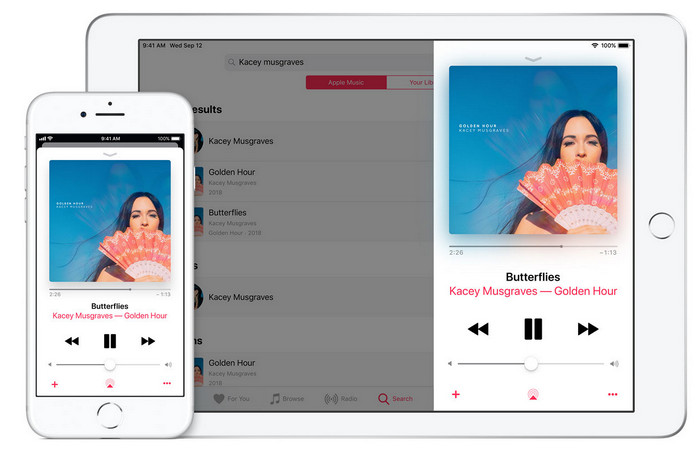
Este aplicativo possui uma biblioteca de música integrada que você pode comprar, baixar e usar. O iTunes não é o seu aplicativo típico de editor de metadados que você pode usar no seu iOS porque esse aplicativo é conhecido por armazenar músicas como o que o Spotify pode oferecer. Embora a música que você pode encontrar neste aplicativo tenha metadados e tags, você ainda pode alterar ou atualizar as tags de acordo com seus desejos. No entanto, você não pode editar ou atualizar facilmente as tags com este aplicativo porque há um requisito que você precisará antes de aprender a marcar músicas no iTunes.
A maioria dos aplicativos mencionados aqui tem uma tag automática, que pode ajudá-lo a adicionar tags ou metadados automaticamente ao arquivo de áudio que você possui. No entanto, esse recurso possui falhas, ao contrário de adicionar manualmente as tags não relacionadas ao seu arquivo. Se você quiser evitar esses erros, vamos ao melhor editor de tags de música no PC lendo a parte 2.
Parte 3. Perguntas frequentes sobre o Music Tag Editor
O que é a etiqueta ID3?
Você pode ver essas tags ID3 frequentemente na música porque elas contêm os dados sobre o arquivo de mídia, especificamente o áudio. Ao adicionar tags ID3 ao seu arquivo de áudio, você pode organizar o arquivo com base no player de mídia que está usando.
A gravação de áudio em telefones tem etiquetas?
Sim, possui tags e metadados. No entanto, as tags não são abrangentes como os outros arquivos de mídia.
Por que meu arquivo de áudio fica corrompido após adicionar metadados?
A razão pela qual seu áudio está corrompido não é sobre os metadados que você adiciona ou remove, mas sobre a ferramenta que você usou para editar as tags do seu arquivo. Portanto, se você deseja evitar essa circunstância, deve escolher a ferramenta perfeita que o ajudará a adicionar ou remover metadados com facilidade. E lembre-se, se o processo começar, certifique-se de não cancelar o processo de edição dos metadados,
Conclusão
You must now select which app you can use to edit your music metadata, please make sure that you select the app that is in your platform to download it easily on your Play Store or Appstore. But if you feel like you need a tool that performs the best. then you must use the ultimate tool on the desktop. FVC Video Converter Ultimate provides the best way to add tags to your music easily. But before you can use this tool, you will need to download the tool first and follow the instructions we present in part 2. To know more, read it carefully.
-
 5 maneiras mais fáceis de remover metadados em qualquer arquivo de mídia
 Como remover metadados? É difícil fazê-lo? Preciso comprar ou usar uma ferramenta gratuita para remover tags? Todas essas perguntas têm respostas neste artigo.
-
 Os 5 principais extratores de metadados disponíveis online e offline [2022]
 Você pode encontrar vários extratores de metadados no mercado, mas hoje, escolhemos apenas os cinco extratores de tags mais escolhidos de acordo com o público.
-
 Os 5 principais editores de metadados de vídeo para 2022 [Revisão imparcial]
 Deseja visualizar os metadados do seu vídeo? Em caso afirmativo, leia os detalhes abaixo para entender completamente o tópico e saber qual ferramenta se adapta melhor a você.
