


 Video Converter Ultimate
 Gravador de ecrã
 Reparo de vídeo
 Secure Download
Maneiras fáceis de remover a marca d'água Coub online e offline
Coub is a website that is used for sharing videos online. It is a popular website that users use to create and share videos up to ten seconds long. Unlike GIFs, Coub videos have high-quality sounds, making them popular with many people. However, when you save or download videos from Coub, the video contains a watermark. So, if you want to remove the Coub watermark, you need to use a tool that can remove watermarks. This article will give you the most amazing tools to easily remove Coub watermarks on your videos.

Parte 1. 4 maneiras de remover a marca d'água Coub
Muitas pessoas agora estão interessadas em assistir e baixar vídeos do Coub online. Mas quando você baixa vídeos do coub, ele contém uma marca d'água. Você saberá como remover a marca d'água Coub usando essas quatro maneiras fáceis.
FVC Video Converter Ultimate
FVC Video Converter Ultimate is a desktop application that can remove any watermarks from your videos. This tool is user-friendly because it has a simple user interface and is easy to download. In addition to that, you will not have a problem with the file formats that it supports because it supports numerous file formats, like MP4, MKV, AVI, MOV, M4V, WEBM, FLV, and 1000+ formats.
Ele também possui recursos avançados de edição, incluindo um editor de metadados de mídia, fusão de vídeo, compressor de vídeo e muito mais na caixa de ferramentas. E quando você remove a marca d'água do seu vídeo, permite definir o tamanho da área de remoção. Você também verá um vídeo de pré-visualização do seu arquivo para que você possa verificar a saída do seu vídeo. Se você quiser usar este conversor para remover a marca d'água Coub, siga as etapas abaixo.
Step 1. Download FVC Video Converter Ultimate on your desktop by clicking the Download button below. Follow the installation process, then run the app.
Free DownloadFor Windows 7 or laterSecure Download
Free DownloadFor MacOS 10.7 or laterSecure Download
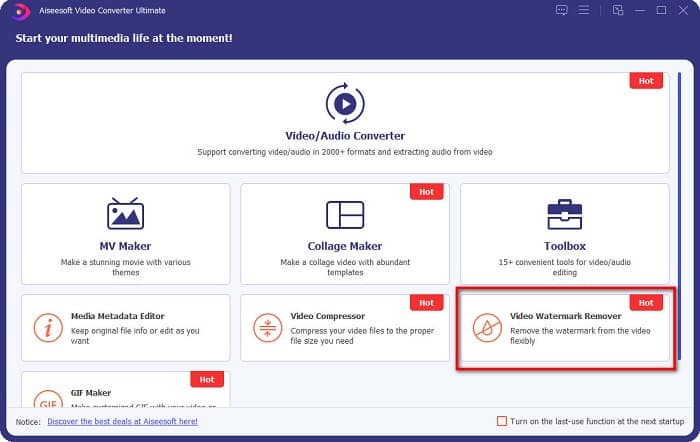
Step 2. And then, on the software’s first interface, go to Video Watermark Remover. If you cannot find it on the first interface, click the Toolbox.
Step 3. Click the + sign button to upload the coub video on the next interface. Your computer files will prompt, where you will select the video and click Open.

Step 4. Next, click the Add watermark removing area button so that the removing area will appear. And then, move the removing area box to the coub watermark. You will see that the area you choose will blur.
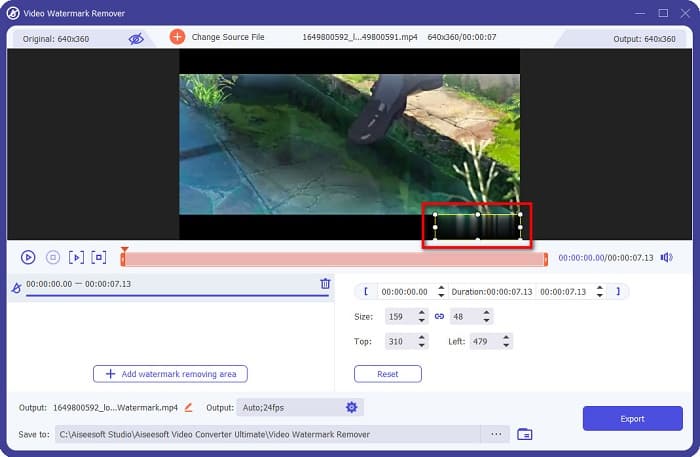
Step 5. Lastly, click the Export button to remove the Coub watermark, then your output will automatically be saved on your computer folders.

Easy, right? By doing the simple steps above, you can remove the coub watermark on your video. Click here to learn how to remove the TikTok watermark.
Removedor de marca d'água Hitpaw
Hitpaw Watermark Remover is one popular downloadable watermark remover that allows you to easily remove the coub watermark on your video. If you want to have a Coub video without a watermark, you can use this tool to remove it. Furthermore, this tool has a simple user interface, making it user-friendly.
Também será fácil remover uma marca d'água em uma determinada parte do vídeo movendo os controles deslizantes. Além disso, permite que você tenha um enchimento suave ao remover a marca d'água. Também é gratuito para download em quase todos os dispositivos de mídia.
Step 1. First, download the Hitpaw Watermark Remover, follow the installation process, and run the app.
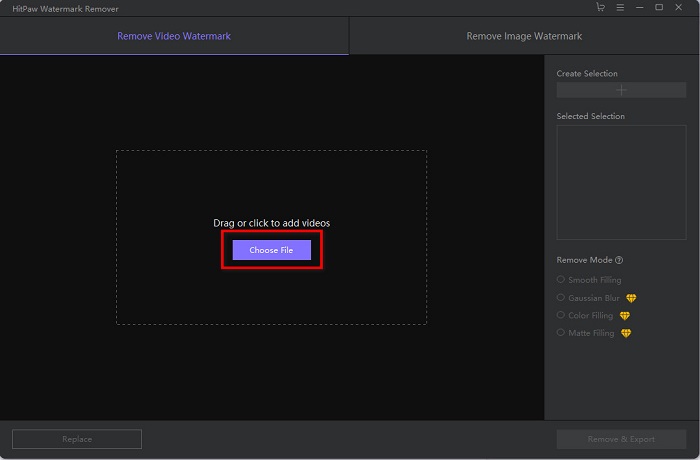
Step 2. Then, click the Choose File button on the software’s main interface to upload your coub video. Your computer files will prompt where you will open your coub video.
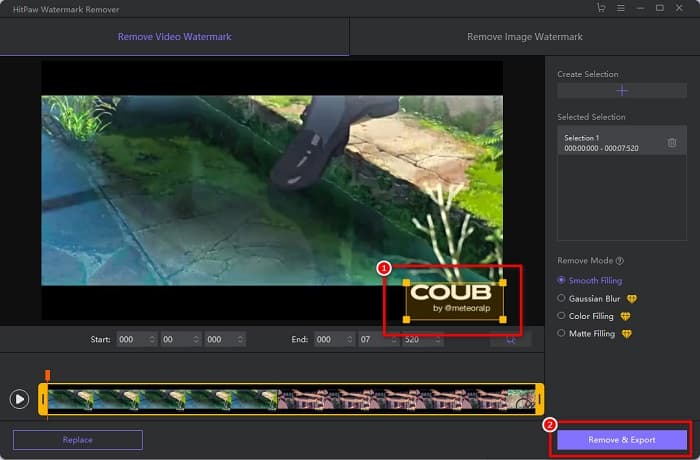
Step 3. Move the removing area to the coub watermark, then click the Remove & Export button at the bottom right part of the interface to permanently remove the watermark.
Media.io
Media.io is an online watermark remover for videos. This online tool can remove watermarks, like logos, texts, and stamps. If it's the first time that you use a watermark remover, you will not have a hard time using this online watermark remover because it is easy to use. In addition to that, it supports the most common video formats, like MP4, MKV, AVI, FLV, MOV, and more. You can also choose video files from your Dropbox, Google Drive, and Youtube. Moreover, it is safe to use and free. Media.io is accessible on all web browsers, including Google, Firefox, and Safari.
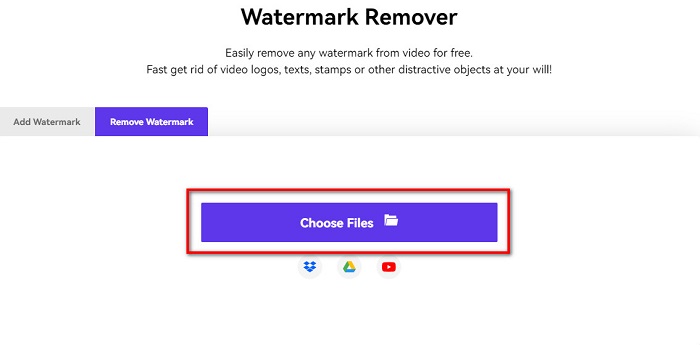
Step 1. On the browser that you use, search Media.io, then go to their webpage. On the software’s main interface, click the Choose Files button.
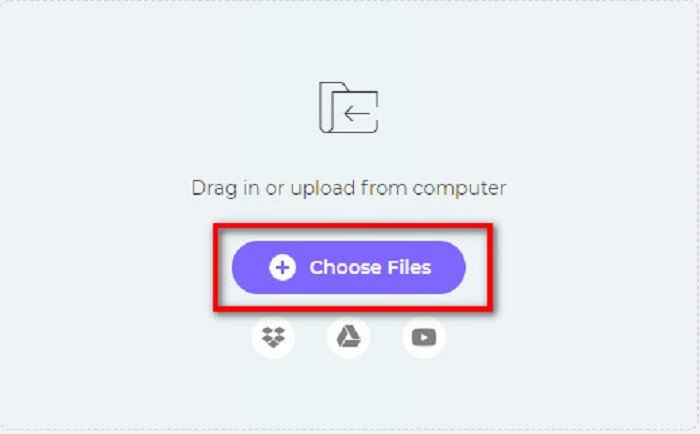
Step 2. A new interface will prompt where you will click the Choose Files button or drag and drop your Coub video on the software’s interface. Wait for your video to upload, then proceed to the next step.
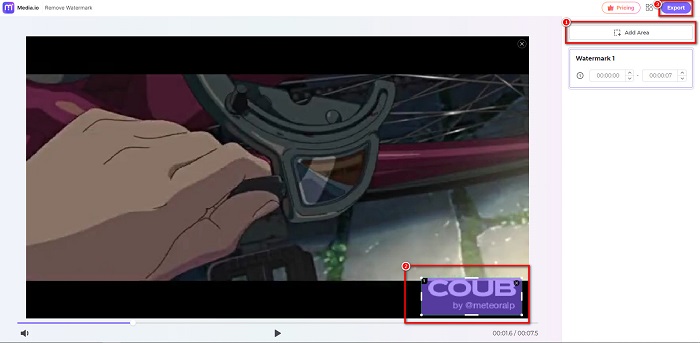
Step 3. And then, click the Add Area at the left corner of the interface, then move the removing area to the coub watermark. Click the Export button to remove the watermark, and your file will automatically be saved on your device. You can also use the way to remove the video watermark.
BeeCut
BeeCut is another way to remove Coub watermarks online. This tool is very convenient because you do not need to download anything on your device. In addition to that, it is free and safe to use. Interestingly, this tool supports numerous file formats, including MP4, AVI, MKV, FLV, and other common formats.
Além disso, é uma ferramenta amigável para iniciantes porque possui uma interface de usuário fácil de operar. No entanto, você pode enfrentar um processo operacional lento quando sua conexão com a Internet é lenta porque é dependente da Internet. Para remover a marca d'água coub usando o BeeCut, siga o guia simples abaixo.
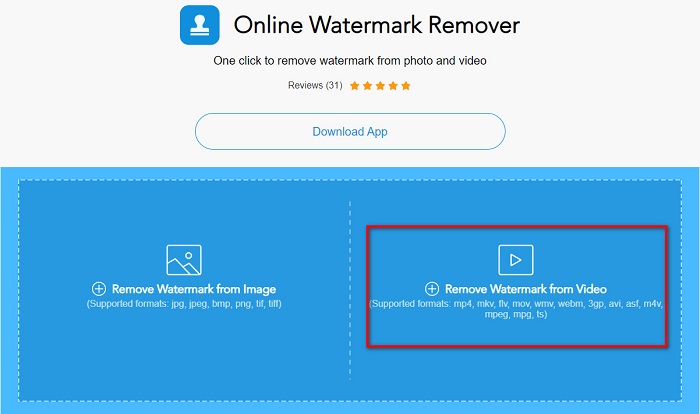
Step 1. Search BeeCut on your browser, then click Remove Watermark from Video on the software’s main interface. Upload your video by opening it from your computer files.
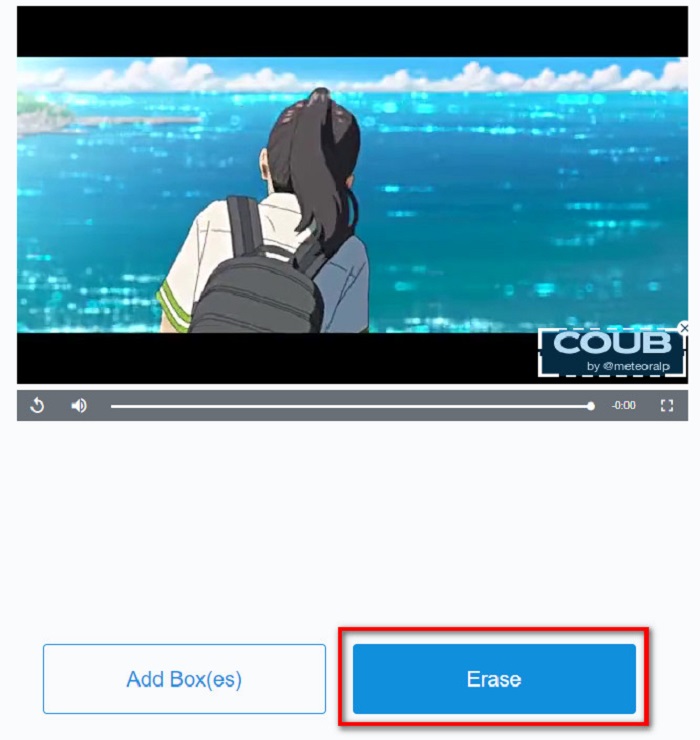
Step 2. Move the remover area to the coub watermark you want to remove on the next interface. And if you have other watermarks, logos, or stamps on your video, you can add another remover box by clicking Add Box(es).
Step 3. Finally, click the Erase button to remove the coub watermark on your video. You will see your output on your computer folders.
Parte 2. Perguntas frequentes sobre como remover a marca d'água Coub
Você pode obter vídeos coub sem marca d'água?
Infelizmente, não existem maneiras ou ferramentas específicas para baixar um vídeo coub sem marca d'água. No entanto, os removedores de marca d'água ajudarão você a ter um vídeo sem marca d'água.
A remoção da marca d'água reduz o tamanho do arquivo do seu vídeo?
Não. A remoção da marca d'água do seu vídeo não afeta o tamanho do arquivo do seu vídeo.
Por que há um borrão na área da marca d'água depois de removê-la?
Ter um desfoque na área da marca d'água que você removeu porque é assim que as ferramentas removem a marca d'água em suas imagens ou vídeos.
Conclusão
Removing Coub Watermark on videos may sound complicated. But when you use the tools presented above, you can easily remove Coub watermarks from your video. However, if you want to use a watermark remover that is fast processing and has many features to use, download FVC Video Converter Ultimate.
-
 4 melhores maneiras de remover a marca d'água do GIF [online e offline]
 Precisa remover marca d'água do GIF? Com a ferramenta deste artigo, você aprenderá os diferentes estilos com os diferentes removedores de marca d'água disponíveis em sua plataforma.
-
 Excelente removedor de marca d'água do Photobucket online e offline
 Aprenda como remover a marca d'água do Photobucket de suas fotos usando esses incríveis removedores de marca d'água do Photobucket. Leia este artigo para aprender as maneiras.
-
 Remova facilmente a marca d'água do PDF com etapas simples
 Remova a marca d'água do PDF seguindo estas etapas simples. Aprenda como remover facilmente marcas d'água do seu arquivo PDF usando essas ferramentas incríveis.
