


 Video Converter Ultimate
 Gravador de ecrã
 Reparo de vídeo
Os 6 principais softwares reversores que você pode usar para reverter vídeo no Windows e Mac
Reverter um vídeo pode criar uma nova mensagem que pode fazer seu público pensar ou surpreender. Este efeito de vídeo foi usado para tornar um vídeo interessante e transmitir uma mensagem de uma maneira diferente. Muitos vídeos de música como Breezeblock do Aljt foram enviados em vídeo reverso no YouTube. Então, para saber mais sobre como reverter vídeos, siga este guia. Como ele ajuda você a fazer a reversão do vídeo mais fácil do que nunca.

Parte 1. Principais Softwares Offline 1 e 2 e Aprenda a Reverter um Vídeo no Windows e Mac
Topo 1. Video Converter Ultimate
A lot of video editing has been up there who wants to dominate but the phenomenal converter is still the best choice. Video Converter Ultimate has already been used and helped a million of users in regards to their problem like, how to reverse a video. This tool lets you do the editing on your own but with the touch of a professional. Although you don’t have experience in editing this tool is the best for you, even if you already have experience. Also, a lot of editors don't have the same advanced features this software can provide to you. So, if you want to know more about this software then let’s dig in to the steps below and let’s follow it correctly.
Step 1. Download the software first on your hard drive then Install and follow the set-up process.
Free DownloadFor Windows 7 or laterSecure Download
Free DownloadFor MacOS 10.7 or laterSecure Download
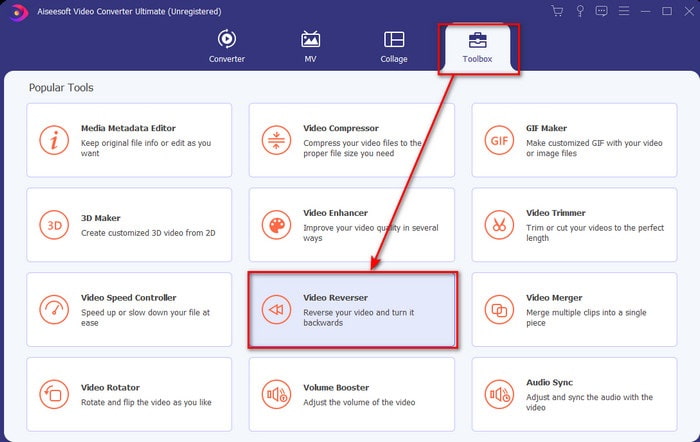
Step 2. Then launch the tool and on the Toolbox find the Video Reverser.
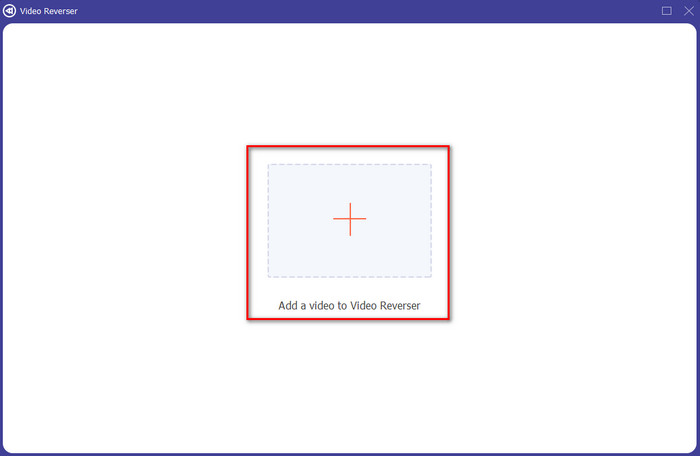
Step 3. Click the + and choose the video you want to be reversed on the folder. Then click open to proceed to the next step.
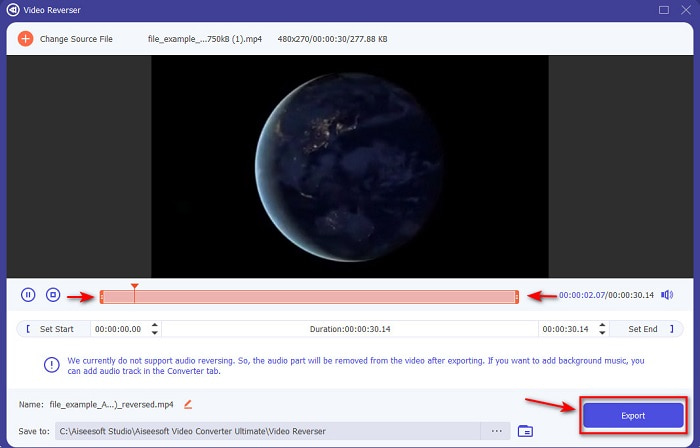
Step 4. Then adjust the length of the video by moving the playback in and out. To download the reverse video, click the Export.
Step 5. Wait for a couple of seconds to finish exporting, after it is done. You can now re-watch the video, by clicking the reversed file in the folder. And enjoy the no-delay reverse brought to you by the Ultimate Converter Ultimate.
Prós
- A saída final profissional pode ser facilmente executada se você usar esta ferramenta.
- Ele tem muitos recursos incríveis para tornar seu vídeo fenomenal.
- A reversão ilimitada pode ser feita nesta ferramenta.
Contras
- Precisa ser baixado primeiro antes de poder usá-lo.
- Não é de graça, mas vale a pena se você comprar esta ferramenta profissional fenomenal.
Related:
Top 2. Criador de vídeo fácil
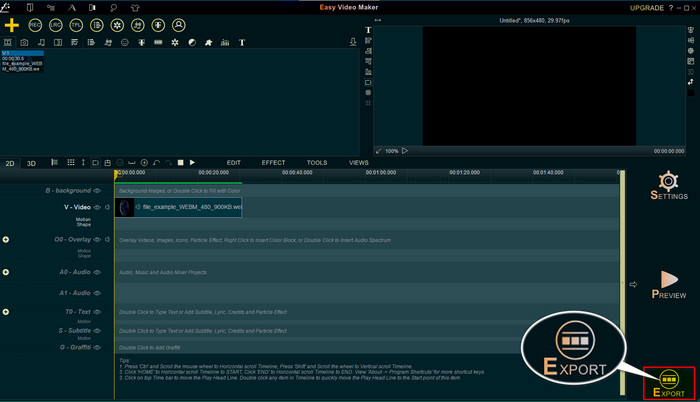
Easy Video Maker is a handy tool you can use that has some medium video editing you will need. Also, you can use this tool to make your video better in visual as it supports transition, effects, merging and more. However, the tool interface looks like it came from the 90s as it looks too old. Also, the tool is hard to use in creating and editing a video but the performance of it is great. And the format this tool supports for the final output is MP4. So, if you want to use this tool then follow this step below.
Step 1. Download the Official Easy Video Maker on the web.
Step 2. Then launch the tool, click the add button and Import/ Add Video. Drag the file to the Timeline and right click the video. Click the Reverse Playback to reverse the video.
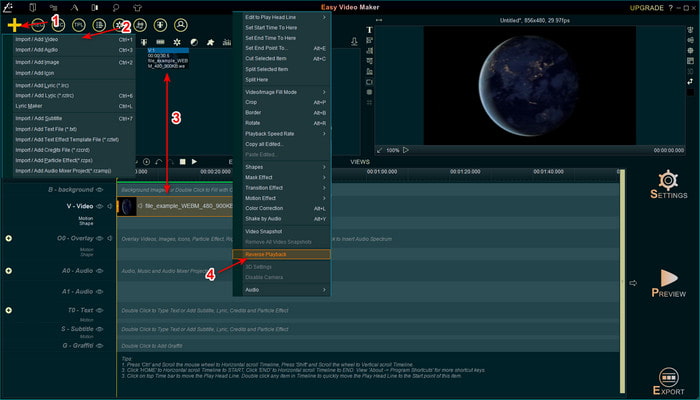
Step 3. Press the Export to save the file to your drive.
Prós
- A ferramenta é gratuita para download.
- Ele suporta edição de nível médio que você precisará.
- Aprender a usar isso levará algum tempo, mas você se acostumará.
Contras
- O lançamento da ferramenta carrega muito mais do que o esperado e a interface parece muito antiga. Não parece retro, mas literalmente antigo.
- Você não pode exportar mais de 5 minutos de vídeo para sua versão gratuita.
Parte 2. 3 e 4 principais ferramentas on-line para reverter um vídeo
Top 3. Ezgif
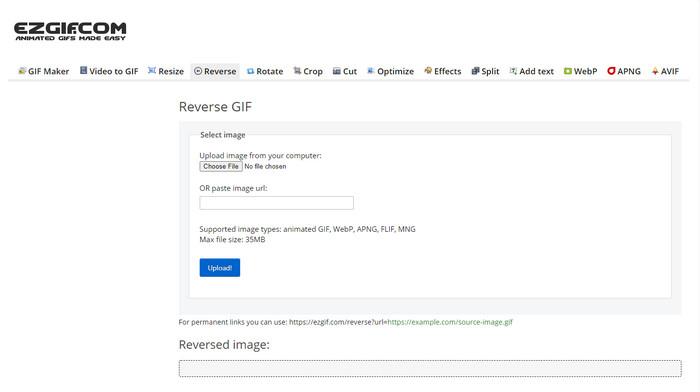
Ezgif has a feature you can use to reverse clip for free online. Also, it has other editing features like making GIFs, resizing, crop, optimize and more. However, if you try to insert a file size bigger than 35mb in the web tool. Then expect that the tool wouldn’t allow this to be reversed because it is too big to be reversed. So, if you're intending to reverse a long video then this tool is not the best choice because it has limitations. But the performance of its reverser is great to be used on reversing clips for free.
Prós
- Não há necessidade de baixá-lo em seu desktop.
- Flexível e eficiente.
- Amigo do usuário.
Contras
- Ele limita sua reversão em apenas 35mb, o que é um super pequeno para ser usado.
- Baixar o arquivo reverso em sua unidade leva muito mais tempo do que o esperado.
Topo 4. Clídeo
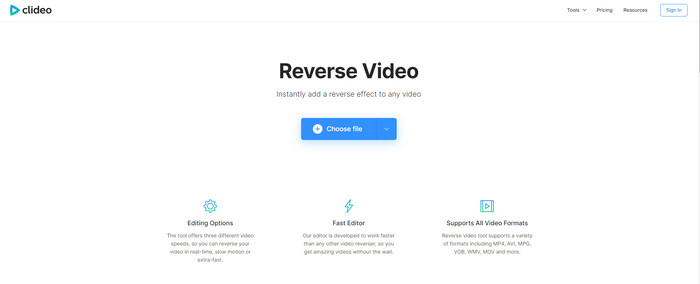
Another online tool you can use to rewind video is the Clideo. The visual appearance of the tool is very minimal but it is great. The overall look of the tool is neat than the Ezgif and it looks more professional. But as they say, don’t be deceived by its look, the upload of the file here is super slow especially if your file is greater than 40 mb. So, because of that make sure you have a lot of spare time and patience waiting just to upload the file first. However, it supports a lot of editing features you can use to make your video better for free.
Prós
- Livre para ser usado por qualquer pessoa que tenha uma conexão com a internet.
- A interface do usuário da web geralmente é ótima.
- Recursos de edição incríveis estão disponíveis.
Contras
- Carregar e baixar o vídeo para reverter levará muito tempo do que o esperado.
- Uma enorme marca d'água é incluída depois que você exporta o vídeo reverso.
Parte 3. Os 5 e 6 principais aplicativos para reverter um vídeo no iPhone/Android
Top 5. Vídeo reverso: Reproduzir para trás 4+
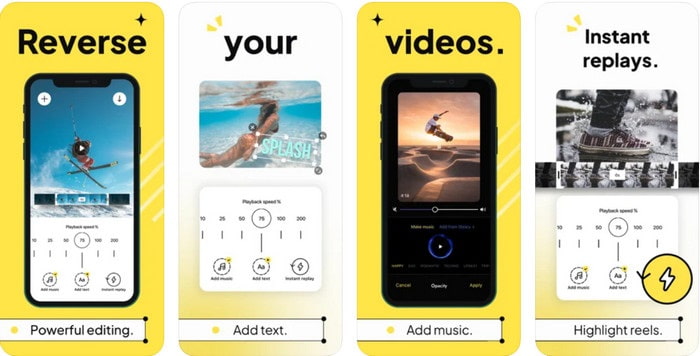
Reverse Video: Play Backwards 4+it is only available to every iOS user, it is used to edit backwards video. The interface of this app is simple to understand, also you can add text and music as background. Although you can download the tool for free, a lot of reviews in this app say that this tool is a money-scam. Also, they experience that they are forced to make a 5-star review on the tool to access the tool features. However, if you want to try this for yourself then expect nothing great because this tool is not the best choice for reversing.
Prós
- Já atinge 4,5 estrelas na classificação.
- A inversão de vídeo aqui é boa para ser usada.
Contras
- A maioria dos comentários aqui não está falando sobre o aplicativo. E a maioria são repetitivos que falam de bobagens.
- Leva uma eternidade para carregar apenas um único arquivo.
- A qualidade do vídeo exportado gratuitamente é ruim.
Top 6. Reverse Movie FX - vídeo mágico
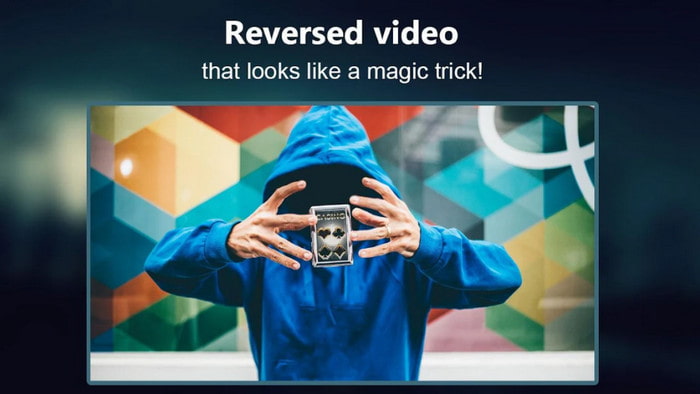
Reverse movie with the help of this Android app you can download on Play store, Reverse Movie FX - magic video.Already used by a lot of users who love making reverse film, it also has a loop and background music support. Although the tool seems flawless, the video quality of the output file became less. Basically, if you reverse 1080 video then expect to have 720 or less. Also, it contains ads on it so beware because some are popping out of nowhere. Moreover, reversing in here is easy and better than the Reverse Video: Play Backwards 4+.
Prós
- É ótimo criar um clipe reverso, filme ou vídeo no seu telefone.
- Interface de usuário fácil de entender.
- 4,5 estrelas em avaliações de aplicativos.
Contras
- O aplicativo tem muitos anúncios aparecendo do nada.
- Bugs menores e maiores ainda estão no aplicativo. Por exemplo, se você tentar reverter um vídeo, às vezes ele diz erro.
Parte 4. Perguntas frequentes sobre o vídeo reverso
Qual é a diferença entre invertido e reverso?
Inverta o foco em transformar algo em um lado ou outra posição diferente; pode estar de cabeça para baixo ou de dentro para fora. Por exemplo, se você inverter o número 12, o resultado será 21. Enquanto a reversão é de uma direção, voltando para a direção original. Por exemplo, se o relógio estiver no sentido inverso, ele contará até 12, 11, 10, 9, 8, 7, 6 e assim por diante.
O efeito de retrocesso de vídeo pode ser usado como transições?
Sim, em vez de usar uma boa e velha transição animada, por que você não tenta explorar a arte de rebobinar o vídeo. Apenas adicionar o reverso pode ser muito eficaz, especialmente se você não tiver tanta experiência na edição de vídeo. E apenas usando isso como sua transição, você pode fazer um ótimo vídeo que pode deixar outras pessoas surpresas, até mesmo você. Em seguida, adicione música de fundo como toque final para torná-lo mais fabuloso.
Posso assistir a um vídeo ao contrário no VLC?
Sim, você já pode assistir a clipes reversos, filmes ou qualquer tipo de vídeo no VLC. Mas se não for pré-fabricado ou devemos dizer que já não está no sentido inverso quando você o joga lá. Então é triste dizer que não suporta a reprodução de vídeos ao contrário. Portanto, antes de reproduzi-lo no VLC, reverta-o com a ajuda da ferramenta na lista.
Conclusão
As a result of your patience in reading and following the steps in this article diligently on how to reverse a video. You now have the knowledge and capabilities to do your own reversing. So, you must now choose the best reverser software to achieve the greatest effect to make your video outstanding. And before anything else, the best reverser in this list is none other than the phenomenal Video Converter Ultimate. So now, this is the right time to download it, try, and do the reversing effect on your own here.
Free DownloadFor Windows 7 or laterSecure Download
Free DownloadFor MacOS 10.7 or laterSecure Download
-
 Como participar de vídeos VOB de DVDs no Windows e Mac
 Como juntar vídeos VOB de DVD no Windows e Mac? Aqui estão 2 métodos eficientes para combinar os arquivos VOB extraídos e mesclá-los diretamente de um DVD.
-
 6 Melhores fusões AVI: Como juntar arquivos de vídeo AVI no Windows e Mac
 Quando você deseja juntar vídeos AVI para um DVD, você pode aprender sobre os recursos dos 6 melhores usuários AVI incluindo ferramentas online gratuitas, bem como os programas de desktop do artigo.
-
 [Guia] 2 métodos definitivos para juntar-se a vídeos MXF da Sony X70
 Se você fez alguns vídeos MXF da Sony X70, quais são os melhores métodos para juntar arquivos MXF? Aqui estão os 2 métodos eficientes para combinar os vídeos com alta qualidade.
