


 Video Converter Ultimate
 Gravador de ecrã
 Reparo de vídeo
Compreensão profunda sobre os 5 editores de vídeo em câmera lenta disponíveis
Do you love watching high-speed striking sports like racing, boxing, baseball, volleyball and more? All of the mentioned sports need a high-speed camera just to make a motion analysis. If you do so want to analyze every movement of each athlete then try to read the best slow motion video maker you can use. Also, with the help of the tool below, you will not need any extra equipment other than your desktop, internet, or phones. As we proceed, read the tools carefully and choose which one is the best for you to go with.

Parte 1. 3 Melhor Criador de Vídeo em Câmera Lenta para Windows PC, Mac e Online
1. Video Converter Ultimate
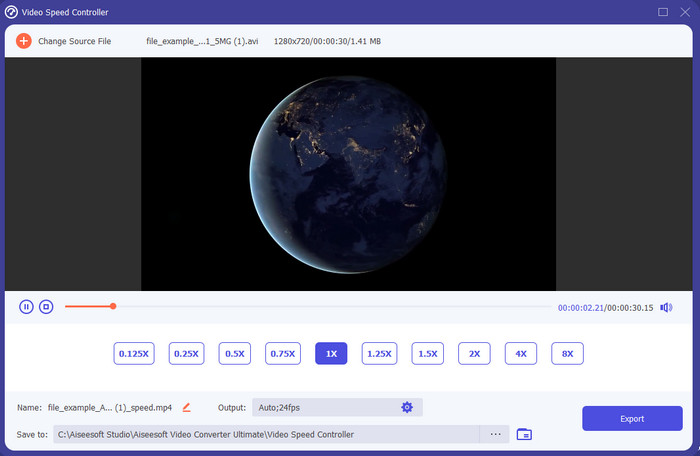
Do you want to know which of the slow-motion video editors is the best to use to make your playback into slow motion? Then try to use Video Converter Ultimate because this tool is not just the best, it is phenomenal. This tool already obtained a lot of advanced features you would like to use even if you are not pro on editing. Even though you are a pro this software is the best choice no matter what level your editing skills are on. Moreover, you can quickly add slow motion effects on your video without reading a manual or watching videos on how to do it. Because the tool presents a much simpler instruction other than the tool below. Although the tool needed to be paid before you can access it still it is not that high in price. If you want to know more about this tool then read the key features below.
Principais recursos do Video Converter Ultimate:
◆ Advanced slow motion video maker app with basic instructions.
◆ Interface de ferramenta amigável.
◆ Ajuste a velocidade do vídeo facilmente no Video Speed Controller.
◆ Suporta mais de 200 formatos de vídeo e áudio.
◆ Pode ser baixado e acessado nos sistemas operacionais PC e Mac.
Free DownloadFor Windows 7 or laterSecure Download
Free DownloadFor MacOS 10.7 or laterSecure Download
2. Unidade de Tempo Contínuo Boris
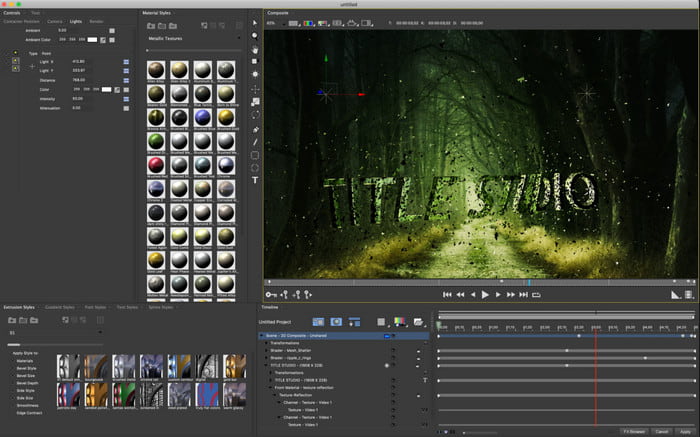
Boris Continuum Time Unit is the best choice if you want to have a heavy-duty slow motion video maker app. There is no other tool that can do anything like this tool provides to have a professional output. Furthermore, this tool has the best detailed editing features you would like to try. Although the tool is greater than the other tools, it is still literally super expensive. Also, if you want to try using this tool then you must have a high-grade desktop system unit because you won't be able to use this on old version desktops.
Prós
- Melhor ferramenta para usar para fazer edição pesada.
- É compatível com todas as plataformas.
- A interface da ferramenta se parece mais com uma ferramenta profissional.
Contras
- Este software é o mais caro neste artigo.
- Precisava de uma unidade de sistema de alta qualidade.
- Não é a melhor escolha para um iniciante que não tem experiência em edição.
3. VEED.IO
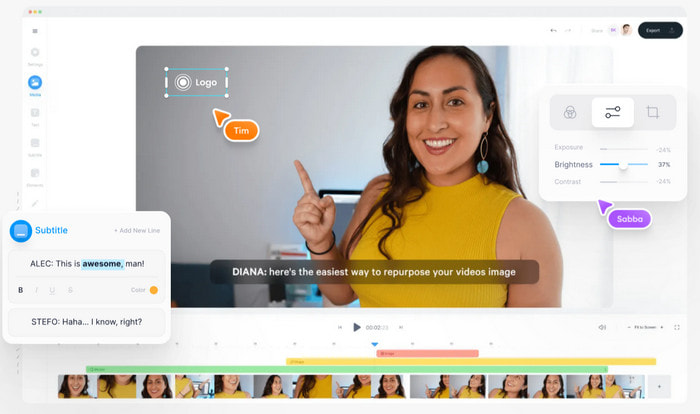
So, if you don't want to spend a penny and have an internet connection then try to access the VEED.IO. This is the best software to make slow motion video online because it is simple and easy to access. The overall interface of the tool is very neat with straightforward instruction so it is very convenient for everyone. However, you can only upload files with less than 50 mb and if you want to add a bigger file size then this tool will demand you to upgrade. Also, if you didn't buy the tool expect the final output to have a watermark.
Prós
- Pode ser facilmente acessado por qualquer pessoa com conectividade com a internet.
- Sem anúncios irritantes no site.
- Fácil de ser tratado pelos novatos na edição.
Contras
- Os recursos da ferramenta são muito limitados na versão gratuita da ferramenta.
- Dependente da Internet. Portanto, se a sua internet estiver lenta, espere um ritmo lento de upload, download e edição. Além disso, você não pode acessar esta ferramenta se não tiver uma conexão com a Internet.
Parte 2. 2 do melhor aplicativo de vídeo em câmera lenta no Android e iOS
1 SloPro
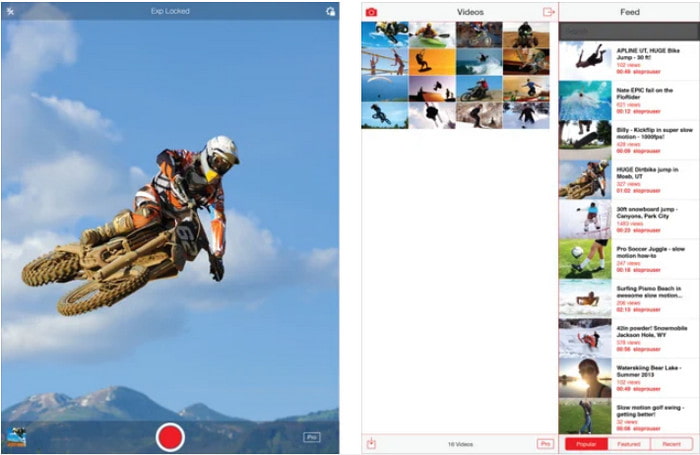
SloPro is the best slow motion video app you can download for free on iOS. The app can do the playback slow motion up to 500 to 1000 fps. Another, you can manipulate the video from fast to slow motion playback or vice versa. Although the tool might be a great option, there are still a lot of drawbacks on the app. Like, the video output will be saved on the gallery of the app and not on the camera roll. Also, if you try to use the 1000 fps the video becomes buggy according to the user who has already tried it. Furthermore, this tool is still great because it is free to use and slowing it down can be easily done here.
Prós
- Melhor reprodução em câmera lenta que você pode usar no iOS gratuitamente.
- Já recebe uma classificação justa e 3,3 estrelas.
- Simples e fácil de usar.
Contras
- A saída final não é salva diretamente na galeria.
- Todos os vídeos salvos na galeria SloPro são aleatórios e não categorizados corretamente.
- Se você estiver usando 1000 fps, espere uma saída de vídeo com erros.
2. Criador de vídeo em câmera lenta
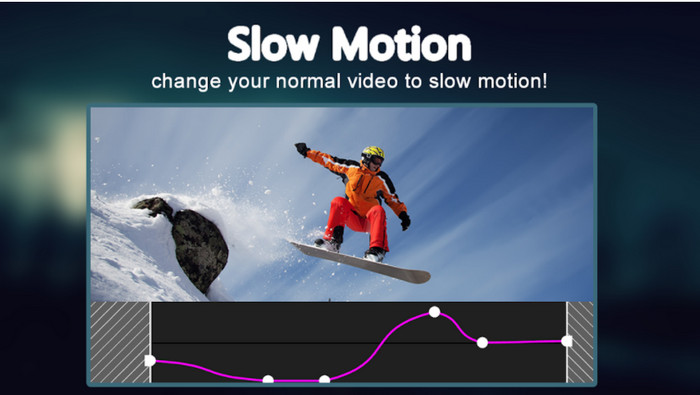
One of the best slow motion video makers you can download for free on your Android phone is the Slow Motion Video Maker. With the help of this app, you can perform fast forward and slow-motion playback easily on your videos. However, the app has a lot of annoying ads popping out of nowhere. Also, the slow-motion playback you can do by 0.5 only. But overall, it is great to be used for slowing down a video on Android but the ads hurt the app badly.
Prós
- O aplicativo é gratuito para download na Play Store.
- É ótimo ser usado para desacelerar o vídeo sem problemas.
- O aplicativo é fácil de gerenciar.
Contras
- Tem muitos anúncios irritantes aparecendo do nada.
- O download do vídeo pode levar muito tempo porque não acelera o processamento.
Parte 3. Perguntas frequentes sobre o Slow Motion Video Maker
Qual é o papel do FPS?
Ele é usado para calcular a série consecutiva de quadros exibidos no painel de exibição. Isso é mais comumente visto em cada captura de movimento, como em videogames, câmeras, filmes e até mesmo nossos olhos podem ver de 30 a 60 fps.
Qual é a melhor taxa de FPS em câmera lenta?
O FPS ideal que você pode usar para assistir vídeos em câmera lenta é entre 120 ou 240 fps. Portanto, se você deseja ter uma reprodução em câmera lenta mais detalhada, aumente o FPS.
Como reproduzir um vídeo em reprodução em movimento rápido?
To have an idea on how to play a video in a fast motion then try to click this link. Learn what are the 5 best tools you can use to speed up a video.
Conclusão
To conclude, all of the tools presented in here are the best slow motion makers you can search on the web. Also, this article already helped you out and make your searching easier than ever. However, there is one specific tool you might want to use to make your video better with the help of Video Converter Ultimate. All of the advanced features you can use here are phenomenal and yet easy to use. Moreover, if you are still not believing then try to download the tool first and try it for yourself.
-
 Melhor aplicativo Android para reproduzir arquivos MOV em seus telefones celulares
 Está tendo dificuldades porque sua gravação MOV não pôde ser reproduzida no seu Android? Então, neste caso, você está em busca de qual é o melhor player MOV para Android.
-
 5 poderosos reprodutores AVI para assistir e reproduzir arquivos AVI [Web & Desktop]
 Aprenda quais reprodutores AVI você pode usar para reproduzir e assistir os arquivos .avi. Continue lendo abaixo e escolha qual é o melhor reprodutor de mídia que o outro.
-
 Maneiras eficazes de como fazer MKV em arquivos no Xbox One S 2021
 Descubra maneiras que podem ajudá-lo a reproduzir arquivos MKV em seu Xbox One S usando alguns dos melhores conversores.
