


 Video Converter Ultimate
 Gravador de ecrã
 Reparo de vídeo
[Revisão completa] Quais são os melhores editores de metadados de vídeo para computador
Video metadata can help you in many ways; an excellent example is arranging your file according to the time and date, authors, file size, and many more; basically, to organize. Although metadata is on every media file, we need to edit them for particular reasons. However, picking out which you should use might be a difficult task for you because there are a bunch of metadata editors you can find on the market. So, to lessen this burden of yours, let us help you review different editors for your data that you can find on the market that only provides excellence. All the details and tools check out thoroughly to offer you an honest review of each software. Let's dig into more information about the top five video metadata editors you can depend on.

Parte 1. 5 dos melhores editores de metadados de vídeo disponíveis no desktop offline
Video Converter Ultimate [Altamente Sugerido]
Free DownloadFor Windows 7 or laterSecure Download
Free DownloadFor MacOS 10.7 or laterSecure Download
Compatible OS: Windows, Mac and Linux
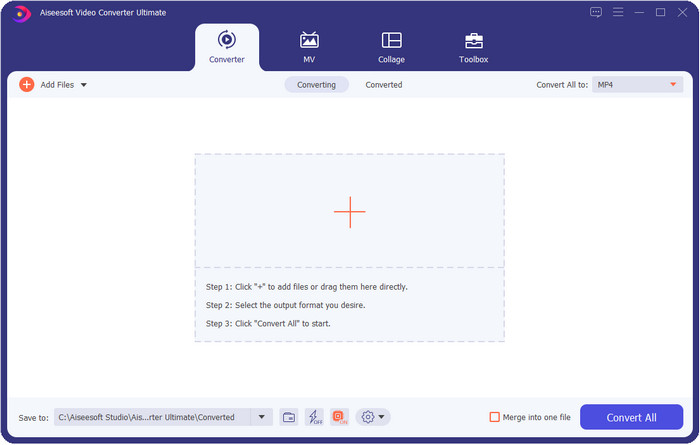
Video Converter Ultimate is the best video metadata editor for viewing, removing, and editing the metadata on your file. This metadata editor isn't the usual editor you can use because it is a full pact of features you can quickly master in a short period. With this tool, you can add many amazing things to your metadata, like comments, image cover, year, genre if it is music, and many more in less than a second. Do you want to know what amazes us with the tool? Unlike the other software, they create a copy of the file you've edited, which is not space-friendly. But if you use this tool, the file you upload on the ultimate tool doesn't create a copy and will apply the metadata you add to the same file you've added; it is space-friendly. Moreover, if you need an all-out tool, this is the perfect choice for all users who need a metadata viewer on Mac and Windows.
Prós
- Ele suporta vários formatos nos quais você pode fazer upload, como MP4, MKV, AVI, FLV, MP3 e outros mais de 1.000 formatos de mídia para alterar ou remover os metadados facilmente.
- Ele permite que qualquer usuário tenha uma experiência fácil na edição dos metadados.
- É a melhor escolha para usuários de Windows e Mac baixar este editor de metadados em sua unidade.
- Remova facilmente metadados de vários arquivos com apenas alguns cliques.
Contras
- Adquirir a ferramenta e baixá-la é essencial, mas valerá cada centavo e unidade de computador.
ExifTool
Compatible OS: Windows, Mac, & Unix
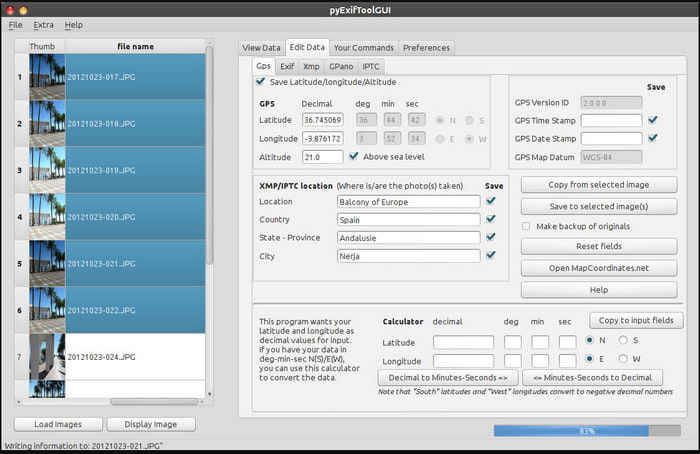
ExifTool is a well-known video metadata editor on Windows, Mac, and Unix you can easily access for free. It supports several video and image formats to change or remove the metadata. Also, this tool allows you to edit multiple metadata on different files simultaneously. Unlike other editors on this list, we can see that many things are going on with this tool; so if you're new to editing the metadata, you will need time to grasp the tool.
Prós
- Grátis para baixar.
- Ele pode editar e visualizar facilmente os metadados.
Contras
- Interface e opções são confusas de usar.
Metadados++
Compatible OS: Windows
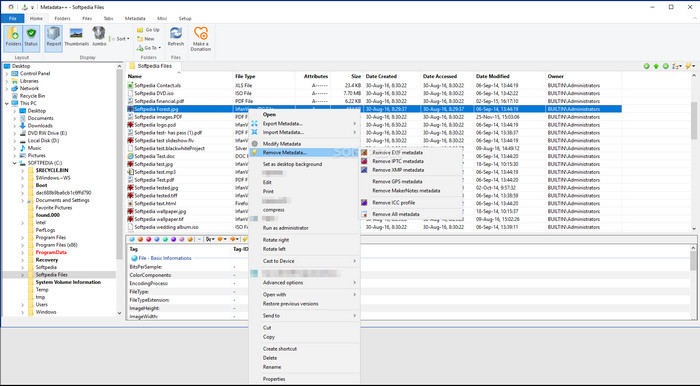
If you want to depend on an open-source video metadata editor on Windows, you might use Metadata++. This tool helps you quickly add or remove the metadata on the file by using hotkeys, to avoid using the mouse often. However, the editor is not as effective as the others in this list, but you can still depend on this tool if you want to use it.
Prós
- As teclas de atalho estão disponíveis para o rápido processo de edição de metadados.
- Adicione facilmente metadados nos arquivos que não foram adicionados.
- Gratuito para download no Windows.
Contras
- A GUI está desatualizada.
- Muitas funções precisam ser compreendidas antes de serem usadas.
MyMeta
Compatible OS: Windows
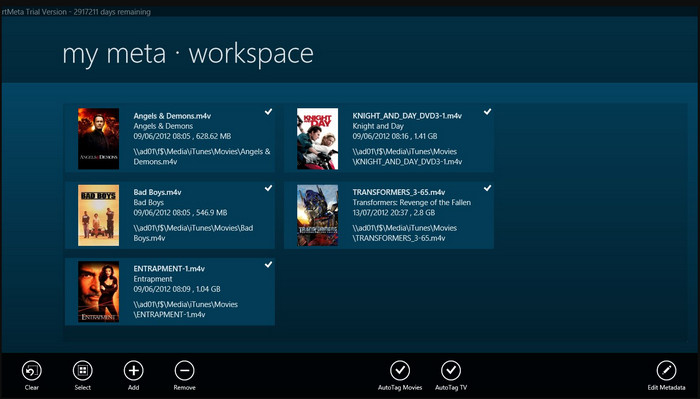
MyMeta is a video metadata editor you can instantly edit the MP4, M4V, and MOV. This tool has a feature to automatically create metadata and cover based on the result on the internet. Also, you can use this tool to tag the files according to the information. Although the tool is great, the format this tool supports is only MP4, M4v, and MOV only.
Prós
- Fácil de usar.
- A etiqueta automática permite que você copie os metadados de um arquivo específico com apenas alguns cliques.
- GUI limpo.
Contras
- Ele suporta apenas MP4, M4V e MOV. Portanto, se você está tentando fazer upload de outro formato aqui, ele não é compatível.
- Alguns recursos não estão de acordo com os requisitos do usuário.
VLC Media Player
Compatible OS: Windows, Mac, Linux
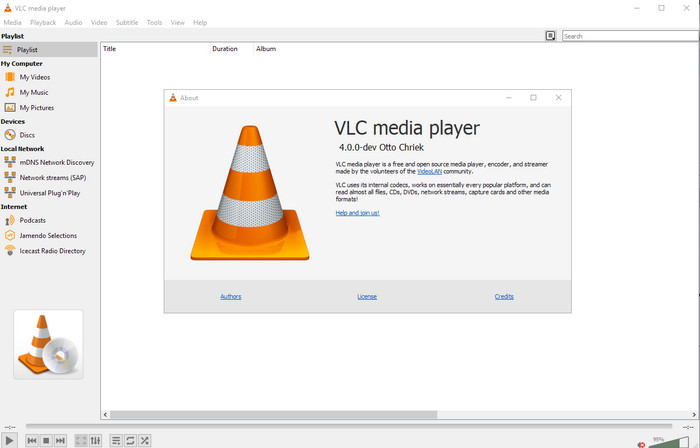
VLC Media Player is made for playing media files, but you can also use this open-source video metadata editor to edit the file's metadata. As we said, it can play a wide variation of formats easily with different codecs on every platform you can think of because it is a top-notch video player. Although it can play other file formats, the file supported on editing the metadata is limited and not as wide as the other tool mentioned.
Prós
- Editor de metadados de código aberto para download.
- Amigo do usuário.
- Disponível em todos os sistemas operacionais.
Contras
- Ele suporta formato médio para upload.
- A GUI da ferramenta está desatualizada.
Parte 2. Gráfico de comparação sobre o Editor de metadados de vídeo
| Recursos | Video Converter Ultimate [Altamente Sugerido] | ExifTool | Metadados++ | MyMeta | VLC Media Player |
| Adicionar e remover metadados |  | | | | |
| Amigo do usuário | | | | | |
| Suporta formatos amplos | |  | | | |
| Melhor escolha para iniciantes | | | | | |
| Editar metadados de lote | | | | | |
Parte 3. Como adicionar, remover e editar metadados usando o editor de metadados altamente sugerido
If you've chosen to use the Video Converter Ultimate as your video metadata editor, we suggest you follow the indicated steps below. Without further ado, let's keep up our pace and start using the ultimate tool for this ultimate task.
Step 1. Download the tool by clicking the download button presented below; choose whether you use a Windows or Mac. After the downloading process, you must click the file to install it immediately, then launch it if it is all done.
Free DownloadFor Windows 7 or laterSecure Download
Free DownloadFor MacOS 10.7 or laterSecure Download
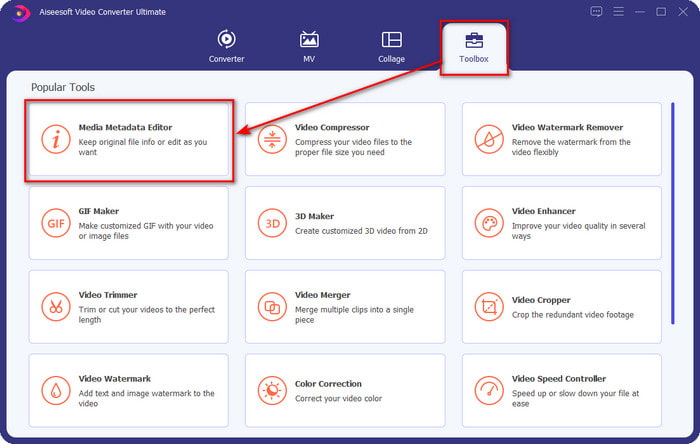
Step 2. After you've launched the tool, click the Toolbox section, and under it, look for the Media Metadata Editor; click it before proceeding to the next step.
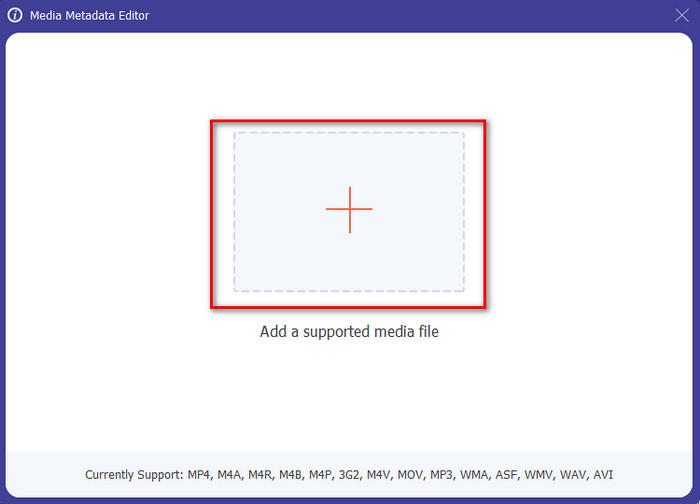
Step 3. Insert the file by clicking the + icon, and a folder will show on your screen, select the media file you want to edit the metadata on, and press Open.
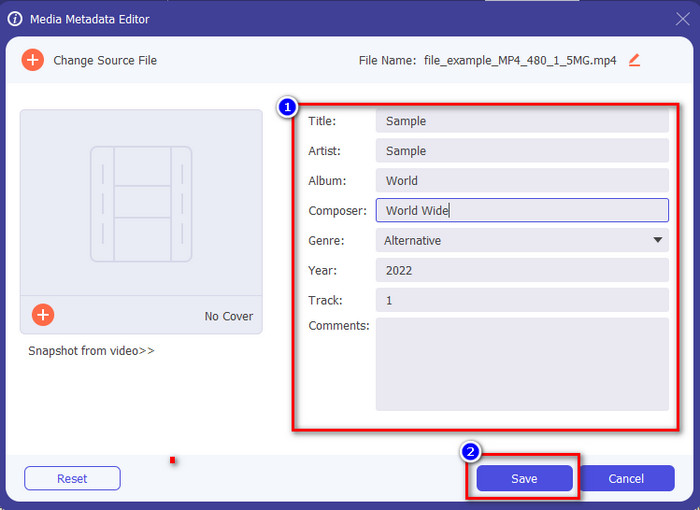
Step 4. On the new window that will show on your display, you can now edit, remove, and add metadata on the text boxes presented. If you are now satisfied with the metadata click Save to apply the metadata on the file. Easy peasy, isn't it? Well, that is what the ultimate can do.
Parte 4. Perguntas frequentes sobre o Editor de metadados de vídeo
Posso visualizar metadados online?
Yes, you can use FVC Free Video Converter Online to view the metadata on video online; follow the steps below to know how to view it. First, click the link to open a new tab on your browser; this link will automatically go to the official website of the FVC converter online. Next, click Add Files to Convert; if this is your first time using it, you'll need to download the launcher and click the file to install it. Click it again, and this time a computer folder will show, select the file you want to view the metadata, and press Open to continue. A new window will show on the screen; click the i icon with you can now see the metadata on a video.
Quais são as partes dos metadados?
Metadata includes different types of information about the media file: the author's name, composition, location, settings, a device used, date, time, genre if it is music, image, and many more. But most of the time, metadata depends on what the file is about; if the file is an audiobook, it is different from a video file.
O ID3 é uma amostra de metadados?
ID3 é um contêiner de metadados visto em arquivos de mídia MP3; basicamente, em arquivos de áudio.
Conclusão
The software we present in this article can help you view, edit, add or remove the video's metadata, even if you don't have enough knowledge on metadata. Now that you have the top 5 editors on the market, it is now the time to choose which tool you should depend on regarding this task. If you feel that you are undecided, we would recommend that you use the Video Converter Ultimate for many reasons. Unlike the other tools, this software can take this task within a few seconds. If you still do not believe what we are saying, you must download the tool to try it out and see the other things this tool offers.
-
 4 dos melhores visualizadores de metadados online e offline [atualizado em 2025]
 Posso verificar os metadados do meu arquivo? Sim, você pode, com a ajuda deste post, apresentaremos os diferentes visualizadores de metadados que você pode usar.
-
 Os 5 principais extratores de metadados disponíveis online e offline [2025]
 Você pode encontrar vários extratores de metadados no mercado, mas hoje, escolhemos apenas os cinco extratores de tags mais escolhidos de acordo com o público.
-
 7 editores de tags de música populares no Windows, Mac e dispositivos móveis
 As tags de música são populares para o arranjo da música em sua biblioteca de acordo com os dados contidos. E se você quiser mudá-lo? Leia os detalhes abaixo para saber mais.
