


 Video Converter Ultimate
 Gravador de ecrã
 Reparo de vídeo
Quais são os 8 melhores conversores de resolução de vídeo para alterar a resolução de vídeo
In terms of pixel value by width and height, the video resolution plays a significant role in changing the size of every video you play. Different multi-media sites play a video with various video resolutions. Thus, there are some instances that you will need to convert video resolution into a specific height and width. To help you find the best video resolution converter, take a few minutes to look at the top 9 resolution converters we found on the market.

Parte 1. Os 3 principais softwares de conversão de resolução de vídeo disponíveis em qualquer Windows e Mac
Topo 1. FVC Video Converter Ultimate (Windows e Mac)
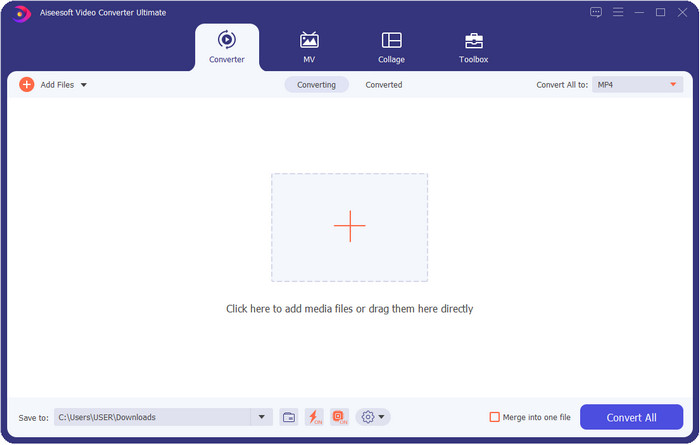
FVC Video Converter Ultimate is the best video resolution enhancer you can easily use to manipulate the resolution by your own choice. This software can take your video resolution to the top as higher as 4k or as lower as 144px. With this tool, you can change the video parameter and check it out later at the preview before you export it if that is the video resolution you want.
Além disso, se você deseja converter seus arquivos aqui, pode selecionar os diferentes conjuntos de resolução de vídeo que esta ferramenta já oferece. Para experimentar uma maneira fácil de alterar a resolução do vídeo. Além disso, você também pode criar uma resolução de vídeo personalizável para atender às suas necessidades de vídeo. Se você quiser mais ideias sobre a ferramenta, leia os principais recursos que esta ferramenta pode oferecer.

FVC Video Converter Ultimate
Mais de 5.689.200 downloads- Transforme seus vídeos em MP4, MOV e mais de 200 com resolução ultra-alta.
- Converta seus diferentes arquivos de vídeo simultaneamente em menos de um minuto.
- Verifique a resolução do vídeo antes de exportar o arquivo na visualização.
- Uma caixa de ferramentas multifuncional está disponível para ajudá-lo a compactar, fazer correção de cores e muito mais.
- Está disponível em todos os sistemas operacionais em desktops, incluindo Windows e Mac.
Free DownloadFor Windows 7 or laterSecure Download
Free DownloadFor MacOS 10.7 or laterSecure Download
Top 2. VLC (Windows, Mac e dispositivos móveis)
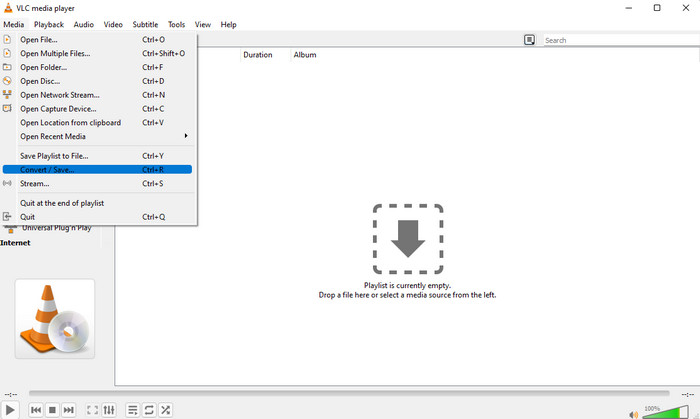
Você pode usar o melhor player de vídeo da web como um conversor de resolução de vídeo MP4, se precisar. O VLC oferece a seus usuários não apenas a reprodução de um vídeo em alta resolução, mas também a conversão de vídeo em alta resolução. Esta ferramenta tem uma capacidade de conversão de vídeo, mas não é tão eficaz quanto o outro conversor de vídeo que você pode baixar em sua área de trabalho. Mas vale a pena mencionar esta ferramenta nesta revisão porque é gratuito para baixar para reproduzir e converter o vídeo.
Advantages of Using VLC:
◆ É um reprodutor e conversor de vídeo multifuncional para Windows, Mac e outros dispositivos móveis.
◆ Gratuito e seguro para download.
◆ Não é tão eficaz quanto o outro conversor, mas pode fazer a tarefa se você quiser.
Top 3. Conversor de Vídeo Grátis para Hamster (Windows)
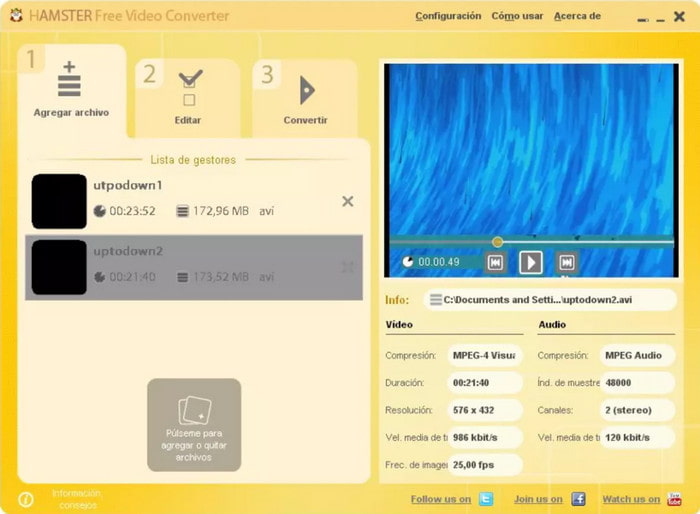
Hamster Free Video Converter can help you convert almost every video into any video format with high resolution. This video resolution converter is free to download in any Windows operating system to help its users with their problems regarding the videos. Even though the tool is easy to use and free, the GUI of the software needs to have updated because it looks less like a professional video converter, like adding different skins to make the user interface better. Although this is a bit of a problem, we can assure you that the software will help you convert the video resolution.
Advantages of Using Hamster Free Video Converter:
◆ Conversor de vídeo gratuito para download em qualquer sistema operacional Windows.
◆ É muito intuitivo de usar e você não precisará ler ou assistir a um tutorial sobre como usá-lo.
◆ Conversor de vídeo simples e poderoso.
Parte 2. Os 3 principais conversores de resolução de vídeo on-line e gratuitos
Topo 4. Conversor de Vídeo Grátis FVC Online
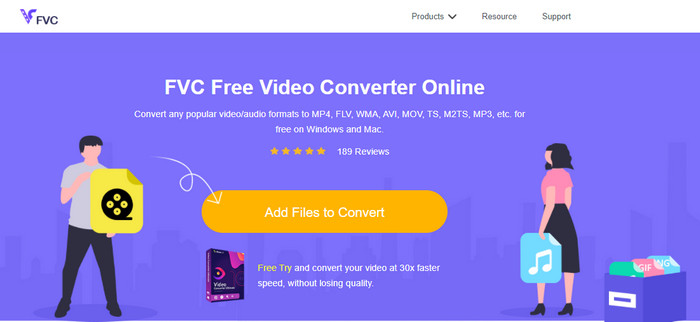
FVC Free Video Converter Online is the top high resolution to low-resolution video converter online you can depend on if you don't want to download. This tool is not just easy to use, but also it is free and safe. Moreover, this tool supports different types of video resolution; you can choose one up to 1080 px or lower than 240px. You won't need to download the software on your desktop drive to change the video resolution with this web tool. Although the tool is ready to use, it is still not as good as the ultimate tool that provides large-scale, but you can use it if you want a limitless converter.
Advantages of Using FVC Free Video Converter Online:
◆ Não é necessário fazer download da ferramenta da Web e é seguro usá-la.
◆ Você pode acessar facilmente a ferramenta na web a qualquer hora e em qualquer lugar com conexão à internet.
◆ Suporta resolução de vídeo de até 1080px gratuitamente.
Top 5. Conversão HD
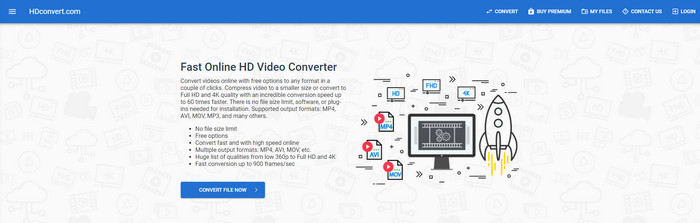
Another video resolution enhancer online you can use is the HD convert. This tool also supports different resolution sets, like the first online converter we mention. With its popular video-supported format, you can easily upload your video files here to enhance the quality later. However, you can only convert videos up to 720px because this tool supports the free version. Another thing we didn't like about the web tool is that after converting the resolution, it will leave a watermark on your video after you export it. But if you don't mind the watermark and 720px, you can change your video's video resolution for free.
Advantages of Using HD convert:
◆ Suporta um processo de conversão de vídeo mais detalhado.
◆ A resolução de vídeo que esta ferramenta da web suporta gratuitamente é de 720px.
◆ Ele suporta o formato de vídeo mais recente para upload.
Top 6. 123 APPS – Conversor de vídeo
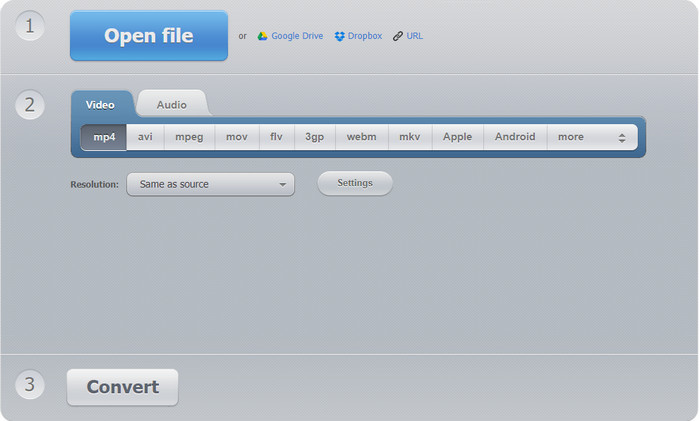
Last on the list of super video resolution enhancers you can use on the web is the 123 APPS – Video Converter. Like the HD convert, this web tool supports the popular format for importing and exporting. Even though it supports the popular format, it is still much better than the second web converter because it supports 1080px in the maximum and as low as 240. Although the tool is free, pop-up ads on the main website could make your experience a little less exciting. Also, the uploading and downloading process will depend on your internet; you'll need to be patient at this time to enhance the resolution of your video for free.
Advantages of Using 123 APPS – Video-converter:
◆ Pode converter sua resolução de vídeo em até 1080 px no máximo.
◆ Embora existam anúncios na ferramenta da web, ainda é seguro acessar.
◆ Suporta mais formatos de exportação do que o conversor Hd.
Parte 3. Os 2 principais aplicativos de conversão de resolução de vídeo para download no iOS e Android
Topo 7. O Conversor de Vídeo (iOS)
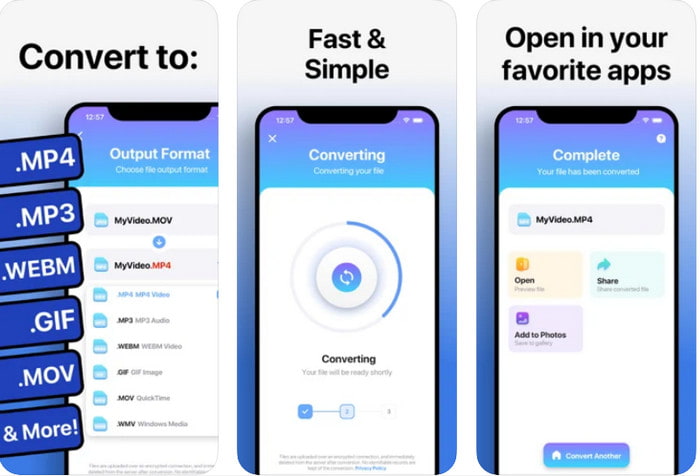
You can use this video resolution enhancer app on iOS to help you change the resolution easily. The Video Converter provides the most effective way of changing the format and resolution on every iOS user. This app supports a more range format than the other website to upload and download the video on iOS drive easily. Although the tool is free to download, you can't use this app if you didn't purchase or activate the premium version. So, before you pick this converter, you must have extra money to pay for it before using it.
Advantages of Using The Video Converter:
◆ O download é gratuito em qualquer dispositivo iOS, mas você precisará pagar por ele ao exportar o arquivo.
◆ Suporta diferentes tipos de recursos de edição e uma escala média de formato de vídeo.
◆ A resolução de vídeo pode chegar a 1080px.
Top 8. Conversor de Vídeo, Compressor MP4, 3GP, MKV, MOV, AVI (Android)
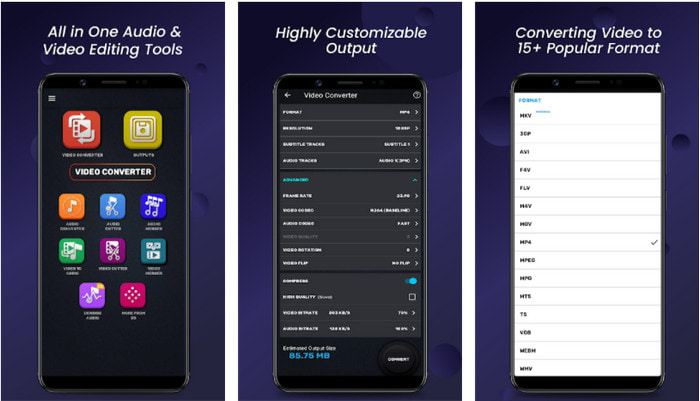
For Android users, you can use this free to download a video resolution converter on any Playstore. Video Converter, Compressor MP4, 3GP, MKV, MOV, AVI is the best app tool we find on the Playstore that offers different sets of resolution and format for your video. Like the ultimate converter, this tool supports other features such as compressing, adding subtitles, and audio tracks on the video before exporting it. Even though it has these features that the ultimate tool can offer to you, it is still not as effective as the ultimate converter. In some cases, the tool doesn't effectively convert the video resolution.
Advantages of Using Video Converter, Compressor MP4, 3GP, MKV, MOV, AVI:
◆ Disponível em todos os dispositivos Android para baixar a ferramenta gratuitamente.
◆ É o melhor conversor de vídeo, compressor, faixas de áudio e adicionador de legendas em dispositivos móveis.
◆ Embora existam anúncios pop-up, ainda é seguro usá-lo.
Related:
Parte 4. Perguntas frequentes sobre os conversores de resolução de vídeo
Qual é a diferença entre resolução e qualidade de vídeo?
A resolução e a qualidade são essenciais para vídeo e imagem em todos os arquivos de mídia visual. Embora alguns usuários os considerem iguais, eles não são. Como a resolução se refere ao tamanho do arquivo de mídia óptica, podemos medi-lo em pixels para largura e comprimento. Enquanto a qualidade leva a representação visual, o que significa que a qualidade do vídeo se concentra nos detalhes dos pixels que são armazenados.
Qual é melhor para reproduzir vídeo online? 720 ou 1080?
Se você estiver reproduzindo vídeo na web, sugerimos usar um 720 em vez de 1080 porque ele carrega muito mais rápido e tem qualidade HD. No entanto, recomendamos usar 1080 se você for mais detalhado, mas essa resolução carrega muito mais tempo do que a 720.
Qual é a resolução de vídeo mais alta?
A qualidade mais alta é o 8k UHD (7680 x 4320), mas em breve veremos uma resolução maior.
Conclusão
The video resolution converters we present in this review are sifted-out to present only the best video converter you can use on your device. Additionally, the converters have different skills that help their users convert the resolution into higher or lower ones. But if you will ask us which we should use, then there is no doubt that we will pick the top video converter on this list. FVC Video Converter Ultimate presents the highest video resolution you can achieve on a video without losing its quality. Although the tool is for purchase, we believe that it is worth every penny if you access the premium version. So now, what are you waiting for? Click the download button above to have the ultimate converter that is available on Windows & Mac.
-
 Como adicionar áudio e música ao vídeo gratuitamente em seu computador / telefone
 Este artigo mostra 4 maneiras fáceis de adicionar áudio a vídeo gratuitamente. Não importa qual faixa de áudio você deseja adicionar ao seu vídeo, você pode obter resultados satisfatórios aqui.
-
 Transforme GIF em formato de vídeo: converta memes GIF em vídeo [2025]
 Determine como transformar GIF em formato de vídeo com a ajuda das ferramentas listadas abaixo. Escolha qual deles e aprenda como fazê-lo, à medida que coletamos evidências suficientes sobre eles.
-
 GIF maravilhoso para aplicativos de vídeo para dispositivos Android e iOS
 Você sabia que pode converter GIFs em qualquer formato de vídeo de que goste usando o telefone? Escolha os melhores aplicativos em seu Android ou iOS.
