


 Video Converter Ultimate
 Gravador de ecrã
 Reparo de vídeo
6 Melhor Reversor de Vídeo no Mac/Windows/Android/iPhone/Online
Reversing a video became one of the most impressive visual effects a lot of editors use nowadays. Just by reversing a video, you can add a wow-factor to your pre-made videos that become eye-catching as well. So, in this write-up we will explore what are the best video reverser programs you can use for free or paid. And now, if you are ready to start the journey then fasten your seat belt and let the exploration begin.

Parte 1. 2 do Melhor Software de Reversor de Vídeo para PC e Mac
1. Video Converter Ultimate
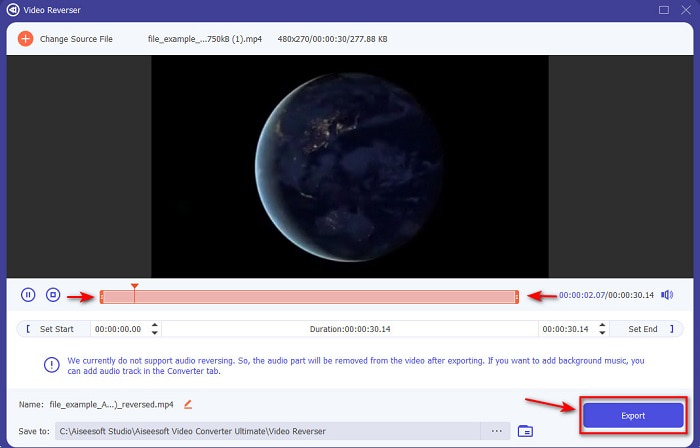
First in this list is the phenomenal converter you can use to make an impressive video without needing a tutorial. Because of its on-point instruction this tool is ideal to be used by the beginner or even a pro who wants to have impressive video. Video Converter Ultimate is the top-notch reverse video editor and the most pick editor in this list. This tool helps its users to reach their full potential in editing but not in a hard way. As it is said earlier the on-point instruction and information of this tool already help a lot of users who don't have experience in editing. Although even if you are a pro, you can still use this tool to make a more impressive video that your current video editor doesn't have.
Free DownloadFor Windows 7 or laterSecure Download
Free DownloadFor MacOS 10.7 or laterSecure Download
Prós
- Melhor em fazer seu vídeo parecer fenomenal em comparação com o outro editor.
- É fácil de usar, aprender a usar esta ferramenta não levará mais de 15 minutos ou até menos.
- Se você está procurando uma ferramenta completa, então esta deve ser sua primeira escolha.
Contras
- O software é pago, mas o Movavi é muito mais caro se formos comparar.
- É necessário fazer o download da ferramenta antes mesmo de poder usá-la.
2. Movavi Video Suite
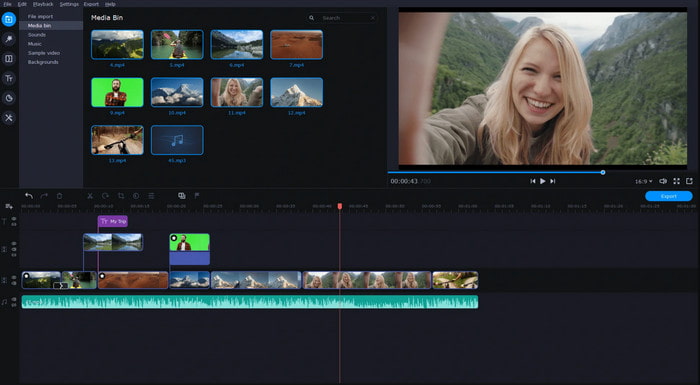
Another tool in this list is the Movavi Video Suite. This Movavi video editor reverse has already been on the scene and already used by millions of users. Because of the advanced editing features it provides like the Video Converter Ultimate. Also, this tool has a lot to offer for its customers. However, the downside of this tool is that the rendering process takes a lot of time and tends to be slow. Another, the tool supports only limited formats so basically you can't choose what format you want it to be because of the limited scope.
Prós
- Fácil de usar como um editor semi-profissional.
- A interface é muito limpa e intuitiva de se ver.
- Disponível em Mac e Windows.
Contras
- A ferramenta é muito cara em comparação com a ferramenta nesta lista.
- A maioria dos recursos que você pode usar no Windows não está disponível no Mac.
- Tem menos modelos para você escolher.
Related:
Parte 2. 2 do Melhor Reversor de Vídeo Online
1. Kapwing
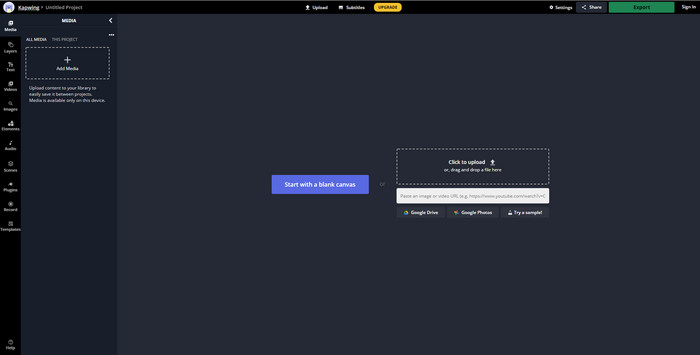
Don't want to pay? Then try to use a kapwing reverse that can be easily done for free. Kapwing is one of the easiest online tools you can use. Also, it provides some editing features you can use for free but you will need internet connection. Although the tool interface looks great because it has similarity with the Adobe Photoshop but online. Uploading and exporting files here is a bit of a hassle because it will depend on your internet. So, if you have an unstable internet connection then expect a slow process. And if you export the files in here there will be a watermark at the lower right side of the reversed video.
Prós
- Ferramenta web gratuita.
- Amigo do usuário.
- Processo de reversão fácil que você precisará seguir.
Contras
- Dependente da Internet, o que significa que, se você não tiver conectividade com a Internet, não poderá usar essa ferramenta.
- O processo de edição é rápido, mas o upload e download de arquivos levará algum tempo.
- A saída final tem uma marca d'água no canto inferior direito do vídeo.
2. VideoReverser .com
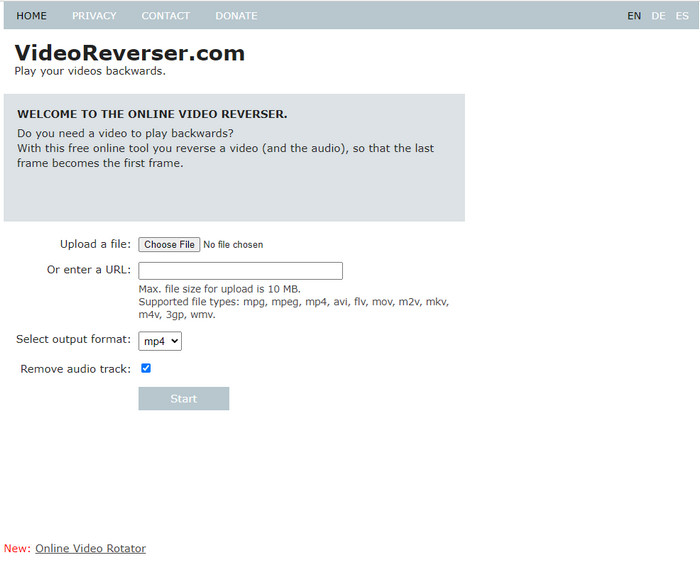
VideoReverser.com is one of the best online video reversers you can search and use on the web. This webtool is great for those who do want to have a simple and short video reversing. As being said, you can only insert a video file less than 10 mb. That file size is a bit low if we were about to compare it to the other tool presented in this article. However, if you have a short video you want to reverse then try to use this tool.
Prós
- Sem cobranças ocultas se você acessar a ferramenta.
- Interface de ferramenta fácil de entender.
- A ferramenta se concentra em reverter seu vídeo.
Contras
- Ele suporta menos formatos e na maioria das vezes quando você tenta reverter um vídeo aqui, ele falha.
- Apenas 10 MB de tamanho máximo de arquivo que você pode fazer upload.
- Não pode ser acessado se a internet não estiver disponível.
Parte 3. 2 do melhor aplicativo de reversão de vídeo no Android e iOS
1. vídeo reverso para trás (Android)
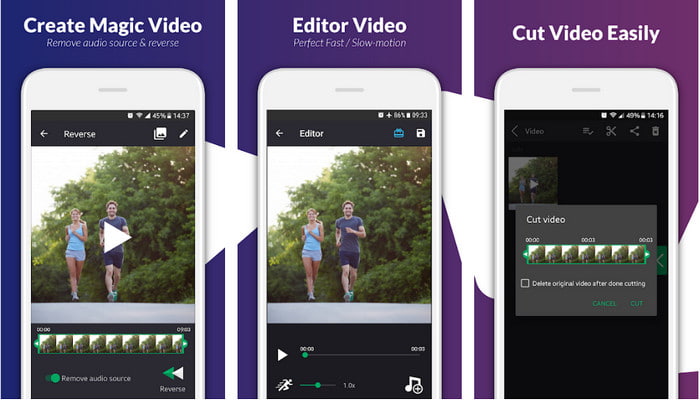
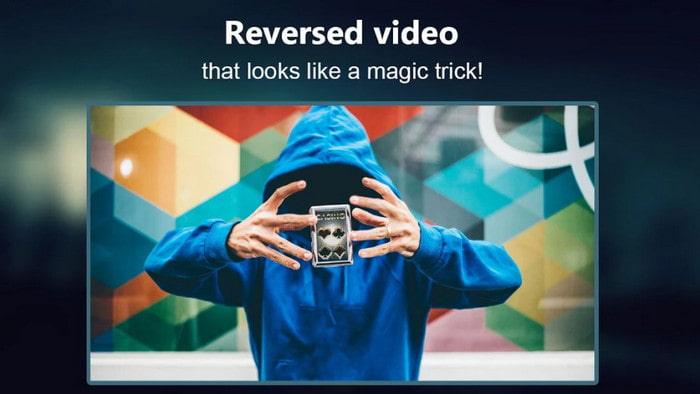
The reverse video backward is only available on Play store for free. This reverse video software is great at reversing videos that can be easily used by anyone who has Android phones. However, a lot of users complain about how this tool crashes, pop-up ads even when you already close the app, and you can edit the video in here also. The overall rating of the tool is so low if we compare it to the other same function on Play store.
Prós
- Antes de baixar a ferramenta, ela lhe dará algumas ideias para fazer um efeito reverso mágico.
- Ele suporta 50 idiomas diferentes que você pode escolher.
Contras
- Há casos em que a ferramenta trava por motivos desconhecidos.
- Os anúncios irritantes estão em toda parte, mesmo quando você fecha a ferramenta, os anúncios são exibidos na tela.
- A ferramenta apresenta falhas quando a testamos.
2. Editor de vídeo reverso (iOS)
This reverse video app can be downloaded into your iOS for free. Reverse Video Editor receives a great rating from a lot of users. Having 4.5 stars rating on the app can be deceiving in all aspects. Because you will think that this tool is great overall. But little did you know, the developer of the app pushes its audience to give the app a 5-star rating before they can access the tool feature. And most of the comments are non-sense and think that they are commented by the bots to boost the popularity of the app.
Prós
- A ferramenta tem uma ótima classificação fornecida pelos 67,4 mil usuários.
- Interface dele é bastante grande em comparação com os outros reversores iOS.
Contras
- Os usuários são forçados a classificar o aplicativo com 5 estrelas para desbloquear recursos especiais no aplicativo.
- Comentários do aplicativo abaixo não fazem sentido. Basicamente, se você quiser descobrir o que é o aplicativo, não olhe os comentários.
- Os bugs ainda estão neste aplicativo e na maioria das vezes o vídeo que você insere no aplicativo congela.
Parte 4. Gráfico de comparação
| Recursos | Conversor de Vídeo UltiR | Movavi | Kapwing | VideoReverser.com | Vídeo reverso para trás | Editor de vídeo reverso |
| Recursos de reversão |  | | | | | |
| Anúncios irritantes na interface |  | | | | | |
| Marca d'água após a exportação | | | | | | |
| Outros recursos de edição, como corte, recorte e muito mais | | | | | Está disponível, mas os comentários dizem que não está funcionando. | Está disponível, mas os comentários dizem que não está funcionando. |
| Disponibilidade do programa | Ferramenta baseada em desktop | Ferramenta baseada em desktop | Ferramenta baseada na Web | Ferramenta baseada na Web | Ferramenta baseada em download para Android | iOS para download também |
| Faixa de preço | 1 mês: $25,00 Licença Vitalícia: $55.20 Licença Multiusuário Vitalícia/5 PCs: $119.00 | Editor de vídeo Movavi $39.95 Editor de vídeo Movavi Plus $59.95 | Ferramenta online grátis | Ferramenta online grátis | Não na compra de aplicativos | Compra no aplicativo 3 a 50 faixa $ |
Parte 5. Perguntas frequentes sobre o Video Reverser
Por que meus vídeos reversos perdem a qualidade?
A maioria das ferramentas reduzem a qualidade do vídeo reverso porque não suportam formatos de qualidade de vídeo mais alta ou talvez você defina as configurações como baixa em vez de alta. Nenhum dos dois problemas pode ser corrigido alterando o software ou ajustando as configurações.
Posso usar o vídeo invertido como transição?
Absolutamente sim. Em vez de usar a transição animada da versão antiga, você pode reverter seu vídeo para torná-lo mais atraente visualmente. Mesmo que você não use uma ferramenta de edição profissional ou experiência em edição, você ainda pode obter uma ótima transição com a reversão de vídeo.
Se eu inverter meu vídeo, ele fica invertido?
Na verdade não, porque inverter e inverter não são semelhantes. Embora ambos ainda estejam mudando a aparência original do vídeo, eles não são semelhantes. Por exemplo, se você inverter um vídeo, ele será reproduzido do início ao fim, enquanto se você o inverter, o vídeo ficará de cabeça para baixo e ainda será reproduzido do início ao fim.
Conclusão
As we come to an end, the tools we reviewed in this article are all great depending on your platform. And all of them are ideal to be used by anyone with desktop, internet connection, or mobile phones. Moreover, if you find it hard to decide on what to choose then we will give our suggestion to you. The Video Converter Ultimate surpasses its limit as a converter and editor. This tool already helps millions of users and now it is ready to help you too. So, download this tool now, then enjoy and explore the beauty of this tool.
-
 Como converter arquivos MKV para jogar no PS3 sem problemas [Resolvido]
 Quer reproduzir vídeos MKV no seu PS3? No entanto, o PS3 não pode reproduzir arquivos MKV diretamente. Este artigo mostrará maneiras de converter vídeos MKV para formatos de vídeo compatíveis com PS3 para reproduzir no PS3 sem problemas.
-
 Android DVD Player - Como reproduzir vídeos em DVD em celulares Android
 Como reproduzir arquivos de DVD em celulares Android? Existe algum reprodutor de DVD Android? Neste artigo, você aprenderá três maneiras de reproduzir vídeos em DVD em celulares Android com ou sem o driver externo.
-
 Os 10 melhores leitores MP4 Android gratuitos para reproduzir vídeos HD / 4K
 Embora os celulares Android tenham os players padrão para reproduzir vídeos MP4, eles não suportam o ajuste das configurações de reprodução e outras funções. Assim, você pode aprender sobre os 10 melhores players de MP4 Android neste artigo.
