


 Video Converter Ultimate
 Gravador de ecrã
 Reparo de vídeo
Editor de metadados VLC e suas melhores alternativas para editar metadados com facilidade
VLC Media Player became one of the known video players you can download on any device such as Windows, Mac, Android, and iOS. With its supported formats and codecs, playing videos here became as swiftly as it is. In addition to its ability to play multiple formats, this tool has various features and functions that you would love to use. One of them is editing metadata. Keep reading this article to know more about the VLC metadata editor and its other competitive alternatives.

Parte 1. Revisão do Editor de Metadados do VLC/Prós e Contras/Melhores Alternativas para o Editor de Metadados do VLC
Introdução à função de edição de metadados do VLC Media Player
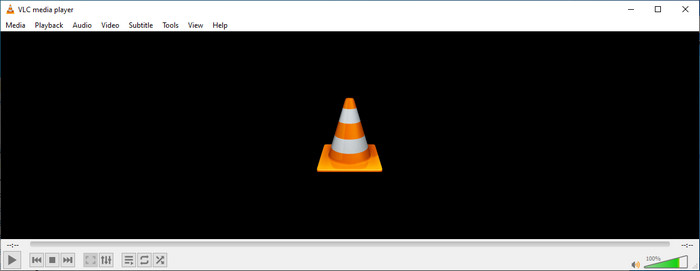
O objetivo principal do editor de metadados do VLC não é como editor, mas como player. Esta ferramenta reproduz um formato amplo que nosso reprodutor de mídia nativo não é suportado. Em vez de baixar codecs em seu arquivo, essa ferramenta facilita o trabalho ao adicionar o arquivo e assistir a ele. Após seu lançamento inicial em 2001, seu desenvolvedor melhorou a função e os recursos gerais do media player para competir com o outro software. Embora muitos recursos e funções sejam adicionados à ferramenta, ainda não é suficiente para competir com o outro editor de metadados dedicado.
Prós e contras
Agora que temos uma ideia sobre a capacidade do editor de metadados do VLC, vamos ver se é um editor de tags ideal que você deve usar. Se você quiser saber mais sobre o editor de metadados VLC no Android, iOS, Windows e macOS, é melhor continuar lendo seus prós e contras.
Prós
- É um freeware, o que significa que você não precisará comprar a ferramenta para baixá-la.
- Ele suporta um formato amplo para editar seus metadados com facilidade.
- Ele pode otimizar a reprodução de vídeo e áudio do seu dispositivo de escolha.
- Extensível com plug-ins, se você puder.
Contras
- O editor de metadados de vídeo VLC não é o melhor para editar os metadados do seu arquivo.
- A ferramenta não foi feita para edição, então você não pode considerá-la particularmente como um editor de vídeo profissional.
- Falhas e congelamentos ocorrem com frequência durante o uso do software.
- Atualização ruim em sua GUI.
Mesmo que não seja a melhor escolha na edição de metadados, ainda acreditamos que este é o melhor reprodutor de mídia que você pode baixar gratuitamente, que pode superar os outros reprodutores de mídia integrados em seu dispositivo. Os detalhes a seguir ajudarão você a determinar as melhores alternativas para editar as tags do que o VLC.
Parte 2. 3 do Editor de Metadados Competente e Melhores Alternativas para o VLC
Video Converter Ultimate
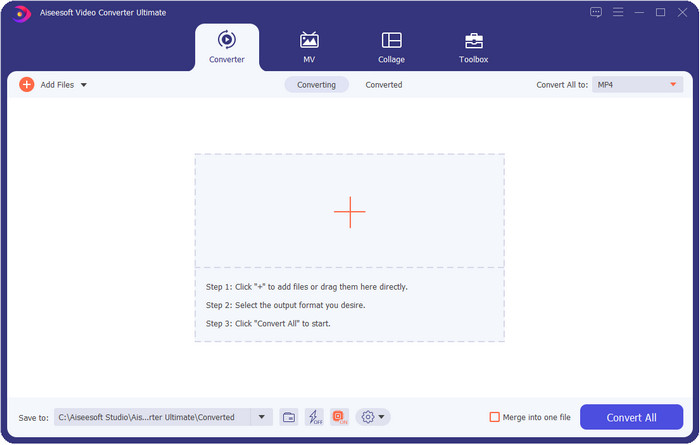
Video Converter Ultimate is the most competitive in editing the tags; it is better than what VLC metadata editor can offer. With this tool, you can easily manipulate all of the tags on your MP4, MOV, M4V, AVI, WMV on any 1000+ formats that you have. Adding the tags has never been easy for most of us, but if you use this tool, you can add the titles, artist name, album, comments, other information, and even images on the file as a part of metadata. Although you can do basic editing on tags while using VLC, it is not enough, and if you want to do more, you must choose the ultimate tool. To help you add the needed tags that the VLC or other metadata editor on the market can't provide on you effortlessly. If you want to know what you can get if you download the ultimate tool, we will write some of the features you can get with the tool.

Video Converter Ultimate
Mais de 5.689.200 downloads- Ele pode editar as tags de seus arquivos de mídia, como MP4, AVI, FLV, RMVB e muito mais.
- Possui um processo de conversão ultrarrápido e aceleração de hardware.
- Recursos e funções avançadas adicionais estão no Toolbox.
- Suporta conversão em lote para terminar a tarefa simultaneamente
- Disponível no Windows e no macOS para download.
Free DownloadFor Windows 7 or laterSecure Download
Free DownloadFor MacOS 10.7 or laterSecure Download
MetaZ
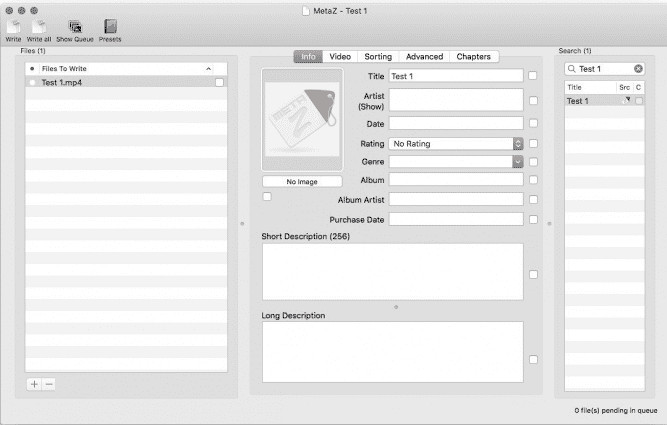
If you want to have a free VLC video metadata editor on Mac, then MetaZ is a tool you must use. This tool is a dedicated meta-tagger you can download on Mac, and its primary purpose is to add or edit tags to media files. Also, if you want to use this you can automatically search for the tags and add them if you have an internet connection. With this tool, you can also transfer the tags using the archive export feature that you can only use on MetaZ. Although the tool seems promising, the tool's compatibility with another os, such as on Windows, is a problem. In addition, it supports an average format, so before you use this, you must know that there are restrictions on adding files here. Other than that, there's nothing else problem using the tool.
Leitor de tags
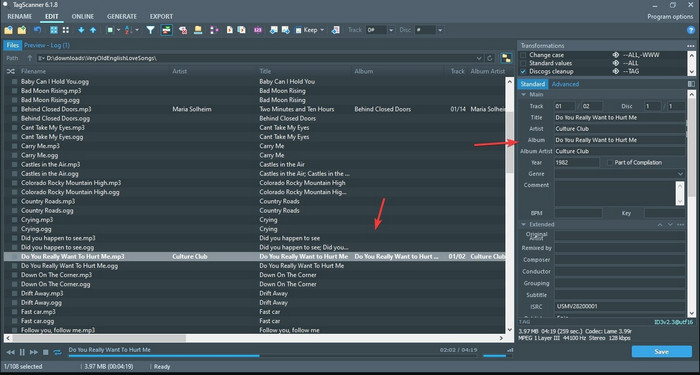
Tag Scanner is a better version of MKV metadata editor VLC. This tool can edit and organize the media file tags with ease. While using the tool, you will notice that it has a detailed GUI compared to VLC regarding editing the tags, which means you can add more details to your file's data. Like MetaZ, this tool can look for the tags you will need on your file by searching them on a different database. With the heavy interface it provides, using it is a bit different than a usual metadata editor, which means you will need to spend time to get the hang of it. Nevertheless, we can easily see that this tool is far better than VLC and other competitors, but it isn't as user-friendly as the others on the market.
Parte 3. Perguntas frequentes sobre o VLC Metadata Editor
Onde posso baixar o VLC?
Você pode baixar o VLC oficial em videolan.org. Certifique-se de baixá-lo no site oficial para evitar circunstâncias como vírus em sua área de trabalho.
Posso editar o vídeo usando o VLC?
Well, yes, you can edit using VLC. However, it is not a professional editor that you will need for doing complicated video editing. If you are an aspirant vlogger or content creator and looking for the best video editor on Windows, click this link, but if you are a Mac user, then click this link to know the top video editor on Mac.
Como corrigir o atraso de áudio no VLC?
Click this link to showcase the best solution to fix the audio delay on VLC with detailed steps.
Conclusão
VLC is a fantastic tool that you can have for free. With this tool, you can play any video and audio type or even edit their tags. But regarding editing tags on VLC, we can say that it is not as good as the other dedicated tag editor available on the market, and yet it is capable of doing it. If your task is editing or fixing the media file tags, VLC is a choice but not the best. So now, what should you do? Well, we list the best alternatives you can use to edit tags that are better than VLC, and one of them is the Video Converter Ultimate. Unlike the other alternatives and VLC metadata editor, this tool has many advanced features to offer, so download it now to have it all.
-
 Como editar e corrigir metadados MP4 de uma maneira muito inteligente
 Você quer saber como corrigir metadados MP4? Nesse caso, leia todo o conteúdo deste artigo para conhecer os truques de como corrigir facilmente as tags MP4.
-
 4 melhores métodos para corrigir e editar metadados MP3 no Windows e Mac
 Quer conhecer os segredos da edição de metadados MP3 com facilidade? Este blog ensinará diferentes técnicas com as diferentes ferramentas que você acessa facilmente.
-
 2 melhores maneiras de editar metadados OGG que você deve experimentar gratuitamente
 Precisa editar metadados OGG? Bem, você pode facilmente editar as tags usando o software correto. Se você não tem um ler este artigo é uma obrigação.
