


 Video Converter Ultimate
 Screen Recorder
 Reparație video
Cel mai nou software online și offline pe care îl puteți folosi pentru a inversa cu ușurință videoclipurile MP4
De cele mai multe ori când încercăm să redăm un videoclip invers, apar reacții amuzante care ne fac să credem că suntem chiar noi. Pentru că este redat pe dos, efectul creează ceva nou pentru ochii noștri. Așadar, dacă vrei să afli metode eficiente de a inversa videoclipuri MP4, este esențial să citești acest articol. Deoarece prezintă diverse programe online și offline, îl poți folosi pentru a realiza foarte ușor o mulțime de videoclipuri redate invers. Așadar, fără alte întârzieri, hai să ți le prezentăm pe rând.

Partea 1. Cum să inversați un videoclip MP4 (offline)
Instrumentul fenomenal de pe întregul web este Video Converter Ultimate. Acest program a ajutat deja milioane de utilizatori care se chinuiau să inverseze fișiere MP4. Spre deosebire de orice alt instrument din această listă, poți accesa acest software chiar și fără conexiune la internet. În plus, acest instrument poate importa și exporta aproape instantaneu, este ca și cum ai clipi și nici nu-ți dai seama că videoclipul este deja inversat. De asemenea, o caracteristică uimitoare a acestui program, cum rar găsești, este că include toate funcțiile avansate pe care probabil ți-ar plăcea să le folosești. Așadar, să trecem acum la pașii prin care poți inversa eficient un videoclip.
Pași despre cum să inversați videoclipurile pe Video Converter Ultimate
Pasul 1. Mai întâi trebuie să descarci programul pe computerul tău. Apoi instalează-l și urmează pașii de configurare.
Descărcare gratuită pentru Windows 7 sau o versiune ulterioară Descărcare securizată
Descărcare gratuită pentru MacOS 10.7 sau o versiune ulterioară Descărcare securizată
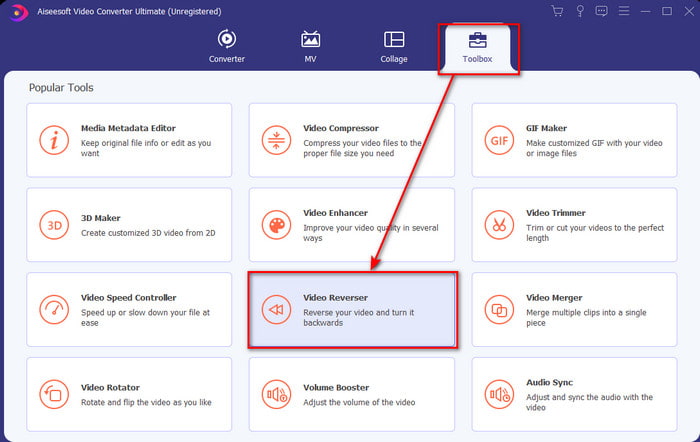
Pasul 2. Deschide software-ul, dă clic pe Toolbox și selectează Video Reverser.
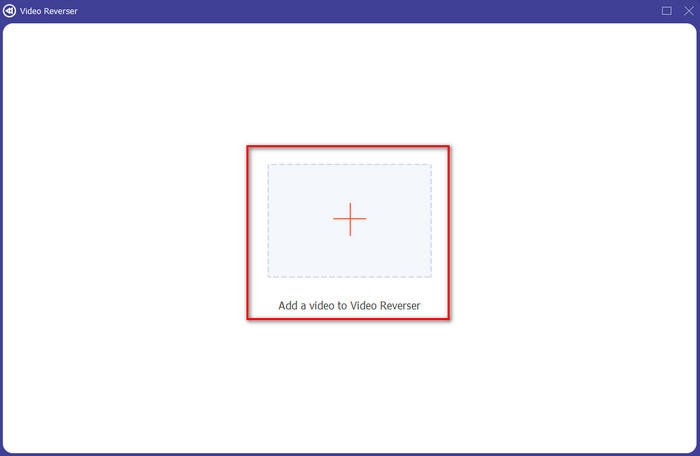
Pasul 3. Apoi adaugă fișierul MP4 făcând clic pe semnul + și alege-l din folderul de pe computer. Apoi fă clic pe Open pentru a insera fișierul .mp4 în interfață.
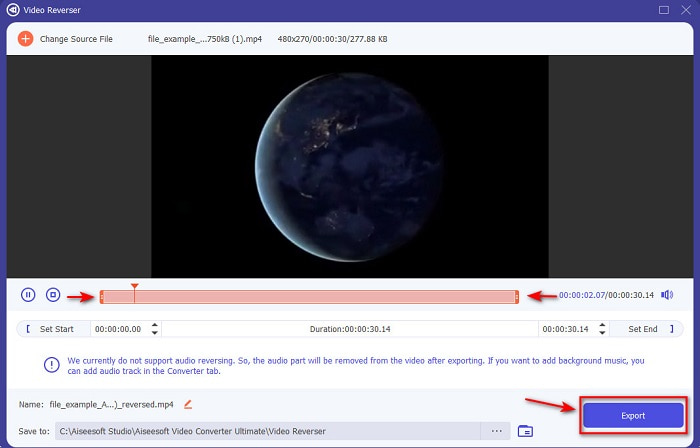
Pasul 4. Acum ajustează playback in and out pentru a modifica durata videoclipului. Fă clic pe Export pentru a continua.
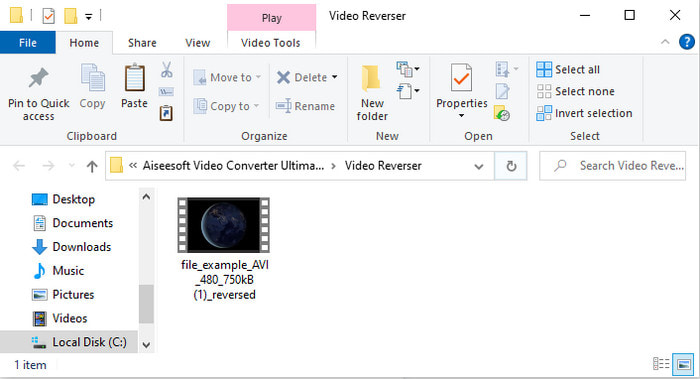
Pasul 5. După ce procesul de export s-a încheiat, dă clic pe fișier în folder pentru a reda videoclipul inversat și pentru a vedea unde este salvat.
Partea 2. Cum să inversați un videoclip MP4 (online)
1. FileConverto
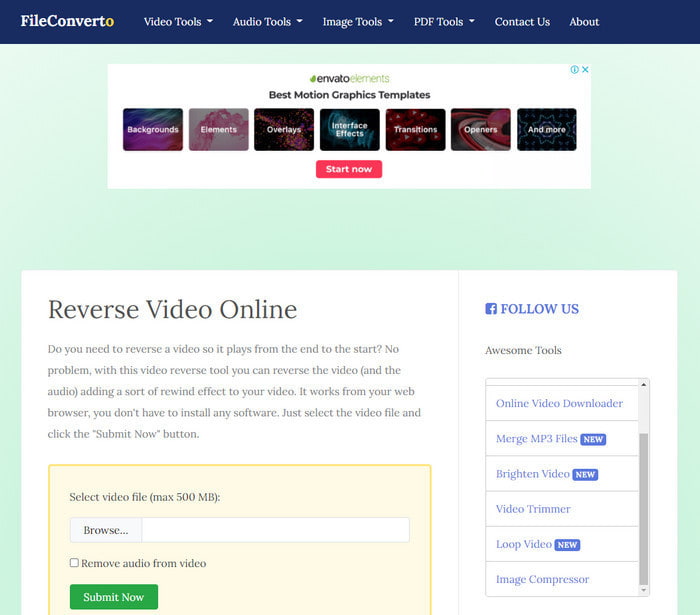
Instrumentul online de inversare MP4 FileConverto are o mulțime de funcții web pe care le poți folosi pentru a-ți face videoclipul extraordinar. Performanța acestui instrument online este excelentă pentru cei care nu vor să descarce niciun software. Totuși, interfața web este destul de monotonă, încărcarea fișierelor îți va consuma mult timp și nu sunt acceptate toate formatele video. De asemenea, vei întâmpina unele erori și ferestre pop-up atunci când încerci să inversezi videoclipul. Chiar dacă are multe probleme cunoscute, rămâne totuși un instrument bun de folosit.
Pro
- Software-ul este ușor de accesat și are o mulțime de funcții de editare de bază de care veți avea nevoie.
- Foarte ușor de utilizat, chiar și un utilizator care nu experimentează inversarea poate face acest lucru aici.
- Îți limitează conversia la 500 MB, ceea ce este grozav.
Contra
- Importarea fișierelor aici și exportul sunt foarte lent decât se aștepta.
- Are o mulțime de reclame în instrumentul web doar care te pot enerva. Și după ce faceți clic pe o caracteristică a instrumentului web, un anunț va arăta că va trebui să faceți clic din nou pe ea.
- Nu acceptă toate formatele video.
2. Alegeți de la
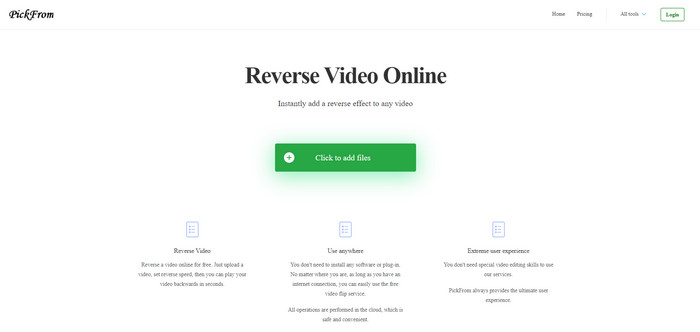
PickFrom are o interfață mai bună decât FileConverto, dacă ar fi să le comparăm. Acest lucru se datorează designului minimalist, iar combinația de alb cu cyan arată perfect. Totuși, textele sunt cam subțiri și greu de citit. Practic, dacă nu ai o vedere de 20-20, s-ar putea să ți se pară dificil de citit. De asemenea, atunci când vrei să faci videoclipuri MP4 redate invers aici, opțiunile sunt scrise în chineză simplificată. Așadar, este puțin greu de înțeles, dar importul fișierelor este mai rapid decât în FileConverto.
Pro
- Are o interfață web mult mai bună în comparație cu FileConverto.
- Nu există anunțuri în partea de sus a site-ului, dar dacă derulați în jos, există o grămadă de reclame neplăcute.
- Acceptă o mulțime de funcții de editare de bază.
Contra
- Setările instrumentului sunt scrise în chineză, ceea ce este greu de înțeles dacă nu știi să vorbești chineză.
- După ce faceți clic pe butonul de pornire, instrumentul nu mai răspunde și procesul de export durează mult.
- Reduce calitatea videoclipului exportat.
3. Media.io
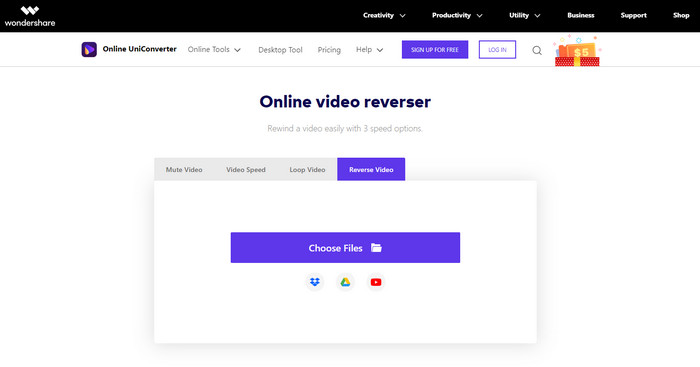
Media.io oferă 3 tipuri de viteze pentru redarea inversă: x 0.5, x 1, x 2. Poți, în esență, să inversezi videoclipul și să redai un MP4 pe dos cu ajutorul funcției sale de reverse. Deși instrumentul arată foarte bine, tot vei întâmpina unele probleme când folosești Media.io. De exemplu, atunci când vrei să exporți fișierul, ți se va cere mai întâi să te conectezi înainte de a putea finaliza exportul. De asemenea, poți realiza doar 10 videoclipuri inversate aici, cu dimensiune limitată a fișierului.
Pro
- Interfața instrumentului este grozavă și atractivă.
- Puteți schimba formatul final de ieșire al videoclipului invers dacă doriți sau păstrați formatul original.
- Puteți dezactiva sau dezactiva sunetul videoclipului.
Contra
- Site-ul web vă va cere să vă înscrieți înainte de a putea exporta, ceea ce înseamnă că îi veți lăsa să trimită notificări prin e-mail.
- Reversul x 2 este mai puțin lent decât x 2 al celorlalte unelte.
- Instrumentul limitează disponibilitatea instrumentului web. De exemplu, nu puteți inversa mai mult de 10 fișiere pe zi și are o limită maximă pentru dimensiunea fișierului.
Partea 3. Întrebări frecvente despre inversarea MP4
După ce inversați videoclipul, scade calitatea?
Inversarea unui videoclip pe instrument nu ar trebui să scadă calitatea videoclipului pe care doriți să-l inversați. Cu toate acestea, există o mulțime de software care reduce calitatea video. Dar există unele cazuri în care setați calitatea lui scăzută și nu ridicată.
Cum adaug audio pe fișierul meu invers?
Majoritatea programelor enumerate aici nu acceptă și inversarea audio, dar poți accesa acest link pentru a afla cum să adaugi audio.
Cum pot îmbina videoclipul meu invers pe iPhone?
Există o mulțime de moduri diferite prin care poți îmbina eficient videoclipuri pe iPhone. Doar citind acest articol vei învăța 4 moduri diferite de a îmbina videoclipuri pe iPhone.
Concluzie
În concluzie, acum că știm cum să inversăm un fișier MP4 cu ajutorul acestor instrumente, îți poți alege unul. Mai mult, nu toate cele menționate în acest articol produc un rezultat final uimitor, așa cum o face Video Converter Ultimate. Așa că, dacă vrei să fii uimit de acest program, este esențial să îl descarci mai întâi. Nu va trebui să citești o carte stufoasă ca să înțelegi cum funcționează acest instrument în ansamblu.
Descărcare gratuită pentru Windows 7 sau o versiune ulterioară Descărcare securizată
Descărcare gratuită pentru MacOS 10.7 sau o versiune ulterioară Descărcare securizată
-
 [Actualizat 2021] 9 cele mai bune editoare GIF pentru PC, Mac, iOS și Android
 Trebuie să adăugați o notă personală GIF-ului dvs. pentru a deveni mai expresiv? Continuați să citiți acest articol pentru a ști cum să editați și cel mai bun instrument pentru job.
-
 Ghid despre cum să reparați videoclipurile care nu se redau pe telefoanele Android
 Doriți să știți care sunt motivele pentru care videoclipurile de pe dispozitivul dvs. Android nu pot fi redate? Și dacă da, există vreo modalitate de a rezolva problema pe cont propriu? Continuați să citiți pentru a afla mai multe.
-
 Ghid detaliat despre cum să redați fișiere MKV pe PS4 [Actualizat 2021]
 Citind acest articol, veți învăța câteva modalități despre cum să redați MKV pe PS4 și cum să convertiți fișierul video în cazul în care videoclipul nu va merge' Joaca.
