


 Video Converter Ultimate
 Skärminspelare
 Video reparation
 Säker nedladdning
Lär dig hur du tar bort vattenstämpel B612 från dina bilder
B612 eller Camera B612 är en foto- och videoredigeringsapp som många millennials använder. Det är en välkänd kameraapp eftersom den erbjuder många funktioner. Dessutom är den känd som en av de mest populära selfie-apparna som finns tillgängliga på Play Store. Den är också lätt att använda; du kan söka efter filtret du vill använda och enkelt ta en bild. Varje gång du tar en selfie eller spelar in en video med B612-kameran lämnar den dock en vattenstämpel på ditt foto eller din video. Om du vill ta bort den där irriterande vattenstämpeln från dina foton har vi de bästa lösningarna för dig. Nedan får du lära dig hur du tar bort B612-vattenstämplar från dina bilder.

Del 1. 5 metoder för hur man tar bort vattenstämpeln B612 från bilder
B612 lämnar ett vattenstämpel på din bild eftersom de vill marknadsföra sin app till andra. Det hindrar också användare från att kopiera eller äga bilden som B612 producerar. Men många vill ta bort vattenstämpeln på sina selfies eller videor. Läs därför denna del noggrant om du vill lära dig hur du tar bort vattenstämpeln B612.
FVC Free Watermark Remover
FVC Free Watermark Remover är en av de mest kända webbaserade verktygen för att ta bort vattenstämplar, och du kan använda den i alla webbläsare, som Google, Firefox och Safari. Tack vare det enkla gränssnittet föredrar många nybörjare att använda detta verktyg. Dessutom stöder det många bildformat, såsom PNG, JPG, JPEG, BMP och fler. Du behöver inte heller oroa dig för datasäkerheten eftersom det garanterar skydd av din integritet. Dessutom är det 100 % gratis att använda. Du kan också använda markeringsverktygen (polygon, lasso och pensel) för att ta bort vattenstämpeln från dina bilder. Om du vill ha en B612-bild utan vattenstämpel följer du stegen nedan.
Så här tar du bort vattenstämpeln B612 från din bild:
Steg 1. Öppna din webbläsare och skriv FVC Free Watermark Remover i sökfältet. Du kan också gå direkt till deras sida genom att klicka på den angivna länken.
Steg 2. Klicka på knappen Upload Image i huvudgränssnittet. Dina enhetsmappar visas, där du väljer din B612-bild.
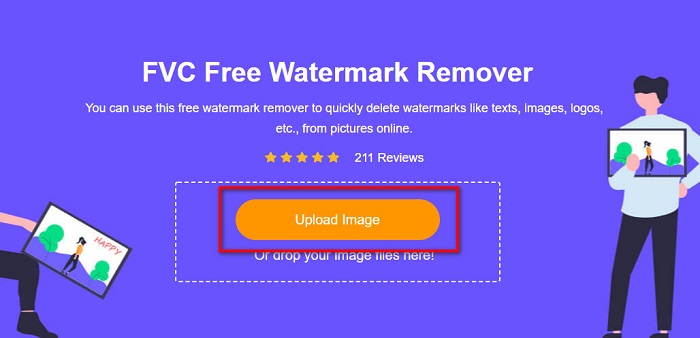
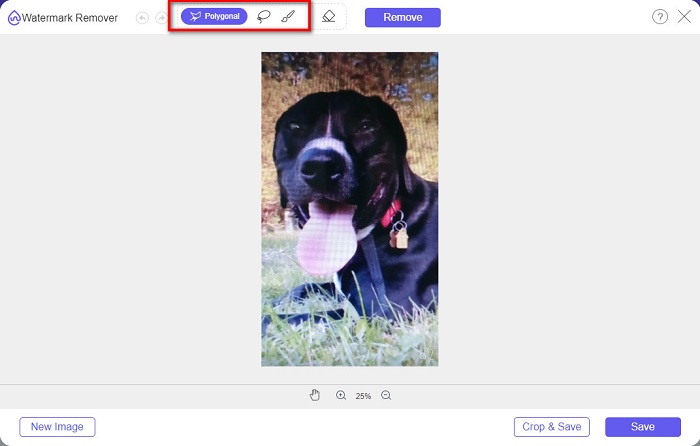
Steg 3. När du har laddat upp bilden väljer du det markeringsverktyg du vill använda för att ta bort vattenstämpeln på din B612-bild. Du kan välja mellan Polygonal, Lasso eller Brush.
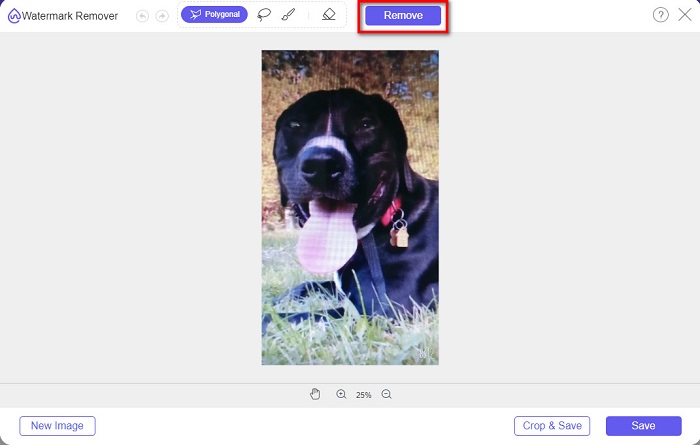
Steg 4. Markera sedan vattenstämpeln på din bild. Vanligtvis är B612-vattenstämpeln placerad i det nedre högra hörnet av bilden. Klicka sedan på knappen Remove.
Steg 5. Klicka på knappen Save för att spara den färdiga bilden på din enhet. Klart! Du kommer att se att din bild inte längre har någon B612-vattenstämpel.
Vattenmärkesborttagare
Watermark Remover är också ett webbaserat verktyg för att ta bort vattenstämplar som gör att du enkelt kan ta bort B612-vattenstämpeln från ditt foto. Med sitt lättanvända gränssnitt är det enkelt att hantera verktyget. Dessutom har det också ett alternativ för att ta bort vattenstämplar från dina videor. Det här verktyget är också effektivt för att ta bort oönskade objekt från ditt foto. Och du kan använda det som en Fiverr-vattenstämpelborttagare. Nackdelen är att det innehåller annonser som kan distrahera dig.
Steg 1. Sök efter Watermark Remover i din webbläsare och gå till deras huvudsida. Välj sedan alternativet Photo Watermark Remover i huvudgränssnittet.
Steg 2. Klicka sedan på uppladdningsikonen för att importera din B612-bild. Vänta tills din bild har laddats upp och klicka sedan på knappen Remove Watermark.
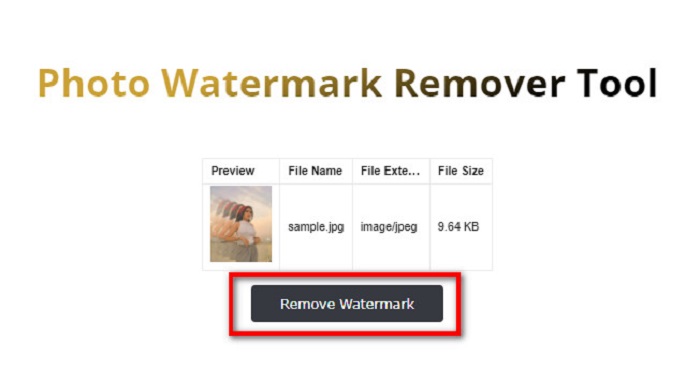
Steg 3. En captcha-ruta visas där du måste installera en app. Därefter ser du att vattenstämpeln på din bild har tagits bort.
PhotoFunny
Ett annat webbaserat verktyg för att ta bort vattenstämplar som du bör prova är PhotoFunny watermark remover. PhotoFunny är ett populärt onlineverktyg som enkelt tar bort alla vattenstämplar på dina bilder, inklusive B612-vattenstämpeln. Det stöder också de mest kända bildformaten, såsom PNG, JPEG och JPG. Nackdelen är att om din internetanslutning är långsam tar uppladdningen lång tid, vilket kan slösa mycket av din tid. Trots detta använder många fortfarande detta verktyg för att ta bort vattenstämplar från bilder.
Så här tar du bort vattenstämpeln B612 med PhotoFunny vattenstämpelborttagare:
Steg 1. Sök efter PhotoFunny watermark remover i webbläsaren och gå sedan till deras huvudsida.
Steg 2. Klicka på knappen Upload Photo i huvudgränssnittet. Du förs sedan vidare till ett nytt gränssnitt.
Steg 3. Klicka sedan på knappen Select Image för att ladda upp den B612-bild där du vill ta bort vattenstämpeln.
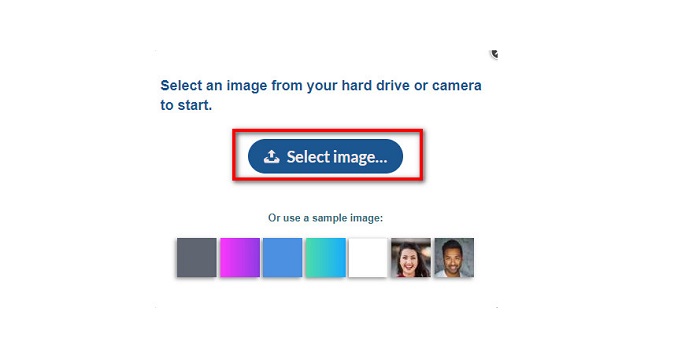
Steg 4. När du har laddat upp bilden klickar du på knappen Next för att ta bort vattenstämpeln från din bild.
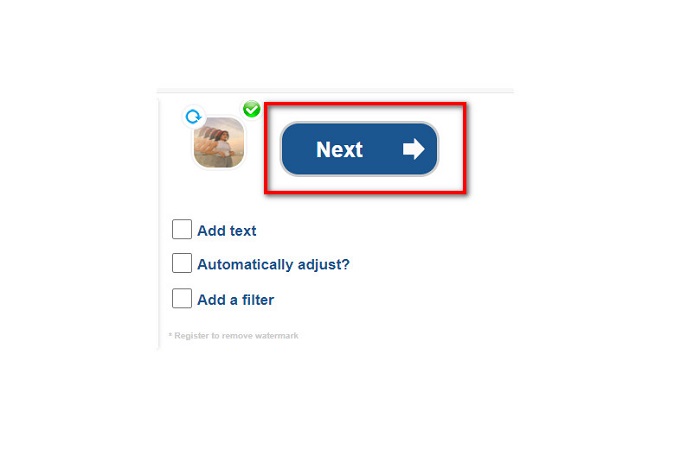
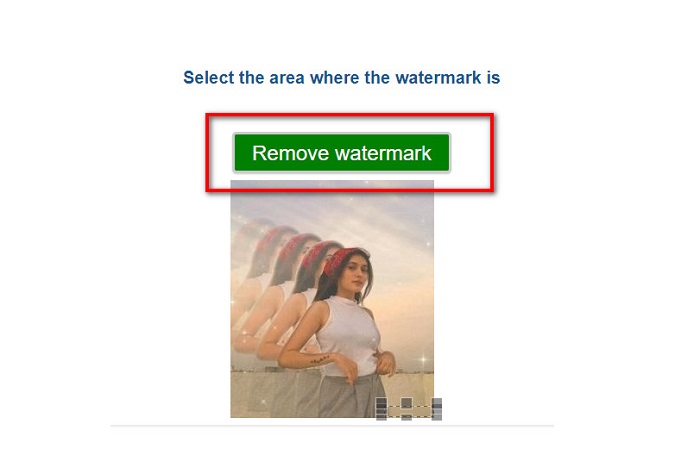
Steg 5. I nästa gränssnitt ser du en förhandsvisning av din bild och klickar sedan på knappen Next Step. Placera sedan borttagningsområdet över B612-vattenstämpeln. Klicka på Remove Watermark för att avsluta processen.
Watermark Remover.io
Watermark Remover.io är ett annat onlineverktyg du bör prova. Det här webbaserade verktyget för att ta bort vattenstämplar har ett lättanvänt gränssnitt, vilket gör det användarvänligt. Det stöder också de vanligaste bildformaten, som PNG, JPEG, JPG och WEBP. Dessutom kan du komma åt det i nästan alla webbläsare, inklusive Google och Firefox. En av fördelarna med detta onlineverktyg är dess områdesprediktion. Så när du laddar upp bilden tar det automatiskt bort vattenstämpeln från din bild. Ibland upptäcker det dock inte vattenstämplar som är för små.
Så här tar du bort B612 vattenstämpel med Watermark Remover.io:
Steg 1. Sök efter Watermark Remover.io i din webbläsare. Gå sedan till deras huvudsida från resultatsidan. Klicka därefter på knappen Upload Image i huvudgränssnittet.
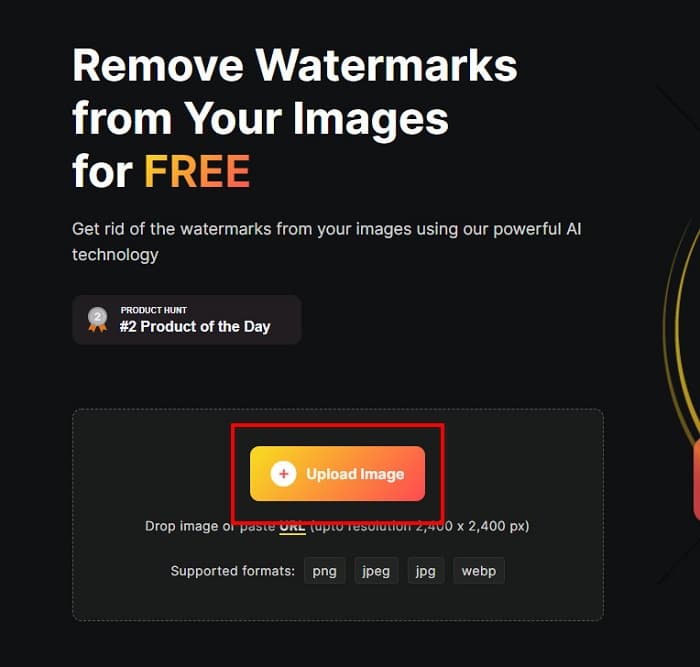
Steg 2. En ny ruta visas på skärmen där du väljer den B612-bild du vill ladda upp och sedan klickar på Open.
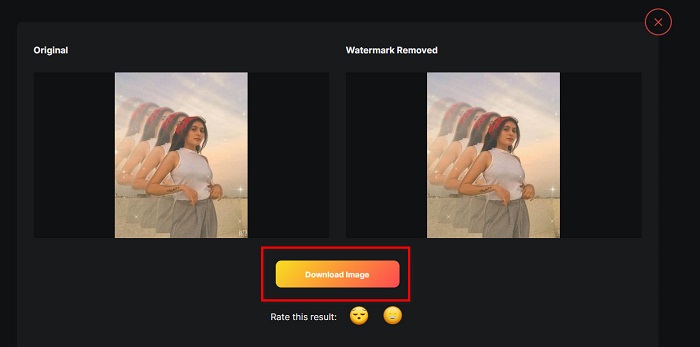
Steg 3. Därefter tar Watermark Remover.io automatiskt bort vattenstämpeln från din bild. Klicka på knappen Download Image för att spara den färdiga bilden på din enhet.
Det var allt! Med hjälp av de utmärkta verktygen för att ta bort vattenstämplar ovan kan du utan ansträngning ta bort B612-vattenstämpeln från din bild. Klicka här för att lära dig hur du tar bort Coub-vattenstämplar.
Del 2. Vanliga frågor om att ta bort vattenstämpeln B612
Kan du ta bort B612-vattenstämplarna på B612-videorna?
Ja. Du kan ta bort B612-vattenstämplar från dina videor. Vissa program låter dig enkelt ta bort vattenstämplar i videor, till exempel FVC Video Converter Ultimate, som används av många proffs.
Hur sparar man en bild på B612?
B612 sparar inte bilder automatiskt i ditt galleri. Tryck på nedladdningsikonen för att spara bilden i ditt galleri. Den här processen hjälper dig också att spara utrymme på din enhet.
Kan jag ta bort logotyper online?
Lyckligtvis låter onlineverktyg dig ta bort alla vattenstämplar (logotyp, text, bild) på ditt foto. Ett av de mest rekommenderade verktygen är FVC Free Watermark Remover.
Slutsats
Metoderna ovan hjälper dig att snabbt ta bort B612-vattenstämplar. Det är alltså upp till dig att välja vilken av dem som är värd att använda. Men om du vill ha det mest rekommenderade och lättanvända onlineverktyget, använd FVC Free Watermark Remover.
-
 Enkla sätt att ta bort vattenstämpel från examensbilder
 Vill du veta de bästa sätten att ta bort vattenstämplar från examensbilder? Genom att läsa den här artikeln kommer du att kunna veta hur du enkelt tar bort vattenstämplar på gradbilder.
-
 Hur man tar bort Lomotif Watermark med dessa fantastiska verktyg
 Vill du lära dig hur du tar bort Lomotif vattenstämpel från din video? Läs den här artikeln för att veta de mest enastående metoderna för att ta bort den online och offline.
-
 Hur man tar bort turister från foton med hjälp av vattenstämpelborttagare
 Hur tar man bort turister från bilder? Om du vill lära dig hur du tar bort oönskade saker från ditt foto, kommer dessa verktyg att hjälpa dig. Läs den här artikeln för att veta mer.
