


 Video Converter Ultimate
 Skärminspelare
 Video reparation
Topp 4 FLV-inspelare som lämpar sig för Chrome-, Windows- och Mac-datorer
Har du någonsin undrat vad som gör att videorna du ser körs över nätet? De flesta HTML 5-webbplatser använder WebM-format för att spela upp videor. Förutom WebM används även FLV. Framför allt dessa gratis webbplatser för filmer och TV-program. Hur skulle du veta om det är en FLV-fil? Vanligtvis, om videon inte kommer att spelas, kommer du att se ett felmeddelande som säger installera Adobe Flash Player. Nuförtiden är många videor inbäddade i FLV-filer. Men när du spelar in videon antingen med din inbyggda inspelare eller en annan inspelare, är risken stor att videokvaliteten ändras.
Så det är bättre att använda en inspelare som också kan skapa FLV-filer eller som kan producera bättre kvalitet oavsett filformat. Om du är orolig för att videokvaliteten ska förändras kan du upptäcka FLV-inspelare som inte kräver registrering för att du ska kunna använda dem.

Del 1. Användarens bästa val - FVC-skärminspelare
Bland de FLV‑inspelare man hittar online är FVC Screen Recorder en av de absolut bästa – eller för att säga det enkelt: den är allra bäst. Användarnas krav är ibland högre än vad produkten kan ge, och inte alla kan vara det bästa valet. Andra kunder letar efter den bästa produkten de kan använda. FVC Screen Recorder överträffar mer än tusen premiuminspelare, särskilt i jämförelse med din nuvarande inspelare. Med dess sömlösa inspelningsprestanda får du ut det mesta av videon du vill spela in. Dessutom kan du ändra bithastighet och bildfrekvens på videon, vilket ger bättre videokvalitet. Därför är det ett måste att du håller ett öga på den här recensionen av den bästa FLV‑inspelaren. Under tiden följer här en lättanvänd guide för hur du använder verktyget.
Steg 1. Använd nedladdningsknapparna nedan för att hämta appen. Installera den och följ anvisningarna tills appen har startats.
Gratis nedladdningFör Windows 7 eller senareSäker nedladdning
Gratis nedladdningFör MacOS 10.7 eller senareSäker nedladdning
Steg 2. Välj mellan flikarna. Eftersom vi försöker spela in en video klickar du på Video Recorder. Därefter visas en streckad ram tillsammans med den flytande verktygsraden.
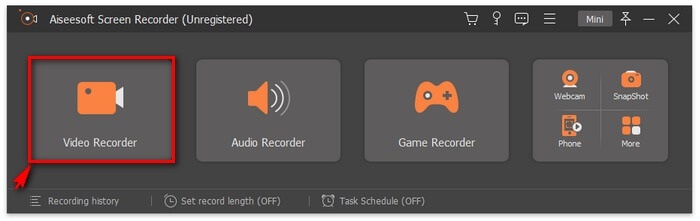
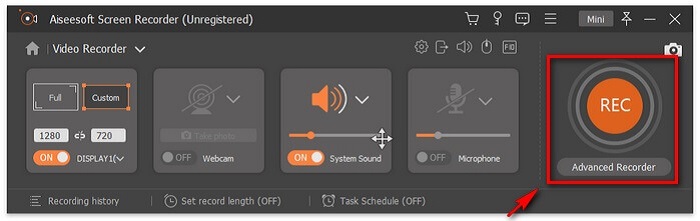
Steg 3. Justera den streckade ramen för att ställa in skärmens bildförhållande och klicka sedan på REC-knappen för att starta inspelningen.
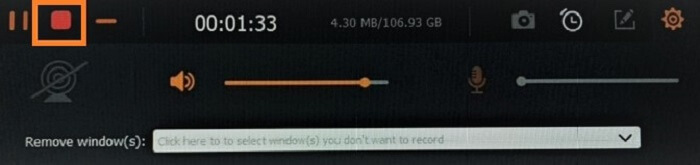
Steg 4. För att stoppa inspelningen klickar du på den röda fyrkantiga knappen på den flytande verktygsraden. Därifrån öppnas ett nytt fönster. Det är här du kan välja att spara eller spela in igen om du inte är nöjd med resultatet.
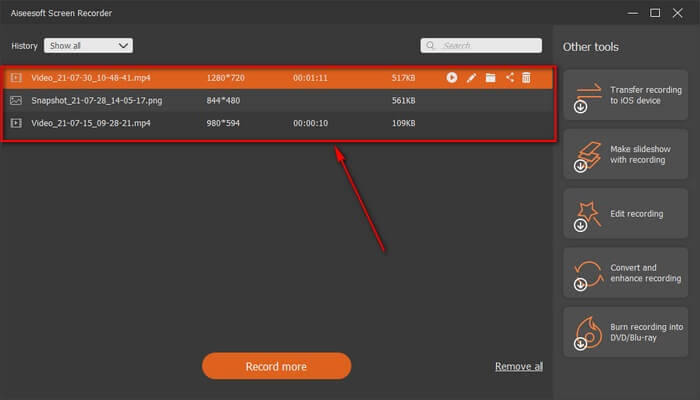
Steg 5. Låt oss säga att du sparade filen – i nästa fönster kan du välja platsen där filen ska sparas. Välj mapp och klicka på Next.
Del 2. Annat gratis FLV-videoinspelare
FLV-inspelare för alla webbläsare - FVC Free Screen Recorder
Det är välkänt att FVC Free Screen Recorder är lättviktig och samtidigt har kraftfulla funktioner. Så om du är nybörjare som vill spela in för skojs skull kan du använda den här, eller om du är proffs som vill spela in ett affärsmöte. I båda fallen fungerar den. Den bästa funktionen den här inspelaren erbjuder är att du kan spela in valfri del av skärmen utan att störas av den flytande verktygsraden. Den spelar automatiskt in enbart skärmen. Ta så många skärmdumpar du vill utan störningar med hjälp av funktionen Lås‑in skärm. Utan vidare diskussion går vi nu vidare till hur du använder den här FLV‑inspelaren. Du måste följa stegen nedan.
Steg 1. Besök den officiella webbplatsen för FVC Free Screen Recorder och starta appen.
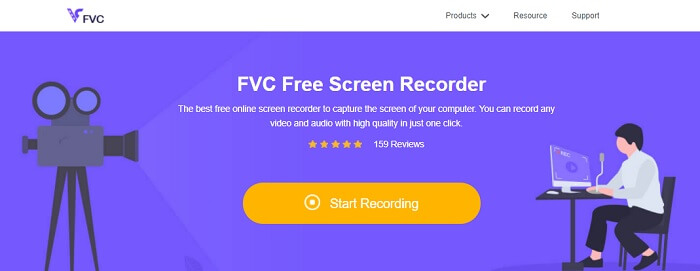
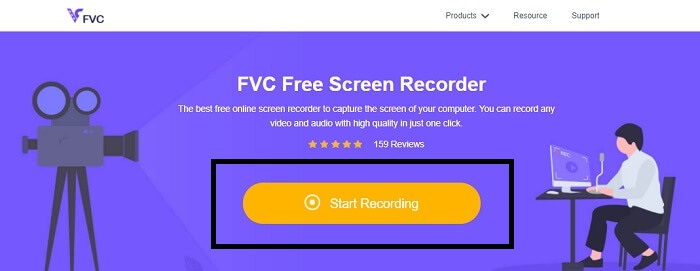
Steg 2. Starta verktyget genom att klicka på Start Recording och gå vidare till nästa steg.
Steg 3. Klicka på kugghjulsikonen i verktygsfältet för att ändra inställningarna efter dina behov. När du är i menyn för inställningar letar du upp Output och ändrar videoformatet enligt dina önskemål. Klicka på OK när allt är klart.
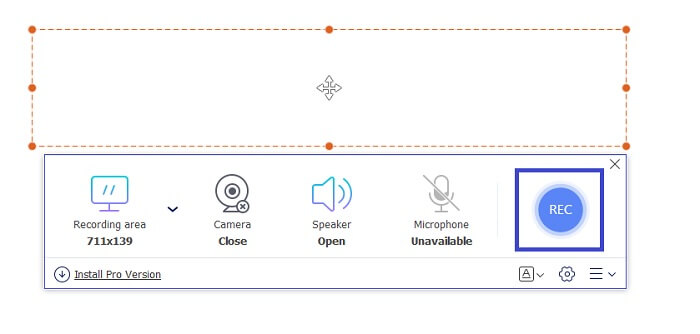
Steg 4. På den flytande verktygsraden kan du nu justera skärmens bildförhållande. Lägg också till din ansiktsreaktion genom att slå på Webcam. System Sound används för att lägga till programmets naturliga ljud. Och till sist lägger du till din röst genom att slå på mikrofonen. För att starta FLV‑inspelningen klickar du på REC-knappen.
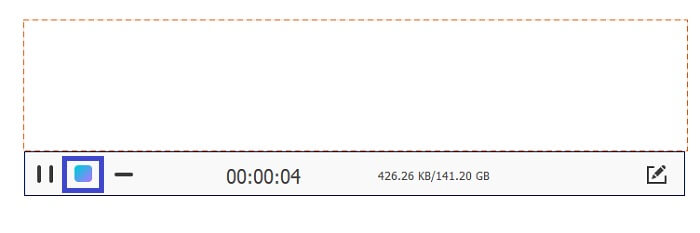
Steg 5. För att avsluta FLV‑inspelningen klickar du på kub-knappen för att stoppa. Därefter klickar du på Save och Next. Alla inspelningar du gör finns i History list.
FLV-inspelare för Chrome - SCREEN.IO
Om du inte vill ladda ner ytterligare filer på din enhet kan du använda den här inbyggda Chrome-inspelaren. Denna FLV-inspelare för Chrome hjälper massor av människor på hela webben. Så om du är ett fan av att spara utrymme på din lagring måste du prova denna SCREEN.IO. Även om verktyget inte tillhandahåller speciella funktioner som liknar en annan inspelare. Men inspelningsförmågan är väldigt standard. Om vi jämför en Chrome-inspelare och en stationär inspelare är skrivbordet det effektiva sättet att göra inspelningen eftersom du inte har något emot om internetanslutningen har avbrutits.
FLV-inspelare för Windows - VLC Media Player
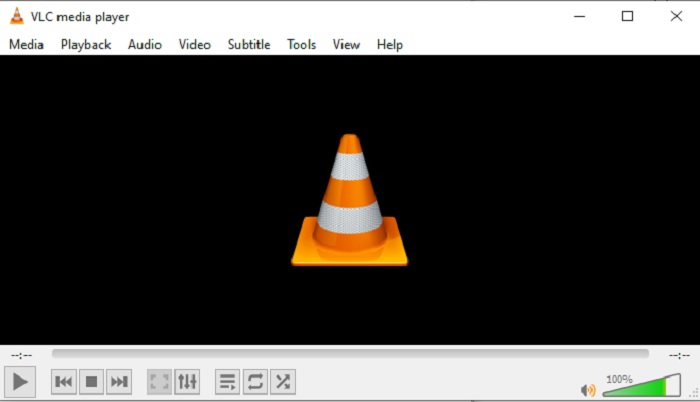
VLC Media Player är inte bara känd som den bästa mediespelaren på marknaden. Den har också flera funktioner som inspelning, konvertering med mera. Även om det är den bästa mediespelaren är alla dessa nämnda funktioner inte de bästa. Och i vissa fall kan video- eller ljudformat inte spelas upp här eftersom deras codecs är proprietära. I stället kan du använda VLC Media Player‑alternativet som har stöd även om filen är proprietär.
FLV-inspelare för Mac - OBS Studio
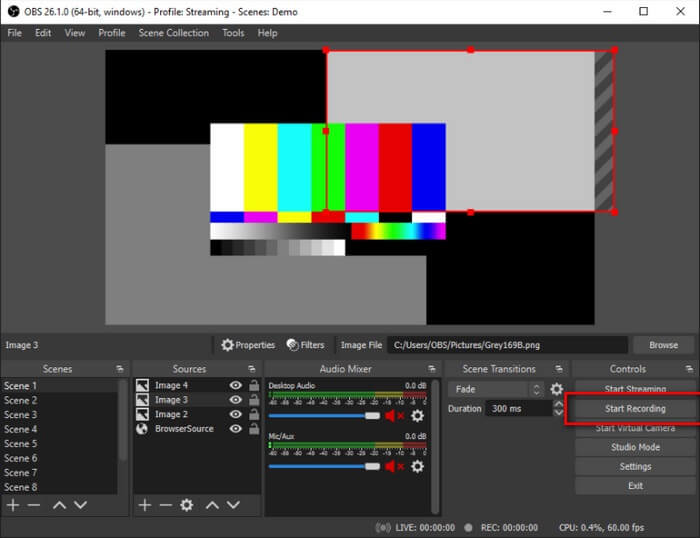
Kanske tänker du att vi har glömt Mac‑användarna. Den här FLV‑inspelaren för Mac är en av de kraftfulla inspelarna i listan eftersom du också kan streama här. Trots sina fantastiska funktioner är verktyget i sig lite skrämmande, särskilt om du är ny inom inspelning, eftersom det händer mycket i gränssnittet när du öppnar programmet.
Del 3. Vanliga frågor om FLV Video Recorder
FLV-fil, är det säkert att ladda ner den på min dator?
I verkligheten är det inte filen vi pratar om när det kommer till säkerhet. FLV-filer är inbäddade på videodelningssajter, så din fråga bör vara, hur kan jag identifiera om videon jag laddar ner från en webbplats inte har skadlig programvara? Använd en Safeguard för din PC. Det finns massor av mjukvaruförsvarare och skannrar du kan hitta online. Men själva filen är säker. Om de inte lägger in skadlig programvara i den är det säkert.
Vilket program kan öppna FLV filer?
Det finns många mediespelare där ute, men det jag rekommenderar är VLC‑spelaren. Den här spelaren är mångsidig och kan spela upp nästan alla filformat, oavsett om de är okomprimerade eller komprimerade. Klicka här för att få fler populära FLV‑spelare.
Vilka är fördelarna med FLV-filer?
Den första stora fördelen med FLV är dess förmåga att producera högkvalitativ video i liten storlek. Till sin natur är filen flexibel. Varför? Du kan enkelt konvertera den här filen till ett annat format även genom att använda onlinekonverterare.
Del 4. Jämförelsestabell
| Funktioner | FVC -skärminspelare | FVC Free Screen Recorder | VLC Media Player | OBS Studio |
| Skärminspelare |  | | | |
| Ljudinspelare | | | | |
| Stöder FLV | | | | |
| Multimediaspelare |  | | | |
| Justerbar bithastighet och bildhastighet | | | | |
Slutsats
Alla listade verktyg är användbara för att spela in FLV-videor och producera bästa möjliga videokvalitet. Om du inte är säker på vilket verktyg du ska använda kan du också referera till jämförelsetabellen som skrivits. Men bland de listade FLV-inspelare. FVC Screen Recorder har en större fördel på grund av dess fönsterlåsningsfunktion.
-
 Mest hjälpsamma OGG-inspelare 2021 [gratis och online]
 Den här artikeln talar om de bästa OGG-inspelningsverktygen som hjälper dig att göra OGG-ljudinspelning. Fortsätt läsa den för att lägga till mer detaljerad information för användaren.
-
 Topp 5 bästa M4B-inspelaresprogramvara för PC och Mac [gratis och betald]
 M4B-inspelning komprimeras förlust för MPEG-4-ljudbokfil. I vissa aspekter är M4A och M4B nästan vanliga men de har skillnader. För att veta vad det är läs artikeln.
-
 Topp 5 bästa AMR -inspelningsverktyg tillgängligt för alla operativsystem
 Vill du veta vad ett AMR -format är och vad som är den bästa AMR -inspelaren som du bör välja som ger en fantastisk inspelning.
