


 Video Converter Ultimate
 Skärminspelare
 Video reparation
 Säker nedladdning
Komprimera AVI-filer för att få mindre filstorlekar utan att förlora kvalitet
Oavsett om du vill skicka AVI-filer till e-post eller ladda upp AVI-filer till webbplatser, det är verkligen viktigt att komprimera AVI. Det finns många videoredigerare och kompressorer som kan krympa AVI-filer. För att vara mer specifik kan du konvertera videoformat, klippa oönskade videoklipp eller återställa parametrar för att göra din AVI-video mindre. Om du vill behålla AVI-videoformatet och innehållet kan du använda en videokompressor för att återställa videoinställningarna. Här är 3 gratis sätt att komprimera AVI-filer utan att förlora kvaliteten. Läs bara och följ.

Del 1: Hur komprimerar du AVI-filer online gratis
Det finns så många onlinevideokompressorer på marknaden, vilken kan vara din bästa AVI-kompressor online? För de flesta användare finns det några viktiga faktorer du måste tänka på.
Gratis nedladdningFör Windows 7 eller senareSäker nedladdning
Gratis nedladdningFör MacOS 10.7 eller senareSäker nedladdning
1. Helt gratis och säkert att använda.
2. Ingen maximal filstorleksgräns.
3. Batchkomprimera AVI-filer.
4. Komprimera stor AVI-video över GB till riktigt liten filstorlek.
5. Ändra AVI-videoformat, upplösning och bithastighet för att minska videostorleken.
Luckily, you can get all those features in FVC Free Video Compressor. You can compress large AVI files online for free on your Windows and Mac computer. No subscription or registration required. The 30x faster speed makes it superfast to compress AVI than other competitors. Now, let’s see how to compress AVI video size online.
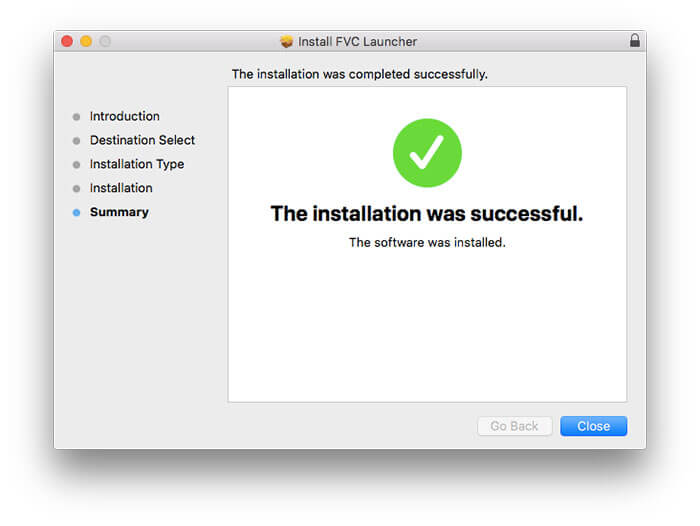
Step 1: Open this free video compressor online. Click Add Files to Compress to install the launcher.
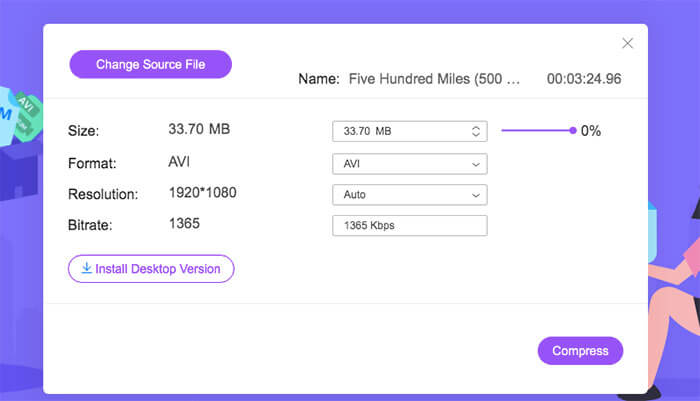
Step 2: Browse and add your AVI video. You can get a simple and intuitive interface for further AVI compression.
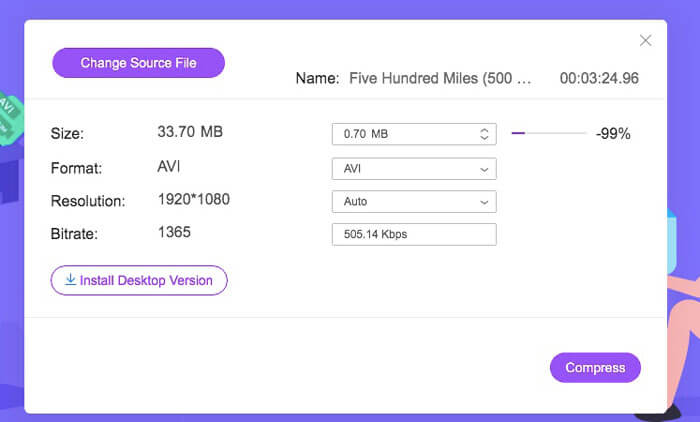
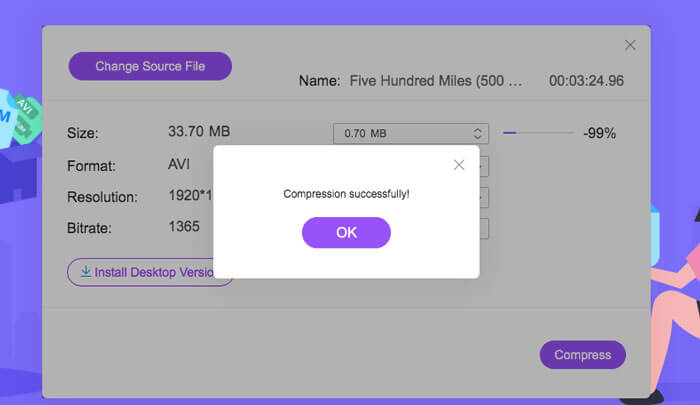
Step 3: In the Size section, you can reduce AVI video size by moving a slider besides. Or you can specify the compressed AVI video size with the Upside and Downside arrows.
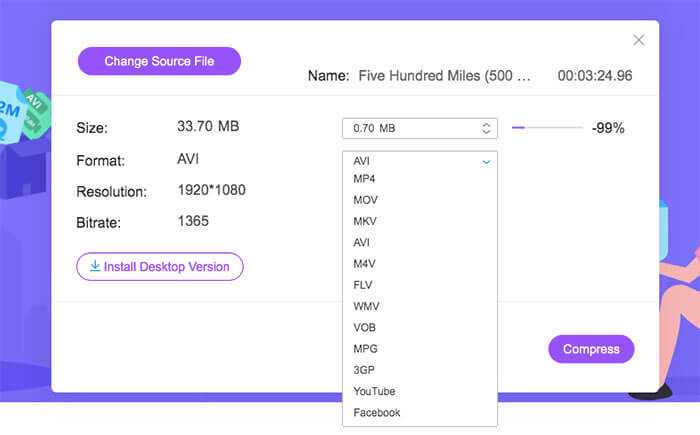
Step 4: Unfold the Format list. You can compress AVI to MP4, MOV and even YouTube and Facebook formats. Later, select one Resolution profile to reduce the size of AVI file.
Step 5: Click Compress and set the output folder. After the Compression successfully notification pops up, you can get the compressed AVI video.
Del 2: Hur komprimerar du AVI-videor i Windows
För att komprimera en AVI-video på Windows 10/8/7 gratis finns det ett annat val du kan använda. Det är Windows Movie Maker som kan komprimera AVI-filer i Windows 10 och tidigare versioner. Gör bara som följande stycken visar.
Step 1: Open Windows Movie Maker. Click Import Video under Capture Video to add your AVI video.
Step 2: Select the imported AVI video. Then drag and drop it into Timeline below.
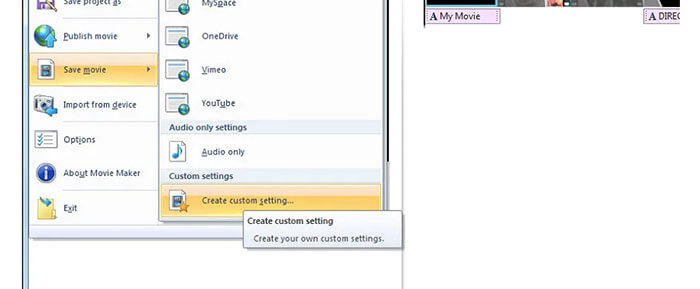
Step 3: Click Save Movie File and create custom settings from the File list.
Step 4: Under Video settings, you can adjust video width, height, bitrate and frame rate to make this AVI video smaller.
Step 5: Click Save to shrink your AVI video on Windows into a small file size.
Del 3: Hur man komprimerar AVI-videofiler på Mac
iMovie kan också vara din kostnadsfria AVI-videokompressorprogramvara. Du kan använda iMovie för att komprimera .avi-videor på Mac gratis. Dessutom kan du beskära svarta kanter och oönskade delar för att minska videostorleken även i iMovie. Det finns många användbara videoredigerings- och komprimeringsverktyg i iMovie.
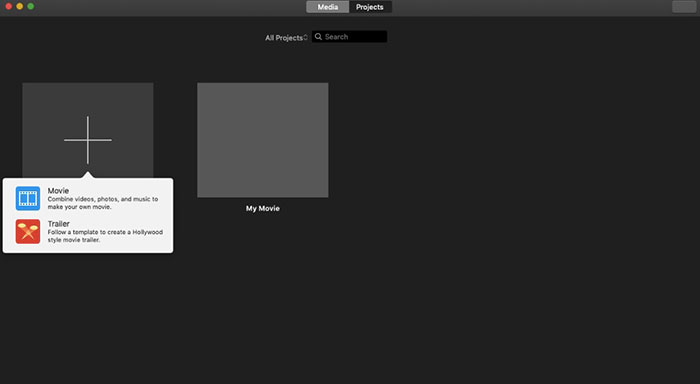
Step 1: Run iMovie. Select New Movie from the File drop-down list.
Step 2: Create a new project for your compressed AVI video file.
Step 3: Click Import on the top. Select and add an overlarge AVI video into iMovie.
Step 4: Unfold the File list and select Share followed by File…. Click the Export icon on the top right corner, then select File.
Step 5: To reduce AVI video size, you need to decrease video resolution and quality profiles. Click Next followed by Save to get your compressed AVI file.
Del 4: Vanliga frågor om komprimering av AVI
Varför är AVI så stor?
Du kan upptäcka att .avi-formaterade filer tenderar att vara större än andra filer. AVI använder mindre komprimering för att lagra video- och ljuddata. Eller så kan du betrakta AVI som ett förlustfritt videoformat. Därför har AVI-filer alltid stora filstorlekar.
Hur komprimerar man AVI med After Effects?
Add your AVI video into After Effects. Go to the Composition list. Select Add to Adobe Media Encoder Queue. In the Media Encoder, find your project file in the render engine. Switch to the Video or Audio list on the right panel. Change the video/audio quality, bitrate and other details. Actually, you can check the estimated file size on the lower right corner. Click OK to save changes and reduce AVI file size in After Effects without losing quality.
Fungerar det att komprimera AVI till MP4-format?
Yes. You can convert and compress AVI to MP4 to reduce a lot of video size. AVI is a lossless video format, while MP4 is a lossy video format. Furthermore, you can adjust video settings to complete the AVI file compression.
Du kan använda verktygen ovan för att komprimera AVI online och offline gratis. Det finns ingen videolängd eller filstorleksgräns. Du kan minska videostorleken och komprimera AVI för e-post, Twitter, Facebook och mer direkt. Förresten, om du behöver gruppkomprimera AVI-filer är det snabbast att använda FVC Free Video Compressor. Du kan komprimera stora AVI-filer online i batch gratis med 30 gånger snabbare hastighet. Det är 100% gratis och säkert att använda för alla användare.
-
 MKV vs MP4 - Jämförelse mellan MKV och MP4
 Hur väljer man mellan MKV och MP4? Vilket format är bättre format för videokvalitet? I den här artikeln kommer vi att göra en detaljerad jämförelse av MKV vs MP4 för att hjälpa dig att göra ett val.
-
 Hur komprimerar du en MP4-video till mindre storlek
 MP4-video är för stor för att kunna laddas upp? Vill du minska videostorleken? Här är tre effektiva sätt att komprimera en MP4-fil till mindre storlek utan begränsning.
-
 MP3 VS MP4: Vad är skillnaden mellan MP3 och MP4?
 MP3 eller MP4, vilket är bättre? Vad är skillnaden mellan MP3 och MP4? Denna artikel kommer att jämföra MP3 med MP4 från alla aspekter du kan avbilda.
