


 Video Converter Ultimate
 Skärminspelare
 Video reparation
5 bästa MP4 Cutter: Lär dig att klippa videor på PC, Mac och mobila enheter
Om du är en vloggare eller en ambitiös, är det så vanligt att ta en video av dig själv. Detta skulle kräva mycket ansträngning och självförtroende, liksom du fotograferar framför en kamera. Det vanligaste är att alla proffs och nya inom vloggning är misstagen du gör. Istället för att ta om videon, tenderar de att klippa den och slå samman till originalvideorna. För att göra en helt ny video som består av olika vinklar, vyer, montage och mer, klipper de ut den från olika videor och lägger till den i en. Men som ny på den här typen av jobb eller till och med proffs är det svårt att välja rätt trimmer. Eftersom inte alla funktioner som de sa på annonsen av verktyget inte finns i verktygen. Istället för att gå till den andra artikeln och läsa rekommendationen, varför inte lära dig av detta först. Eftersom vi bara samlade de verkliga bevisen för din egen vinning. Så här i listan är MP4-klipparna du kan använda för att börja vlogga. Håll fokus för att veta vilka är de bästa trimmarna du kan använda som ger en enkel men ändå professionell syn på dina videor.

Del 1. Ladda ner den bästa MP4 Video Cutter-mjukvaran på PC och Mac
Om vi nu ska prata om det bästa måste du prioritera att läsa detta först. Som nämnts tidigare är det mycket svårare att skapa vloggar än vi trodde, det handlar inte bara om att ha självförtroende att möta kameran och lägga upp videon. Du måste också tänka på att ha ett flerfunktionsverktyg. Ett sådant ger en mer tilltalande video för alla tittare. FVC Video Converter Ultimate erbjuder fantastiska redigeringsfunktioner och konverteringsmöjligheter som kan användas av alla som vill. Oavsett om du är nybörjare eller proffs bör vi titta efter det bästa av det bästa på marknaden. Även om detta är en betalversion ger den fortfarande det bästa du kan önska dig. Och om du väljer detta som ditt personliga val väntar en ljus framtid framför dig. Vill du börja vlogga idag? Följ då dessa steg för hur du använder denna MP4‑videotrimmer.
Steg 1. Klicka på nedladdningsknappen nedan och installera programmet på din PC eller Mac. Följ installationsguiden och klicka på Slutför för att starta programvaran.
Gratis nedladdningFör Windows 7 eller senareSäker nedladdning
Gratis nedladdningFör MacOS 10.7 eller senareSäker nedladdning
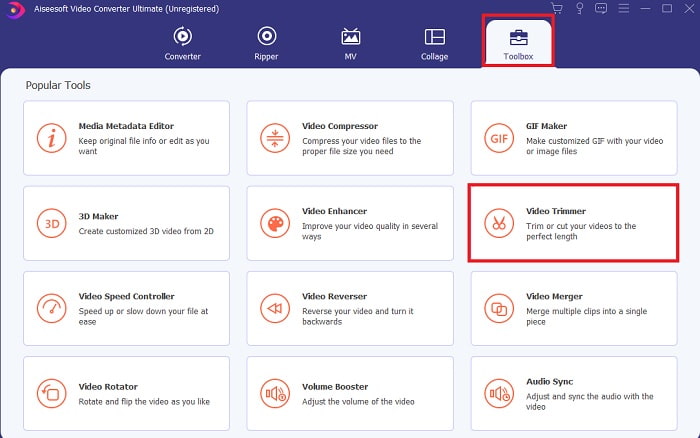
Steg 2. Om detta visas på skärmen klickar du på Toolbar och letar efter Video Trimmer nedanför.
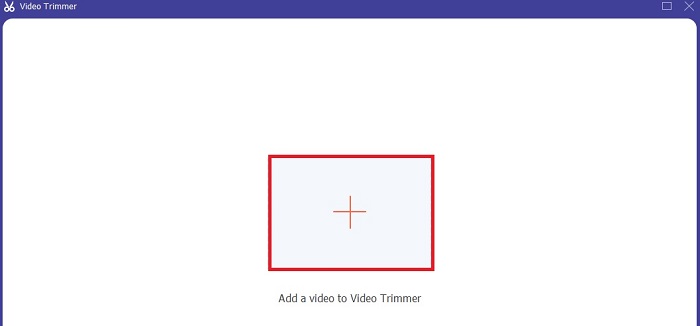
Steg 3. Klicka på plus-knappen för att lägga till filen. Välj filen på din enhet som du vill klippa och klicka på Öppna för att infoga videon.
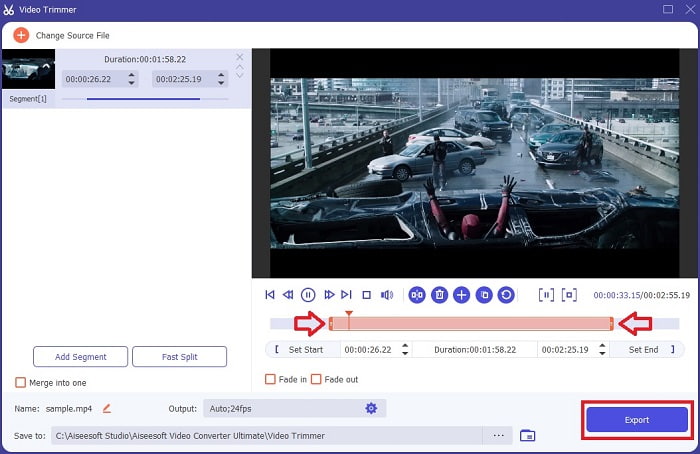
Steg 4. Justera startpunkten och slutet på din video genom att ändra playback in och out för att ställa in den längd du vill ha. Lägg till fade in och fade out om du vill. Du kan också ändra mediautdata om du klickar på kugghjuls-knappen. När du är klar klickar du på Export-knappen för att starta klippningsprocessen.
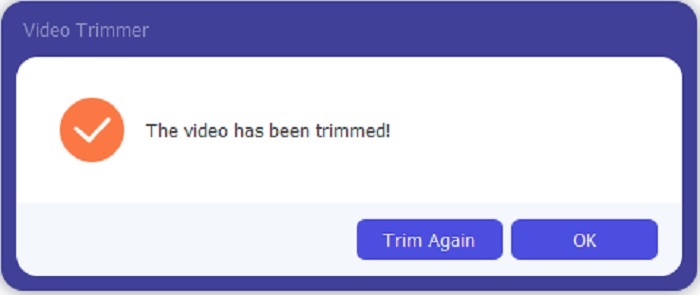
Steg 5. Vänta bara någon sekund och nu har din video klippts. Klicka sedan på OK eller Trim Again om du behöver klippa en till. Om du vill förbättra videon du just skapat klickar du på verktygsfältet igen och letar efter video‑förbättraren.
Fördelen med att ha ett sammanslagningsverktyg från FVC Video Converter Ultimate with Steps
Till skillnad från alla andra appar är det superenkelt att slå samman videor i FVC Video Converter Ultimate. Detta är en bonusfunktion om du skaffar det här verktyget. Som sagt, det här verktyget är ett multifunktionellt verktyg så låt oss utan vidare börja slå ihop olika videor till en.
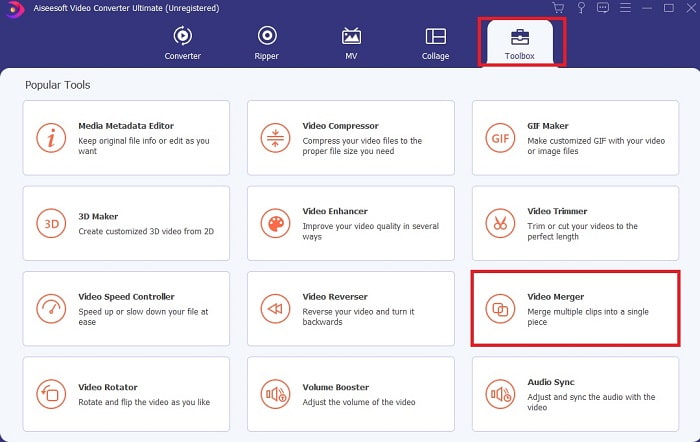
Steg 1. Öppna programvaran och gå till Toolbar, leta sedan upp Video Merger och klicka på den.
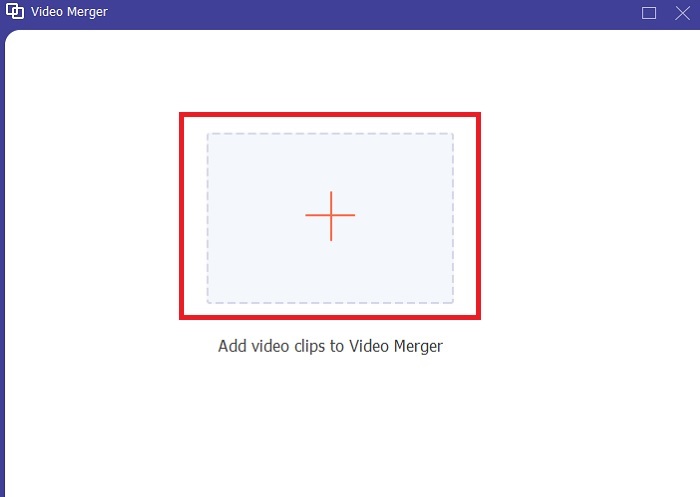
Steg 2. Klicka på add-knappen och välj videon du vill slå ihop, klicka sedan på Öppna för att fortsätta. Efter att ha valt den första filen klickar du på plus‑symbolen för att lägga till den andra filen du vill slå ihop.
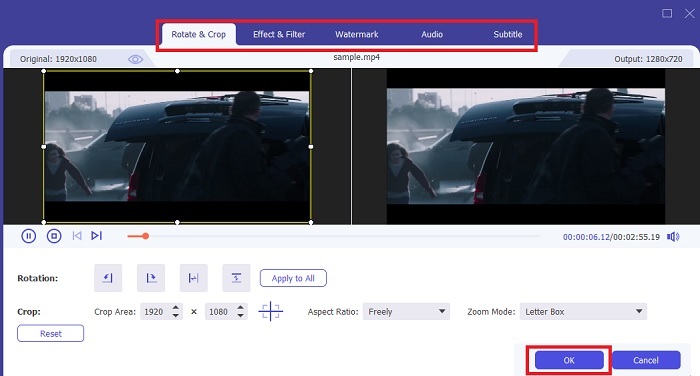
Steg 3. I gränssnittet klickar du på wand-knappen för att lägga till effekter, förbättra ljudet, rotera eller beskära och lägga till undertexter också. För att spara redigeringen du just gjort klickar du på OK. Gör samma procedur med de andra videorna också om du vill.
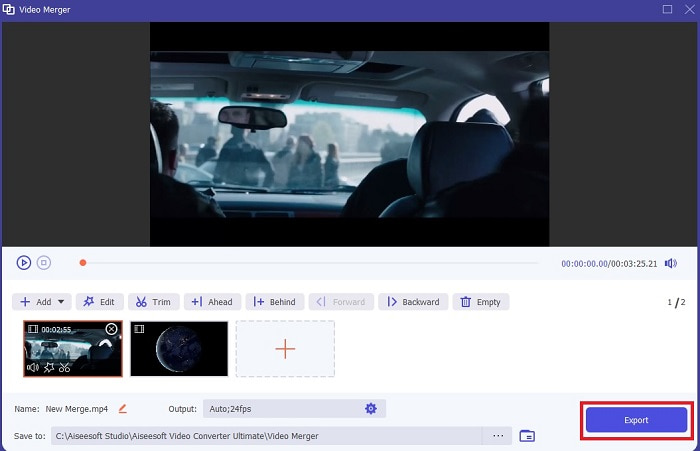
Steg 4. När du är redo att starta processen klickar du på Export. När exporten är klar kommer ett filmhanteringsfönster att dyka upp på skärmen. För att titta på den exporterade videon klickar du bara på den och njuter.
Del 2. Bästa MP4-skärare online
Detta är säkert en bra trimmer men de är inte bäst på samma sätt som FVC Video Converter Ultimate. Men det är åtminstone värt att prova att använda dessa online‑MP4‑trimmers.
1. 123Apps Online Video Cutter
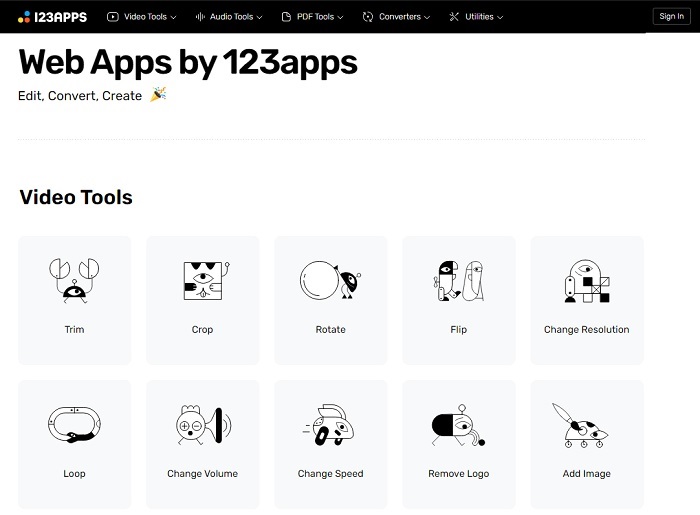
Detta första onlineverktyg är avsett att göra dina videor bättre. Den kan justera videons längd, beskära, lägga till text och mer. Men det här verktyget tar mycket av din tid att exporteras. Efter att du har exporterat måste du ladda ner den, och denna process kommer att vara beroende av din internethastighet. Du kan inte heller justera kvaliteten på dina videor. Så om din video är lite suddig och behöver justera fps för den kan du inte göra det här. Men ändå är det värt att prova.
2. Clideo
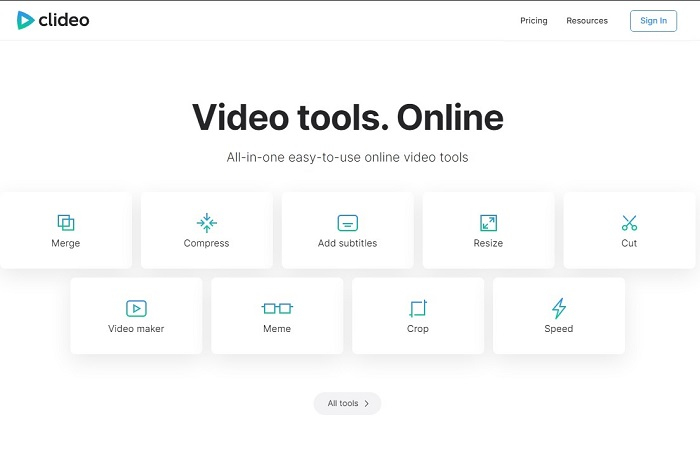
Om vi pratar om klippning är detta också ett bra val. Clideo är en av de bästa MP4‑trimmers online som du kan hitta. Precis som det första onlineverktyget som nämndes tidigare erbjuder detta verktyg också grundläggande redigeringsfunktioner. Även om det stödjer grundläggande redigering är det fortfarande inte tillräckligt om du vill skapa en riktigt iögonfallande video. Men du kan prova det online utan att oroa dig, det är gratis och säkert också.
Del 3. 3 Bästa MP4 Cutter-apparna på Android och iOS
Vad händer om du inte har ett skrivbord för att använda verktygen ovan och vill bli en vloggare är det fortfarande möjligt? Om du har en telefon som Android eller iOS kan du använda dessa appar för att göra redigering i dina telefoner. Men det finns några funktioner som är tillgängliga ovan som inte finns här. Så fortsätt att läsa nedan för att veta vad dessa verktyg är och välj bland dem.
1. iMovie för iOS
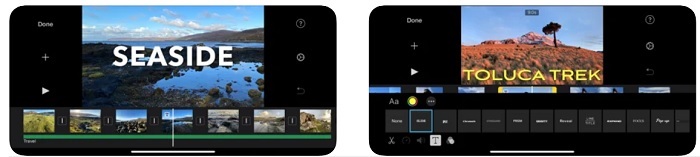
Om du vill ge din video en Hollywood‑känsla är iMovie rätt programvara. Denna MP4‑trimmarapp är skapad enbart för iOS‑användare. Men även om verktyget erbjuder avancerade redigeringsfunktioner är vissa buggar ännu inte fixade. I vissa fall kraschar appen varje gång du försöker redigera och skärmen blir svart. Ibland är video och ljud inte synkroniserade på grund av glitchar. Detta är några exempel på buggar; vi kan se dem som små, men de är mycket irriterande för det mesta. Så om du vill prova iMovie kan du fortfarande ladda ner det i App Store.
2. Video Editor & Maker – Viva Video för Android
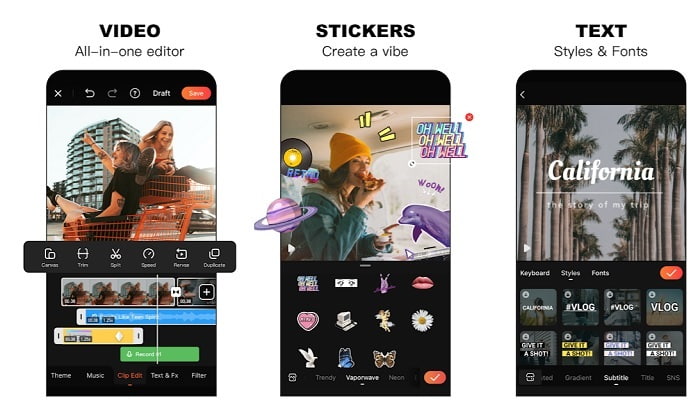
En av de bästa gratis MP4‑trimmers på Android är Video Editor & Maker – Viva Video. Precis som verktyget ovan erbjuder båda de bästa redigeringsfunktionerna på mobiler. Som övergångar för videon, glitch‑effekter med mera, men detta är ett verktyg du måste betala för att använda. I vissa fall fungerar det inte perfekt eftersom det inte finns någon knapp för att avsluta prenumerationen i appen. Så den bästa lösningen du kanske tänker på är att radera appen för att avsluta prenumerationen, men den kommer ändå inte att avslutas. Den fortsätter att debitera ditt kreditkort om du valt denna betalningsmetod. Men överlag är verktyget i toppklass, varken mer eller mindre.
Del 4. Vanliga frågor om MP4 Cutter
Vad är en MP4?
MP4 är också känt som multipurpose media format. Istället för att lagra en kod lagrar den data från videor, stillbilder, undertexter eller texter. Det är också det vanligaste videoformatet över hela världen.
Är MP4 förlustfri eller förlustfri?
Eftersom MP4 är ett multifunktionsformat är det en förlustkomprimering.
Vilket är det bästa formatet förutom MP4?
Det finns vissa format som ger bättre mediautdata än MP4, men de är inte lika flexibla som detta format. Till exempel WMV, detta format ger en mindre filstorlek än MP4 men är inte kompatibelt med Apples enheter, eftersom det är avsett som ett eget format för Windows Media Player. Du kan välja att konvertera dina MP4‑filer till WMV för bättre uppspelning.
Slutsats
Som avslutning är det nu lättare att förstå skillnaden mellan varje verktyg som du kan använda. Men som nämnts tidigare ger inte alla de fantastiska klippningsfunktioner som FVC Video Converter Ultimate kan erbjuda. Särskilt om du vill skapa en mer tilltalande video för att få fler visningar och därmed också mer intäkter. Så istället för att nöja dig med ett tillfälligt verktyg, varför inte välja FVC Video Converter Ultimate för att möta framtiden och få den bästa versionen för dig själv.
-
 Guide om hur man konverterar RMVB till MP4 på Windows / Mac (3 gratis sätt)
 Vill du konvertera RMVB till MP4 för enkel uppspelning på din dator eller mobiltelefon? Du hittar enkla sätt att konvertera dina RMVB-filer till MP4 i den här guiden.
-
 4 bästa MP4 till M4V-omvandlare för att förvandla MP4-videor till M4V med lätthet
 När du behöver ändra MP4 till M4V-filer bör du lära dig mer information om skillnaderna mellan de två formaten, liksom de bästa MP4 till M4V-omvandlarna från artikeln.
-
 AMV Converter - De 3 bästa metoderna för att konvertera MP4 till AMV på Win / Mac
 Vilka är de bästa MP4 till AMV-omvandlarna för att förvandla videoklippen till Amine Music Video, du kan lära dig mer om tre mest effektiva metoder för att enkelt få önskade videor från artikeln.
