


 Video Dönüştürücü Ultimate
 Ekran kaydedicisi
 Video Onarımı
Hareketli Resimleri Platformunuzda Kullanabilmeniz için 5 Görüntüden GIF'e Dönüştürücüler
Bir görüntüyü GIF'lere dönüştürmek gibi standart görüntülerinizi canlandırmanın en iyi yolunu mu arıyorsunuz? Bu sizin için harika bir haber çünkü fotoğraflarınızı hemen şimdi hareketli bir GIF'e dönüştürebilirsiniz. GIF'lerle, alıcının etkileşimini iyileştirmek için sahip olduğunuz donuk görüntülere hayat verebilirsiniz. Ne yazık ki, web üzerinden arama yapıyorsanız, GIF dönüştürücü piyasası, farklı özellik ve işlevlerle çok geniştir. Ama bugün şanslı gününüz, o yüzden lütfen derin bir nefes alın; Bu makalede listelediğimiz gibi, platformunuzda kullanabileceğiniz en iyi dönüştürücü. Bu gönderiyi okumayı bitirdiğinizde, görüntüleri animasyonlu GIF'lere dönüştürmenize yardımcı olacak farklı araçları öğreneceksiniz.

Bölüm 1. Çevrimiçi ve Çevrimdışı Olarak Kullanılabilen En İyi 5 GIF Dönüştürücü Görüntüsü
| fonksiyon/lar | Video Dönüştürücü Ultimate | Photoshop | Çingene | ezgif | soda PDF'si |
| Resmi Hareketli GIF'e Dönüştür |  | |  | | |
| Ultra Hızlı Dönüşüm | | | | | |
| Düzenleme Özellikleri | | | | | |
| Eğitimsiz Kullanıcılar için Tasarlandı | | | | | |
| İnternet bağlantısı | | | | | |
Video Converter Ultimate – Windows ve macOS'ta GIF Dönüştürücüye En İyi Görüntü
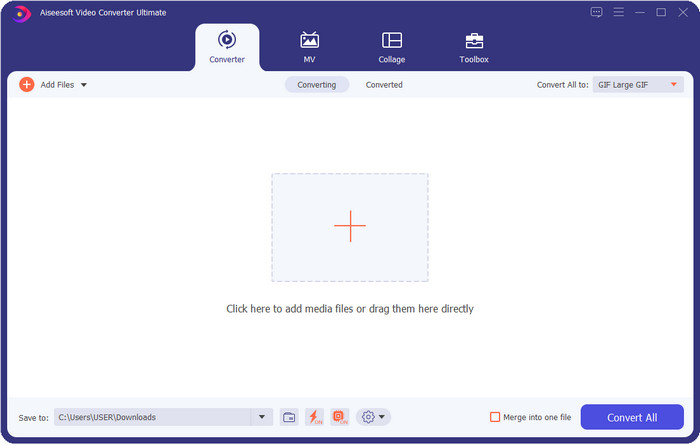
Video Converter Ultimate provides the best output after converting image to GIF but with fewer clicks. With this ultimate tool, you can easily create the best GIF with your video or photos if you download it on your Windows and Mac. Even though there are a lot of GIF makers or creators on the market, this is undoubtedly the irreplaceable choice for everyone who has less experience in editing. Although the tool has no limitation for what it can bring, it still depends on the users if they want to be artistic and use their imagination to create the perfect GIF with the help of the ultimate tool.
Ücretsiz İndirWindows 7 veya üstü içinGüvenli İndirme
Ücretsiz İndirMacOS 10.7 veya üstü içinGüvenli İndirme
Artıları
- Düzenleme konusunda farklı bir beceri seti olan herkes için idealdir.
- Hareketsiz görüntülerinizi bir dakikadan daha kısa sürede kayıpsız bir GIF'e dönüştürmeyi destekler.
- GIF'inizi olağanüstü kılmak için sayısız efekt mevcuttur.
- Piyasada görebileceğiniz en iyi görünümlü grafik arayüz kullanıcısına sahiptir.
- Kalite kaybı olmadan ultra hızlı yükleme ve indirme işlemine sahiptir.
Eksileri
- Gelişmiş özelliklerden yararlanmak için aracı satın almanız gerekir; yine de, uygun fiyatlı.
Photoshop
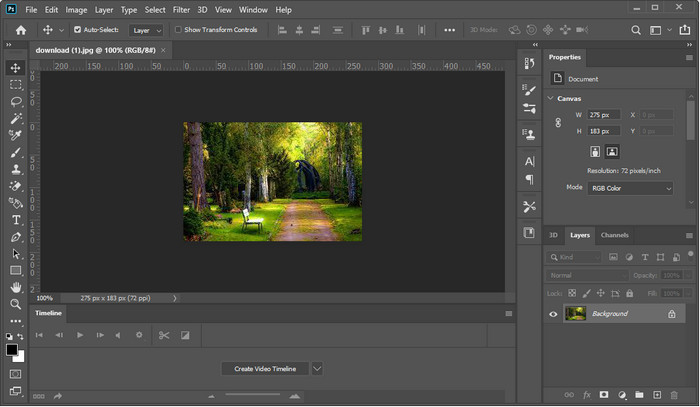
Photoshop is the professional image to GIF converter you can use. It has built its reputation as one of the best image editors you can use for professionals. If we were about to compare the price of the ultimate and this pro tool, we could easily say that it is more expensive than the ultimate tool. Also, users who use this tool need to have a high-end system unit because if you are using a mid-range system unit, expect that creating GIF or even opening the tool will take more time. Although this is a kick to the gut, it still offers the professional editing features you will need to improve GIF, but the interface is a bit heavy to understand if you are a new user.
Artıları
- Profesyoneller için en iyi düzenleme özelliklerini sağlar.
- Üst düzey Windows ve Mac bilgisayarlarda en iyi şekilde çalışır.
- Adobe tarafından oluşturulan birinci sınıf bir görüntü düzenleyicisi olduğu bilinmektedir.
Eksileri
- Bu aracın öğrenme eğrisi biraz sert.
- Diğer araçlara göre pahalıdır.
GIPHY
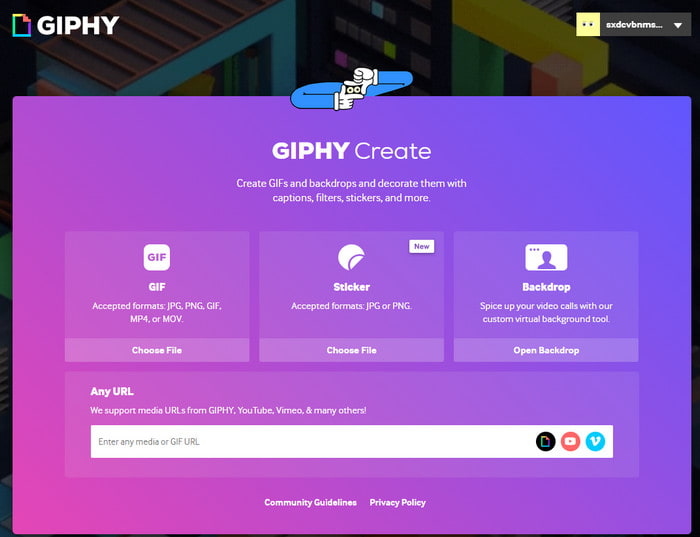
GIPHY is the multifunctional image to GIF converter you can access online. Unlike the offline tool, this tool has a built-in pre-made GIF you can use if you need one; you can share your own created GIF here. Although the tool supports making GIFs thru photos, it is still not the best choice if you want to add two or more images because you can't make a GIF. However, you can add moving stickers instead to make your photo more lively.
Artıları
- Kullanımı kolay.
- Yerleşik ücretsiz bir GIF kitaplığına sahiptir.
- Web'de açık kaynak.
Eksileri
- GIF oluşturabilmeniz için önce bir kayıt olması gerekir.
- Aynı anda birden fazla resim eklemeyi desteklemiyor.
ezgif
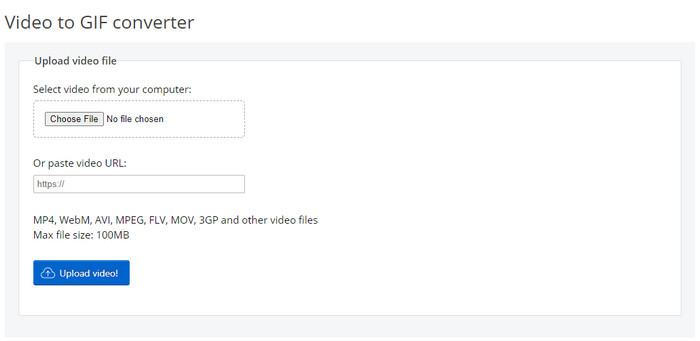
Do you need a tool that works well on making image sequences to GIF? In that case, Ezgif can help you. If you search for help in your GIF, this tool becomes part of the top-notch GIF creator online. Unlike the GIPHY, this tool supports adding multiple images into a GIF with a specific limit. This tool provides simple yet effective features you can freely use anytime or anywhere with an internet connection. Although the tool is excellent, it still lacks updates on the user interface because it is dull.
Artıları
- Kullanabileceğiniz temel düzenleme işlevlerini sağlar.
- Kullanıcıların GIF'leri için uygulamalı düzenleme deneyimi yaşamalarına olanak tanır Kullanıcıların, GIF'leri için ücretsiz olarak uygulamalı düzenleme deneyimi yaşamalarına olanak tanır.
- Çevrimiçi en iyi GIF üreticilerinden biri.
Eksileri
- Web arayüzünün güncellenmesi gerekiyor.
- Dosya eklemenin belirli bir boyutu vardır.
soda PDF'si
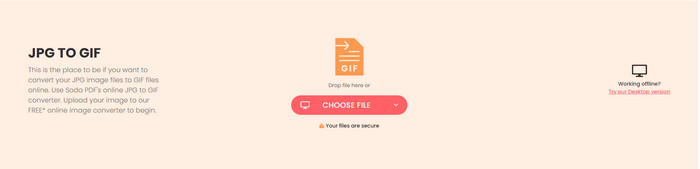
Soda PDF yardımıyla kolayca resim ekleyebilir ve GIF'lere dönüştürebilirsiniz. Araç, üzerinde kullanabileceğiniz farklı format türlerini destekler. Araç, fotoğraf biçimini GIF'e dönüştürebilse de, yine de animasyonu yapamaz, yalnızca uzantıyı değiştirir. Bu araç size PDF'yi birleştirme, sıkıştırma ve düzenleme gibi birçok şey sunabilir.
Artıları
- Noktada web tabanlı GIF dönüştürücü.
- Serbestçe kullanabileceğiniz ek fonksiyonlara sahiptir.
- Web'de kullanabileceğiniz en hızlı dönüştürme işlemlerinden birine sahiptir.
Eksileri
- Animasyonlu bir GIF oluşturamaz.
- GIF'ler için düzenleme özellikleri sunmaz.
Bölüm 2. En İyi Dönüştürücü ile Görüntüyü Animasyonlu GIF'e Dönüştürme
If you decide to use the Video Converter Ultimate, follow the steps below. These will help you to create the best-animated GIF into your still images.
Step 1. First and foremost, click the download button below to choose whether you are using Windows or Mac. Then install the tool to your drive and launch it after the installation process.
Ücretsiz İndirWindows 7 veya üstü içinGüvenli İndirme
Ücretsiz İndirMacOS 10.7 veya üstü içinGüvenli İndirme
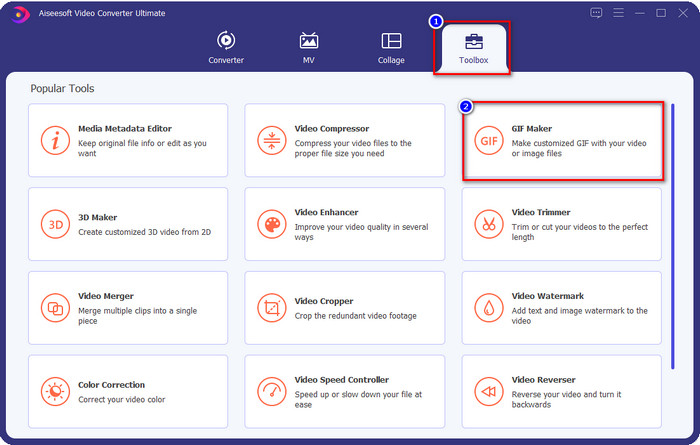
Step 2. After you've launched the tool, you must go to the Toolbox and click GIF Maker.
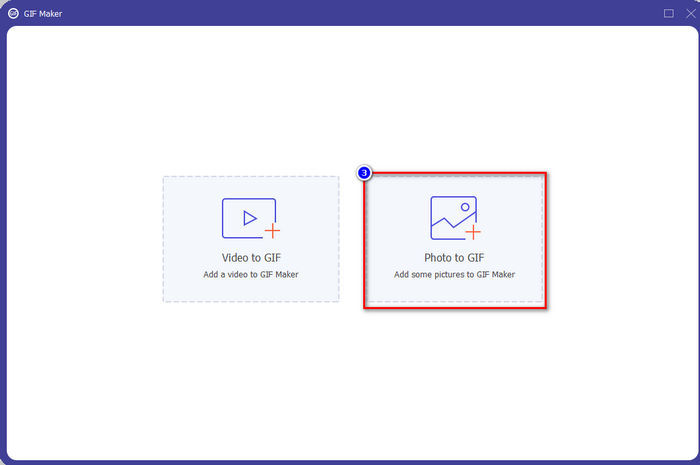
Step 3. Click Photo to GIF to open the folder to search the image file; click Open to upload it successfully.
Step 4. Output settings will show where you can manipulate the GIF first; if you're done, click OK.
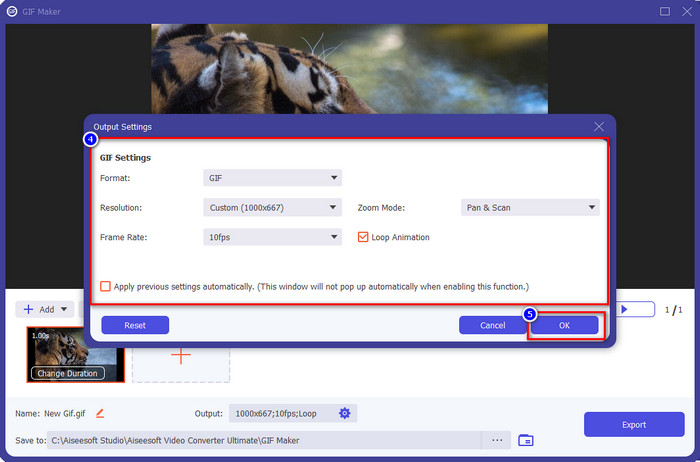
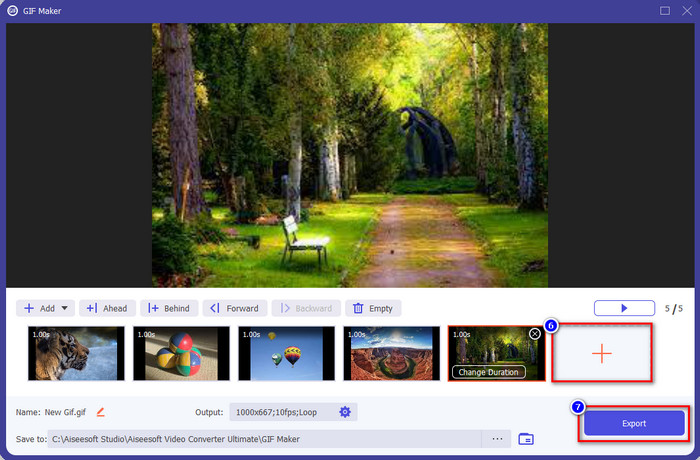
Step 5. Press the + button to add more images; click Export to begin the process if you’re done adding the images. After that, wait for a few seconds, and it is done.
Bölüm 3. Görüntüden GIF'e Dönüştürücüler Hakkında SSS
JPG derlemesiyle bir GIF nasıl oluşturulur?
Well, if you want to learn how to make a GIF with the compilation of JPG, you can click this link. With the tool presented, you will learn how to do it and know the difference between JPG to GIF.
GIF dönüştürücü için en iyi görüntünün nitelikleri nelerdir?
Bu basit görevin basit bir standarda ihtiyacı var, bu yüzden bugün size uygun bir GIF oluşturucu için aramanız gereken en temel bilgileri sunacağız. Başlangıç olarak, harika bir GIF oluşturucu JPEG, PNG, BMP, TIFF ve daha fazlası gibi farklı biçimleri desteklemelidir. Diğer görüntü formatları ile esnek hale getirmek için. Ardından, kullanıcıların animasyonlu GIF'ler oluşturmak için iki veya daha fazla resim eklemesine izin vermelidir. Çünkü desteklemiyorsa, fotoğrafların derlenmesiyle animasyonlu GIF'ler oluşturamazsınız. Ayrıca, yapımcının kullanıcı dostu olması gerekir, böylece herkes onu kullanabilir, özellikle de nasıl oluşturulacağını bilmeyenler. Daha da önemlisi, yapımcının GIF'inizi daha iyi ve daha güvenli hale getirmek için düzenleme özelliklerini desteklemesi gerekir.
GIF'imi neden dönüştürmeliyim?
GIF'inizi dönüştürmeniz için birçok neden var. En yaygın nedenlerden biri, Twitter ve Instagram gibi diğer sosyal medya siteleriyle uyumlu hale getirmektir. Formatı, bu sosyal medya sitesinin desteklediği yeni bir formata dönüştürmeniz gerekiyor. Bu nedenle, GIF'iniz animasyonluysa, hareketli hale getirmek için formatı MP4, AVI, MOV ve daha fazlasına dönüştürebilirsiniz. Ancak hareketsiz bir görüntü olmasını istiyorsanız, JPG veya PNG ile gidebilirsiniz.
Çözüm:
The best photos to GIF apps we present here have different characteristics. As we thoroughly tested them out to provide strong evidence, we found out that there is a single tool that proves it worth being used apart from others. Want to know which tool are we talking about? Well, it is no doubt that the Video Converter Ultimate is. Because this tool supports an unbeatable feature to help you quickly convert the still image into an animated GIF. So, what are you waiting for? If you need it, you can click the download button presented above and enjoy the full experience of the tool.
-
 PNG'yi Animasyonlu GIF'e Dönüştürmek İçin Kaçırmamanız Gereken En İyi 3 Dönüştürücü
 PNG'nizi hayata geçirmek ister misiniz? Ardından, mevcut yardımcı araçlar ve nasıl yapılacağına ilişkin adımlarla PNG'yi GIF animasyon formatına dönüştürmeyi deneyin.
-
 JPG VS GIF: JPG'yi GIF'e Dönüştürmenin 3 Zahmetsiz Yolu
 JPG ve GIF arasındaki farkı bilmek ister misiniz? Yoksa JPG'yi GIF animasyon formatına mı geçirmek istiyorsunuz? O zaman bir fikir edinmek için bu makaleyi okuyun.
-
 VOB Dosyası Nedir ve VOB Dosyasını Ücretsiz Olarak GIF'e Dönüştürme
 VOB dosyaları ve kopyalandıktan sonra nasıl paylaşılacağı hakkında daha fazla bilgi edinmek ister misiniz? veya Neden VOB'u GIF'e dönüştürmeniz gerekiyor? O zaman bu makaleyi dikkatlice okuyun.
