


 视频转换大师
 屏幕录影大师
 视频修复
视频修复
 安全下载
安全下载将 HEIC 转换为 PDF:了解要使用的最佳转换器
在这个现代时代,拍照已成为您可以做的新趋势的一部分;每个人都可以使用手机,拍照变得更容易。无论您是专业人士还是想要快速拍照的人,一切都可以在手机上完成。如果您是 iOS 用户,您会注意到您拍摄的图片扩展名是 HEIC 格式。这种格式在压缩和质量上都非常出色,但是如果您想将图像附加到文档中,请发送它;照片可以变成像素化的。
Don't be devastated because this problem is solved by converting the file into a PDF. Keep reading this blog as we explore the converters you can use to convert HEIC to PDF format in less than a minute.

第 1 部分。哪个更好? HEIC VS PDF
但在我们开始了解我们可以使用的工具并学习如何将 HEIC 转换为 PDF 之前,让我们首先确定这两种格式是什么。虽然给出了它们可以存储图像,但让我们更多地挖掘并了解 HEIC 和 PDF 文件的其他用途和区别。
哪个压缩比较好?
HEIC has better compression than the PDF, but the PDF uses two types of compression: the lossy and lossless, wherein the HEIC uses only a modern lossy compression.
哪种格式与设备更兼容?
几乎所有设备都比 HEIC 更可能支持 PDF 文件。由于Adobe在这个时代的巨大影响力,毫无疑问PDF在所有电脑和手机中得到了更好的支持。这是您需要将 HEIC 更改为 PDF 的原因之一。
哪种格式质量更好?
两种格式都包含您想要的最高质量的图像之一,但它们的目的不同。质量之间的这场战斗,我们可以给他们两个,因为它们是包含高质量文件的一流图像容器。
第 2 部分。 为什么需要将 HEIC 转换为 PDF
您需要转换您的 HEIC 文件以使其与文档文件兼容,特别是如果您想将其传输到 Windows 和 Android 等其他设备。这两个设备无法原生打开 HEIC 文件。如果您想在不损失质量的情况下将图像添加到文档中,使用 PDF 文件扩展名比 HEIC 更好。此外,PDF 保留文件的原始布局,同时保留其他部分进行编辑。下一部分是可用于将 HEIC 转换为 PDF 的工具列表,可在线和离线使用。
第 3 部分。您可以在 Web 和桌面上使用的最佳 HEIC 到 PDF 转换器的 4
扎姆扎尔
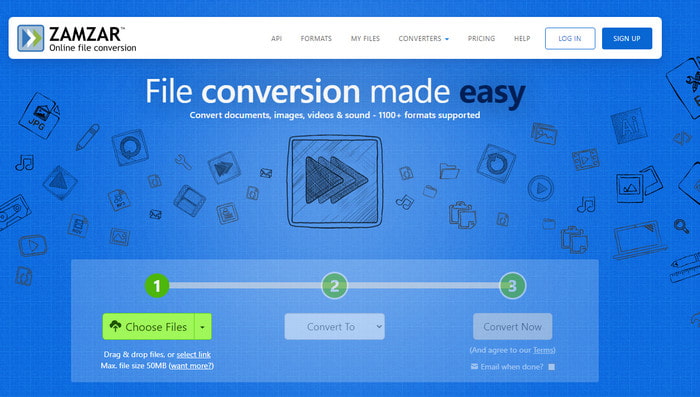
Program-Supported: Online
If you need a web-based tool, then Zamzar can help you on any task regarding converting your HEIC file. This web tool is a convenient converter because you won't need to download the software on your drive to use it, for it is accessible on any web browser. With its over 1200+ media file supported, there is no need to worry if your file is supported here because it is. Most users have already used this online converter many times, and all of them enjoy using the web tool.
即使您可以在网络上访问免费的 HEIC 到 PDF 转换器,它仍然有特定的文件大小限制。您不能上传 50 MB 或更大的文件。除此限制外,您无法使用此 Web 工具对您的 HEIC 文件执行批量转换。但是您仍然可以在此处每次上传一个无限的 HEIC 文件。除了它的转换能力之外,这个工具并没有提供太多东西,比如增强的质量。尽管限制可能会使此工具退缩,但它仍然是最好的在线转换器之一。
转换公司
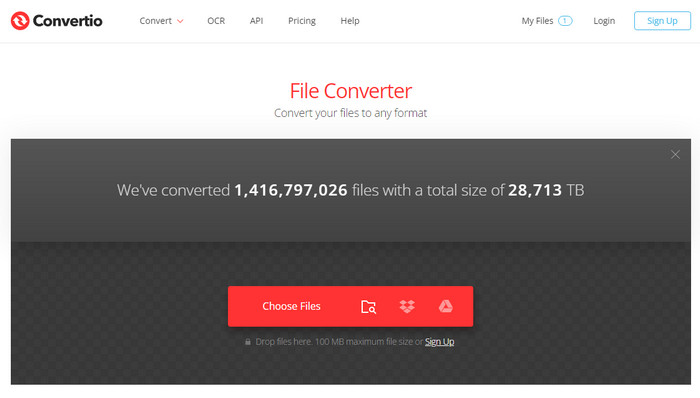
Program-Supported: Online
Convertio.co covered an average format of images, videos, audio, documents, and other file formats that you might have. Like the Zamzar, you can use this online tool to do a non-stop converting process on your HEIC file, but with this tool, you can upload two HEIC files here and convert them into PDFs at once. One of the best features this tool has is that you can upload a file with 100MB here, which is enormous, especially images are small in size.
除了能够将您在此处转换的文件(例如 HEIC 转为 PNG)进行转换外,文件将在 24 小时后被删除。它适合我们中的一些人,尤其是如果我们无意中删除了驱动器上的文件。尽管如此,这个网络工具只支持 300 多种格式,这不如 Zamzar,但是使用这样的工具将 HEIC 转换为 PNG 仍然很容易管理。
Adobe Photoshop
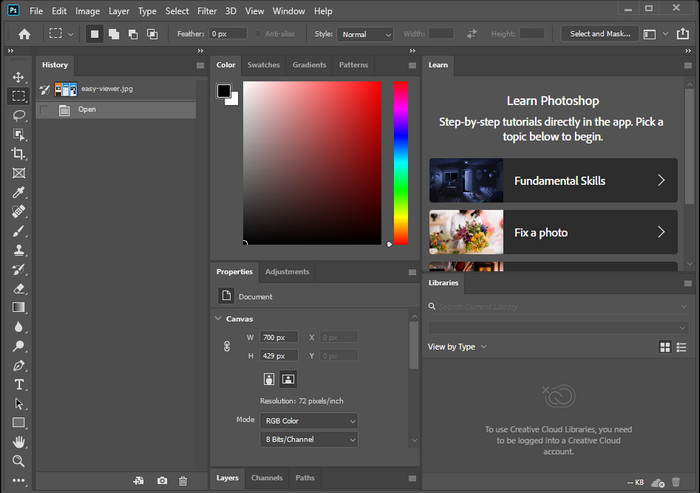
Program-Supported: Windows and Mac
AdobePhotop is one of the professional image editors you can use, and you can also use this tool to convert the HEIC file you have before attaching them to the documents. Adobe develops this tool, so changing the extension of the HEIC file into a PDF with this tool can handle it. But before you change the format to PDF, you can edit the image on the HEIC file here to make it look better. However, you will need to watch some tutorials to use the total capacity of the tool on editing the image you have.
说该工具是专业编辑器更容易,但专用转换器并不是该工具可以为您提供的优势之一。即使它不像上面的其他在线工具那样是可靠的转换器,但如果您使用它,将 .heic 的扩展名更改为 .pdf 仍然是可以管理的。此外,您需要记住该工具太昂贵而无法使用并将 HEIC 更改为 PDF,但如果您已经拥有该工具,您可能希望使用它来完成任务。
在 Mac 上预览
Program-Supported: macOS
If you want to convert your HEIC file on Mac without downloading software, we suggest using the Preview on Mac. With this built-in app, you can view the image file you have on your Mac then convert it into a PDF if you want to use the HEIC file on the document. Same as Photoshop, this isn't a devoted converter for your image file, and yet it is still doable with the assistance of this native image viewer.
使用此应用程序,您还可以对图像进行编辑,但它不如 Photoshop 专业;基本编辑在这里可用。尽管有基本的编辑功能,但我们仍然可以认为这是该工具的优势,因为并非所有转换器都支持编辑。早些时候,我们说过该应用程序不是专用转换器,因为它不像在线转换器那样进入流程。您可以更改其扩展名并使其成为 PDF,而不是转换格式。如果您想了解如何在 Mac 上将 HEIC 转换为 PDF,那么您可能会选择这个。
奖励:如果 PDF 文件太大,你应该怎么做?
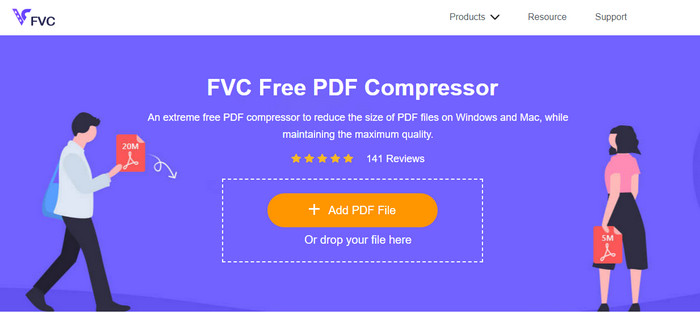
When we need a reliable compressor for the converted PDF file, you can access the FVC Free PDF Compressor to finish the job. With this web tool, you won't need to worry about the quality of your image stored on the PDF file because it won't degrade the quality. Unlike the other compressor PDF you can find on the market; this tool already helps millions of users who need to reduce the file size of their PDF file.
此外,只要您可以访问互联网,您就可以随时随地使用该工具。如果您将多个 HEIC 转换为太大而无法发送的 PDF,请使用您可以在网络上访问的可靠压缩器对其进行压缩。上传文件,然后自动压缩。最后,尽快将文件下载到桌面上。
第 4 部分。关于将 HEIC 转换为 PDF 的常见问题解答
PDF可以存储带有文本的图像吗?
是的,PDF 可以将图像和文本存储在一个文件中。您可以使用此文档并存储文本、字体、二维图像、矢量图像等以及一些元素的完美对齐。除了能够存储图像和文本两种数据外,您还可以加密文件并限制接收者复制、更改、编辑和打印它。
HEIC 和 PDF 有元数据吗?
Yes, HEIC can store EXIF metadata that explains what the file is all about. In contrast, PDF can store metadata in the XML file format. Although EXIF and XML are the same metadata, their content is different from one another. Most basic or essential metadata is what we call EXIF tags. If the metadata is XML, then the set of encoding documents can be remarkably similar to HTML. To know more about metadata, you can click this link and read this article.
我可以在 Adobe Photoshop 上编辑 HEIC 图像吗?
是的,您可以在此处上传您的 HEIC 文件,然后在 Adobe Photoshop 的帮助下进行一些创意编辑。您可以通过在其官方网站上下载该工具来尝试使用该工具。但请记住,该工具并不是那么容易操作,并且需要时间来掌握它。
结论
在本文的最后,我们已经完成了我们可以在每个转换器上使用 HEIC 将 HEIC 转换为 PDF 文件而不会丢失 HEIC 图像的原始质量的想法。除了您可以使用的转换器之外,我们还添加了您可以信赖的压缩器,尤其是当 PDF 文件变得庞大时。使用上面提到的工具,您现在可以通过将图像转换为 PDF 来将其附加到文档中——尽管如此,每一次努力都会得到回报。感谢您阅读本文,希望我们能帮助您找出应该使用的工具。
-
 使用 6 种有效的离线和在线方式将 HEIC 转换为 JPG
 您想知道如何将 HEIC 转换为 JPG 吗?在这种情况下,我们添加了 6 种在线和离线方式,您可以使用它们来完全完成和处理此任务。
-
 您必须知道的最佳免费和付费 HEIC 转换器 [2025 年更新]
 你想知道HEIC转换器是什么吗?如果是这样,我们将包括可用于更改 HEIC 格式的前 5 个免费和付费 HEIC 转换器。
-
 2025 年精选 5 款最佳 HEIC 转 JPG 转换器
 使用 HEIC 到 JPC 转换器,您可以轻松地将图像格式更改为便携式 JPG。想知道这5个工具是什么?阅读这篇文章。
