


 视频转换大师
 屏幕录影大师
 视频修复
视频修复适用于 Chrome、Windows 和 Mac 计算机的前 4 名 FLV 记录器
你有没有想过是什么让你看到的视频在网络上运行?大多数 HTML 5 网站使用 WebM 格式播放视频。除了 WebM,还使用了 FLV。尤其是那些免费的电影和电视节目免费网站。你怎么知道它是否是一个 FLV 文件?通常,如果视频无法播放,您会看到一条错误消息,提示安装 Adobe Flash Player。如今,许多视频都嵌入在 FLV 文件中。但是当您使用内置录像机或其他录像机录制视频时,视频质量被改变的可能性很高。
So, it will be better to use a recorder that can produce FLV files too or that can produce better quality regardless of the file format. If you are worried about the video quality being altered, discover FLV Recorders that do not require a registration for you to use them.

第 1 部分。 用户的最佳选择 - FVC 屏幕录像机
Among the FLV Recorders seen online, FVC Screen Recorder is one of the crème de la crème or should we say in a simple word, it is the very best. User's demands are sometimes higher than what the product can give and not all can be the best choice. Other customers are searching for the best product that they should use. FVC Screen Recorder surpasses more than a thousand premium recorders, especially with your current recorder. With its seamless recording performance, you can get the most out of the video that you want to record. What's more, you can change the bit rate and the frame rate of the video that will result in better video quality. So it is a must that you must keep an eye on this best FLV recorder review. Meanwhile, to use the tool here is an easy-to-follow guide.
Step 1. Use the download buttons below to get the app. Install it and follow the guide until the app Is launched.
Free DownloadFor Windows 7 or laterSecure Download
Free DownloadFor MacOS 10.7 or laterSecure Download
Step 2. Choose between the tabs. Since we are trying to record a video, click on Video Recorder. After that a dotted frame will appear along with the floating bar.
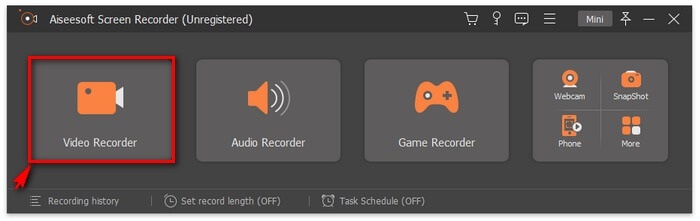
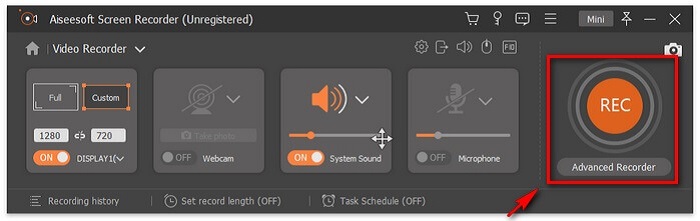
Step 3. Adjust the dotted frame to set the aspect ratio of the screen then click the REC button to begin recording.
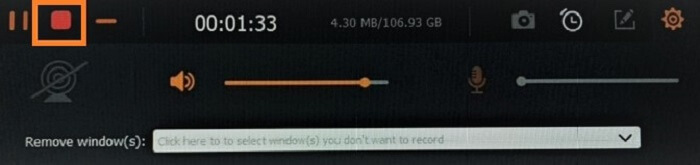
Step 4. To stop the recording, click the red Square button from the floating bar. From there, another window will pop. This is where you can choose to save or re-record if you are not satisfied with the output.
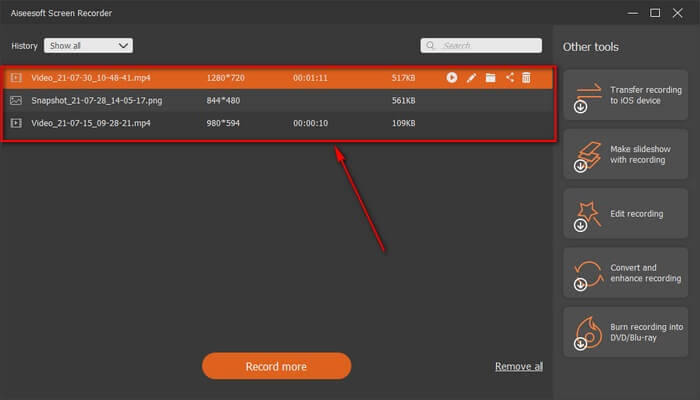
Step 5. Let us say you saved the file, the next window will allow you to choose the file location that will be saved. Choose the folder and click on Next.
第 2 部分。 其他免费 FLV 视频录像机
适用于所有浏览器的 FLV 录制器 - FVC 免费屏幕录制器
It is known for the fact that FVC Free Screen Recorder is lightweight and it also has a powerful feature. So, if you are a beginner who would like to record for fun you can use this, or if you are a professional who wants to record a business meeting. Either way, it works. The best feature this recorder provides is that you can record any part of your screen without being bothered by the tool floating bar. It automatically records the screen alone. Take as many screenshots without disturbance as you want with the help of the Lock-in screen feature. Without any discussion let's now proceed on how to use this FLV recorder. You must follow the step provided below.
Step 1. Visit the official website of FVC Free Screen Recorder and launch the app.
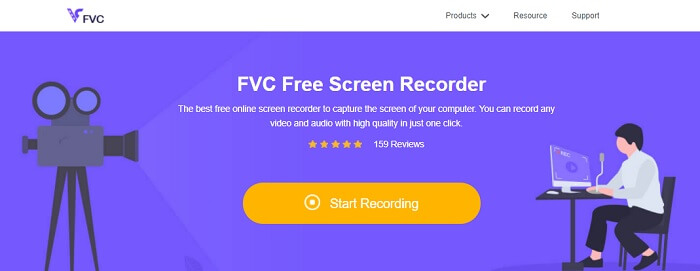
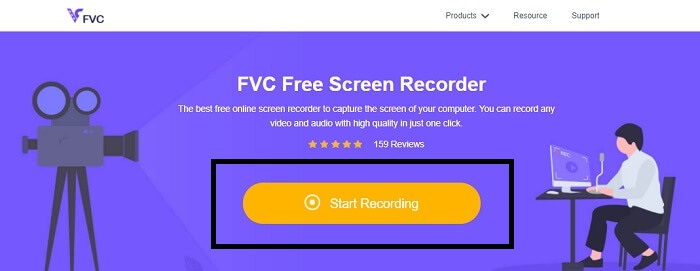
Step 2. Launch the tool by clicking the Start Recording and proceed to the next step.
Step 3. In its toolbar, click the gear button to change the settings according to your needs. If you are now in the preferences menu, find the Output and change the video format according to your wants. Click OK if everything is settled out.
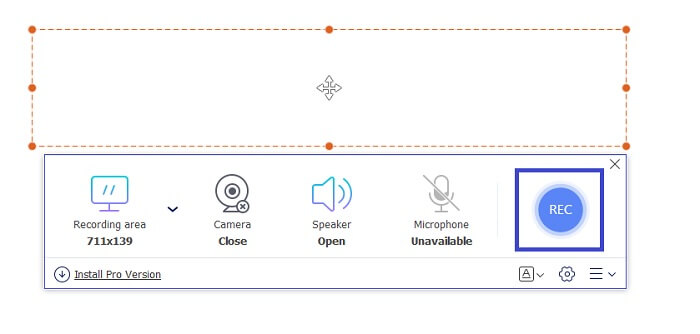
Step 4. On the floating toolbar, you can now adjust the frame ratio of the screen. Also, add the reaction of your face by turning the Webcam. System Sound is used to add the natural sound of the program. And at last, add your voice by turning the Microphone on. To start the FLV recording click the REC button to start.
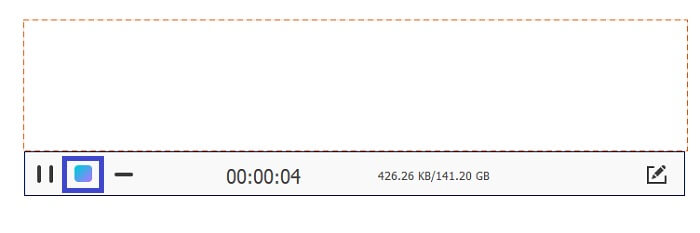
Step 5. To end the FLV recording, click the cube button to stop. After that, click Save and Next. All the recordings you perform are in the History list.
适用于 Chrome 的 FLV 记录器 - SCREEN.IO
如果您不想在驱动器中下载其他文件,则可以使用此内置 Chrome 记录器。这个用于 Chrome 的 FLV 记录器帮助了整个网络中的很多人。因此,如果您喜欢节省存储空间,那么您必须尝试使用此 SCREEN.IO。尽管该工具不提供与其他记录器类似的特殊功能。但它的录音能力是非常标准的。如果我们比较 Chrome 录音机和桌面录音机,桌面是进行录音的有效方式,因为您不会介意互联网连接是否中断。
适用于 Windows 的 FLV 记录器 - VLC 媒体播放器
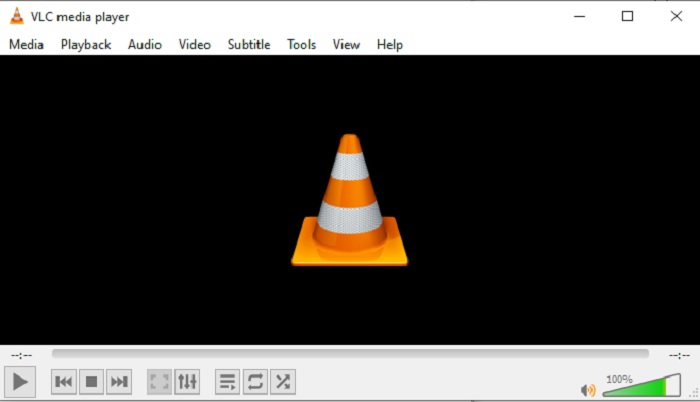
VLC Media player is not only renowned as the best media player in town. It also has several features like recording, converting, and more. Although it is the best media player, all of these mentioned features are not the best. And in some cases, video or audio formats are unplayable here because their codecs are proprietary. So, instead, you can use the VLC Media Player Alternative that supports even if the file is proprietary.
适用于 Mac 的 FLV 录音机 - OBS Studio
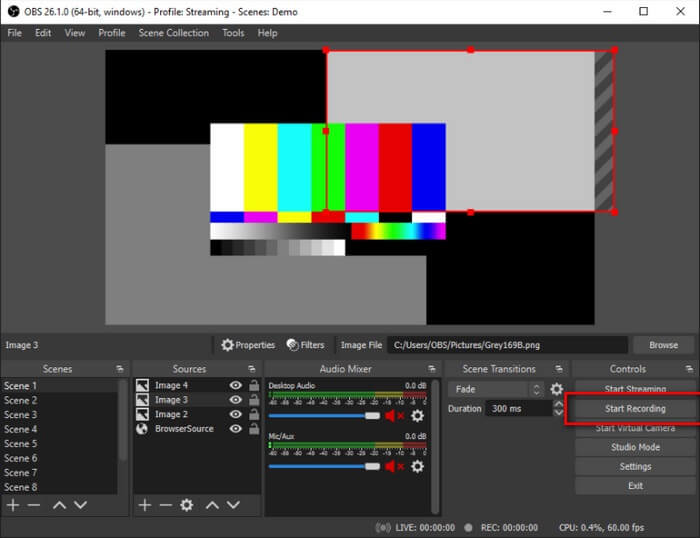
Maybe you're thinking that we forgot the Mac users. This FLV recorder for Mac is one of the powerful recorders in the list because you can do streaming also in here. Despite its amazing feature the tool itself is a bit intimidating especially if you are new to recording. Because there is a lot going on the interface when you open the tool.
第 3 部分。 关于 FLV 录像机的常见问题解答
FLV 文件,将其下载到我的 PC 上是否安全?
实际上,当涉及到安全性时,这不是我们谈论的文件。 FLV 文件嵌入到视频共享站点,所以您的问题应该是,我如何确定我从站点下载的视频是否没有恶意软件?为您的 PC 使用 Safeguard。您可以在网上找到大量软件防御者和扫描仪。但文件本身是安全的。除非他们将恶意软件放入其中,否则它是安全的。
什么程序可以打开FLV文件?
There are a lot of media players out there, but what I recommend is VLC player. This player is versatile and can play almost all file formats. Regardless if it's uncompressed or compressed. Click here to get more popular FLV players.
FLV 文件的优点是什么?
FLV 的第一个主要优势是它能够以小尺寸制作高质量视频。从本质上讲,该文件是灵活的。为什么?即使使用在线转换器,您也可以轻松地将此文件转换为不同的格式。
第 4 部分。 比较图表
| 特征 | FVC 屏幕录像机 | FVC免费屏幕录像 | VLC媒体播放器 | OBS工作室 |
| 屏幕录影大师 |  | | | |
| 录音机 | | | | |
| 支持FLV | | | | |
| 多媒体播放器 |  | | | |
| 可调比特率和帧率 | | | | |
结论
列出的所有工具都有助于录制 FLV 视频并尽可能制作出最佳视频质量。另外,如果您不确定使用哪种工具,您可以参考所写的比较图表。但在列出的 FLV 录音机中。由于其窗口锁定功能,FVC Screen Recorder 具有更大的优势。
-
 2021 年最有用的 OGG 录音机 [免费和在线]
 这篇文章讨论了帮助您进行 OGG 录音的最佳 OGG 录音工具。要为用户添加更多详细信息,请继续阅读。
-
 适用于 PC 和 Mac 的前 5 名最佳 M4B 录音软件 [免费和付费]
 M4B 录音为 MPEG-4 有声书文件进行有损压缩。在某些方面,M4A 和 M4B 几乎是通用的,但它们也有区别。要知道它是什么,请阅读文章。
-
 适用于所有操作系统的前 5 名最佳 AMR 记录器工具
 想知道什么是 AMR 格式,以及您应该选择的最佳 AMR 录音机是什么,以提供出色的录音效果。
