


 视频转换大师
 屏幕录影大师
 视频修复
视频修复
 安全下载
安全下载兼容 Windows 和 Mac 计算机的最佳 MOV 记录器列表
MOV 文件是由 QuickTime Movie 生成的。一般来说,所有苹果设备都会生成这种文件扩展名。与 MP4 相比,这两种格式都是有损的,这意味着格式经过压缩和裁剪,从而减小文件大小,这对大多数设备来说是有利的。此外,多款视频播放器都支持这种文件扩展名,其中包括 iTunes、QuickTime、VLC、Elmedia Player 和 Windows Media Player。鉴于这种格式具有较高的视频输出质量且非常普及,你也许会考虑使用它来代替其他格式。与此同时,如果你也想获得这种文件,下面是一些最好的.mov 录制工具。

第 1 部分。 FVC 屏幕录像机 - 适用于您的计算机的最佳 MOV 录像机
特色功能: 这款工具专为追求完美而设计。视频和音频质量均为无损。
录制时锁定您的窗口并执行您需要的操作。这个惊人的应用程序可以引导您记录某个窗口,而不会被其他任务打扰。除此之外,它还具有先进的实时编码技术,可产生高清质量的图像和声音。最重要的是,捕获的视频是 WMV、MOV 和 TS、GIF 和 MP4。立即尝试 FVC Screen Recorder 来制作生动的视频!同时,这里是如何使用这个工具的。
步骤 1. 访问 FVC Screen Recorder 官方网站。点击下载按钮并启动应用程序。
步骤 2. 在主界面中选择视频录制模式,随后会出现视频录制界面。更改画面尺寸并根据你要录制的区域进行调整。
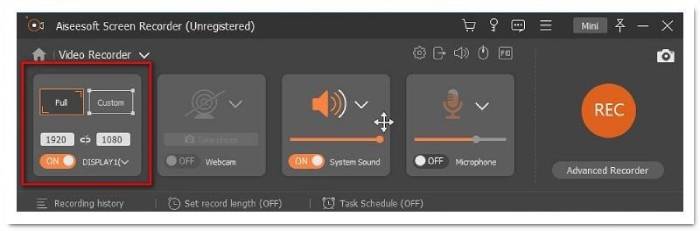
步骤 3. 点击REC按钮开始录制。
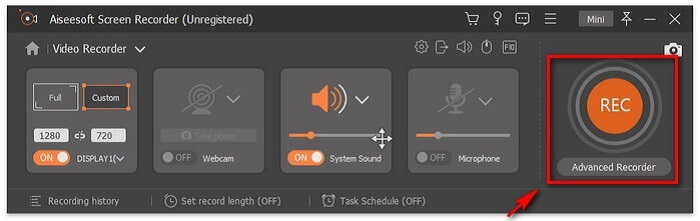
步骤 4. 录制完成后,勾选方形按钮以停止录制。

步骤 5. 点击停止按钮后,你会看到另一个窗口,在那里你可以选择保存文件或重新录制。
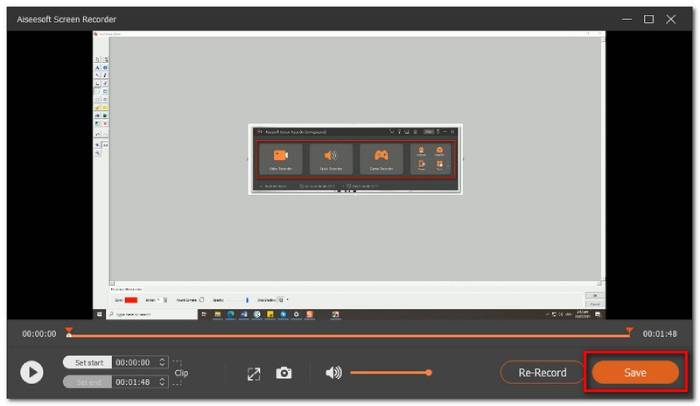
要检查预览,请单击“录音历史”,然后从那里播放录音。
第 2 部分。 其他 4 款最佳免费 MOV 录像机
1. FVC 免费屏幕录像机
特色功能:
如果你在寻找一款更实用的工具,可以把它作为备选之一。FVC Free Screen Recorder 是你可以考虑使用的最佳替代方案之一。事实上,你无需注册就能使用它。该工具在保存时也可以生成 MOV 文件。你可以自定义录制区域大小、参数设置,甚至在录制后对视频进行编辑。该工具运行流畅、界面直观,即使是新手也能轻松上手。另外,关于如何在电脑上录制 .mov 格式视频的步骤也非常简单。请参照下文。
步骤 1. 访问 FVC Free Screen Recorder 官方页面。
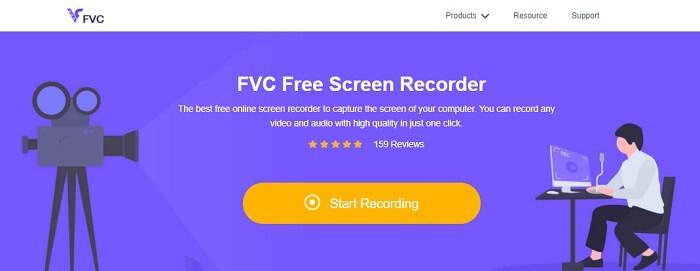
步骤 2. 启动应用程序并授予必要的权限。
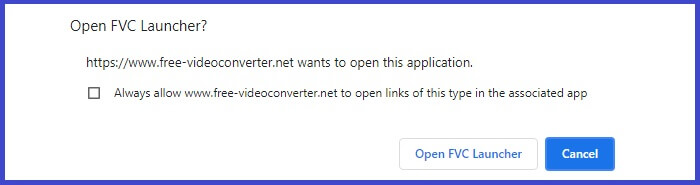
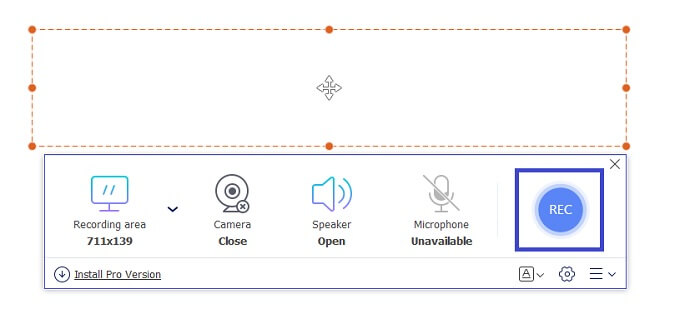
步骤 3. 调整要录制的区域。点击REC按钮开始录制,录制随即开始。
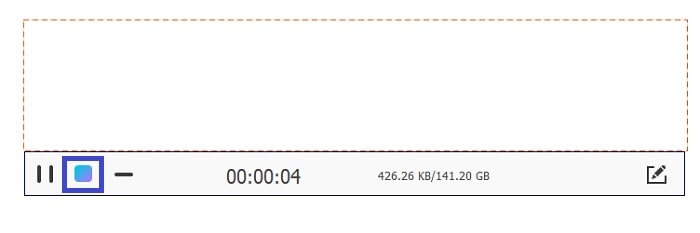
步骤 4. 完成后,点击蓝色方形按钮结束录制。
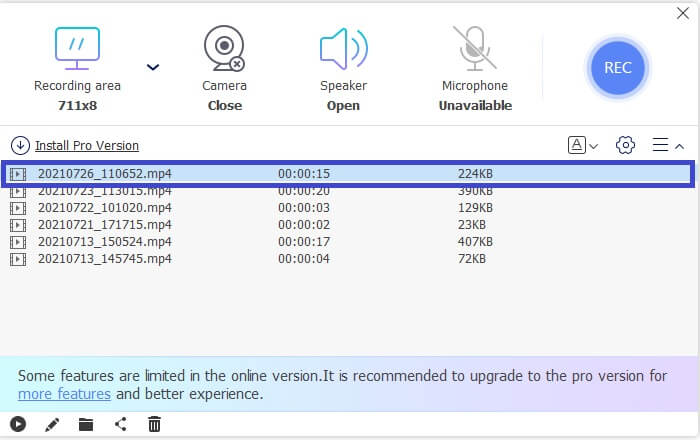
步骤 5. 要查看录制内容,请在浮动工具栏界面中央的列表中查找。
优点
- 无损音频质量输出。
- 可调整的比特率。
- 可调帧率。
缺点
- 没有锁窗功能。
- 没有视频编辑功能。
2. 屏幕流
ScreenFlow 是一款专为 macOS 操作系统设计的截屏编辑软件。这使您可以捕获计算机屏幕和音频。该工具的最新版本包括对 iPhone、iPad touch 或 iPad 的支持。事实上,Mac Word 一个致力于对最佳软件进行排名的网站,将 Screen flow 标记为编辑的选择,并因此获得了奖项。因此,如果您想知道这是否是一个值得考虑的工具,是的,它是最好的工具之一!
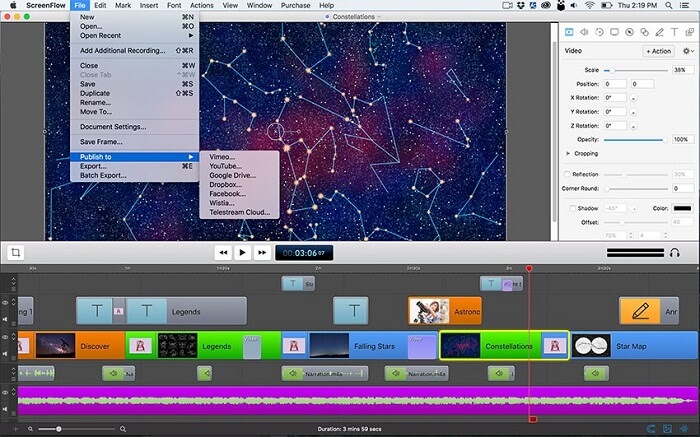
优点
- 多任务工具。
- 可定制的标题库和音频过滤器。
- 直接在社交媒体平台上发布。
缺点
- 付费应用。
3.OBS工作室
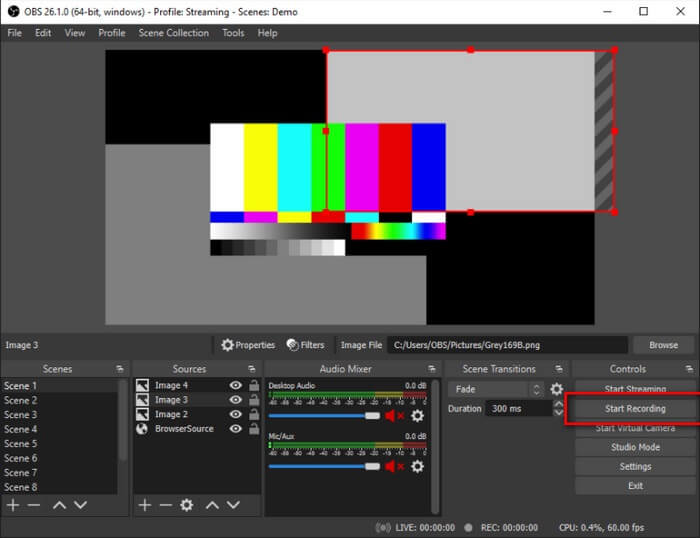
我们的下一个选择是 OBS 工作室。可以肯定地说,这是最受欢迎的之一。尤其是对于游戏玩家。原因是因为该工具的多任务能力。它对直播主播和视频教程制作者非常有用,因为它可以同时录制屏幕和音频。这不用担心视频输出。无论您是多任务处理,结果都会令人满意。值得一试。
优点
- 流媒体和录制工具。
- 可以在设备之间镜像的同时进行录制。
- 无损视频质量输出。
缺点
- 付费应用程序。
- 使用复杂。
- 不适合初学者。
4. 艾兹维德
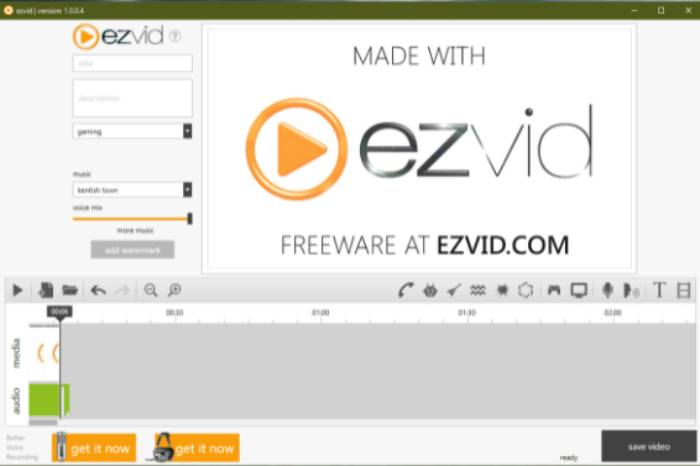
最后我们有 Ezvid。一家位于洛杉矶的公司,通过网络提供一些最好的软件。 Ezvid 是一个很棒的视频编辑工具、屏幕录像机和即时幻灯片制作工具。它易于导航,可在 Windows XP3、7、8 和 10 上下载。使用此工具可以注意的一件事是该工具的优雅和革命性功能。所以它值得在我们的名单上占有一席之地。
优点
- 受 Windows Xp3、7、8 和 10 支持。
- 幻灯片制作器。
- 包括免费音乐。
缺点
- 缺少间歇捕获编解码器。
第 3 部分。 比较图表
看到文章中写的所有信息可能有点不知所措。这就是为什么我们创建了一个表格,您可以在其中比较并查看哪些工具可以在选择或付款之前带来最大收益。希望这会有所帮助。
| 特征 | FVC 屏幕录像机高级版 | FVC 屏幕录像机免费 | 屏幕流 | OBS 工作室 | EZVID |
| 将截屏视频保存到您的硬盘 |  | | | | |
| 视频托管 |  | | | | |
| 即时分享 | | | | | |
| 同时录制电脑音视频 | | | | | |
| 录下你的声音 | | | | | |
| 可调屏幕比例 | | | | | |
| 视频编辑工具 | | | | | |
第 4 部分。 关于 MOV Recorder 的常见问题
MOV 文件比 MP4 大吗?
一般来说,是的。MOV 比 MP4 更大。如前文所述,.mov 和 .mp4 一样都是压缩格式,但两者在文件大小上存在差异。如果你想把 MP4 转换为 MOV,点击此处继续阅读。
Windows Media Player 是否支持 MOV 文件?
你这个问题的答案是肯定的,但前提是你使用的是 12.0 版本的 WMP。如果不是,则无法播放,除非你下载像 VLC 这样的第三方 MOV 媒体播放器。
转换 MOV 文件格式的最佳工具是什么?
网上有大量转换工具可供选择。你可以尝试FVC Free Online Video Converter、Convertio、Zamzar、Online Converter、Clipconverter 和 CloudConvert。
结论
总而言之,屏幕录像机是这一代人最重要的工具之一,因为它具有多种用途,例如用于教育、工作和其他各个领域。它使我们能够以最全面的方式以最有效的方式捕捉重要事件并记录材料。幸运的是,我们有几个软件,如 FVC Screen Recorder Premium、FVC Screen Recorder Free、ScreenFlow、OBS Studio 和 EZVID,每个都是 MOV 文件格式的最佳记录器。他们肯定可以满足并改善您在线捕捉实时时刻的体验。
-
 QuickTime屏幕录制–在Mac和PC上录制带有音频的视频
 在Mac上带有音频的录制屏幕会派上用场。内置播放器QuickTime Player可以做到。阅读他的文章,并了解如何在Mac和PC上用声音捕获屏幕。
-
 DU Recorder Review 2021:安全&价格&功能&使用&评级
 DU Recorder是适用于iPhone和Android的屏幕和音频记录器。值得下载吗?安全吗?阅读完整的评论,看看该应用程序是否适合您。
-
 Movavi屏幕录像机评论–优点/缺点/价格/教程/替代
 这是Movavi屏幕录像机的完整评测。您可以知道Movavi屏幕录像机在屏幕录像方面是否做得很好。此外,您可以免费获得没有水印的屏幕捕获方法。
