


 视频转换大师
 屏幕录影大师
 视频修复
视频修复详细了解适用于 PC 的 5 款最佳视频编辑器并进行比较
如今,很多人都喜欢用视频记录美好瞬间,而且大部分人还会用视频来赚钱。像视频博主和网红,他们经常拍摄自己在做什么、日常生活等内容给粉丝看,同时也借此获得比其他网红或博主更高的人气。如果你也想成为一名热爱拍摄自我视频的博主或网红,那你就必须考虑使用一款优秀的Windows 10 视频编辑器,来增强和打造令人印象深刻的视频,从而获得更多点赞、观看量、订阅者,并在长远来看实现盈利。所以,在开始之前,我们先恭喜你,因为你已经迈出了成为成功视频博主或网红的第一步。不过,选择正确的工具是你将要面对的关键环节之一。因此,我们在下文为你整理并推荐了多款行之有效的视频编辑器供你选择。

第 1 部分。 在线和离线前 5 名 Windows 视频编辑器
顶部 1. Video Converter Ultimate
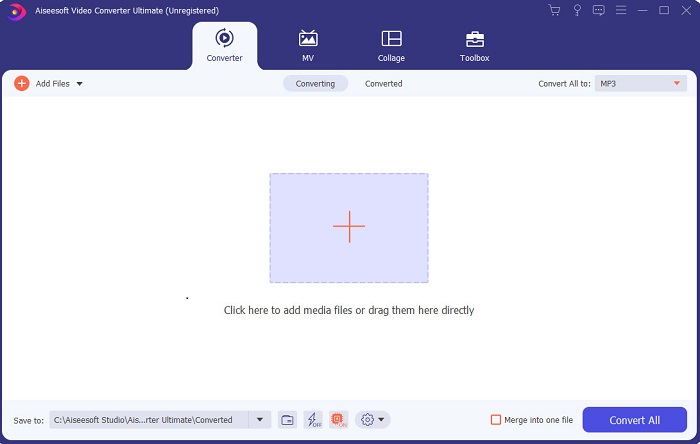
如果你想占得先机,剪出和你偶像一样优秀的视频,那么就使用 FVC Video Converter Ultimate 吧。这款转换器兼具 Windows 视频编辑器 的功能,已经帮助许多用户在全球范围内走红,也许下一个就是你。许多知名网红、视频博主和视频剪辑师都将它作为剪辑、增强、提效等多用途工具。所以,如果你想做出像偶像一样专业的成片,并真正从中赚到钱,那就必须立刻下载这款软件,成为新的网络红人,同时也成为更好的自己。我们还为你整理了该工具的优缺点,方便你更深入地了解它。
优点
- 对于初学者来说,这个工具是他们的正确选择。因为它提供了简单的说明供您遵循且更易于理解。基本上,它是在点上。
- 对于专业人士来说,不同于其他任何 PC视频编辑器 这个工具有很多未来的功能。例如,如果您想提高音频质量并增强视频效果,则可以使用此工具。此外,如果您的音频未与视频同步,它具有音频同步功能来修复它。
- 总的来说,这是您可以依赖的非凡转换器和编辑器。特别是如果您想以惊人的方式进入视频博主和影响者的世界。
- 编辑器软件是可下载的,并且没有具有与此相同功能的编辑器工具。
缺点
- 该工具不是免费的,但价格低廉。换句话说,它很便宜并且可以产生高质量的输出。
顶部 2. Windows Movie Maker
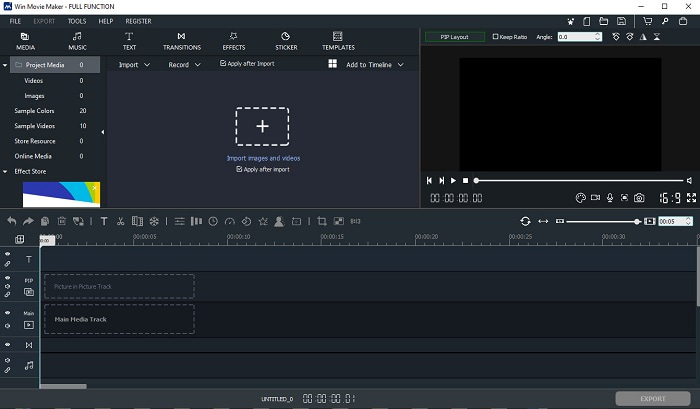
这款适用于 Windows 7、8、10 和 XP 的视频编辑器在创作和剪辑方面表现出色。Windows Movie Maker 已经被很多用户下载用来剪辑自己的视频,因为它提供了较为复杂的剪辑功能。不过,对刚开始做视频剪辑的新手来说,这款工具会显得有些过于复杂。如果你是专业人士,或者说有一定剪辑经验,那么非常值得一试。该工具有付费高级版,与免费版在功能上非常相似,但导出的视频不会带有水印。
优点
- 对于初学者来说,这个工具并不理想,但它可以进行复杂的编辑。
- 对于专业人士,如果您有经验,这里介绍的功能是可行的。
- 它提供过渡、效果和贴纸等。
缺点
- 由于您可以在此处执行工具功能,因此该工具有点令人不安。此外,它是压倒性的,并且没有关于如何操作它的说明。
- 如果您使用此工具的免费版本,则希望在导出视频后在视频本身上带有水印。
顶部 3. OpenShot
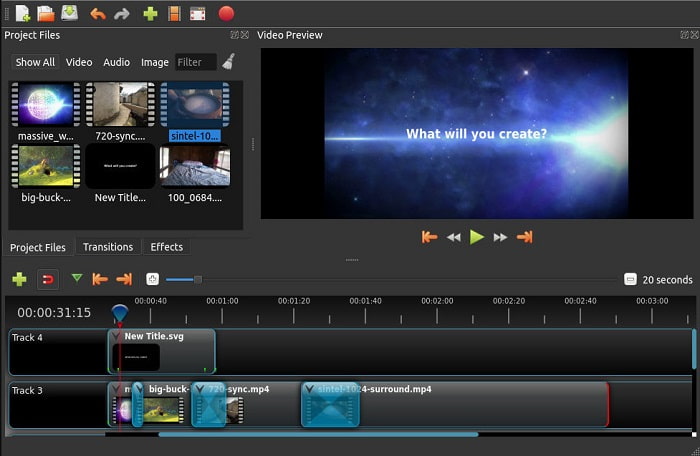
另一款无水印的免费视频剪辑软件是 Openshot。它提供的功能比 Windows Movie Maker 更简单易懂。此外,安装完成后,软件会带你简单浏览各项功能,虽然有讲解,但只涵盖了基础功能。这也意味着它只提供基本的剪辑功能,你难以发挥太多创意。另外,这款工具的界面是单色调的,看上去略显单调、乏味。
优点
- 对于初学者来说,这是一个更简单的 Windows Movie Maker 版本。您可以添加效果、过渡等。
- 对于专业人士来说,他们可以使用它,但它不是最好的。
- 如果软件带有简单的编辑功能,则可以。
缺点
- 无法改变它无聊的界面,而且交互性较差。
- 即使在更新之后,这里仍然存在一些主要和次要错误。
顶部 4. Lightworks
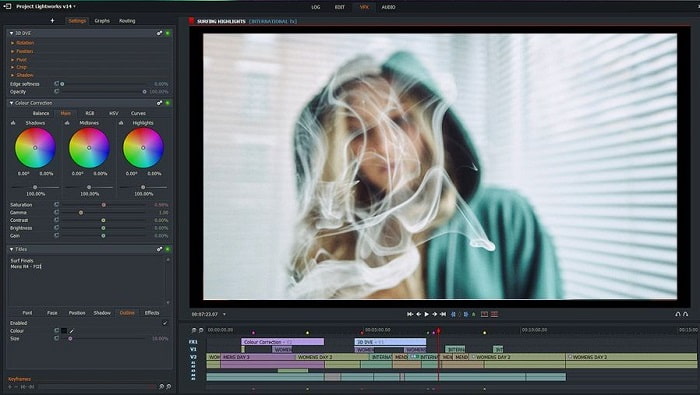
Lightworks 是一款免费的 Windows 视频编辑器,同时也提供付费高级版。不过,当我们尝试下载安装时,系统提示 .exe 文件可能会损害电脑,因此我们并未继续安装,而是对这款工具进行了深入的资料调查。如果你把这款工具安装到电脑中,使用前需要先注册账号。它所提供的剪辑功能非常多,新手上手会比较吃力,对专业用户来说也略有难度。但不用太担心,通过反复尝试你依然可以掌握它的使用方法。
优点
- 对于初学者来说,这个工具太复杂了,处理起来可能太多了。特别是如果您想尝试只进行简单的编辑。
- 对于专业人士,您可以使用此工具提供的实时编辑功能。虽然有些功能是新的,而且大部分都是付费的。
- 该工具的整体性能在编辑和制作视频方面被归类为 A 级。
缺点
- 如果您想获得 1080 像素的输出,则必须购买该工具。甚至在您甚至可以使用它之前,您都需要注册。
- 该软件包含有害的 .exe 文件,因此请自行承担下载风险。
前 5. ClipChamp
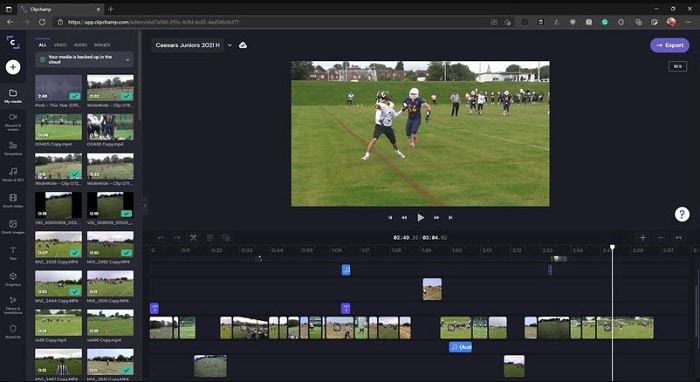
这是一款在线工具,如果升级套餐就能解锁更多功能。同时,它也是你无需下载安装软件就可以直接剪辑视频的便捷工具之一。Clipchamp 使用体验良好,但你需要先注册才能使用。这款在线的Windows 10 视频编辑器在功能上与 Lightworks 相似,只不过它是基于网页的。然而,需要注意的是,如果你在这里导入视频进行编辑,导入过程可能会比较缓慢。不过,它的优势在于你无需下载软件即可使用。
优点
- 对于初学者来说,这个工具是必须尝试的,但在这里编辑和插入视频的过程有点慢。
- 对于专业人士来说,使用和编辑资源有限的简单视频是可以的。
- 总的来说,该工具比 Windows Movie Maker 更容易理解。
缺点
- 互联网依赖,这意味着如果您的互联网速度较慢,那么预计过程会不稳定。
- 在您甚至可以使用网络工具之前需要一个注册表。
第 2 部分。 适用于 Windows 的 5 个视频编辑器的比较图表
| 特征 | 视频转换大师 | 视窗电影制作 | 开枪 | 灯饰 | 剪辑冠军 |
| 视频编辑,如修剪、剪切、合并等。 |  | | | | |
| 视频增强器 | |  | | | |
| 水印 | | | | | |
| 支持的程序 | 基于桌面的工具 | 基于桌面的工具 | 基于桌面的工具 | 基于网络的工具 | 基于网络的工具 |
| 价格范围 | 1个月:$25.00 一年:$31.20 | $39.95 一次性付款 | 免费但你可以捐赠 | QScan Pro QScan Pro – 每月订阅激活 $59.99 | 创作者- $9/月 商务- $19/月 |
| 终身许可证:$55.20 | QScan Max QScan Max – 每月订阅激活 $119.99 | 商务白金 – $39/月 |
第 3 部分。 有关 Windows 视频编辑器的常见问题解答
我可以使用的最好的 Mac 视频编辑器是什么?
虽然这里介绍的工具基本都是 Windows 系统的视频编辑器,除了 Video Converter Ultimate 以外。如果你想了解其他 Mac 平台的视频编辑器,请点击此链接,从列表中进行选择。
为什么我的视频不能在 Android 上播放?
导致 Android 手机上视频无法播放的原因有很多。想要快速解决问题,就必须先弄清原因,然后根据教程一步步排查。你可以阅读《如何修复 Android 手机上无法播放的视频》来了解详情。
如何压缩我的长视频并在 YouTube 上分享?
目前你最多可以上传 256 大小的文件,因此最好的解决方法就是对视频进行压缩。如果你想在 YouTube 上分享视频,那就一起来学习如何压缩视频文件并发布到 YouTube。
结论
在你成为自己一直仰慕的视频博主或网红之前,你需要具备独立完成剪辑的能力。现在,就是你使用这款拥有“电影级剪辑功能和画质”的神奇编辑器的机会。通过它,你可以惊艳你的观众、粉丝,甚至是你自己。让自己像钻石一样闪耀,让光芒照亮你成功的道路,而这一切,将从 FVC Video Converter Ultimate 开始。
-
 2025 年适用于 Windows 和 Mac 的最佳 MP4 编辑器
 无论您是使用计算机进行 MP4 视频编辑还是只是在手机上工作,您都可以在这里找到一些不错的选择,包括适用于 Windows 和 Mac 的最佳 MP4 编辑器。
-
 如何在计算机/电话上免费向视频添加音频和音乐
 本文介绍了4种免费的免费向视频添加音频的简便方法。无论您要将哪种音轨添加到视频中,都可以在这里获得满意的结果。
-
 如何在线剪切和合并歌曲——您应该知道的 4 种最佳方法
 当您想在线剪切和合并歌曲以创建一段音乐时,您可以从文章中详细了解 4 种最佳在线工具来剪辑歌曲和合并文件。
