


 視頻轉換大師
 屏幕錄影大師
 影片修復
影片修復
 安全下載
安全下載如何在 Xbox One 上播放音樂:玩遊戲時還是播放 CD 上的音樂
遊戲場景的恢弘氣勢是否讓你的腦海裡縈繞著激昂的音樂?雖然許多 Xbox 遊戲都有著出色的配樂,但我們相信每個人都有自己喜愛的歌曲清單。誰不想在取得勝利或沉浸式體驗時擁有完美的配樂呢?
幸運的是,我們確實有方法可以在 Xbox One 播放音樂!你可以嘗試在 Apple Music、Spotify 和 Pandora 等平台上聽歌,甚至在玩遊戲時播放 CD 裡的音樂。這一切都不難——我們已經為你準備了最詳細的操作說明,還會為你推薦最好用的多媒體播放器。

第 1 部分:如何在 Xbox One 遊戲時播放音樂
你能在 Xbox One 上播放音樂嗎?好消息是,Xbox One 已經支援用戶在該平台上播放音樂。我們為你準備了三種方案,讓你可以透過不同的平台播放歌曲。你可以根據實際需求選擇。
使用音樂應用程式
你需要謹慎選擇支援此操作的音樂軟體,例如 Groove、Pandora、VLC Media Player、iHeartRatio、Spotify、SoundCloud 等等。這些都可以在 Xbox One 的應用程式商店中找到。
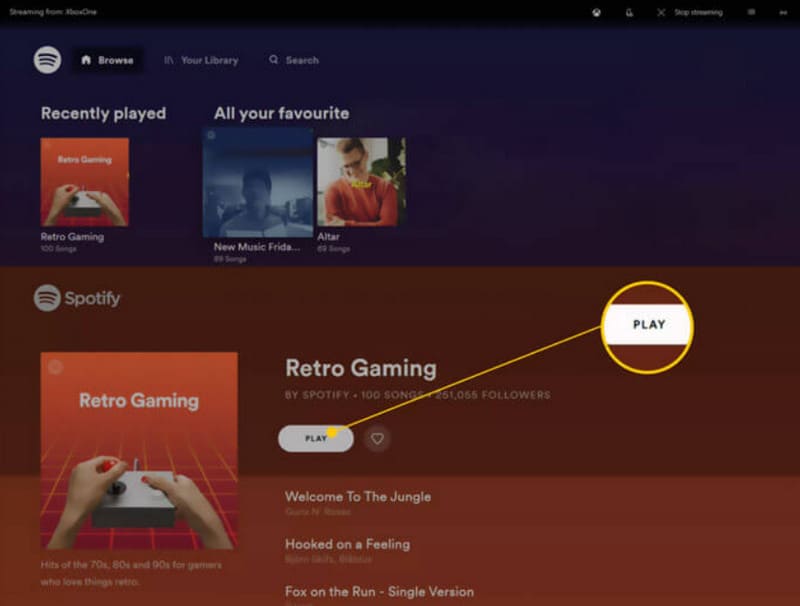
以下是如何在玩遊戲時使用音樂應用程式在 Xbox One 上播放音樂。
步驟 1:開啟 Xbox One。前往 Xbox 商店並下載音樂應用程式,例如 Spotify 或 Pandora。
步驟 2:開啟音樂應用程式,使用你的帳戶登入。
步驟 3:播放你想聽的音樂。然後開始玩遊戲。音樂會在背景中持續播放。
如果你已經準備好了想要播放的音樂檔案,我們建議使用專業播放器——Aiseesoft Blu-ray Player。無論你的音樂是存放在 DVD、藍光光碟,還是連接到 Xbox One 的電腦本機上,這款多功能播放器都能幫上忙!了解它之後,再用最理想的方式呈現你的影音體驗。
Aiseesoft 藍光播放器支援幾乎所有流行格式。如果您想收聽多首音樂,可以在這個平台上建立播放清單。您也可以設定參數來調整音訊的播放效果。
以下是使用 Aiseesoft Blu-ray Player 玩遊戲時在 Xbox One 上播放音樂的方法。
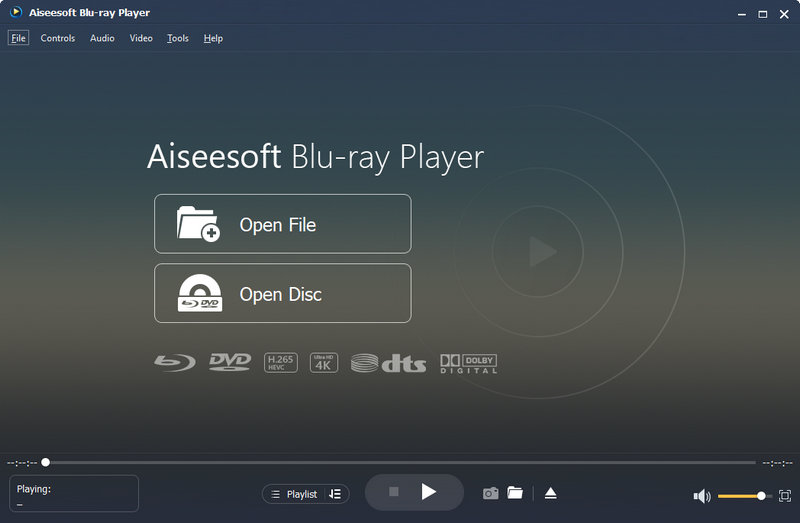
步驟 1:在你的裝置上下載並安裝 Aiseesoft Blu-ray Player。點擊 Open File(開啟檔案),瀏覽並選擇你要播放的音訊。
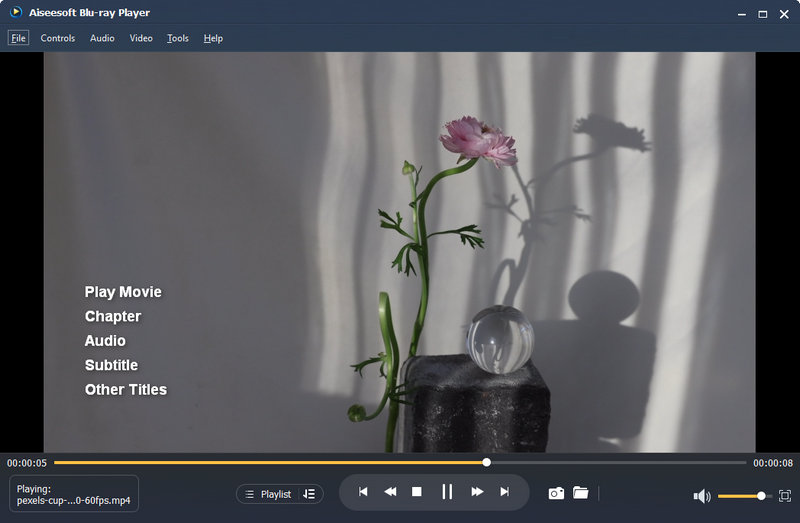
步驟 2:程式會載入所選音訊並開始播放。在介面上,你可以調整音量或進行播放控制。
播放 USB 或外部裝置的音樂
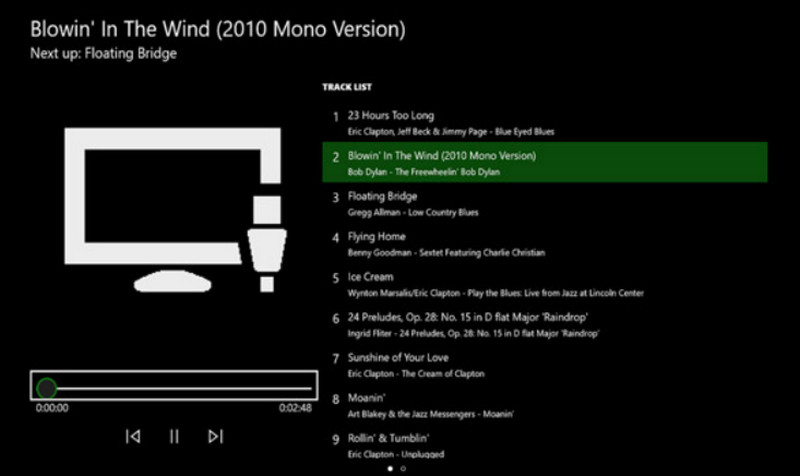
Xbox One 應用程式商店中有一款名為「簡單背景音樂播放器」的工具。這款工具可讓你透過 USB 隨身碟在 Xbox One 上播放音樂。
以下是如何應用此方法。
步驟 1:首先,將你的 USB 隨身碟格式化為 FAT32 或 NTFS。接著開啟它,並建立一個名為 Xbox One Library 的新資料夾。
步驟 2:把你想聽的歌曲加入 Xbox One Library 資料夾。音訊格式需為 MP3、WMA、FLAC 或 AAC。
如果你的音訊是其他格式,例如 WAV,請先將 WAV 轉成 MP3 再播放。
步驟 3:從 Xbox 商店下載 Simple Background Music Player。安裝完成後先將它關閉。
步驟 4:將 USB 裝置插入 Xbox One。現在,開啟 Simple Background Music Player。
步驟 5:按下 Xbox 控制器上的 Y 鍵,你的音樂檔案就會開始播放。
第 2 部分:如何在 Xbox One 上播放音樂 CD
你能在 Xbox One 上播放音樂 CD 嗎
購買了“最愛專輯”CD,我可以在我的 Xbox One 上播放其中的內容嗎?當然可以。您需要透過其他工具(例如 Groove Music)在 Xbox One 上讀取 CD 中的內容。這些工具可在 App Store 下載。
如何在 Xbox One 上播放 CD
步驟 1:確認你的 Xbox One 光碟機是空的。先退出光碟,再插入你想播放的 CD。
步驟 2:如果你的 Xbox One 尚未安裝 Groove Music,系統會帶你前往應用程式商店,然後在裝置上下載。
如果已經安裝好,當你插入 CD 時,它會自動啟動。
步驟 3:選擇 Launch(啟動),開啟音樂應用程式。點擊 My Music(我的音樂)。
步驟 4:現在選擇 Audio CD,再點擊 Play all(全部播放)。
第3部分。 Spotify無法在Xbox One上播放:修復
Spotify Xbox One 無法播放音樂?許多用戶也遇到了同樣的問題。我們已調查此問題的原因,並建議嘗試以下解決方案。
• 檢查網路連接
如果您目前的網路速度太慢或連線不穩定,Spotify 播放音樂時可能會出錯。您可以嘗試其他 WiFi 或數據網路連線。
• 清除 Xbox One 快取
快取過多可能會導致系統出現各種故障。您可以嘗試定期清除快取。按住 Xbox One 的電源按鈕,直到裝置關閉。然後,拔掉電源線。等待十秒鐘,然後重新開啟。
• 重新啟動或更新 Xbox 和 Spotify
重新啟動設備或應用是修復臨時故障的最快方法。請先關閉 Spotify,然後重新啟動 Xbox One。然後,嘗試再次播放音樂。如果應用程式有新版本,請更新。
• 重新安裝 Spotify。
前往 Xbox One 上的「我的遊戲和應用程式」選單。選擇“查看全部”。在那裡找到 Spotify,然後點擊「卸載」。然後前往應用程式商店重新下載。
如果以上方法都無法解決您的問題,請嘗試聯絡 Spotify 或 Xbox One 技術支援團隊。
第4部分。在Xbox One上播放音樂的常見問題解答
你能在 Xbox One 上播放音樂嗎?
可以的。你可以透過 Xbox 應用程式商店取得 Spotify 或 Pandora 等音樂應用程式。然後在這些 Xbox One 的音樂播放器上尋找並播放你最喜愛的歌曲。
哪些音樂應用程式可與 Xbox 搭配使用?
Spotify、Apple Music、Pandora、Amazon Music、SoundCloud、Vevo、Dolby Access 和 Tuneln Ratio 是目前與 Xbox One 相容的音樂應用程式。
你能在 Xbox One 上播放 Apple Music 嗎?
是的,可以。自 2022 年起,用戶可以從 Xbox 應用程式商店取得 Apple Music。他們可以將其下載到自己的設備並播放自己喜歡的歌曲。
結論
在 Xbox One 播放音樂 完全沒有問題。無論你是透過音樂 App 聽歌,還是從 USB 隨身碟、CD 等裝置播放歌曲,我們都已為你整理好操作方式。希望這裡的內容能幫到你。立刻動手試試,讓你的遊戲旅程更加精彩。
-
 在不同平台上欣賞音樂文件的十大音樂播放器應用
 要在計算機和移動設備上順利收聽您最喜歡的歌曲和專輯,您可以考慮選擇十大最佳音樂播放器應用程序。
-
 7 個 Windows、Mac 和移動設備上的流行音樂標籤編輯器
 音樂標籤很流行,用於根據其中的數據排列音樂庫中的音樂。如果你想改變怎麼辦?閱讀下面的詳細信息以了解更多信息。
-
 如何在 Xbox One S 2025 上轉換 MKV 檔案的有效方法
 探索可以幫助您使用一些最佳轉換器在 Xbox One S 上播放 MKV 文件的方法。
