


 視頻轉換大師
 屏幕錄影大師
 影片修復
影片修復
 安全下載
安全下載通過教程了解有關最佳 M4A 錄音機的更多信息
M4A is a filename extension for audio-only to save a specific format also known as MPEG-4 Audio. This is a great choice for the user online who loves to download a lot of music over the internet and such. Instead of spending a lot of internet data downloading and wasting your time waiting, you may enjoy the downloaded audio format with the same audio output that the mp3 can give you. Although many questions bother you right now. By reading this write-up below will help you to clear your mind and to know what are the best M4A voice recorders for audio recording that supports M4A format with provided steps.

第 1 部分。 適用於 Windows 和 Mac 的最佳在線 M4A 錄音機
FVC免費錄音
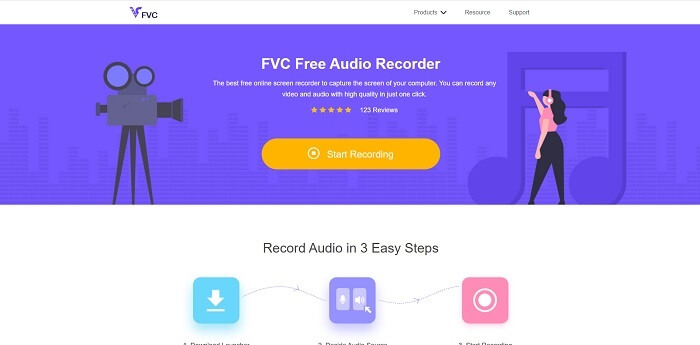
A no-payment tool available over the internet is the FVC Free Audio Recorder. This best online audio recorder tool helps the user to record anywhere with an internet connection. It allows you to record without any cut-back or limitation on different operating systems. You may as well record the audio sound system, microphone to input your voice, or as well both of them at the same time. To explore more about the tools, here are provided steps on how to use the tool.
Step 1. Open this link to proceed to the main website of the tool.
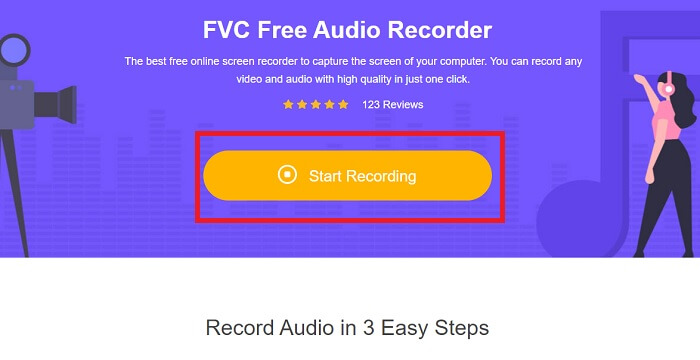
Step 2. launch the tool by clicking Start Recording.
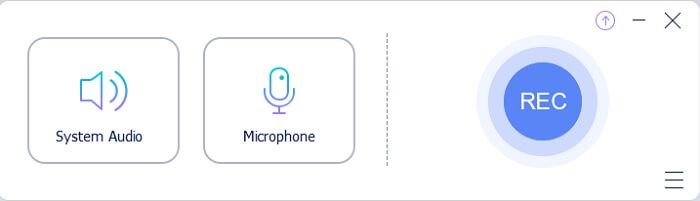
Step 3. And a toolbar like this will show into your screen display.
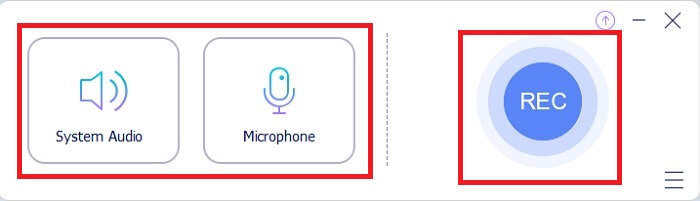
Step 4. Open the Speaker and Microphone to add the audio input. Click the round button to start the recording.
Step 5. If the recording is done, click the Square button to stop. The recording will be automatically saved to your pc.
第 2 部分。 適用於 Windows 和 Mac 的其他 7 種 M4A 錄音機替代品
1. FVC 屏幕錄像機
如果您想在錄製時做更多事情,那麼此工具適合您。 FVC 屏幕錄像機,一種多功能工具,允許用戶以最佳方式捕捉音頻、視頻、遊戲玩法等。如果我們要討論一個更好的支持 M4A 的版本,那麼這就是給你的。這個付費使用的工具不僅用於屏幕錄製,它還使用可以生成 M4A 文件格式的錄音機。不僅如此,它還支持您可能想到的不同平台。所以,不用擔心如果你改變你的平台,你仍然可以使用它。它被網絡上的多個用戶選為他們理想的屏幕錄像機。要了解有關如何使用此工具的更多信息,我們現在應該繼續指導您進行錄音之旅的步驟。
Step 1. Choose what platform you are currently using to download the tool. After downloading it, look at the bottom left side of your web to install it. Adjust the Preference according to your demand and click Finish to start the tool.
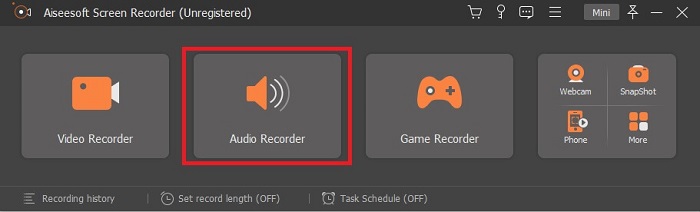
Step 2. A toolbar like this will show on your screen. Click the Audio Recorder to proceed.
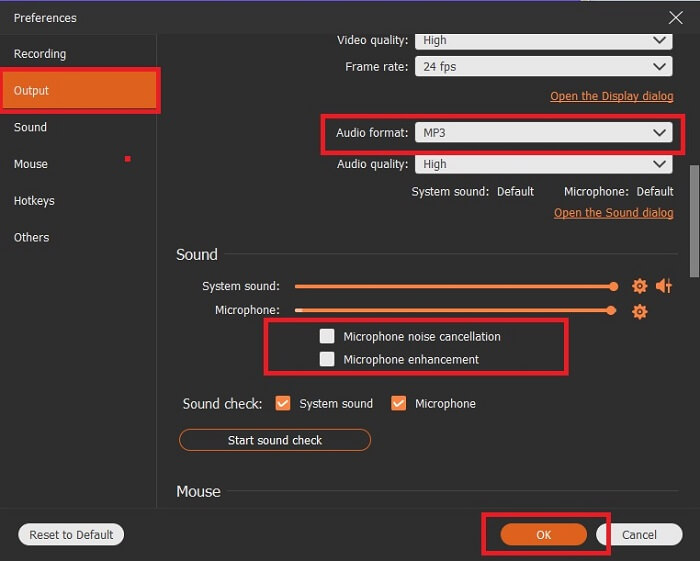
Step 3. In the toolbar you will see a Cog icon in there, then click it. Adjust the Output and Sound Settings of the recording. Click OK to proceed to the next step.
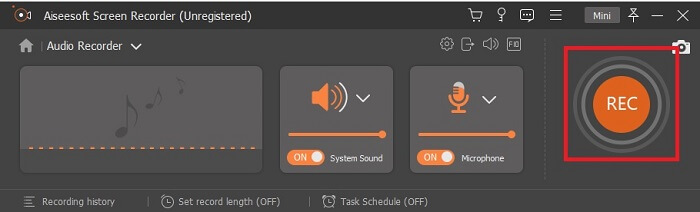
Step 4. Turn On the Speaker to add the audio sound and click the Microphone to add your voice. If this step is finished, click the disk-shaped button to start.Step 4. Turn On the Speaker to add the audio sound and click the Microphone to add your voice. If this step is finished, click the disk-shaped button to start.
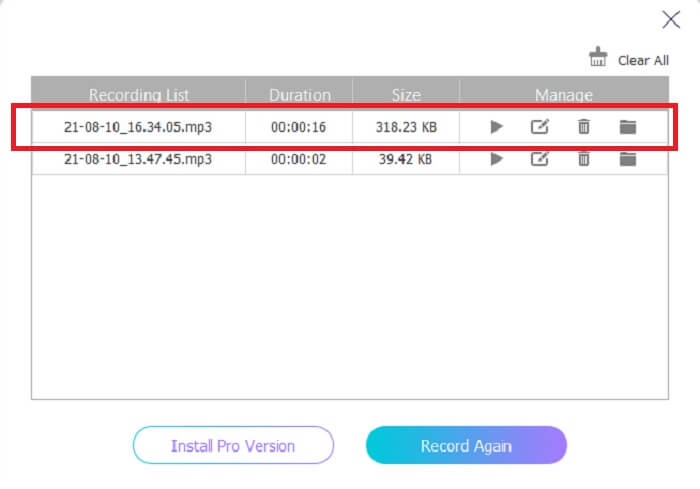
Step 5. If the recording is finished, click the square button to stop, click the Save button, and Next to producing the recordings. Then a list of your recordings will show in the display from the latest and the oldest, click the first recording and enjoy the output format you produce.
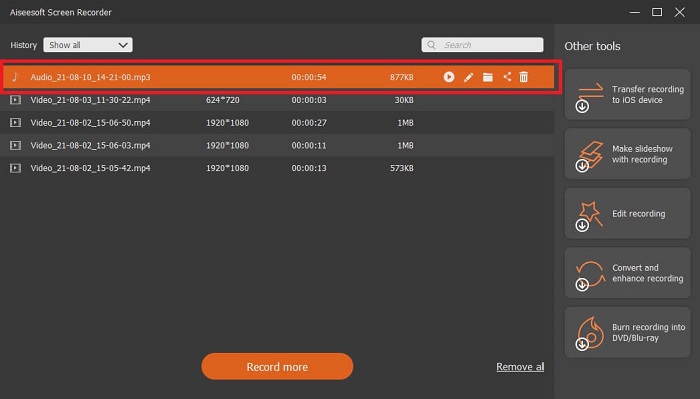
2. 大膽
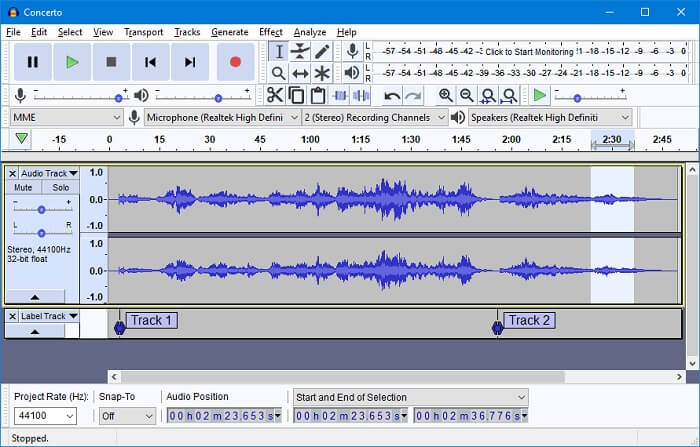
您可以使用的錄音機之一是 Audacity。一個免費的開源可下載工具,允許用戶進行錄音。一些用戶選擇它作為他們的錄音機,因為它的可用性和工作。但這可以輕鬆地排在前 10 名最佳錄音機中。該程序對混合功能的選擇有限。
優點
- 免費和開源。
- 不需要大量的 RAM 來使其工作。
- 提供基本的編輯。
缺點
- 提供基本的編輯。
- 用戶界面對用戶來說並不吸引人。
3. 波浪龍
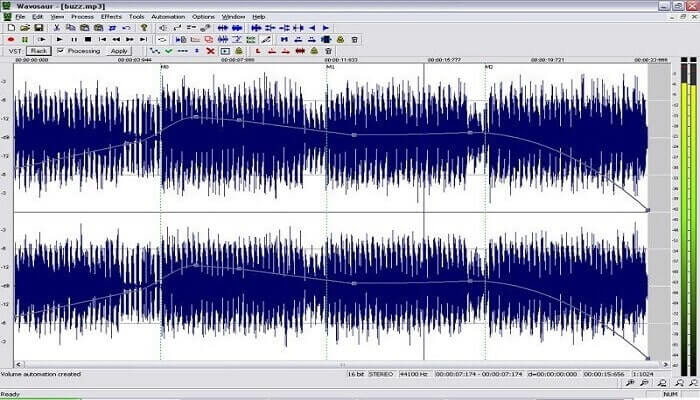
If Audacity is not your go-to choice as your M4A audio recorder you may as well use the Wavosaur. It can edit, mix, and many more. Also, it can be used for making complicated music arrangements. The user interface is a bit old but it is still efficient as an audio recorder.
優點
- 現在有重做功能。
- 免費的聲音編輯器。
- 無損音頻編輯。
缺點
- 它有一個 .exe 可能會損害您的計算機。
- 並非在 Windows 以外的所有平台上都可用。
4. 音響噓
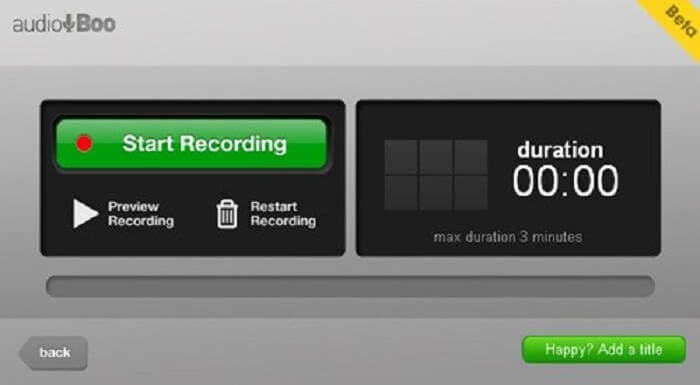
一個移動和基於網絡的平台,允許用戶錄製大約 3 分鐘。如果您正在嘗試錄製簡短的聲音剪輯,則必須使用該工具。 Audio Boo 的新名稱是 Audio Boo 2,因此如果您要下載該工具,則必須卸載舊版本才能安裝新版本。
優點
- 工具中沒有廣告。
- 它可以產生主要的音頻格式。
- 音頻質量還可以。
缺點
- 有限的錄音。
- 該工具無處可尋,因為它已將其名稱更改為“有聲書 2”。
5. Wavepad
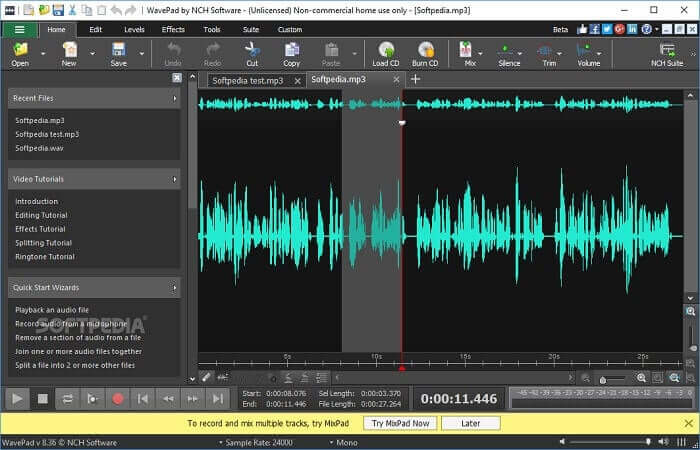
一種允許用戶為您的錄音添加特殊效果的工具。 Wavepad 之所以流行是因為它可以上下平移以及改變錄音的速度。那裡提供音頻編輯功能,但如果您無法理解這些功能及其使用方法,還提供有關如何使用編輯工具的視頻。
優點
- 新用戶易於使用的工具。
- 能夠修剪錄製的音頻並通過插入將其更改為另一個音頻文件。
- 您還可以為多個媒體平台進行畫外音。
缺點
- 不能用作商業廣告。基本上,它不是免費的,但它有一個免費版本。
- 僅用作單個錄音軌道。
6. Adobe 試鏡
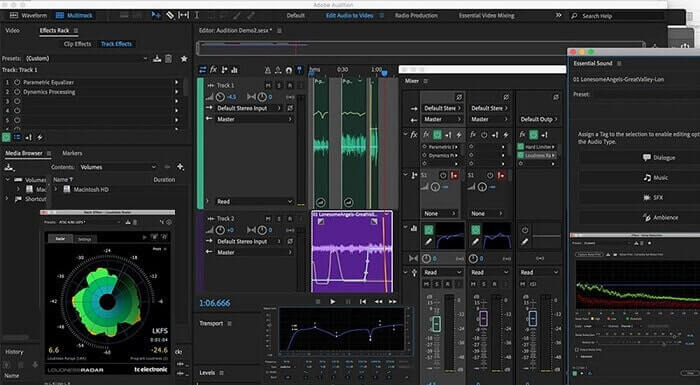
Adobe 可以向用戶提供的主要錄音是 Adobe Audition。它具有在播客中流行的破壞性和非破壞性音頻編輯工具。如果您正在尋找符合標準的專業內容,那麼這適合您。此外,由於 Adobe 為這些工具提供了專門的支持。
優點
- 很好地混合音頻。
- 降噪功能。
- 不同的編輯部分。
缺點
- 沒有音樂製作工具。
- 與其他 adobe 軟件相比,它太貴了。
7. Mixcraft 9
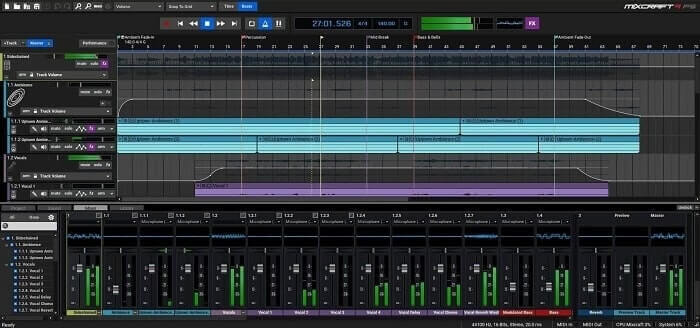
由 Acoustica 開發的專有工具是 Mixcraft 9。網絡上最好的音樂製作錄音機之一。此工具為您提供了各種不同的功能、樂器和效果。它還具有鋼琴捲簾編輯器和其他選項。如果您正在尋找用於製作音樂的錄音,這是另一種選擇。
優點
- 最佳音樂製作。
- 它包括幾乎所有的樂器和插件。
- 輕量級界面。
缺點
- 黑暗界面。所以,有些工具是不可讀的。
- 不是新手的最佳選擇,因為選項太多。
第 3 部分。 比較圖表
| 工具特點 | FVC免費錄音 | FVC 屏幕錄像機 | 大膽 | 波浪龍 | 音頻噓 | 波形墊 | Adobe 試鏡 | 混合工藝 9 |
| 聲音錄製 |  | | | | | | | |
| 編輯工具 |  | | | | | | | |
| 降噪 | | | | | | | | |
| 可用格式 | MP3 和 M4A | MP3、WMA、AAC、M4A、FLAC、OGG、Opus 等等。 | WAV、AIFF 和 MP3 | WAV 和 MP3 | MP3 | AAC、M4A、MP4、DCT | AC-3、M4A、MAT、VOX、W64、WAV 等等 | WMV 和 AVI |
第 4 部分。 有關 M4A 記錄器的常見問題解答
為什麼Android錄音機使用M4A文件?
每個 android 錄音機都使用 .m4a 文件,因為它比 mp3 壓縮得更好。 Android 移動設備,如 LG、華為等。但並非所有機器人都使用這種類型的文件格式。
我可以將 M4A 轉換為其他音頻格式嗎?我應該如何轉換它?
To convert an M4A audio file, you may use this M4A Converter and choose what audio format you like. Open the link and click the launcher of the tool, then choose the desired audio format, like MP3.
為什麼我不能在我的 android 音樂庫中播放我的 M4A 文件?
The main reason why you can't play the M4A audio file. First, it is not supported by your original music player but you may as well use other M4A players.
結論
總結以上細節,每台 M4A 錄音機都有其作為錄音機的獨特功能。其中一些生成 M4A 格式,而有些則不生成。但歸根結底,我們必須選擇我們必須使用的最佳錄音機。因為如果您選擇了一個複雜的工具,它為您提供了許多作為用戶可能不需要的選項,那麼這對您來說將是一件痛苦的事情。但是,如果您選擇了一種簡單的錄製方式來產生相同的音頻格式,那麼您可能會重新考慮它。
FVC Screen Recorder is a multipurpose recorder that you may use now and in the near future. This tool might not be complicated but the audio it will produce is the same as the other can do. Instead of making your life so hard, why don't you use this tool? To make it simple, this is the cheat code for the other tools. So, choose what's the best for you and that best is the FVC Screen Recorder.
-
 適用於Windows和Mac的5大最佳鼠標和鍵盤記錄器
 這是可以保存鼠標移動和鍵盤單擊並重複事件的前五項最佳鼠標和鍵盤記錄器程序。
-
 最受歡迎的4種AVI屏幕錄像機,可將屏幕視頻捕獲為AVI文件
 為了在高質量AVI文件中記錄屏幕,本文確定並分享了本文中排名前4位的免費AVI屏幕記錄器。了解更多詳細信息,以便相應地找到所需的對象。
-
 行動!屏幕錄像機評論–缺點,優點及其最佳替代方案
 Action Screen Recorder 是捕捉遊戲視頻的理想遊戲錄製軟件嗎?只需從評論中了解更多詳細信息,並從文章中了解更多細節。
