


 視頻轉換大師
 屏幕錄影大師
 影片修復
影片修復
 安全下載
安全下載Mac最佳5個免費ISO播放器的評論
你是否正在尋找一個簡單的方法,在 Windows 7 或 Windows 10 電腦上播放 ISO 檔案?哪一款是適用於 Windows 和 Mac 的最佳ISO 播放器?
你可能對 ISO 以及如何播放 ISO 檔案了解不多。其實,ISO 檔案是主要為透過 DVD、CD 或 Blu-ray 播放而設計的壓縮檔案,通常用來建立 DVD 與 CD 光碟的備份。不過,這些 ISO 檔案無法直接用 Windows Media Player 與 QuickTime Player 開啟。因此,非常有必要找到一些解決方案或 ISO 播放器來開啟它們。

本文將分享 5 款優秀的 ISO 多媒體播放器,幫助你在電腦上觀看 ISO 電影。你可以查看每款ISO 播放器的主要功能,再選擇自己偏好的工具來播放 ISO 檔案。
第1部分。適用於Windows PC和Mac的免費ISO播放器-VLC媒體播放器
VLC media player 可以說是最受歡迎的第三方播放工具之一,幾乎支援所有常見的影片與音訊格式。更重要的是,它也能作為 Windows 10/8/7、Mac 和 Linux 電腦上的 ISO 播放器使用。它具備播放 ISO 映像檔、DVD、Blu-ray、VCD 和音樂 CD 的能力。
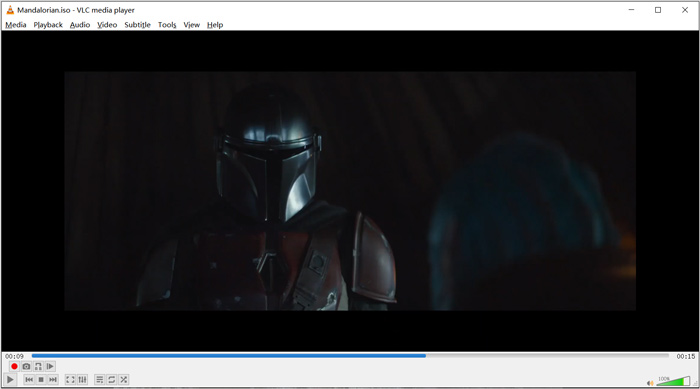
作為開源媒體播放器,VLC允許您下載其他編解碼器以優化視頻和音頻播放。您可以右鍵單擊ISO文件,然後選擇VLC作為播放器。另外,您可以直接拖放以播放ISO視頻。
第2部分。適用於Windows和Mac的藍光ISO播放器-Aiseesoft藍光播放器
Aiseesoft Blu-ray Player 是一款功能完整的 Blu-ray 與 DVD ISO 檔案播放工具。它高度支援各種 Blu-ray 光碟、Blu-ray 資料夾、DVD、CD 以及 ISO 映像檔。這款 ISO 播放器同時相容於 Windows 10/8/7/XP/Vista 電腦與 Mac。它可以以真正的 HD 視覺效果播放 ISO 檔案、Blu-ray 和 DVD 光碟。更進一步地,它還能流暢、無損地播放採用 H.265/HEVC 編碼的 4K 影片。
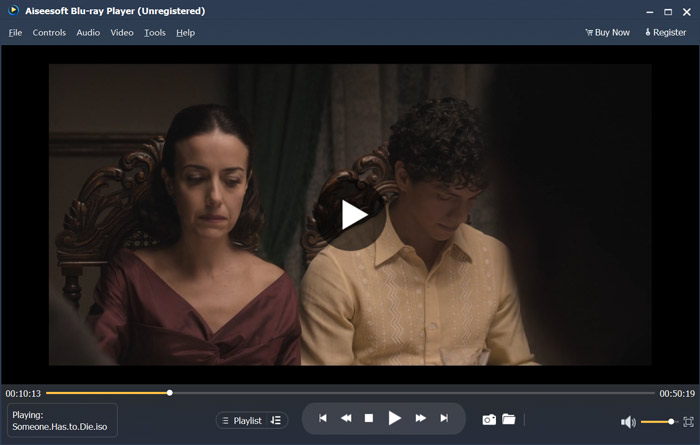
該ISO播放器軟件提供了免費試用版,可以播放高質量的ISO文件。如果僅需要ISO播放,則需要升級到付費版本。它同時支持DTS-HD和Dolby TrueHD。因此,您可以在播放ISO視頻時獲得出色的聲音體驗。作為ISO圖像文件播放器,它使您可以完全控制ISO播放。除藍光,DVD光盤和ISO文件外,它還支持任何常用的視頻和音頻格式。
除了播放 ISO 檔案之外,它還可以作為4K UHD 播放器來開啟 4K 電影。
第3部分。用於電視和PC的ISO Player-DVDFab Player 6
DVDFab Player 6 是一款出色的 4K 播放軟體,具備播放 ISO 檔案的功能。它能讓你在電腦上高品質播放 ISO 檔案。不僅僅是 ISO 播放器,它也支援 DVD、Blu-ray 以及 4K 影片。DVDFab Player 6 搭載 Poster Walls 功能,可高效管理整個媒體資料庫。
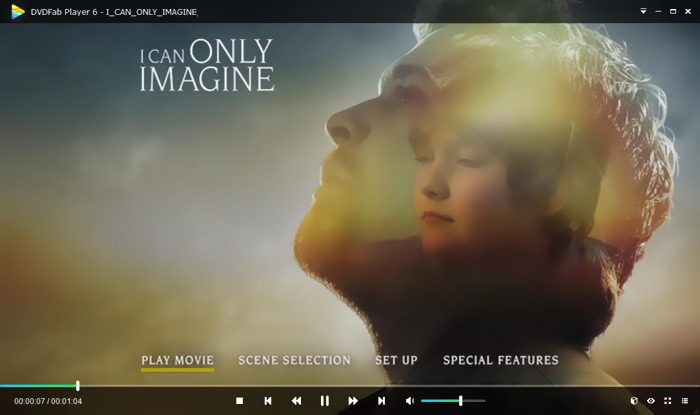
DVDFab Player 6為ISO播放提供了兩種模式,即PC模式和TV模式。您可以打開此ISO播放器,然後使用“文件資源管理器”快速找到您的ISO文件。除了播放高清視頻外,它還支持HDR10和高分辨率音頻輸出。此播放器還設計了許多其他功能。但是您應該知道,DVDFab Player 6並非完全免費。您需要升級到Standard或Ultra版本才能獲得這些功能。
第4部分。ISO播放器軟件-PowerDVD
PowerDVD 是一款強大的多媒體播放器,具備播放 DVD、Blu-ray 電影、ISO 映像檔以及多種影音檔案的能力。它可以作為 ISO 媒體播放器,幫助你在 Windows 電腦或 Mac 上觀看 ISO 電影。它採用先進的 TrueTheater 技術,為你帶來更銳利的細節與流暢無縫的播放效果。
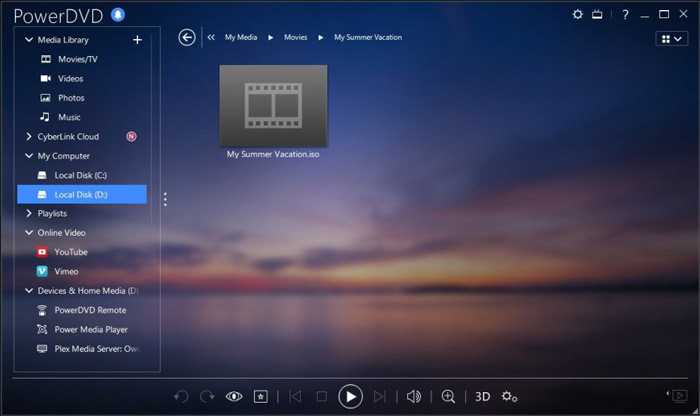
PowerDVD提供了一個免費版本供您播放ISO文件。但是它還具有許多其他功能。您可能對藍光和4K電影的播放有一些限制。您必須升級到付費版本才能刪除這些限制。
第5部分。適用於Windows 10/8/7 PC和Mac的免費ISO播放器-KMPlayer
KMPlayer 是一款廣受歡迎的開源多媒體播放器,可以高品質播放 ISO 映像檔。這款免費 ISO 播放器支援多核心解碼技術,能以高畫質與高音質播放各種 DVD 和 ISO 電影,同時占用較低的 CPU 資源。它還具備 3D 影片播放功能。
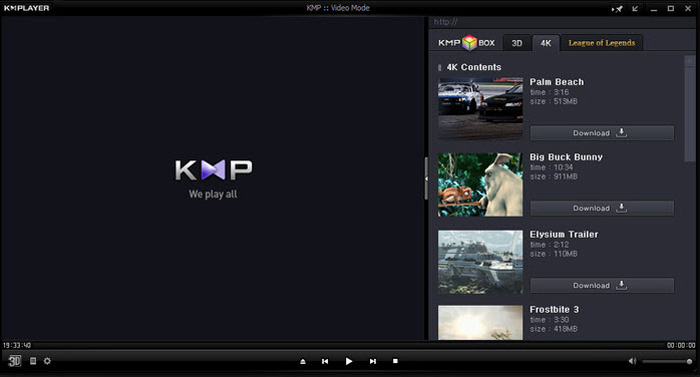
KMPlayer是一種無區域DVD播放器。它可以方便地管理您的DVD收藏。它為您提供了一種自定義DVD菜單,字幕,音軌和播放效果的簡單方法。同樣,它對ISO文件也有很好的支持。
第6部分。ISO播放器的常見問題解答
問題1.什麼是ISO映像文件?
ISO映像文件實際上是整個CD,DVD或藍光光盤的副本。它由光盤上每個已寫入扇區的數據內容組成。可以通過光盤映像軟件從光盤創建ISO。整個光盤內容可以精確地複製到一個ISO文件中。圖像文件的最常規用法是將其寫回到DVD或藍光光盤。您需要依靠第三方實用程序將ISO映像文件刻錄到DVD。
問題2.如何在Windows 10中掛載ISO映像?
Windows 10具有安裝ISO映像文件的內置方法。您可以右鍵單擊它,然後選擇“掛載”選項。之後,ISO文件將在此PC下顯示為新驅動器。
問題3.如何為Windows 10創建ISO文件?
當您要為Windows 10創建ISO文件時,可以轉到Windows 10下載頁面並安裝媒體創建工具。進入頁面後,可以單擊立即下載工具按鈕。打開創建軟件,然後單擊另一台PC的安裝介質(如ISO文件)。您可以選擇Windows的語言,體系結構和版本。之後,選擇ISO文件,然後選擇下一步以開始為Windows 10創建ISO文件。
問題4.如何將ISO文件轉換為數字MP4視頻?
如果你想將 ISO 轉出為數位 MP4 或 MOV 影片,可以下載 ISO 轉檔工具,把 ISO 映像檔高品質轉換成影片。
問題5. Kodi可以播放ISO文件嗎?
是的,Kodi本身支持存儲在ISO和IMG DVD圖像或DVD-Video圖像中的DVD-Video電影。您可以免費下載Kodi,向其中添加ISO文件,然後輕鬆開始播放。
結論
本文主要介紹了 ISO 以及 ISO 的播放方式。你可以在這裡獲得 5 款優秀的ISO 播放器推薦。當你想播放 ISO 檔案或 DVD 電影時,都可以依靠其中任一款工具。
-
 使用WebEx ARF Player打開和轉換ARF文件的教程
 以下是使用WebEx ARF Player的詳細步驟。您可以輕鬆地在Windows和Mac計算機上播放和轉換WebEx ARF文件。此外,您也可以使用3rd ARF播放器來改善播放體驗。
-
 GIF播放器-適用於Windows PC,Mac,Android和iPhone的5種最佳GIF播放器
 什麼程序打開GIF文件?如何在Android上查看GIF? iPhone是否具有用於打開GIF的GIF播放器?此帖為您分享5個最佳GIF播放器。
-
 頂級8 MKV播放器以所需的字幕播放MKV文件
 當您想要以所需的字幕播放MKV視頻時,可以了解有關PC / Mac排名前8位的MKV文件播放器的更多信息,並根據需要選擇所需的播放器。
