


 視頻轉換大師
 屏幕錄影大師
 影片修復
影片修復
 安全下載
安全下載4 款適用於 Windows 和 Mac 計算機的無與倫比的 MTV 視頻錄像機
你有沒有想過 MTV 是什麼樣的文件?你遇到過這個文件嗎?大多數人可能不知道這個文件,因為它剛剛發布。這是為了在主要來自中國的便攜式 MP4 播放器上播放視頻。開發人員使用原始 465/555 顯示系列,它描繪了較低的幀速率,從而導致較低的視頻質量。可能是這種情況,許多人仍在使用這種格式,因為大多數音樂生成軟件也在使用 .mtv。
相反地,雖然 .mtv 副檔名可能是個不錯的替代方案,仍然建議先嘗試其他檔案格式,以獲得最佳的影片品質。這個工具也類似 MP4,是依照 MP4 的形式製作而成的。那又何必犧牲最佳體驗呢?不過,如果你仍然偏好將錄製輸出為 .mtv 檔案格式,我們也為你準備好了。只要繼續往下閱讀本文,我們提供了一份可以在網路上找到的MTV 錄影工具清單。

第 1 部分。適用於 Windows 和 Mac 的頂級 MTV 錄音機
FVC免費屏幕錄像
在最佳 .mtv 錄像機列表中領先的是 FVC 免費屏幕錄像機。雖然這不會讓您在 .mtv 文件上錄製文件,但它會為您提供最佳輸出。通過三個簡單的步驟,您可以為您的班級或您的 YouTube 頻道製作高質量的視頻教程。在錄製時,您實際上可以不受限制地添加形狀、文本、箭頭和線條。相應地,它可以錄製視頻而不會受到背景噪音的干擾,因為它會錄製您 PC 的系統聲音。可以看出,這是一個不錯的選擇。您還可以通過閱讀以下步驟了解更多信息。
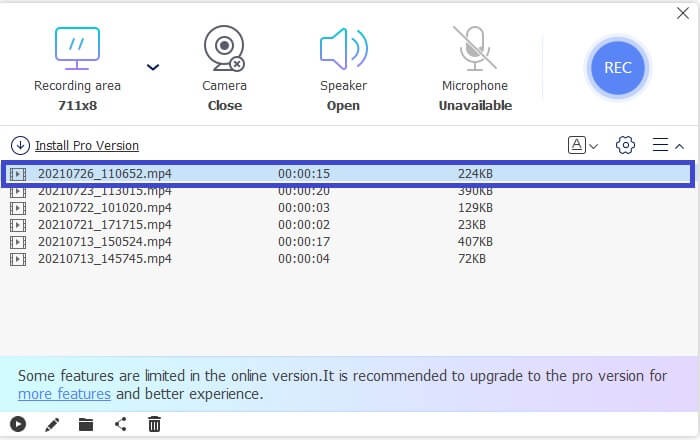
步驟 1. 你需要從FVC 免費螢幕錄影工具的主頁面點擊螢幕錄影來啟動啟動器。
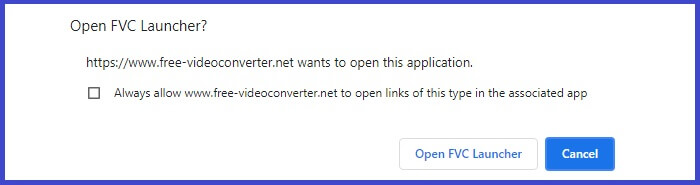
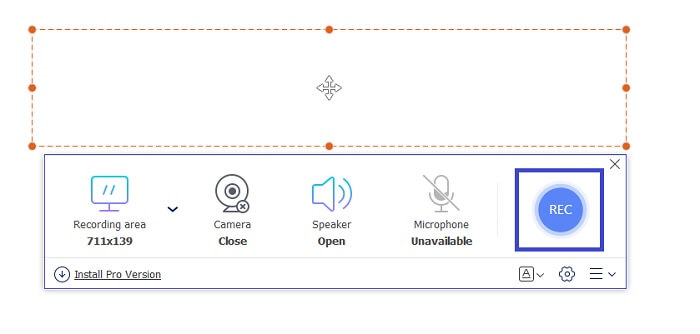
步驟 2. 接著,調整畫面框架以符合你要錄製的影片大小。然後點擊錄製(REC)按鈕開始錄影。
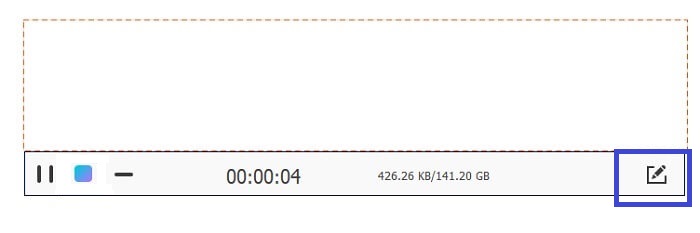
步驟 3. 錄影時,點擊畫筆(Pencil)圖示即可在錄製過程中進行註記。
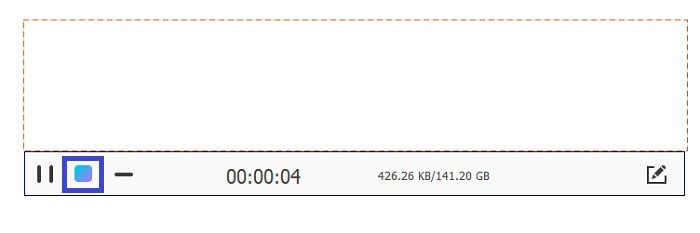
步驟 4. 完成後,點擊藍色的方形(Square)圖示以停止錄影。
步驟 5. 回到主介面,點擊檔案名稱即可檢視已錄製的檔案。
優點
- 無需註冊。
- 無限錄音。
- 持續時間沒有限制。
- 可調整的比特率和幀。
缺點
- 它僅支持 WMV 和 MP4 兩種格式。
FVC 屏幕錄像機
如果您正在尋找一種更靈活並且可以提供比免費工具所能做的更多的東西,讓我們談談該工具的高級版。完美、無損和靈活是我們描述 FVC 屏幕錄像機的方式。它與完美和細膩的屏幕錄製配合使用,可讓您以超高品質錄製 MTV 視頻。由於功能的原因,此工具將標准設置得更高一些。有很多,但一個值得注意的功能是窗口鎖定功能,它允許您記錄特定屏幕並繼續您的繁忙工作而不會被打擾。是不是很神奇?使用此工具還有更多發現,您可以查看下面的優缺點列表。同時,您可以通過以下方式使用該應用程序。
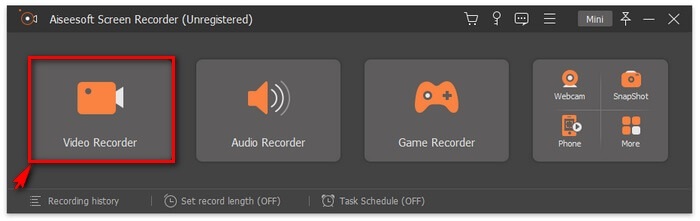
步驟 1. 點擊下方的下載按鈕下載並安裝此應用程式。
步驟 2. 依照安裝精靈的指示進行,直到應用程式啟動。啟動後,調整畫面框架以變更錄影的畫面比例。
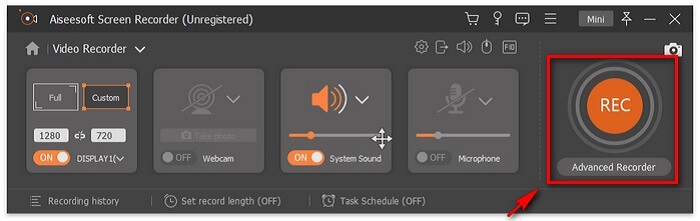
步驟 3. 要開始錄製時,點擊錄製(REC)按鈕即可開始錄影。如有需要,你也可以在錄影過程中加入註記。
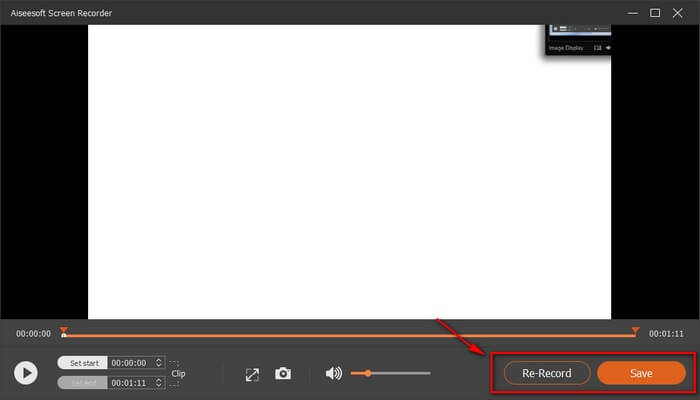
步驟 4. 錄製完成後,點擊紅色的方形(Square)按鈕結束錄影。

步驟 5. 若要儲存錄影內容,請點擊儲存(Save)並檢視已儲存的檔案。
優點
- 支持加速以實現更好的流視頻錄製。
- 可調節比特率以達到最佳質量。
- 窗口鎖定功能。
- 連續記錄24小時!
缺點
- 該工具需要高級訂閱。
班迪康
另一個致力於創建易於使用但完整的軟件的軟件是 Bandicam。他們引以為豪的兩個最好的應用程序是 Bandicut Video Cutter 和 Bandicam Screen Recording。將此工具與 FVC Screen Recorder 進行比較,它們的可靠性水平相同。您可以製作高清質量的視頻,不受限制地錄製,並輕鬆進行實時註釋。如果 FVC Screen Recorder 具有獨特的功能,那麼 Bandicam 也可以。錄製時放大和縮小!是的,在錄製時,您可以放大您認為必須強調的特定部分。相對而言,還有更多的發現。查看下面的列表並獲得通知。
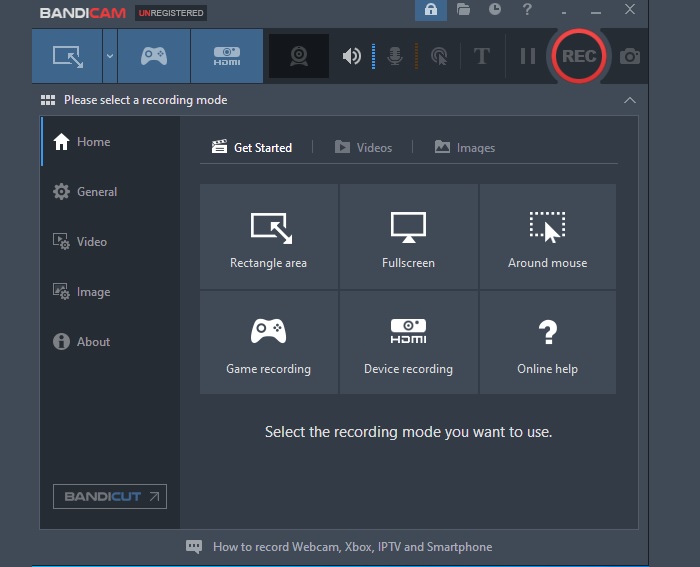
優點
- 支持放大和縮小。
- 無限錄製,沒有持續時間限制。
- 高清品質輸出。
- 可以多任務(錄製時註釋)。
缺點
- 該工具是付費應用程序。
OBS工作室
OBS 深受遊戲玩家和直播主的歡迎,因其始終如一的性能而久負盛名。許多人發現這個工具在很多方面都非常有用。一個很好的例子是在實時進行直播的同時進行錄製。除此之外,您還可以關聯您的視頻流網站帳戶(如 YouTube 和 Twitch)來直接播放您的直播。總而言之,便利性和多任務處理只是他們登上榜首的部分原因。好吧,還有更多關於這個應用程序的信息。繼續閱讀以了解更多信息。
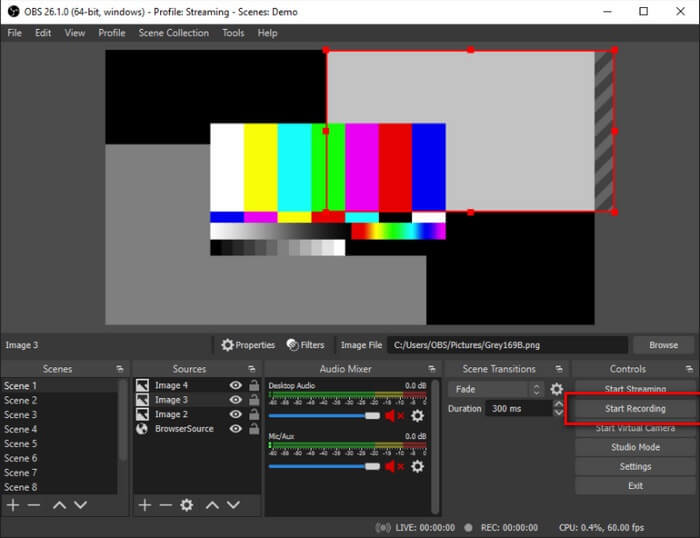
優點
- 支持基準測試。
- 它可以錄製視頻和音頻。
- 流式傳輸時最高 1080p 的高清質量輸出。
- 沒有滯後。
缺點
- 工具界面有點壓倒性。
延伸閱讀
第 2 部分。 有關 MTV 錄音機的常見問題解答
如何將 MTV 格式轉換為 MP4?
如要轉檔 MTV 格式,請依照以下步驟操作:
1. 前往 https://www.free-videoconverter.net/free-online-video-converter/。
2. 啟動啟動器並上傳 MTV 檔案。
3. 將檔案格式變更為你想要的格式。
4. 設定檔案儲存位置後,檔案就會自動下載。
我可以使用什麼播放器打開 MTV 格式的文件?
以下是你可以考慮使用的一些播放器:
1. MTV Video Converter。
2. MPlayerX。
3. VLC Player。
4. MTV Video Converter。
5. FVC 免費影片播放器(FVC Free Video Player)
MTV 和 MP4 有什麼區別?
它們非常不同。 MP4 是一種壓縮格式,包含高視頻質量輸出。同時,MTV 產生的質量較低。此外,與 MTV 相比,MP4 可以在許多視頻播放器上播放。
第 3 部分。 比較圖表
| 特徵 | FVC免費屏幕錄像 | FVC 屏幕錄像機 | 班迪康 | OBS工作室 |
| 音頻和視頻錄製 |  | | | |
| 視頻編輯功能 | | | | |
| 鎖定窗口功能 |  | | | |
| 註釋特徵 | | | | |
| 縮放功能 | | | | |
| 惡意軟件安全 | | | | |
| 可調比特率和縱橫比 | | | | |
| 實時流媒體錄製 | | | | |
| 加速 | | | | |
| 基準測試 | | | | |
結論
綜上所述,MTV可能是為了替代MP4而發展起來的,但它還是做不到MP4能做到的。如果在不久的將來繼續改進,它就有可能超過其他格式。另外,不要忘記查看此列表中一些最好的 MTV 錄音機。
-
 4個最佳的免費網絡啟動記錄器,以捕獲屏幕視頻
 是否在尋找無需花一分錢就能在桌面上錄製屏幕上活動的最佳方法?這是4種最常用的免費網絡啟動記錄器。
-
 公正的Cinch評論錄音機和最佳選擇
 Cinch Audio Recorder是從流媒體網站下載音樂的最佳方法。只需從本文中了解更多有關無偏見評論和最佳替代方法的信息即可。
-
 適用於Windows和Mac的5大最佳鼠標和鍵盤記錄器
 這是可以保存鼠標移動和鍵盤單擊並重複事件的前五項最佳鼠標和鍵盤記錄器程序。
