


 Video Converter Ultimate
 Bildschirm recorder
 Videoreparatur
Konvertieren Sie Ihr GIF online mit diesem Online-GIF-zu-Video-Konverter
Das Versenden von GIFs mit Nachrichten wurde für uns zu einer neuen Routine, um eine viel bessere Nachricht auszudrücken. Trotzdem unterstützen Plattformen wie Instagram immer noch kein GIF-Format. Es unterstützt nur das Bild- und Videoformat und keine statischen Bilder. Wenn Sie also versuchen, ein GIF zu Ihrem Instagram hinzuzufügen, besteht die Möglichkeit, dass die Datei nicht geladen wird oder nicht geladen werden kann. Zweitens können Sie ein Standbild nur erhalten, wenn es veröffentlicht wurde. Es gibt jedoch auch eine andere Möglichkeit, eine Drittanbieter-App herunterzuladen oder online darauf zuzugreifen, um GIF in ein Videoformat zu konvertieren. Zu lernen, wie man diese Tools verwendet, ist ein großartiges Wissen, das man sich merken sollte. Wenn Sie also nach einem Online-GIF-zu-Video-Konverter suchen, sind Sie hier richtig. Lesen Sie weiter, um zu erfahren, welche Tools verfügbar sind und wie Sie sie entsprechend verwenden.

Top 1. Ezgif
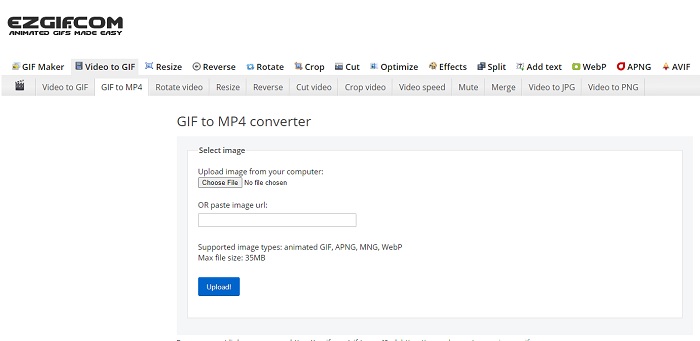
Du hast Schwierigkeiten, ein GIF zu erstellen und zu konvertieren? Kein Grund zur Sorge, denn Ezgif ist da, um dich zu retten. Dieses Online‑Tool ist nicht nur für eine einzige Aufgabe gedacht, sondern ermöglicht auch das Bearbeiten deiner GIFs. Zwar sind die Bearbeitungsfunktionen dieses Tools nicht besonders beeindruckend, aber sie entsprechen dem gängigen Standard. Außerdem gibt es ein Limit für das Erstellen und Konvertieren von GIF‑Dateien.
Vorteile
- Es ist ideal, um ein GIF zu erstellen.
- Alle Anzeigen auf seiner Website sind PG-13-beschränkt.
- Einfache Bearbeitungsfunktionen für Anfänger.
Nachteile
- Das Webinterface ist etwas langweilig anzusehen.
- Nur das MP4-Format verfügbar, wenn Sie versuchen, GIFs zu konvertieren.
Top 2. Cloudkonvertieren
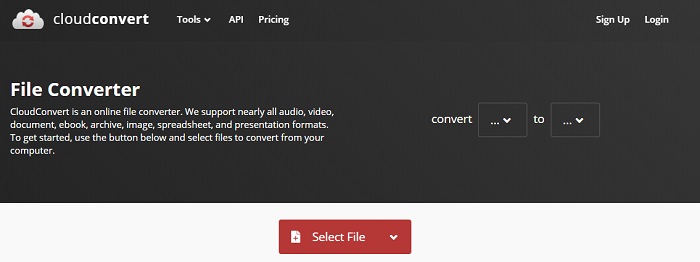
Wenn wir über das Konvertieren sprechen, sollte Cloudconvert auf der Liste stehen. Dieser Online‑GIF‑zu‑Video‑Konverter wurde speziell dafür entwickelt, beliebige Video‑ und Audiodateien in ein abspielbares Format umzuwandeln. Dieses Tool hat jedoch eine Einschränkung: Du kannst die Qualität der GIFs, die du konvertierst, nicht verbessern. Mit diesem Tool bekommst du also genau das, was vorhanden ist.
Vorteile
- Einer der leistungsstärksten Konverter im Internet.
- Sie können darauf zugreifen, ohne das Tool herunterzuladen.
- Eine tolle Farbkombination auf der Weboberfläche.
Nachteile
- Die Datei, die Sie konvertieren, kann nicht bearbeitet werden, um eine bessere zu werden.
- Die Wahrscheinlichkeit, dass die Konvertierung fehlschlägt, ist groß. Vor allem, wenn Ihr Internet unterbrochen wurde.
Top 3. Konvertieren
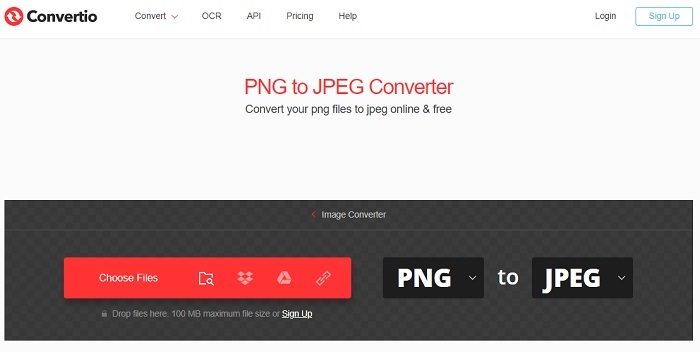
Genau wie Cloudconvert wurde Convertio ausschließlich zum Konvertieren entwickelt. Es unterstützt ebenso viele Formate wie das zuvor genannte Tool. Der Nachteil dieses Tools ist jedoch, dass die Webseite von Werbung übersät ist. Trotz der Werbung ist es immer noch ein guter Konverter, um Dateien in ein neues Format zu konvertieren und damit zu üben.
Vorteile
- Open-Access-Tool im Web verfügbar.
- Sie müssen keine zusätzliche Datei herunterladen, um mit der Konvertierung zu beginnen.
- Wählen Sie die Bitrate der Datei.
Nachteile
- Mit diesem Tool und der Bearbeitung können keine GIFs erstellt werden.
- Anzeigen sind überall, also vermeiden Sie sie, um keine unnötige Website zu öffnen.
Top 4. Zamzar
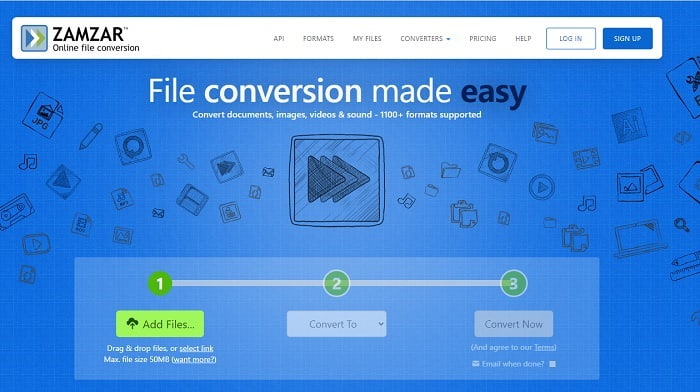
Die Benutzeroberfläche von Zamzar ist großartig und die Nutzung dieses Tools ist so einfach wie nur möglich. Allerdings ist die maximale Dateigröße auf 50 MB begrenzt. Wenn du diese Größe überschreiten möchtest, musst du das Tool kaufen oder dich einloggen. Außerdem kannst du einen laufenden Konvertierungsvorgang nicht stoppen, selbst wenn du auf die x‑Schaltfläche klickst. Stelle also sicher, dass du die richtige Datei konvertierst, denn der Vorgang lässt sich nicht abbrechen.
Vorteile
- Konvertieren Sie hier alle Videos, Bilder und Audio.
- Alle Dateien hier werden länger als einen Tag gespeichert.
- Die maximale Dateigröße beträgt 50 MB für eine einzelne Datei.
Nachteile
- Der Konvertierungsprozess hängt von Ihrer Internetgeschwindigkeit ab. Wenn Sie also über ein Internet verfügen, wird die Konvertierung viel Zeit in Anspruch nehmen.
- Ihr konvertiertes Video kann nicht in ein besseres bearbeitet werden.
Empfohlen: FVC Video ConverterUltimate - Bester GIF-Konverter
Wie man so schön sagt: Das Beste kommt zum Schluss – und dieses Beste ist der FVC Ultimate Video Converter. Dieses Premium‑Tool bietet mehr als jeder andere hier aufgeführte (und nicht aufgeführte) Konverter. Wenn du ein Tool suchst, das deine Konvertierung auf ein neues Niveau hebt und keine Internetverbindung erfordert, ist dies die richtige Wahl. Das Erstaunliche an diesem Tool ist außerdem, dass es nicht nur konvertieren, sondern auch verbessern, erstellen und vieles mehr kann. Es ermöglicht den Nutzern, alle Funktionen dieses Tools zu entdecken und ein besseres Ergebnis als mit anderen Programmen zu erzielen. Lies dir die Schritte aufmerksam durch, um dieses Tool Schritt für Schritt zu verwenden. Später kannst du die Symbolleiste nutzen, um das konvertierte GIF zu verbessern.
Schritt 1. Installiere das passende Programm auf deiner Festplatte. Folge den Voreinstellungen, passe sie nach Bedarf an und klicke auf „Fertig stellen“, um das Tool zu starten.
Gratis DownloadFür Windows 7 oder neuerSicherer Download
Gratis DownloadFür MacOS 10.7 oder neuerSicherer Download
Schritt 2. Wenn das Tool im Hintergrund läuft, wirst du ein kleines Symbol in deiner Task‑/Registerleiste bemerken, das anzeigt, dass das Tool bereits gestartet wurde. Außerdem erscheint eine Benutzeroberfläche wie diese auf deinem Bildschirm.
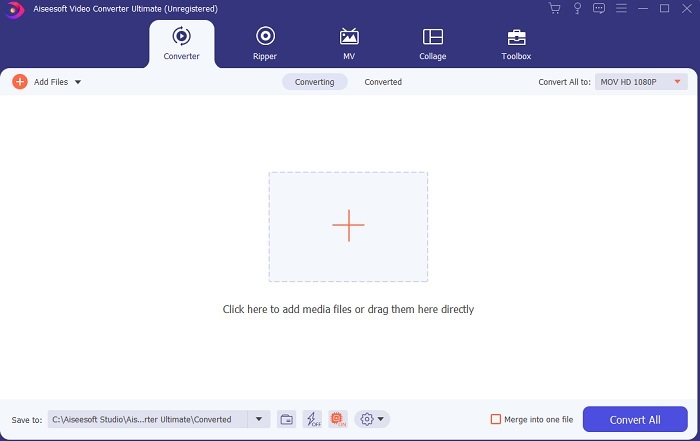
Schritt 3. Um Dateien zum Konverter hinzuzufügen, klicke auf das Plus-Symbol in der Mitte der Benutzeroberfläche. Oder du kannst die Dateien per Drag & Drop hinzufügen, besonders wenn es mehr als zwei oder drei sind.
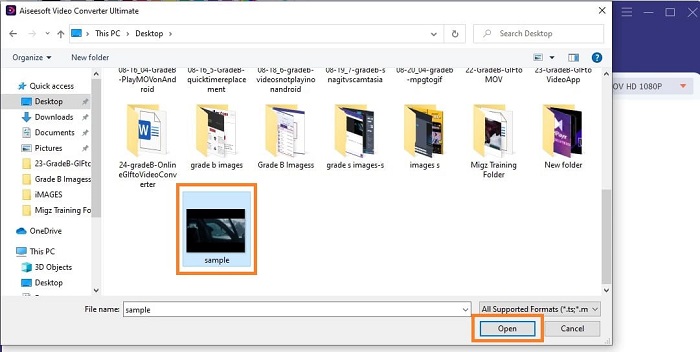
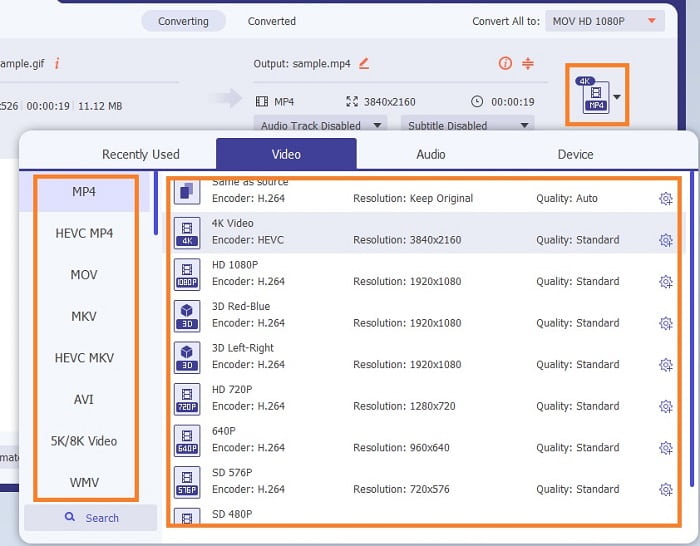
Schritt 4. Sobald sich die GIF‑Datei in der Oberfläche befindet, klicke auf die Drop‑down-Schaltfläche und wähle im Untermenü das Format aus, in das du konvertieren möchtest. Klicke auf Alle konvertieren, um den Konvertierungsvorgang zu starten.
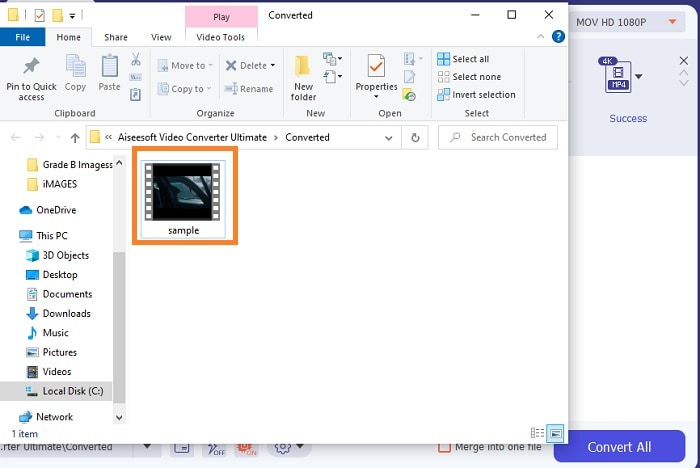
Schritt 5. Wenn der Vorgang abgeschlossen ist, öffnet sich automatisch ein Dateimanager‑Fenster in deinem Tab und du kannst die Datei überprüfen. Wenn du das konvertierte GIF verbessern möchtest, kannst du später die Symbolleiste verwenden.
Vorteile
- Es ist ein Mehrzweckwerkzeug, das von seinen Kunden verwendet werden kann.
- Schränken Sie Ihre Fantasie nie ein, indem Sie Ihrer endgültigen Ausgabe Effekte und mehr hinzufügen, um viel besser als andere auszusehen.
- Der Konvertierungsprozess ist viel schneller als jedes der online und offline verfügbaren Tools.
Nachteile
- Pay-per-use-Tool, was bedeutet, dass Sie nicht kostenlos auf das Tool zugreifen können, aber es ist nicht so teuer.
- Herunterladbares Tool, es bedeutet nur, dass Sie eine zusätzliche Datei benötigen, um das Tool zu starten. Trotzdem können Sie dieses Tool bedenkenlos verwenden, wenn das Internet unterbrochen wurde.
Häufig gestellte Fragen zum Online-GIF-zu-Video-Konverter
Kann ich eine Aufnahme im GIF-Format machen?
Tatsächlich lautet die Antwort Ja – du kannst dein eigenes GIF aufnehmen. Verwende dazu diesen leistungsstarken, aber dennoch leichten GIF‑Recorder oder ein anderes Aufnahmeprogramm, das ebenfalls das GIF‑Format unterstützt. Lies die Best GIF Recorder Review, um zu erfahren, wie du eine Aufnahme im GIF‑Format erstellst.
Welches ist die beste Alternative für GIFs? WebM oder APNG?
GIFs sind das alte Format, das animierte und statische Bilder unterstützt, aber im Laufe der Zeit. Inzwischen gibt es Konkurrenten wie WebM und APNG. Vergleichen wir die beiden, WebM ist das neue GIF, das bewegte Bilder über die Website unterstützt, aber wenn Sie versuchen, eine alte Version der Suchmaschine zu verwenden, wird WebM nicht unterstützt. Auf der anderen Seite ist APNG als optisch attraktiver bekannt als die beiden, da es 24-Bit-Farben und -Transparenz unterstützt, aber einige Social-Media-Plattformen unterstützen APNG derzeit nicht.
Was ist das Akronym von GIF?
GIF im Text bedeutet Graphic Interchange Format.
Fazit
Zum Schluss ist es jetzt einfacher zu verstehen, welche Offline- und Online-GIF-zu-Video-Konverter Sie verwenden können. Zu wissen, wie man dieses Tool verwendet, ist eine großartige Fähigkeit, die es zu entwickeln gilt, und vielleicht können Sie dies in Zukunft auch gegen Bezahlung verwenden. Wenn Sie die ultimative Leistung wünschen, müssen Sie genau das ultimative Werkzeug auswählen. FVC Ultimate Video Converter ist immer das beste Werkzeug, um jedes Video zu konvertieren und zu verbessern, um einen guten Eindruck bei anderen zu hinterlassen oder an wen zu liefern. Wie sie sagen, erwarten Sie nicht weniger, denn dieses Tool bietet mehr als sein Name vermuten lässt.
-
 WebM zu GIF – 3 kostenlose WebM zu GIF-Konverter zum Erstellen eigener GIFs
 Ist WebM ein GIF? Wie verwandelt man ein Video in ein GIF? Gibt es einen kostenlosen WebM-zu-GIF-Konverter? In diesem Beitrag werden 3 kostenlose Möglichkeiten beschrieben, mit denen Sie WebM in GIF konvertieren können.
-
 So konvertieren Sie MKV-Videos in animierte GIFs ohne Photoshop/FFmpeg
 Nachdem Sie MKV-Filme auf Ihren Computer heruntergeladen und angesehen haben, möchten Sie vielleicht einige wundervolle Momente mit Freunden oder im Internet als GIFs teilen. In diesem Artikel erfahren Sie mehr über die 2 einfachsten Möglichkeiten zum Konvertieren von MKV in GIF.
-
 Erstellen Sie Ihr bestes animiertes GIF über den Online-GIF-Maker [2021]
 Eine informative Übersicht darüber, wie Sie ein GIF mit diesen einfachen Online-GIF-Erstellern erstellen, die Sie bereits im Internet kennen oder nicht.
