


 Video Converter Ultimate
 Bildschirm recorder
 Videoreparatur
 Sicherer Download
Top 5 GIF-Player für Computer, Android und iPhone
Animierte GIFs können mehr Informationen vermitteln als statische Bilder. Suchst du nach einem guten GIF-Player, um alle Arten von GIF-Dateien auf deinem iPhone, iPad, Android-Telefon oder Computer anzusehen?
In sozialen Apps kannst du ganz einfach verschiedene lustige GIFs empfangen und senden. Nachdem GIFs jedoch auf deinem Gerät gespeichert wurden, lassen sich einige davon nicht direkt mit dem Standard-Mediaplayer öffnen, den du verwendest. Daher fragst du dich vielleicht, ob du einen GIF-Player für die GIF-Wiedergabe benötigst.

In der Social-Media-App kannst du GIF-Dateien direkt anzeigen. In einigen Fällen darfst du sie jedoch später nicht erneut mit dem Player auf deinem Computer oder deinem tragbaren Android-/iOS-Gerät öffnen. Entsprechend deinen Bedürfnissen haben wir eine Liste von 5 Playern für animierte GIFs für dich zusammengestellt. Egal, ob du einen GIF-Player für Android, iPhone oder Computer suchst, du kannst einen passenden Player finden.
Teil 1. Bester GIF-Player für Mac und Windows - FVC Free Video Player
FVC Free Video Player ist ein beliebtes kostenloses Tool zur Wiedergabe von Mediendateien, mit dem du beliebige GIF-Dateien sowohl auf einem Windows 10/8/7/XP-PC als auch auf einem Mac abspielen kannst. Dieser kostenlose GIF-Player ist eine Art Online-Player-Software, mit der du alle Arten von Video- und Audiodateien öffnen kannst. Für die GIF-Wiedergabe musst du beim ersten Mal eine kleine Startdatei installieren. Er ist mit vielen häufig verwendeten Browsern kompatibel, darunter Chrome, Safari, IE, Firefox und andere.
Kostenloser DownloadFür Windows 7 oder höherSicherer Download
Kostenloser DownloadFür macOS 10.7 oder höherSicherer Download
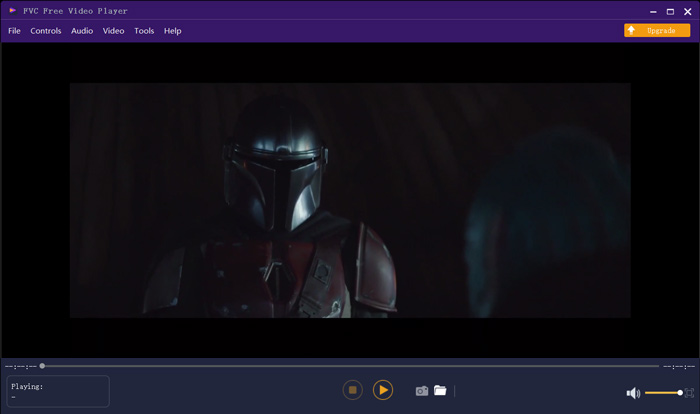
Es ist mehr als nur ein kostenloser GIF-Player, es unterstützt alle gängigen Video- und Audioformate wie MP4, MOV, FLV, AVI, WMV, VOB, MP3, AAC, ALAC, M4A, WAV, FLAC und mehr. Es gibt keine Dateigrößenbeschränkung für die GIF-Wiedergabe. Es kann Ihnen ein großartiges visuelles Erlebnis bieten. Darüber hinaus unterstützt es die fortschrittliche DTS-HD- und Dolby TrueHD-Audiokodierungstechnologie, die einen großartigen Soundeffekt bieten kann.
Teil 2. GIF Player App für Android - OmniGIF
OmniGIF ist ein GIF-Player, der hauptsächlich für Android-Nutzer entwickelt wurde. Wenn du GIFs auf einem Android-Telefon öffnen möchtest, kannst du dich darauf verlassen. OmniGIF ist nicht nur ein GIF-Player, sondern funktioniert auch als GIF-Ersteller und GIF-Editor. Er ermöglicht es dir, deine GIF-Dateien, Videoclips und Fotos ganz einfach zu verwalten. Für die GIF-Wiedergabe auf deinem Android-Gerät kannst du die Wiedergabe beschleunigen oder verlangsamen, vorwärts und rückwärts abspielen, Bild für Bild abspielen und je nach Bedarf weitere Aktionen ausführen.
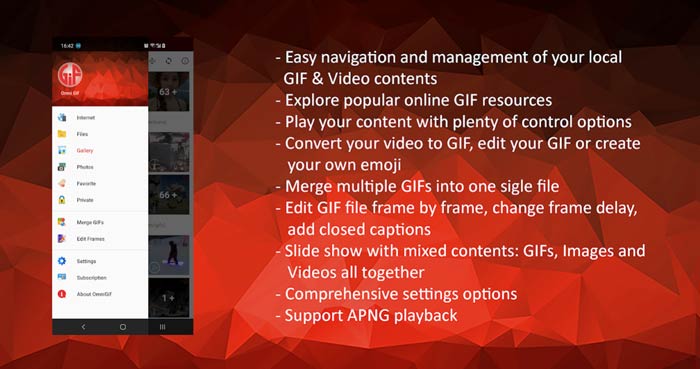
Mit dieser Android GIF Player App können Sie einige private Dateien heimlich verstecken. Es bietet Ihnen auch leistungsstarke GIF-Bearbeitungs- und Erstellungsfunktionen. Darüber hinaus bietet OmniGIF eine großartige Freigabefunktion, mit der Sie Ihre GIF-Dateien, Videoclips oder Fotos schnell für Facebook, Instagram, Twitter, Messenger, Line, WhatsApp, Gmail und mehr freigeben können.
Teil 3. GIF Player App für iPhone und iPad - GIF Viewer
GIF Viewer ist eine GIF-Player-App für iOS-Nutzer. Du kannst diese GIF-Player-App kostenlos aus dem App Store auf deinem iPhone oder iPad installieren. Sie kann die in der Fotos-App gespeicherten GIF-Dateien problemlos abspielen, verwalten und teilen. Diese iOS-GIF-Player-App erlaubt dir außerdem, GIF-Animationen aus anderen Quellen hinzuzufügen und anzusehen.
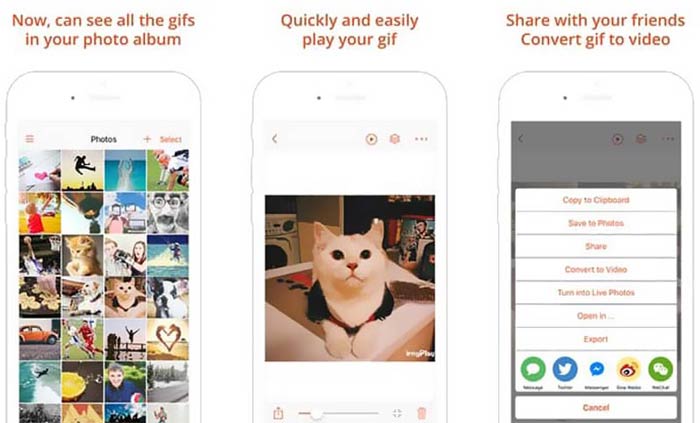
GIF Viewer kann alle Arten von GIF-Dateien aus dem lokalen Speicher, aus der Zwischenablage, von iCloud Drive, Dropbox und aus kopierten Twitter-Links abspielen. Außerdem kann dir dieser GIF-Player helfen, GIF in Video zu konvertieren, um eine bessere Wiedergabe auf deinen Geräten zu ermöglichen.
Teil 4. GIF-Player für Mac und Windows PC - QuickTime Player
QuickTime Player ist der Standard-Mediaplayer für den Mac. Er kann als GIF-Player dienen, um GIF-Dateien auf dem Mac zu öffnen und anzusehen. Wenn du einen Mac verwendest, kannst du eine GIF-Datei direkt mit diesem vorinstallierten Mediaplayer öffnen. Es gibt auch eine Windows-Version, mit der du GIFs auf einem Windows-PC abspielen kannst.
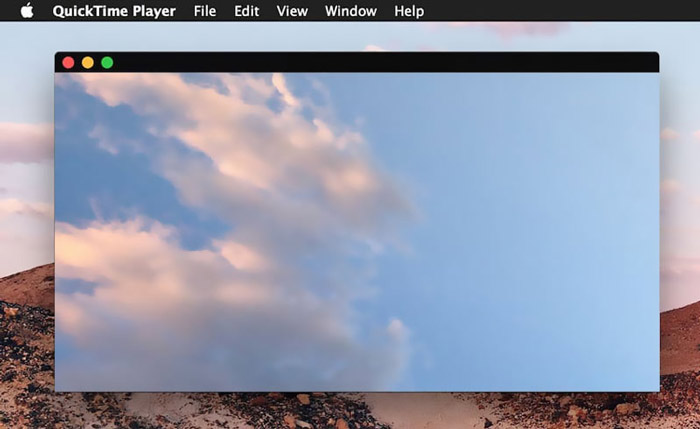
Als Player unterstützt QuickTime nur einige häufig verwendete Video- und Audioformate wie MP4, MOV, M4V, AAC, M4A, MP3 und mehr. Es verfügt über einige grundlegende Bearbeitungs- und Aufnahmefunktionen. Sie können sich auf diesen GIF-Player verlassen, um Ihren Bildschirm zu erfassen und die Datei zu bearbeiten.
Teil 5. Kostenloser Online GIF Player - OnlineImageTools
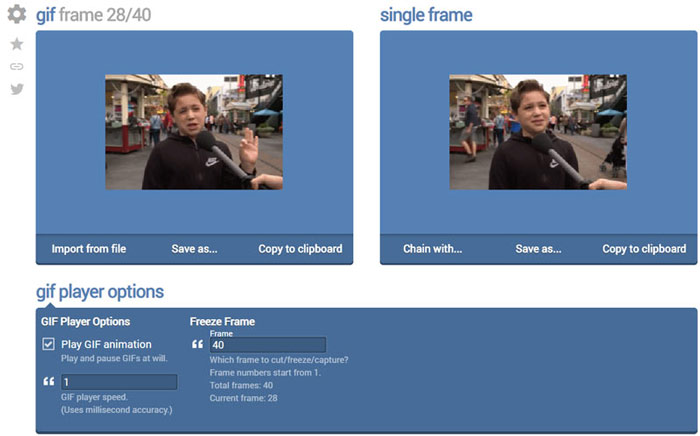
OnlineImageTools ist ein Online-Tool zur Wiedergabe von GIF-Dateien, mit dem du GIFs sowohl auf dem Mac als auch auf einem Windows-PC ansehen kannst. Du musst keine Plug-ins oder andere Dateien für die GIF-Wiedergabe installieren. Dieser kostenlose, browserbasierte GIF-Animationsplayer ermöglicht es dir, deine GIF-Datei direkt online zu öffnen. Für die GIF-Wiedergabe kannst du eine GIF-Datei Bild für Bild abspielen.
Teil 6. FAQs des GIF-Players
Frage 1. Wie speichere ich GIFs auf dem iPhone?
Wenn Sie eine GIF-Datei auf Ihrem iPhone speichern möchten, können Sie das GIF gedrückt halten, bis die Eingabeaufforderung angezeigt wird. Anschließend können Sie die Option Bild speichern auswählen, um es in der Foto-App zu speichern.
Frage 2. Wie kann ich Videos kostenlos in GIF konvertieren?
Um aus einem Video eine GIF-Datei zu erstellen, kannst du dich auf den beliebten Free Online Video Converter verlassen. Damit kannst du jeden Videoclip mühelos in ein GIF umwandeln.
Frage 3. Kann VLC GIF spielen?
Nein. Der VLC Media Player kann eine GIF-Datei nur als statisches Bild öffnen.
Fazit
Ganz gleich, ob du einen GIF-Player für den Computer oder dein Mobiltelefon suchst, du kannst aus den oben empfohlenen 5 GIF-Player-Tools den passenden auswählen. Hinterlasse uns eine Nachricht, wenn du noch Fragen zum GIF-Player oder zur GIF-Wiedergabe hast.
-
 Tutorial zum Komprimieren von GIF und Reduzieren der Dateigröße mit hoher Qualität
 Hier sind zwei einfache Möglichkeiten, um GIF auf Ihrem Computer oder Mobiltelefon zu komprimieren. Sie können FVC Free Online Video Compressor verwenden und Photoshop reduziert die GIF-Dateigröße in verschiedenen Aspekten.
-
 Top 10 FLV-Player für Windows, Mac, iOS und Android im Jahr 2021
 Mit dem FLV-Player können Sie problemlos auf Ihre FLV-Dateien auf Ihrem Windows-, Mac-, Android- und iOS-Gerät zugreifen. Schauen Sie sich die besten FLV-Datei-Player an, die Sie jetzt herunterladen können.
-
 Top 8 SWF File Player zum Abspielen von Flash-Videodateien unter Windows und Mac
 Wenn Sie die SWF-Filme und -Spiele auf PC und Mac genießen möchten, erfahren Sie im Artikel mehr über die hervorragenden Funktionen der 8 besten SWF-Dateispieler.
