


 Video Converter Ultimate
 ضبط صفحه
 تعمیر ویدیو
به هنر تبدیل فایل OGV به فرمت AVI از طریق آنلاین و آفلاین مسلط شوید
OGV files is an open-source made by Xiph.org that has the same structure as OGG Vorbis. Also, this format can contain one or more codecs to suppress the video streams. However, playing the .ogv file on Windows Media Player or Quicktime doesn't support the codecs like Theorec, Daala, or Diarac. In this case, you aren't able to play the video because of compatibility reasons. The solution to solve this problem is to convert the file into a much-supported format like AVI. This article states the converters you can use and how to convert OGV files to AVI.
قسمت 1. OGV و AVI - مروری
همانطور که اطلاعات قبلا ذکر شد، OGV فایل های منبع باز است که جریان های ویدئویی با کیفیت بالا را ذخیره می کند. اما اگر میخواهید پخش فایلهای رسانهای را همگامسازی کنید، AVI باید انتخاب شود. اگرچه این دو ظرف هنوز هم برای استفاده عالی هستند، اما هدف خود را دارند. بیایید با جستجوی اطلاعات بیشتر در مورد این دو فرمت، هدف آنها را مشخص کنیم.
OGV
یکی دیگر از اهداف OGV پخش ویدیوها در HTML 5 است زیرا یکی از بهترین فرمت های بدون اختراع است که می توانید در وب قرار دهید. با ساخت HTML 5 ارتقا یافته، برای پخش ویدیوها در وب نیازی به پلاگین نخواهید داشت. همچنین، این فرمت به طراح وب می دهد که از چند رسانه ای و راحتی نیز پشتیبانی می کند. اگرچه فایلهای OGV از پخش ویدئو در HTML 5 پشتیبانی میکنند، این فرمت هنوز از پخشکنندههای رسانه دیگر برای پخش این فرمت پشتیبانی نمیکند.
AVI
در همین حال، فرمت AVI در مقایسه با OGV در حال حاضر پشتیبانی گسترده ای از همه پخش کننده ها و ویرایشگرهای رسانه دریافت می کند. و به دلیل فرمت غیر فشرده آن، اندازه فایل ذخیره شده در این فرمت بسیار بزرگتر از سایر فرمت های رسانه ای است. اگرچه فایلها گستردهتر هستند، اما همچنان میتوانید از انواع کدکهای مختلف برای فشردهسازی این فرمت و ذخیره آنها در اندازه کوچکتر استفاده کنید. با این حال، اگر فایل را با این فرمت فشرده کنید، انتظار داشته باشید که کیفیت ویدیو تغییر کند.
و اکنون که پیشینه ای در مورد این دو فرمت داریم، اکنون زمان مناسبی برای تبدیل OGV به AVI در لینوکس، رایانه شخصی و مک است. برای پخش آن در پخش کننده رسانه محلی یا ویرایش ویدیو در زیر، تبدیل فایل به AVI ضروری است.
قسمت 2. بهترین انتخاب مبدل آفلاین برای تبدیل OGV به AVI
FVC Video Converter Ultimate
Do you want to know which is the best OGV to AVI converter that provides the fastest and secured conversion process? If so, FVC Video Converter Ultimate is a choice. For all of the converters we searched and tried over the internet, this tool is incomparable and does provide phenomenal output. This software offers many advanced features on the toolbox like the editor, merging, compressing, and more. Also, the conversion process is 30x faster because this software uses hardware acceleration and faster conversion than the other converters available online or offline don't have.
علاوه بر این، اگر میخواهید تبدیل دستهای را انجام دهید، میتوانید به راحتی این کار را در اینجا بدون عرق کردن انجام دهید. علاوه بر این، رابط کاربری و ویژگی های پیشرفته برای کاربران ویندوز و مک در دسترس است. خب حالا بیایید مراحل تبدیل فایل OGV خود را به فرمت AVI جدید در عرض چند ثانیه با دنبال کردن مراحل زیر انجام دهیم.
Step 1. Before you can convert OGV to AVI on Windows or Mac, you must download the software first. Install the software on your computer drive and click Start Now to run the software on the system.
دانلود رایگانبرای ویندوز 7 یا بالاتردانلود امن
دانلود رایگانبرای MacOS 10.7 یا بالاتردانلود امن
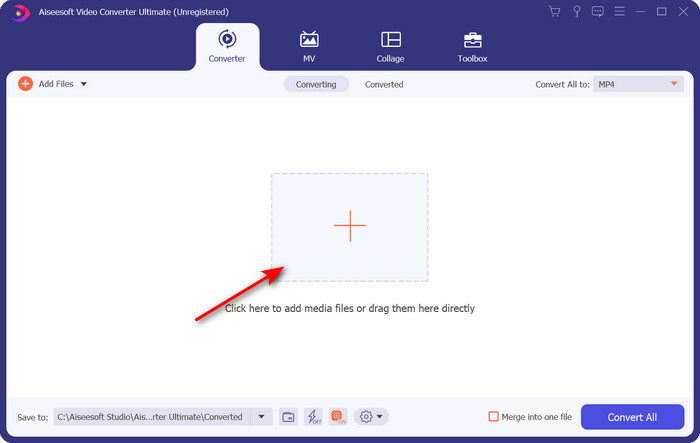
Step 2. Upload the .ogv file by clicking the + button; a file folder will show where you can locate the file, and then click Open.
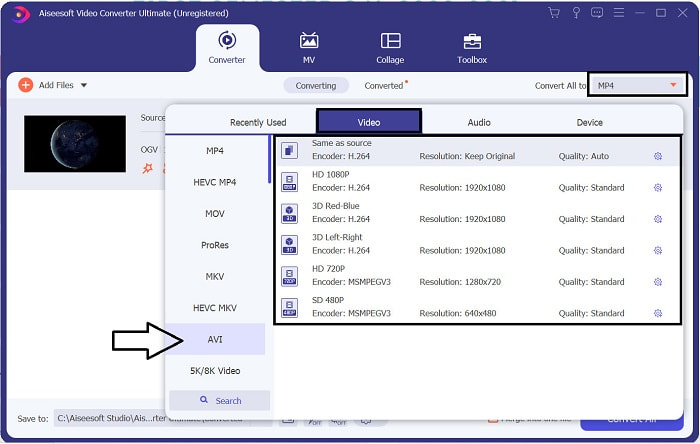
Step 3. Once the file is uploaded, click Convert All to, choose the AVI format or the other format you want the final output would you want it to turn.
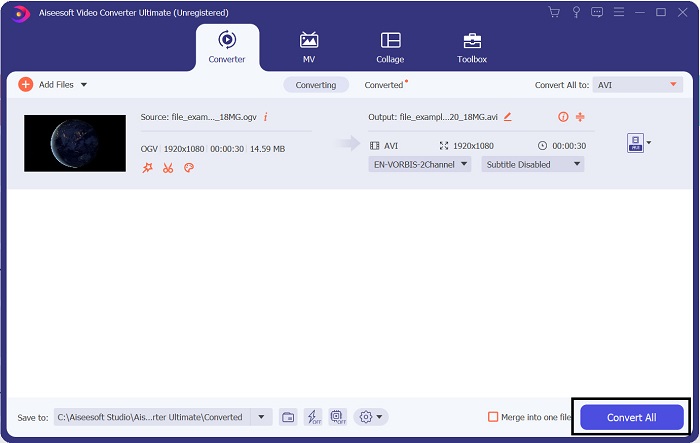
Step 4. Click Convert All to start the conversion process; this process will only take a few seconds because of the fast conversion this tool supports.
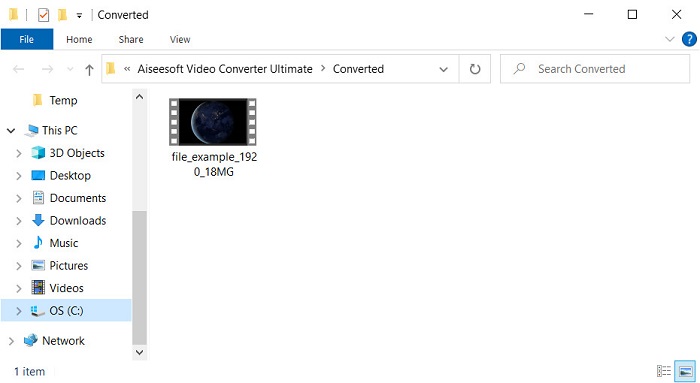
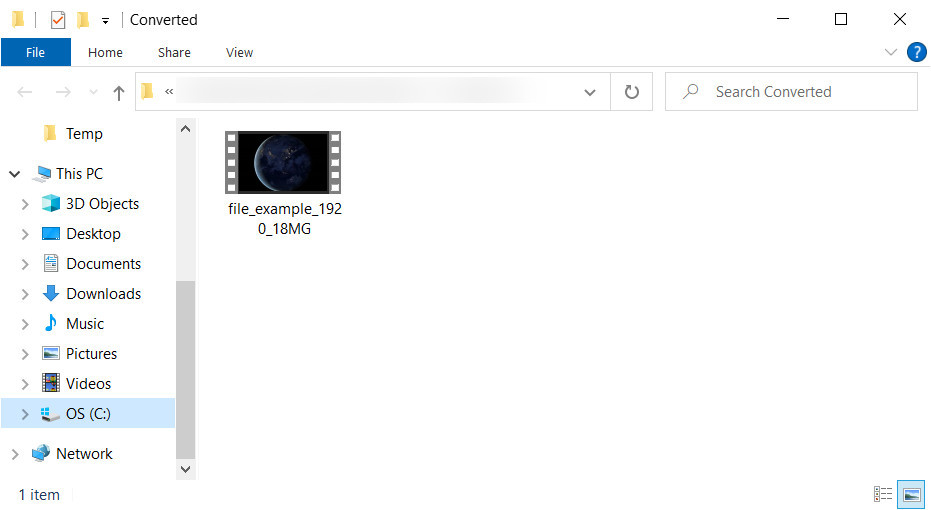
Step 5. After the conversion, a file folder will show on your screen containing the .avi file; click the file to watch it on your media player.
قسمت 3. بهترین تبدیل OGV به AVI رایگان موجود آنلاین
مبدل ویدیوی رایگان FVC آنلاین
Don't want to download a converter on your drive; instead, convert OGV to AVI online for free? Then FVC Free Video Converter Online is the best pick-up. Nowadays, converting can be done online and by searching for a web tool that will help you. However, not all of the web tools support format like the .ogv file. Although there are some trusted converters, this online converter is the safest, has no ads, and is everyone's favorite. To proceed, if you want to convert your OGV files without downloading any converter and with no limitation, then follow these steps.
Step 1. Go to the official website of FVC Free Video Converter Online by clicking this link.
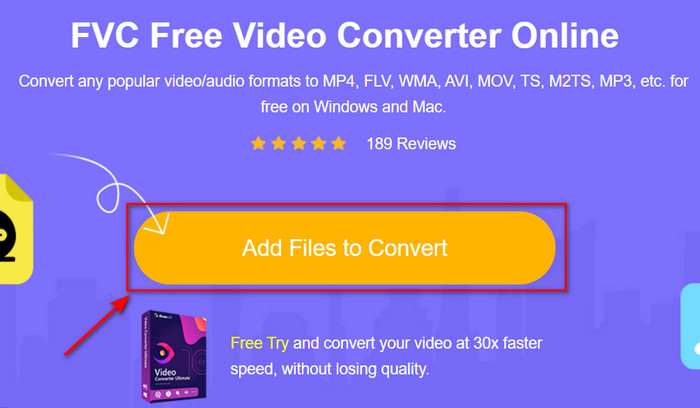
Step 2. Once the website is open, click the Add Files to Convert to download the launcher. Press it again to open a folder to see the .ogv files, then click Open to upload. Additional information, although you can convert without limit here, you still can't do batch conversion.
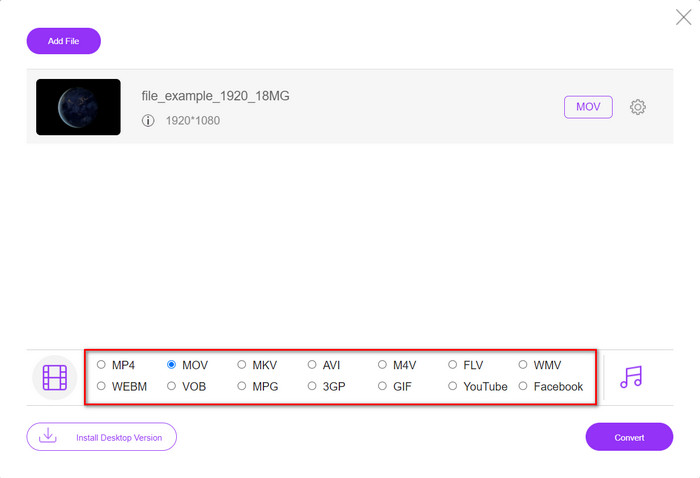
Step 3. Choose the AVI format on the submenu and click it.
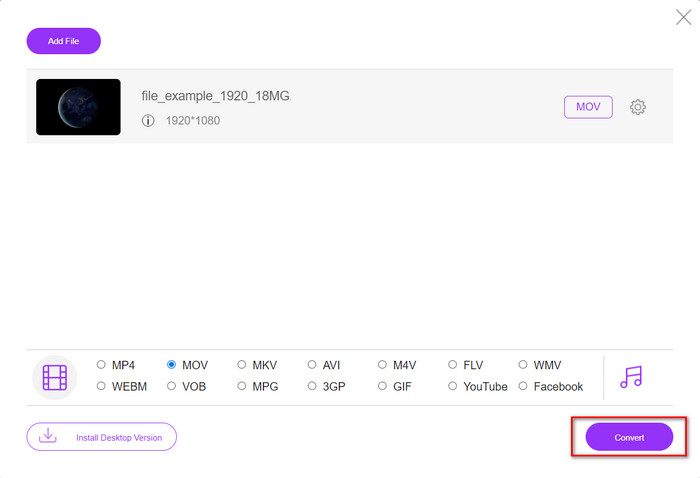
Step 4. Let's start now converting the OGV format to AVI by clicking the Convert button.
Step 5. Converting the file will end shortly; a folder will show with the .avil file.
بخش 4. سوالات متداول در مورد تبدیل OGV به AVI
آیا می توانم .ogv را روی VLC بازی کنم؟
Yes, you can play the .ogv video file on your VLC Player as quickly as that, and it is one of the most prominent media players you can download for free. But if you want to know the 5 best alternatives for VLC, click this link to have an idea about the other media player you can use on PC and Mac.
آیا OGG و OGV یکسان هستند؟
Xiph.org OGG و OGV را تأسیس کرد تا یکی از بهترین فرمتهایی باشد که میتوانید استفاده کنید و از کدکهایی مانند Vorbis و Theora استفاده میکند. اگرچه .ogg میتواند حاوی ویدیو و صدا باشد، اما همچنان در مقایسه با ویدیو بهترین عملکرد را در زمینه صدا دارد. در مقابل، ogv بهترین فرمت برای داشتن فایل های ویدئویی و صوتی است.
بعد از تبدیل ogv کیفیتش کم میشه؟
It depends on what converters you will use because some OGV converters don't provide high-quality output. Unlike FVC Video Converter Ultimate, this tool lets you manipulate the quality into low, middle, or high to make your output better in quality and smaller in size.
نتیجه
All of the mentioned converters in this article convert the OGV to AVI format without losing its quality. It is best to choose the perfect converter that provides the most efficient way of converting the format. If you want to convert a single file without spending a penny, use the FVC Free Video Converter Online. But suppose you're going to do batch conversion easily and without any trouble looking for an internet connection; you must download the FVC Video Converter Ultimate.
-
 2 مورد از بهترین انتخاب تبدیل فایل RMVB به AVI [آنلاین و آفلاین]
 نمی دانید چگونه RMVB را به AVI تبدیل کنید؟ این مقاله بر روی مبدل هایی تمرکز دارد که می توانید برای تبدیل RMVB به AVI، چه آنلاین و چه آفلاین، از آنها استفاده کنید.
-
 نحوه تبدیل XviD به AVI بدون از دست دادن کیفیت ویدیو [2025]
 آیا می خواهید فایل XviD خود را به AVI تبدیل کنید؟ اگر اینطور است، این مقاله را بخوانید زیرا در مورد XviD و نحوه تبدیل فایل XviD خود به فرمت AVI صحبت می کنیم.
-
 بهترین استراتژی در مورد نحوه تبدیل فایل DV به فرمت AVI با مراحل دقیق
 آیا می خواهید فایل DV خود را به AVI تبدیل کنید؟ سپس این مقاله را بخوانید تا ابزار منحصربهفردی را که میتوانید برای تبدیل و پخشکننده رسانه برای پخش DV خود در رایانه شخصی یا مک خود استفاده کنید، بشناسید.
