


 Video Converter Ultimate
 Enregistreur d'écran
 Réparation vidéo
 Téléchargement sécurisé
Examen complet du convertisseur HEIC gratuit d'iMyFone et des alternatives à utiliser
Apple Inc. a eu l'idée d'utiliser les compressions HEIC avancées avec perte car cela pourrait économiser de l'espace sur le stockage, contrairement au format d'image typique comme JPEG. Avec son style de réduction moderne, Apple l'adapte à iOS 11 et macOS High Sierra ou aux versions mises à jour. Malgré sa popularité sur tous les appareils Apple, sa prise en charge sur d'autres systèmes d'exploitation tels que Windows et Android n'est pas aussi compatible avec le JPEG. En raison du problème croissant de compatibilité, de nombreux utilisateurs recherchent un convertisseur HEIC pouvant utiliser pour changer le format en JPEG ou JPG.
L’un des convertisseurs que vous voyez peut‑être déjà sur le marché est le iMyFone Free HEIC Converter. Aujourd’hui, nous allons examiner plus en détail ce logiciel ainsi que d’autres alternatives que vous pouvez utiliser pour transformer un fichier HEIC en JPG en quelques secondes.

Partie 1. Qu'est-ce qu'iMyFone Free HEIC Converter
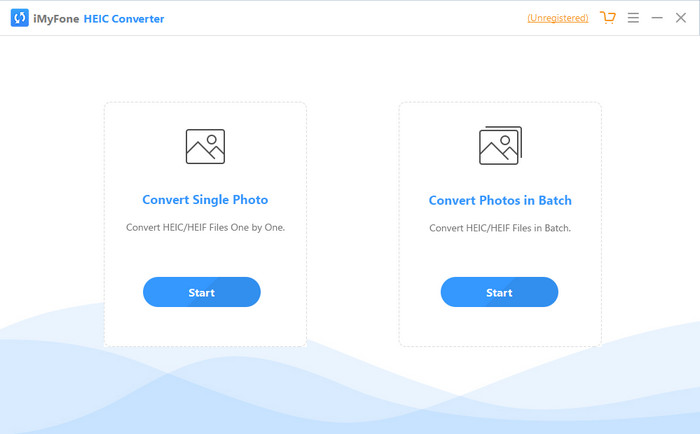
iMyFone HEIC Converter est un convertisseur dont vous aurez besoin pour convertir le format HEIC dans le format d’image que vous souhaitez, comme le JPEG. Contrairement à d’autres convertisseurs, il peut transformer une image HEIC en JPEG sans en altérer la qualité. Vous avez la possibilité d’ajuster la qualité de l’image selon vos propres paramètres. Avec un tel logiciel, vous n’avez plus à vous soucier des problèmes de compatibilité de vos fichiers HEIC, car il peut vous aider en moins d’une minute. En plus de la conversion, vous pouvez également télécharger ce logiciel sur les deux systèmes de bureau, puisqu’il est compatible avec les versions Windows et Mac.
Même s'il prend en charge différents systèmes d'exploitation, nous pouvons toujours voir que le logiciel fait parfaitement la même tâche sur les deux systèmes. Mais qu'est-ce qui rend le convertisseur meilleur que l'autre convertisseur que vous pouvez télécharger ou accéder sur le Web ? Si vous voulez regarder le logiciel, vous devez lire la deuxième partie pour connaître les fonctionnalités, les avantages, les inconvénients et comment l'utiliser.
Partie 2. Examen du convertisseur HEIC gratuit d'iMyFone | Principales caractéristiques, avantages, inconvénients et comment l'utiliser
Principales caractéristiques de l'utilisation d'iMyFone HEIC Converter sur Windows et Mac :
◆ Il a une option pour convertir un seul fichier HEIC ou un fichier HEIC par lots.
◆ Convertissez le fichier HEIC ici sans dégrader la qualité de l'image, mais vous pouvez également augmenter sa qualité.
◆ Il prend en charge la conversion de HEIC en JPEG/JPG en moins d'une minute.
◆ Il enregistre instantanément le fichier HEIC converti sur le disque local pour éviter la détérioration du contenu confidentiel.
Avantages
- Il fait le travail de conversion du format HEIC facilement.
- Son interface graphique est simple, vous pouvez donc apprendre instantanément à l'utiliser.
- Il prend également en charge la conversion de plusieurs fichiers HEIC en une seule fois sans limitations.
Les inconvénients
- Parfois, les fichiers HEIC ne sont pas reconnaissables ici et ne peuvent que convertir HEIC en JPG.
- Vous ne pouvez pas convertir vos fichiers HEIC si vous n'avez pas acheté la version premium, surtout après la période d'essai.
- La fonction glisser-déposer est inutilisable.
Comment utiliser le convertisseur iMyFone HEIC sur Windows et Mac :
Étape 1. Téléchargez iMyFone HEIC Converter depuis le site officiel, puis choisissez la version Windows ou Mac.
Étape 2. Ouvrez le logiciel : deux options s’affichent à l’écran. Cliquez sur Start pour l’une d’elles afin de passer à l’étape suivante.
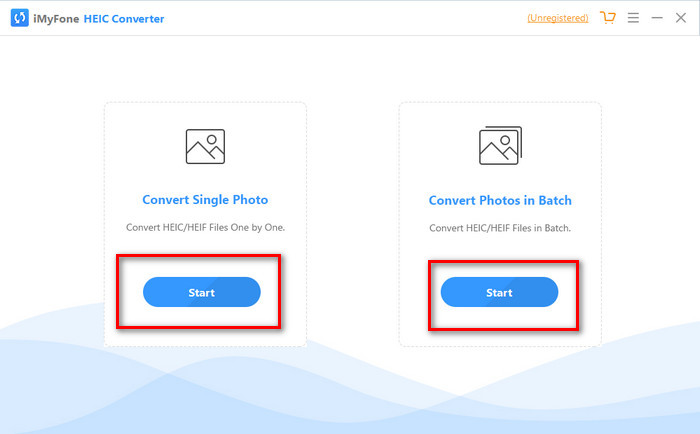
Vous pouvez soit utiliser Convertir une seule photo ou Convertir une photo par lot ; quel que soit votre choix, il n'est pas différent l'un de l'autre.
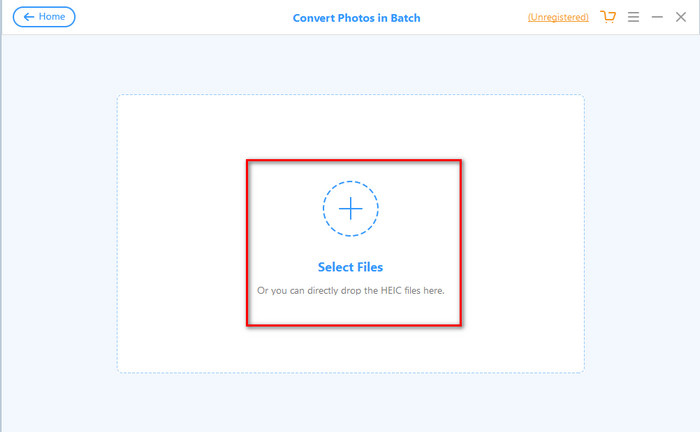
Étape 3. Ajoutez le fichier en appuyant sur le bouton + pour importer le fichier HEIC présent sur votre disque.
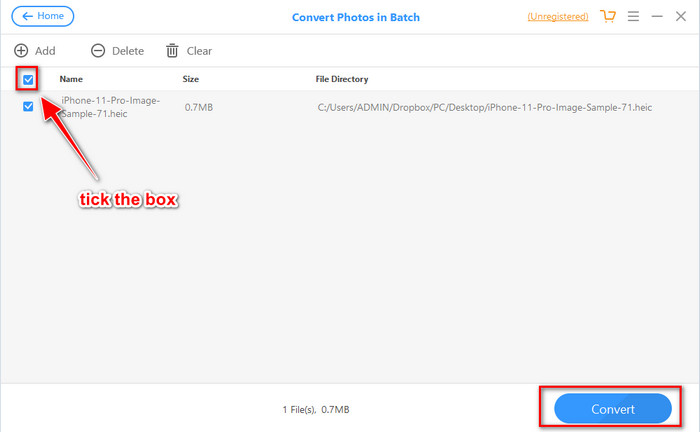
Étape 4. Cochez la case, cliquez sur Convert, ajustez la qualité si vous le souhaitez, puis cliquez de nouveau sur Convert pour modifier le format.
Partie 3. Les 3 meilleures alternatives pour iMyFone Free HEIC Converter Online & Offline
FVC Convertisseur HEIC en JPG Gratuit
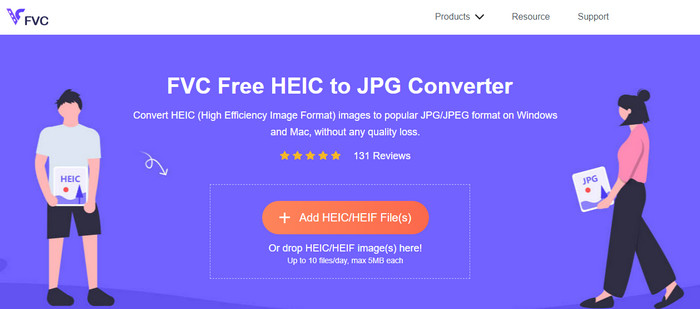
Si vous ne souhaitez pas télécharger iMyFone HEIC Converter mais que vous voulez convertir un fichier HEIC en JPG, nous vous recommandons alors d’utiliser le FVC Free HEIC to JPG Converter. Cet outil en ligne peut vous aider à rendre un fichier HEIC compatible en le transformant en JPEG. Tout comme le convertisseur que nous venons de présenter, cet outil peut uniquement convertir vos images HEIC en JPEG et ne propose aucun autre format de sortie. Dans l’ensemble, cet outil en ligne est un excellent convertisseur, accessible depuis différents navigateurs.
Bien que l'outil Web soit gratuit et disponible en ligne, vous devez garder à l'esprit certaines limites. Tout d'abord, la taille du fichier de l'image ; assurez-vous que la photo a 5 Mo ou moins car vous pourriez avoir un problème pour la télécharger ici. Vient ensuite la conversion disponible par jour ; vous ne pouvez utiliser ce convertisseur que pour convertir HEIC dix fois par jour. Même s'il existe des limitations lors de l'utilisation de l'outil; c'est quand même bien de l'avoir utilisé pour faire l'expérience d'une conversion gratuite.
Convertisseur Aiseesoft HEIC
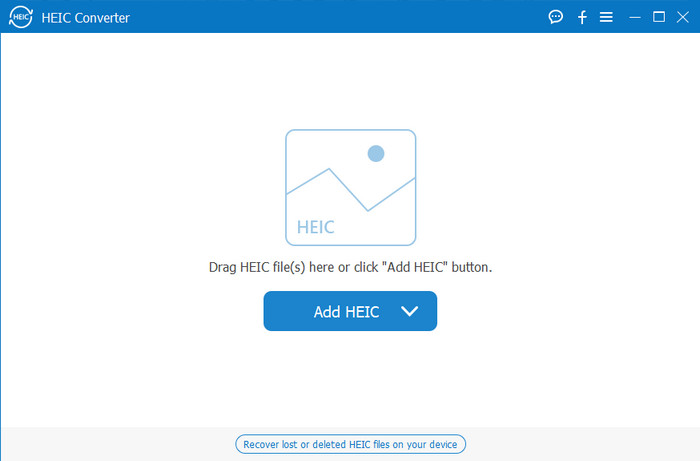
Aiseesoft HEIC Converter est la meilleure alternative à iMyFone HEIC Converter que vous pouvez installer sur votre ordinateur. C’est un puissant convertisseur HEIC, indispensable si vous souhaitez convertir vos fichiers HEIC. Si le logiciel que nous avons présenté plus haut est déjà rapide, ce convertisseur‑ci peut transformer vos fichiers HEIC encore plus vite qu’un clin d’œil. Vous n’avez donc pratiquement pas à attendre la fin de la conversion, car il prend en charge une vitesse de conversion ultra‑rapide, même pour plusieurs fichiers HEIC à la fois. En plus de cette vitesse, vous pouvez également glisser‑déposer les fichiers HEIC dans le programme pour les importer plus facilement.
Quoi de plus? Si le logiciel que nous examinons ne prend pas en charge d'autres formats de sortie, vous pouvez choisir JPEG ou PNG avec cet outil. En outre, vous pouvez ajuster la qualité de l'image HEIC en fonction de vos spécifications en faisant glisser les curseurs. Enregistrez le fichier EXIF lié au fichier HEIC et transférez-le au format de votre choix. Incroyable non ? L'outil est bien meilleur que les autres convertisseurs que vous pouvez trouver sur le marché.
En rapport:
Convertir HEIC en JPG sur iPhone
Partie 4. FAQ sur iMyFone Free HEIC Converter
Est-ce que l'exportation du fichier JPG sur iMyFone HEIC Converter laissera un filigrane ?
Ce ne sera pas le cas, vous pouvez donc télécharger le fichier HEIC ici, puis le convertir, et une fois que c'est fait, vous pouvez télécharger le fichier sans le filigrane.
Pourquoi ne puis-je pas convertir mon fichier HEIC sur iMyFone HEIC Converter ?
Si la période d'essai est terminée, vous ne pouvez plus utiliser cet outil pour convertir. Donc, si vous souhaitez l'utiliser, vous devrez acheter ou enregistrer le code ici, puis convertir le fichier HEIC souhaité à l'aide de ce convertisseur.
Est-il sûr de télécharger le convertisseur iMyFone HEIC ?
Oui, le convertisseur est sûr et gratuit à télécharger sur n'importe quel appareil de bureau. Pour télécharger le logiciel en toute sécurité, vous devez visiter le site officiel du convertisseur. Là-bas, vous pouvez cliquer sur le bouton de téléchargement pour avoir le convertisseur HEIC sur votre bureau.
Conclusion
Après ce test du iMyFone Free HEIC Converter, vous avez désormais une connaissance approfondie de ce convertisseur. Il vous appartient maintenant de décider s’il s’agit du meilleur convertisseur HEIC pour vous. Malgré ses limites et ses inconvénients, il reste excellent à utiliser sous Windows et Mac. Ainsi, si vous décidez de l’adopter, vous pouvez vous rendre sur son site officiel pour le télécharger et l’installer, afin de convertir vos fichiers HEIC en JPEG. En revanche, si vous envisagez de convertir vos fichiers HEIC en PNG, cet outil ne pourra pas vous aider. Dans ce cas, vous devez télécharger Aiseesoft HEIC Converter si vous souhaitez convertir facilement les fichiers HEIC en JPG ou PNG. Cliquez sur le bouton de téléchargement ci‑dessus pour l’obtenir dès maintenant.
-
 Moyens efficaces d'importer HEIC dans Lightroom sous Windows et Mac
 Vous voulez savoir comment importer des fichiers HEIC dans Lightroom sous Windows et Mac ? Alors, lisez attentivement cet article pour savoir comment le faire.
-
 Convertisseur HEIC Joyoshare | Examen de l'application et fonctions que vous devez connaître
 La meilleure critique Joyoshare HEIC Converter que vous devez connaître, car nous incluons les détails et les fonctionnalités que vous devez connaître avant de l'avoir.
-
 Comment afficher et convertir des fichiers HEIC sur Android [gratuit] sans effort]
 Voulez-vous afficher ou convertir des fichiers HEIC sur Android sans détruire la qualité d'image d'origine ? Dans ce type de scénario, cet article vous aidera.
