


 ビデオコンバーター究極
 スクリーンレコーダー
 ビデオ修復
ビデオ修復ビデオアプリで利用可能なテキストに関する簡単な分析Windows / Mac / Android / iOS
プロジェクトを保護することは、とりわけオンラインに投稿する場合には、自分の作品を盗まれないようにするために不可欠です。しかし、すべてのウェブサイトが他人による盗用からあなたの作品を守ってくれるわけではありません。ですから、プロジェクトをウェブに投稿する前に、ウォーターマーク(透かし)を追加しておくのが理想的です。ウォーターマークが常に作品を守れるとは限りませんが、盗用の可能性から作品を守るもう一つの手段と言えるでしょう。本記事では、そのために使えるツールを紹介します。多くは無料で利用できますが、いくつかは機能を最大限に利用するには購入が必要です。それでは早速、2022年版の動画にテキストを入れるアプリを総チェックしていきましょう。

パート1。WindowsとMacでダウンロードできるビデオアプリケーションのベストテキストの3
FVCビデオコンバーターアルティメット
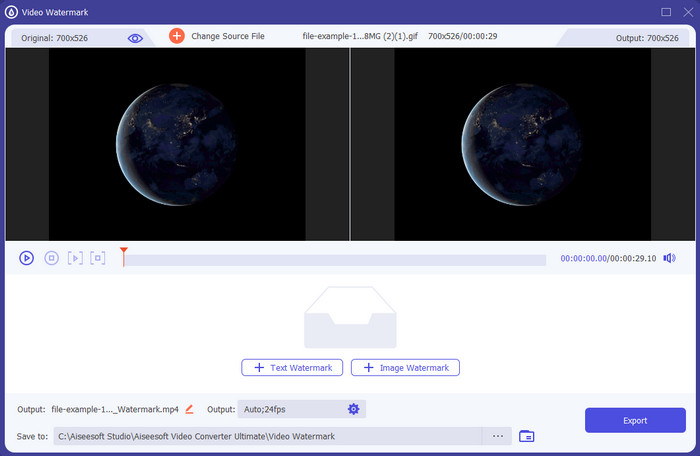
価格: 無料トライアルあり、1年間 $39.50~、買い切り版 $55.20~、2~5台用永続ライセンス $119.00。
対応プラットフォーム: Windows および Mac。
動画にテキストを追加できるアプリを探しているなら、2022年に最も選ばれているFVC Video Converter Ultimateがおすすめです。このツールは対応フォーマットが非常に豊富で、動画ファイルを読み込む際に困ることはほとんどありません。必要に応じて出力形式を変更することもできます。GUI(画面レイアウト)を一目見ただけでも、シンプルでありながらプロ仕様であることが分かります。プロ向けツールではありますが、経験があまりないユーザーや初心者でもすぐに使い方を習得できます。学習コストは、Adobe Photoshop ほど高くはありません。
さらに、このツールは、1つ、2つ、またはそれ以上のファイルをアップロードおよびダウンロードする最も迅速なプロセスを備えているため、究極のツールとしての名前に誇りを持っています。このツールを使用すると、不可逆または可逆ファイル形式のエンコードがすばやく簡単になります。このツールはビデオテキストエディタのリストからは少し高価ですが、それでもこのツールは最も使いやすく、最も効果的であることがわかります。
無料ダウンロードWindows 7 以降に対応安全なダウンロード
無料ダウンロードMacOS 10.7 以降に対応安全なダウンロード
アドビフォトショップ
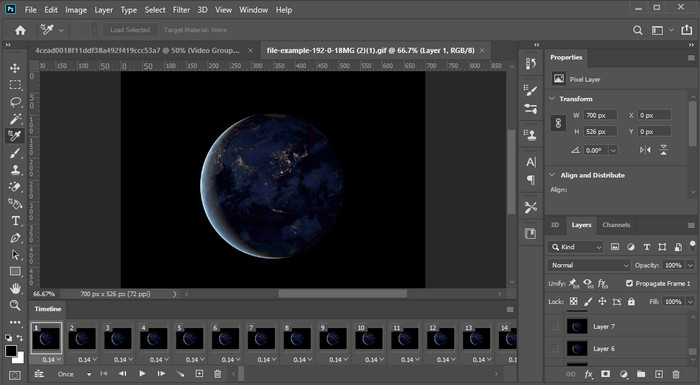
価格: 7日間の無料トライアルあり、月額 $20.99。
対応プラットフォーム: Windows、Mac、iPad。
本格的なツールで作業したいなら、Adobe Photoshopはまさにプロ向けの代表格と言えるでしょう。高機能なGUIと豊富な機能で、プロが自分の環境に導入する第一候補の編集ソフトとなっています。さらに、高度な編集機能を備えており、動画上のテキストをこれまで以上に魅力的に見せることができます。
ただし、このツールは非常に技術的であるため、一部のプロでさえ特定のタスクを実行する方法に関するチュートリアルを読む必要があるため、編集の初心者には最適な選択ではありません。ただし、これを使用する場合は、ビデオアプリにテキストを追加してください。アドビの公式サイトからダウンロードできます。
iMovie
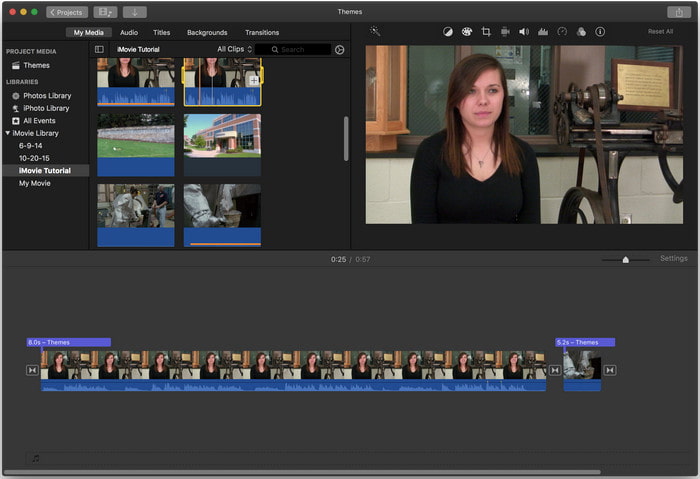
価格: 無料(プリインストール)。
対応プラットフォーム: Mac および iOS。
Mac または iOS デバイスで、無料で使える動画用ウォーターマークツールが必要なら、iMovieでその作業を十分こなせます。このツールは Apple 専用のため、Windows や Android では利用できません。対応プラットフォームは限定されていますが、Mac と iOS で使えるウォーターマーク編集ツールとしては、依然としてトップクラスの一つと見なされています。無料でありながら充実した編集機能を備えているため、特に初心者に好まれています。もし Mac または iOS をお持ちなら、この動画テキスト追加アプリをまず試してみて、自分のニーズに合うかどうか確かめるべきでしょう。
パート2.3すべてのAndroidとiOSで利用可能な最高のビデオテキストアプリケーション
上記のツールはすべてWindowsとMacで利用できますが、一部のツールは限られたモバイルデバイスをサポートしています。モバイルデバイスを持っていて、ビデオに透かしとしてテキストを追加したい場合はどうなりますか?あなたはまだそれをすることができますか?以下に示すツールを使用できます。このツールがあなたのニーズを十分に満たすかどうかを知るために注意してそれを読んでください。
ビデオエディタ:ビデオ上のテキスト
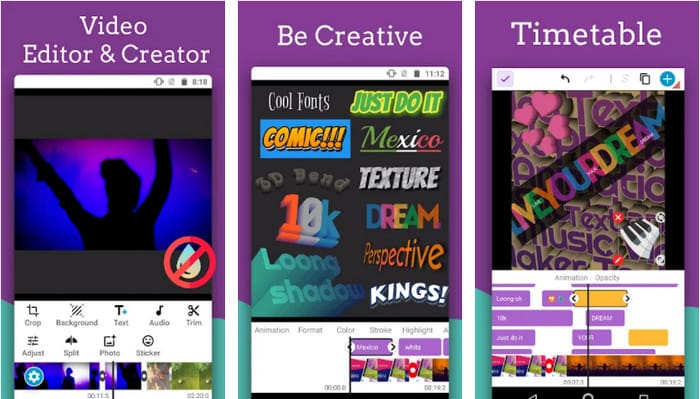
価格: 無料ダウンロード可。
対応プラットフォーム: Android。
Android には動画にテキストを追加できる無料アプリが数多くありますが、その中でもVideo Editor: Text on Videoは多くの点で優れたアプリです。この Android アプリは、動画をより印象的に仕上げるための高度な編集機能を複数備えています。ウォーターマークを動画に追加したい場合にも対応しており、テキストアニメーション機能を使って、動画上に動きのあるテキストを入れることもできます。
ツールは無料でダウンロードできますが、一部のユーザーが遭遇するバグや不具合など、まだ多くの改善が必要であり、このツールで修正する必要があります。また、携帯電話でアプリを開いて使用すると、一部の広告がポップアップ表示されます。それにもかかわらず、開発者はツールを更新し続け、Androidで最高のビデオエディターになり、その可能性を最大限に引き出します。
Vont-ビデオ4+のテキスト
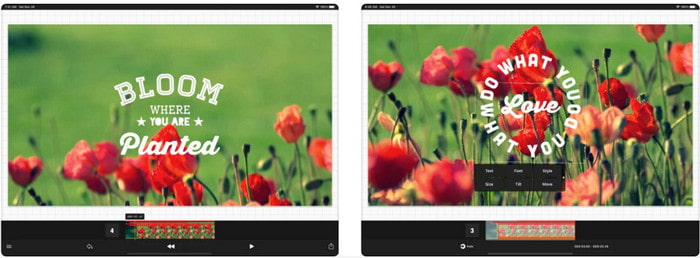
価格: 無料ダウンロード可、アプリ内課金 $2.99 ~ $9.49。
対応プラットフォーム: iPhone、iPad、Android。
Vont - Text on Videos 4+は、モバイル端末全般で動画にテキストを追加するための、最有力アプリの一つです。このアプリは Android と iOS の両方に対応しているため、両陣営で高い評価と人気を得ています。ただし、どちらでより快適に使えるかという点では、iOS 版のほうが対応フォーマットが多く、使える編集機能もより細かいことから、iOS デバイスでの利用に一層向いていると言えるでしょう。
このツールはiOSの方が優れていますが、Androidデバイスでもこのツールを使用して、一部のビデオに透かしをすばやく追加するのに優れていることに同意できます。
ビデオのテキスト:Easy Vid Editor 4+
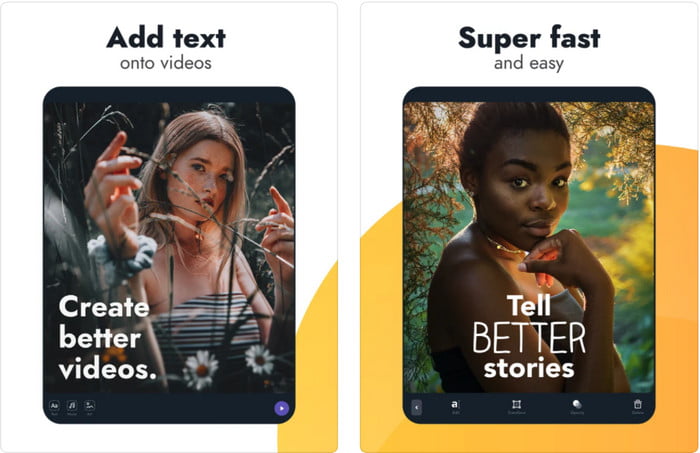
価格: 無料ダウンロード可、アプリ内課金 $1.99 ~ $49.99
対応プラットフォーム: iPhone および iPad。
iOS で使える「動画にテキスト」アプリの中でベストなものを知りたいなら、Text On Video: Easy Vid Editor 4+で間違いありません。このツールには、さまざまなフォントスタイルでテキストウォーターマークを簡単に動画へ追加できる編集機能が多数搭載されています。
Photoshopと同様に、このツールは3Dテキスト透かしを促進して、ビデオや写真を撮っている間、テキストを操作してどこにでも配置できるようにします。私たちはそれを最高だと考えていますが、プロが必要とする非常に詳細な編集に興味がある場合は、それでも必要なプロツールではないと考えています。
関連記事:
パート3。テキスト透かしアプリの追加に関するFAQ
テキスト透かしアプリをダウンロードしても安全ですか?
公式サイトまたはダウンローダーでツールをダウンロードした場合は安全です。公式サイトからダウンロードしても問題ありません。ただし、すべてのWebサイトが保護されているわけではないため、問題を回避するために、オペレーティングシステムでツールを使用するための最も安全なダウンロードに注意する必要があります。
デスクトップと電話のどちらで、テキスト透かしアプリのパフォーマンスが向上しますか?
デスクトップのCPUは電話よりも高いため、デスクトップのテキスト透かしアプリがヘビーデューティーで優れたパフォーマンスを発揮することは間違いありません。ただし、セミウェイト編集が必要な場合は、電話のテキスト透かしが最適です。デスクトップを設定しなくても、どこにでも持ち運び、いつでも使用できます。
テキスト透かしアプリを購入するのが理想的ですか?
予算が限られている場合は、無料のツールを使用することをお勧めしますが、いくつかの制限があり、無料であるため、それを期待しています。ただし、プレミアムバージョンで最高の機能を利用したい場合は、無料バージョンでは入手できないため、購入するか、サブスクライブすることをお勧めします。
結論
ここまでで各ツールの分析は完了しました。あとはあなたに合ったものをダウンロードするだけです。本記事が、どのツールを使うべきか判断する助けになれば幸いです。もしそれでも迷ってしまうようなら、FVC Video Converter Ultimateを選ぶことをおすすめします。これは Windows と Mac の両方で使えるオールインワンツールであり、それぞれの作業目的に合わせて設計された機能が揃っています。以上の理由から、本記事で紹介した中でも、最も優れたテキストウォーターマークアプリと言ってよいでしょう。
-
 コンピュータ/電話で無料でビデオにオーディオと音楽を追加する方法
 この記事では、ビデオにオーディオを無料で追加する4つの簡単な方法を紹介します。ビデオに追加するオーディオトラックに関係なく、ここで満足のいく結果を得ることができます。
-
 GIF をビデオ形式に変換: GIF ミームをビデオに変換する [2025]
 以下にリストされているツールを使用して、GIFをビデオ形式に変換する方法を決定します。それらについて十分な証拠を収集するので、どれを選択し、それを行う方法を学びます。
-
 AndroidおよびiOSデバイス用のビデオアプリへの素晴らしいGIF
 GIFを携帯電話を使用して好きなビデオ形式に変換できることをご存知ですか? AndroidまたはiOSで最高のアプリを選択してください。
