


 ビデオコンバーター究極
 スクリーンレコーダー
 ビデオ修復
ビデオ修復ビデオ解像度を変更するための8つの最高のビデオ解像度コンバーターは何ですか
動画の幅と高さによるピクセル数という観点では、再生するすべての動画サイズを左右する重要な要素が「動画解像度」です。さまざまなマルチメディアサイトでは、異なる解像度で動画が再生されます。そのため、特定の高さと幅に動画解像度を変換する必要が生じる場合があります。そこで、自分に合った動画解像度コンバーターを見つけるために、ここで紹介する市場で見つかったトップ9の解像度コンバーターを数分かけてチェックしてみてください。

パート1。すべてのWindowsとMacで利用可能なトップ3のビデオ解像度変換ソフトウェア
トップ1.FVCビデオコンバーターアルティメット(WindowsおよびMac)
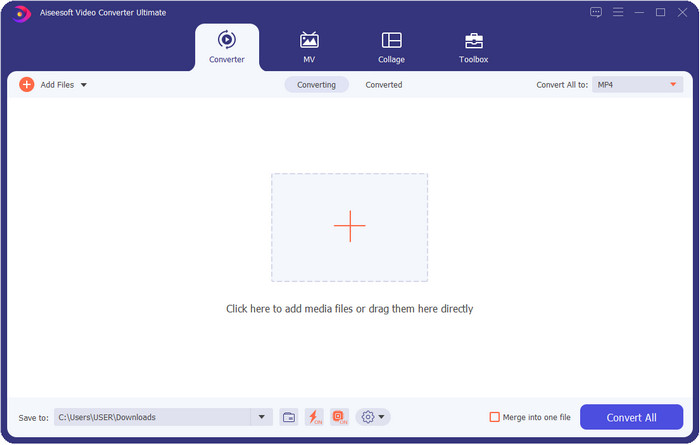
FVC Video Converter Ultimateは、自分の好みに合わせて簡単に解像度を操作できる最高の動画解像度向上ソフトです。このソフトを使えば、動画解像度を4Kまで高めることも、144pxまで下げることもできます。また、このツールでは動画の各種パラメーターを変更し、書き出す前にプレビューで確認して、本当に望む解像度になっているかをチェックできます。
さらに、ここでファイルを変換する場合は、このツールがすでに提供しているさまざまなビデオ解像度のセットを選択できます。ビデオ解像度を変更する簡単な方法を体験する。それに加えて、ビデオのニーズに合わせてカスタマイズ可能なビデオ解像度を作成することもできます。このツールについてさらにアイデアが必要な場合は、このツールが提供できる主な機能を読むことができます。

FVCビデオコンバーターアルティメット
5,689,200以上のダウンロード- 超高解像度で動画をMP4、MOV、その他200以上に変換します。
- 1分以内に異なるビデオファイルを同時に変換します。
- プレビューでファイルをエクスポートする前に、ビデオの解像度を確認してください。
- 圧縮、色補正などに役立つ多目的ツールボックスを利用できます。
- WindowsやMacを含む、デスクトップ上のすべてのオペレーティングシステムで利用できます。
無料ダウンロードWindows 7 以降に対応安全なダウンロード
無料ダウンロードMacOS 10.7 以降に対応安全なダウンロード
トップ2.VLC(Windows、Mac、モバイルデバイス)
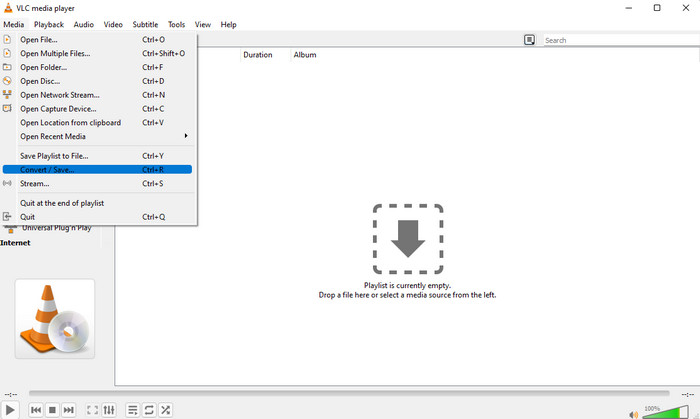
必要に応じて、MP4ビデオ解像度コンバーターとしてWeb上で最高のビデオプレーヤーを使用できます。 VLCは、ユーザーに高解像度のビデオを再生するだけでなく、ビデオを高解像度に変換することもできます。このツールにはビデオコンバーター機能がありますが、デスクトップにダウンロードできる他のビデオコンバーターほど効果的ではありません。ただし、このツールは無料でダウンロードしてビデオを再生および変換できるため、このレビューで言及する価値があります。
VLCを使う利点:
◆これは、Windows、Mac、およびその他のモバイルデバイス上の多目的ビデオプレーヤーおよびコンバーターです。
◆無料で安全にダウンロードできます。
◆他のコンバーターほど効果的ではありませんが、必要に応じてタスクを実行できます。
トップ3。ハムスター無料ビデオコンバーター(Windows)
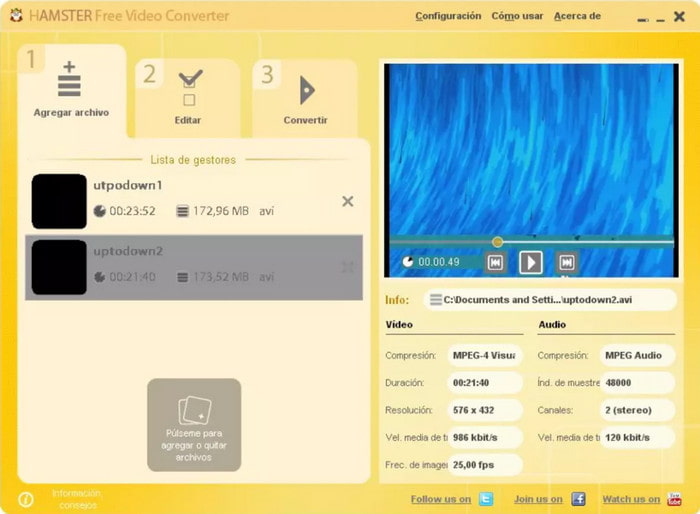
Hamster Free Video Converterは、ほとんどあらゆる動画を高解像度の任意の動画形式に変換するのに役立ちます。この動画解像度コンバーターは、Windowsオペレーティングシステムであれば無料でダウンロードでき、動画に関するさまざまな問題を抱えるユーザーをサポートします。ツール自体は使いやすく無料ですが、ソフトのGUIは、よりプロフェッショナルな動画コンバーターのように複数のスキンを追加するなど、インターフェース改善のためのアップデートが必要に感じられます。とはいえ、多少の難点はあるものの、このソフトが動画解像度の変換にはしっかり役立つことはお約束できます。
Hamster Free Video Converterを使う利点:
◆任意のWindowsオペレーティングシステムにダウンロードできる無料のビデオコンバーター。
◆使い方はとても直感的で、使い方のチュートリアルを読んだり見たりする必要はありません。
◆シンプルでありながら強力なビデオコンバーター。
パート2。オンラインで無料で使用できるトップ3のビデオ解像度コンバーター
トップ4。FVC無料ビデオコンバーターオンライン
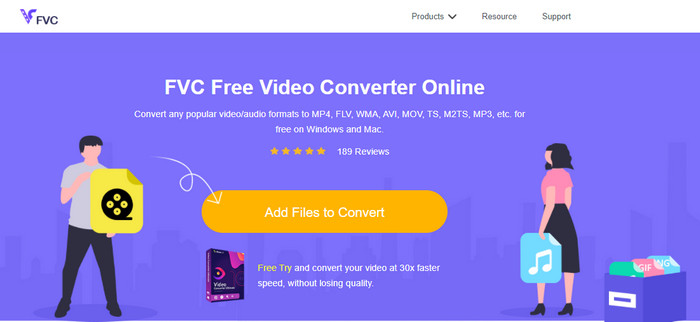
FVC Free Video Converter Onlineは、ダウンロードしたくない場合に頼りになる、最高クラスの高解像度から低解像度へのオンライン動画コンバーターです。このツールは使いやすいだけでなく、無料かつ安全です。さらに、本ツールはさまざまな動画解像度に対応しており、1080pxまで、あるいは240px未満まで自由に選択できます。このWebツールを使えば、解像度を変更するためにデスクトップにソフトをインストールする必要はありません。ただし、ツール自体はすぐに使えるものの、大規模な処理が可能な最上位版ツールほど高機能ではありません。それでも、回数制限なく使えるコンバーターが欲しい場合には便利です。
FVC Free Video Converter Onlineを使う利点:
◆Webツールをダウンロードする必要はなく、安全に使用できます。
◆インターネットに接続すれば、いつでもどこでもWeb上のツールに簡単にアクセスできます。
◆最大1080pxのビデオ解像度を無料でサポートします。
トップ5.HD変換
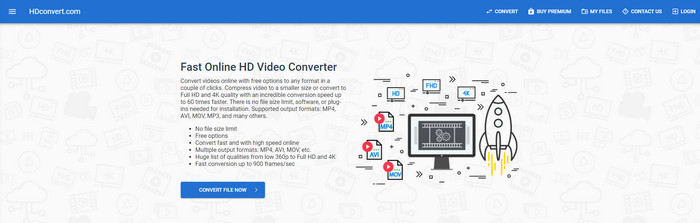
オンラインで使えるもう一つの動画解像度向上ツールがHD convertです。このツールも、最初に紹介したオンラインコンバーター同様、さまざまな解像度プリセットに対応しています。対応フォーマットの種類が豊富なため、動画ファイルを簡単にアップロードして、後から画質を向上させることができます。ただし、無料版では720pxまでしか変換できません。さらに、解像度の変換後に動画を書き出すと、動画上にウォーターマークが入ってしまう点も気になりました。とはいえ、ウォーターマークと720pxという制限が気にならないのであれば、動画の解像度を無料で変換できます。
HD convertを使う利点:
◆より詳細なビデオ変換プロセスをサポートします。
◆このWebツールが無料でサポートするビデオ解像度は720pxです。
◆アップロードする最新のビデオフォーマットをサポートしています。
トップ6.123APPS –ビデオコンバーター
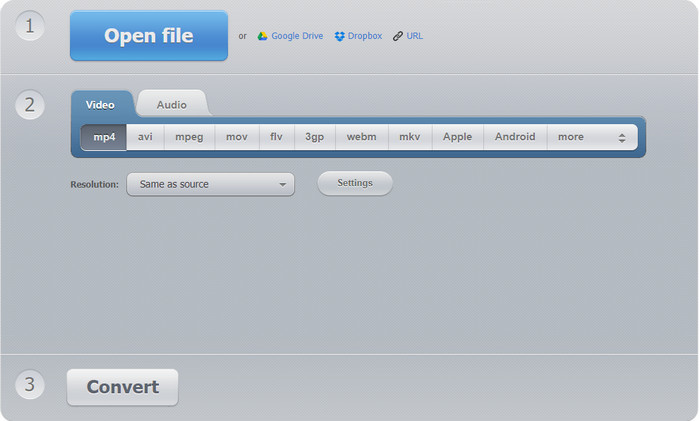
Web上で使える優秀な動画解像度向上ツールの最後にご紹介するのが、123 APPS – Video Converterです。HD convertと同様に、このWebツールも読み込み・書き出しともに一般的な人気フォーマットに対応しています。対応フォーマットは似ていますが、このツールは2番目のWebコンバーターより優れており、最大1080pxから最低240pxまで解像度を選択できます。無料ツールではあるものの、公式サイト上に表示されるポップアップ広告が、操作体験をやや損なう可能性があります。また、アップロードとダウンロードの速度はインターネット環境に左右されるため、無料で動画の解像度を上げる際には、ある程度の時間的余裕と忍耐が必要になります。
123 APPS – Video-converterを使う利点:
◆最大1080ピクセルのビデオ解像度に変換できます。
◆ウェブツールには広告がありますが、それでも安全にアクセスできます。
◆Hd変換よりも多くのエクスポート形式をサポートします。
パート3。iOSとAndroidにダウンロードするトップ2のビデオ解像度コンバーターアプリ
トップ7.ビデオコンバーター(iOS)
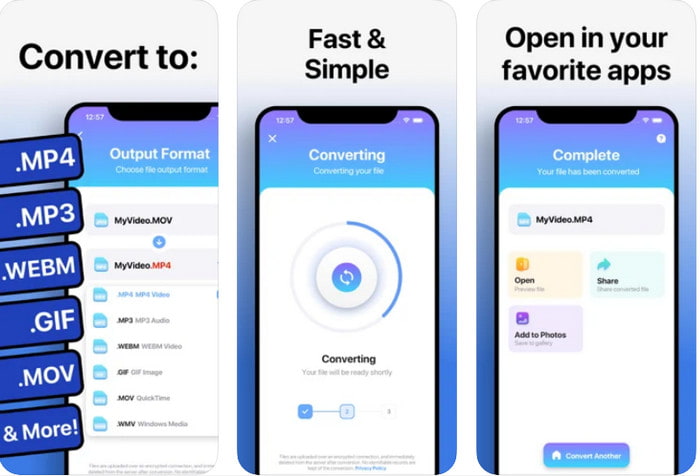
この動画解像度向上アプリは、iOS上で手軽に解像度を変更するのに利用できます。The Video Converterは、iOSユーザーにとって、フォーマットと解像度を変更する最も効率的な方法を提供します。このアプリは、他のWebサイトよりも広い範囲のフォーマットに対応しており、iOSデバイス上で動画を簡単にアップロード・ダウンロードできます。ただし、アプリ自体は無料でダウンロードできますが、有料版を購入またはプレミアム版を有効化しないと十分には利用できません。そのため、このコンバーターを選ぶ前に、使用料を支払うための余裕資金が必要になります。
The Video Converterを使う利点:
◆どのiOSデバイスにも無料でダウンロードできますが、ファイルをエクスポートするときに料金を支払う必要があります。
◆さまざまな種類の編集機能と平均的なスケールのビデオ形式をサポートします。
◆ビデオの解像度は最大1080pxになります。
トップ8.ビデオコンバーター、コンプレッサーMP4、3GP、MKV、MOV、AVI(Android)
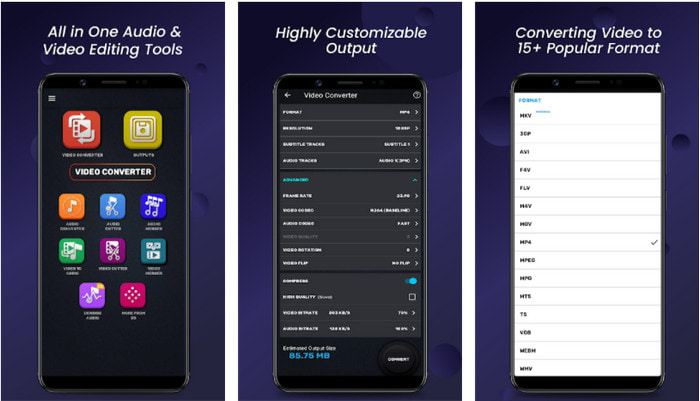
Androidユーザーであれば、Playストア上から無料でダウンロードできるこの動画解像度コンバーターを利用できます。Video Converter, Compressor MP4, 3GP, MKV, MOV, AVIは、Playストアで見つかった中でも、動画の解像度や形式を豊富に選べる優れたアプリです。最上位版コンバーターと同様、このツールには、書き出し前に動画を圧縮したり、字幕やオーディオトラックを追加したりする機能も備わっています。ただし、こうした機能が揃っているとはいえ、総合的な性能は最上位版コンバーターほどではありません。場合によっては、動画解像度の変換がうまくいかないこともあります。
Video Converter, Compressor MP4, 3GP, MKV, MOV, AVIを使う利点:
◆すべてのAndroidデバイスで利用可能で、ツールを無料でダウンロードできます。
◆モバイルデバイスで最高のビデオコンバーター、コンプレッサー、オーディオトラック、字幕加算器です。
◆ポップアップ広告はありますが、安心してご利用いただけます。
関連記事:
パート4。ビデオ解像度コンバーターに関するFAQ
ビデオの解像度と品質の違いは何ですか?
解像度と品質は、すべてのビジュアルメディアファイルのビデオと画像に不可欠です。一部のユーザーは同じだと思っていますが、そうではありません。解像度は光メディアファイルのサイズを指すため、幅と長さのピクセルとして測定できます。品質は視覚的な表現を取りますが、これはビデオ品質が保存されているピクセルの詳細に焦点を合わせていることを意味します。
オンラインでビデオを再生するのにどちらが良いですか? 720または1080?
Webでビデオを再生している場合は、HD品質でロードがはるかに高速になるため、1080ではなく720を使用することをお勧めします。ただし、より詳細な場合は、代わりに1080を使用することをお勧めしますが、この解像度は720よりもはるかに長い時間をロードします。
最高のビデオ解像度はどれくらいですか?
最高品質は8kUHD(7680 x 4320)ですが、まもなくより高い解像度が表示されます。
結論
本レビューでご紹介した動画解像度コンバーターは、数多くのソフトの中から厳選し、デバイス上で利用できる「本当におすすめできる」ものだけを掲載しています。さらに、それぞれのコンバーターには、解像度を高くしたり低くしたりする際にユーザーを助ける独自の特長があります。では、どれを使うべきかと聞かれたら、迷うことなくこのリストのトップにあるコンバーターを選びます。FVC Video Converter Ultimateなら、画質を損なうことなく、動画で達成しうる最高レベルの解像度を実現できます。有料ツールではありますが、プレミアム版にアクセスできることを考えれば、その価値は十分にあると考えます。さあ、迷っている時間はありません。上のダウンロードボタンをクリックして、WindowsとMacで使える究極のコンバーターを入手しましょう。
-
 コンピュータ/電話で無料でビデオにオーディオと音楽を追加する方法
 この記事では、ビデオにオーディオを無料で追加する4つの簡単な方法を紹介します。ビデオに追加するオーディオトラックに関係なく、ここで満足のいく結果を得ることができます。
-
 GIF をビデオ形式に変換: GIF ミームをビデオに変換する [2025]
 以下にリストされているツールを使用して、GIFをビデオ形式に変換する方法を決定します。それらについて十分な証拠を収集するので、どれを選択し、それを行う方法を学びます。
-
 AndroidおよびiOSデバイス用のビデオアプリへの素晴らしいGIF
 GIFを携帯電話を使用して好きなビデオ形式に変換できることをご存知ですか? AndroidまたはiOSで最高のアプリを選択してください。
