


 ビデオコンバーター究極
 スクリーンレコーダー
 ビデオ修復
ビデオ修復
 安全なダウンロード
無料でSWFビデオレコーダーを使用してSWFファイルを記録する方法の実行可能な方法
Shockwave FlashムービーまたはSWFファイルとも呼ばれるは、グラフィックスとインタラクティブテキストを保持できるAdobeプログラムです。ほとんどの場合、アニメーションファイルやゲーム用のファイルはブラウザ内でオンラインで再生されます。ただし、このファイル形式はAdobeでサポートされなくなったため、お勧めしません。とはいえ、MP4、MOVなどのさまざまな種類の形式を使用することをお勧めします。
Ideally it is more suggested to use a different kind of format for your video output whether you are converting or recording. Since we are talking about recording SWF files as an alternative to converting, we listed some of the best SWF recorders free of use.

パート1。WindowsおよびMac用のトップSWFレコーダー
FVC無料スクリーンレコーダー
Free and accessible. That is FVC Free Screen Recorder. It is a free-to-access screen recording tool that supports adjustable settings for your recording needs. For a free tool, it is rare to see a set of features like adjustable video quality, frame rate, and flexible annotation. You can get all of these for free! You do not need to register nor create an account. All you need is working internet and a browser. After all, it's good to know that there are still tools like this online that we can maximize for free. Equally important is how you can use this as an SWF video recorder for free.
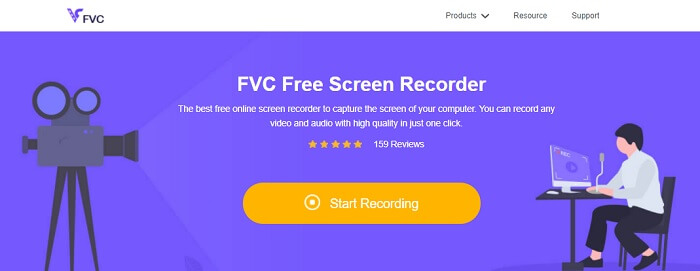
Step 1. Launch the app by visiting https://www.free-videoconverter.net/free-screen-recorder/ then click Start Recording. Allow necessary permission to launch it.
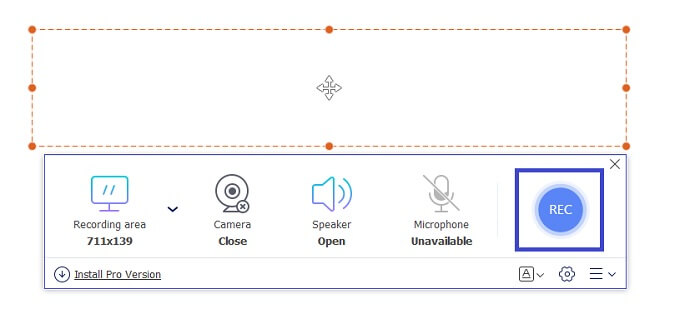
Step 2. Next, adjust the dotted frame to adjust the frame of the recording. Then, click the REC button to start recording.
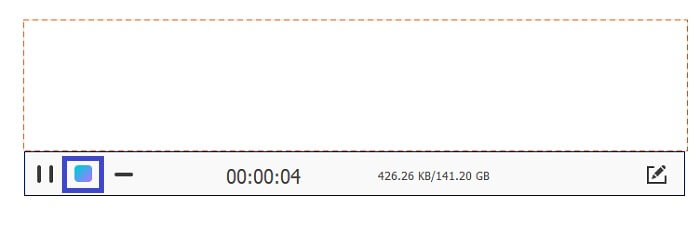
Step 3. To stop the recording click the blue Square button to stop the recording.
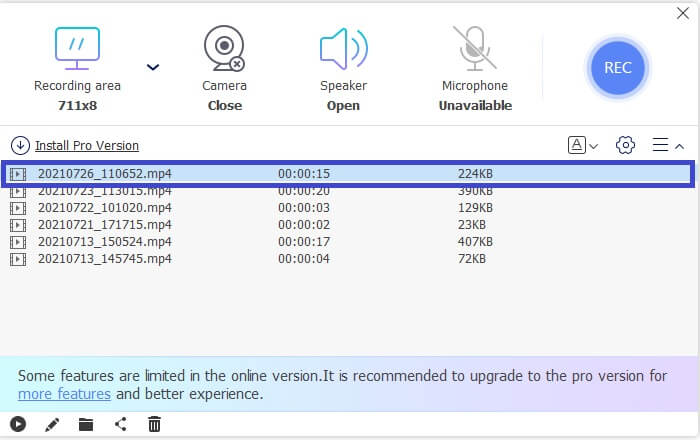
Step 4. To see the recording, click the file name with the latest date. Double click it or right-click to play.
一方、FVC Free ScreenRecorderで引き続き利用できる注目すべき機能のいくつかを次に示します。
長所
- ビデオ編集機能がサポートされています。
- 100 %が保護され、プライバシーが保護されています。
- ビデオとオーディオの録音。
- 保証されたカスタマーサービス
短所
- 期間の設定はありません。
FVCスクリーンレコーダー
リアルタイムの画面記録/注釈付けと広くサポートされている形式は、FCV ScreenRecorderから取得できる最高の機能のほんの一部です。このツールのもう1つの重要なポイントは、ロックウィンドウのキャプチャです。この優れた機能により、画面上の他のアクティビティに煩わされることなく、特定のウィンドウを記録できます。今後、あなたはあなたの仕事でより生産的になり、同時により良いアウトプットを生み出すでしょう。ツールのプロセスと機能の詳細を示すために、ここに詳細なガイドが書かれています。
Step 1. First things first, download the app by clicking the download button below.
無料ダウンロードWindows 7以降に対応安全なダウンロード
無料ダウンロードMacOS 10.7以降に対応安全なダウンロード
Step 2. Follow the installation guide and make sure to enable all settings you think you might need during the process. It is also advised to change the default location of the file to your desired storage.
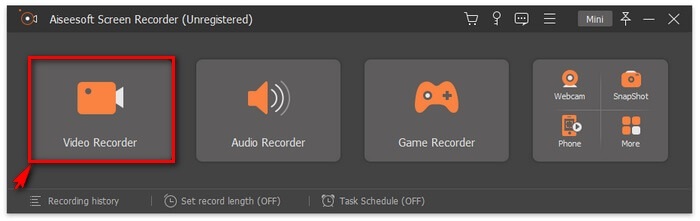
Step 3. Now launch the app and click the Video Recorder.
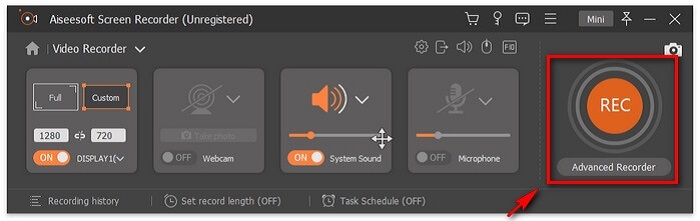
Step 4. To begin recording, set the recording area, and turn on your webcam to capture your face if you need. You can also enable System Sound, Microphone, or both to record the audio simultaneously. When you're ready, click the REC button located at the right side of the floating bar.
Note: If you want to annotate or add lines, shapes and arrows, click the Pencil icon.
Step 5. Finally, click the Red Square button to stop the recording. Then, you can preview the recording and trim the unwanted part of it. If you're satisfied with the result, click the Save button to export the recorded SWF video to your computer. Then you can enjoy it freely.

重要なことに、FVCスクリーンレコーダーを使用する前に得られる利点のリストもあります。
長所
- 高品質の出力のためにHEVCをサポート
- NVIDIA、Intel、AMDハードウェアアクセラレーションのアクセラレーション
- 4K UltraHD解像度がサポートされています。
- 保護された100%
- 保証されたカスタマーサービス
短所
- 無料トライアルの機能は限られています。
一方、ここでは、使用を検討する価値のある最良の選択肢をいくつか紹介します。これらのアプリはかなり前から存在しています。以下のリストを参照してください。
Bandicam
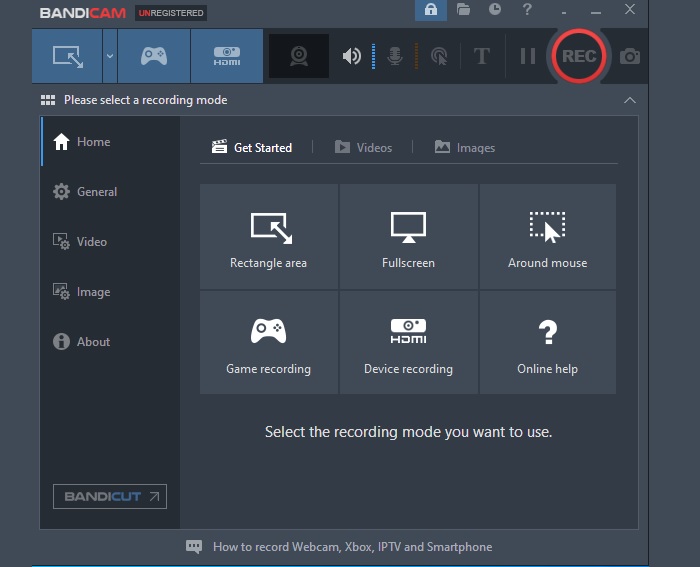
シンプルでわかりやすいBandicamは、代替手段に関して最初の選択肢の1つです。このツールは、レコーディングのニーズに必要なすべてのメリットを提供します。画面の記録はこれほど簡単ではありませんでした。ツールの高度な機能で、あなたは間違いなくそれを気に入るはずです。このツールは、最大3840x2160のHD品質のビデオをキャプチャできます。実際のところ、24時間連続でビデオを録画できます。
長所
- オーディオとビデオを記録できます。
- マイクとウェブカメラの録音がサポートされています。
- ノンストップ録音。
- ソーシャルメディアプラットフォームの直接リンクにアップロードします。
短所
- 透かし。
フラップ
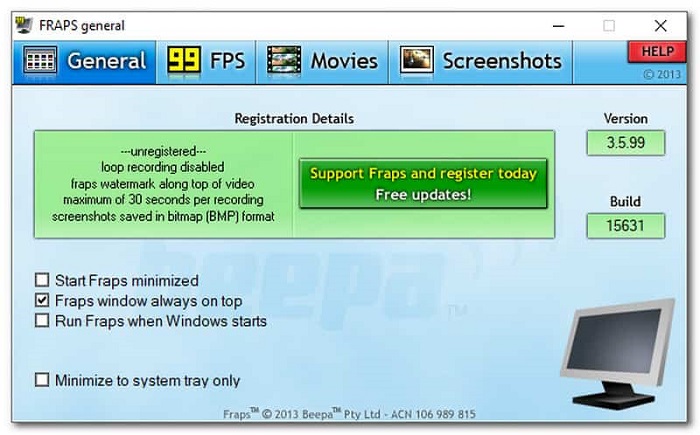
Frapsは、使用を検討できるもう1つの画面記録ツールです。このアプリは、画面キャプチャ、画面記録が可能で、調整可能なベンチマーク機能をサポートしています。これにより、2点間のフレームを調整できます。タイムスタンプが付けられた統計やキャプチャされた画像を保存することもできます。このツールは、DVカムとVCRを使用せずにライブストリーミングを録画する場合にも適しています。そのため、このアプリはゲーマーやライブストリーマーに最も人気があります。
長所
- ベンチマーク機能がサポートされています。
- 7680x4800のビデオ品質。
- 1秒あたり1〜120フレーム。
- 簡単です。
短所
- 制限的。
関連記事
2. Best Secret Screen Recorder
パート2。比較チャート
| 特徴 | FVCスクリーンレコーダー | FVCスクリーン無料スクリーンレコーダー | Bandicam | フラップ |
| ライブストリーミングレコーディング |  | | | |
| サポートされているビデオ形式 | WMV、MP4、MOV、F4V、TS、AVI、WMA、MP3、M4A、AAC、PNG、JPG / JPEG、BMP、GIF、TIFF、MXFW4V | BMP、GIF、TIFF、MXF、MP4 W4V | MP4 M4A、AAC、PNG、JPG / JPEG、WMV、MP4、MOV W4V、 | PNG、JPG / JPEG、BMP、GIF、TIFF、W4V |
| オーディオとビデオの記録 | | | | |
| ビデオ編集機能 | | | | |
| ロックインウィンドウFeaturetd | | | | |
| 注釈機能 | | | | |
| ビデオ編集機能 | | | | |
| 安全 | | | | |
| 調整可能なビットレートとアスペクト比 | | | | |
パート3。SWFレコーダーに関するFAQ
SWFファイルはShockwaveに似ていますか?
絶対にありません。どちらもファイル形式であるという意味では同じです。しかし、確かに1つではありません。 ShockwaveはMacromediaからのものですが、現在はAdobeが所有しています。
ファイルを.swfファイルにエクスポートする際の問題を解決するにはどうすればよいですか?
まず、どのメディアについて話しているのですか?ビデオまたは写真をレンダリングしようとしていますか?解決策は異なります。いずれにせよ、あなたは一般的な問題である写真をレンダリングしようとしています、それは実際には機能しません。これは、SWF形式がWeb用に作成されているためです。
SWFファイルはほとんどのメディアプレーヤーで再生できますか?
Yes. The following SWF players like VLC player, QuickTime, and WMP players, support the SWF playback.
結論
このツールは役に立ちましたか?レビューされたすべてのツールは確かに信頼できます。どのツールがニーズに合うかを知りたい場合は、個人的に試すことができます。上記の比較表を参照して、要約を確認することもできます。各ツールの実際の経験に基づいて、SWFビデオ録画のニーズにFVCスクリーンレコーダーを使用することを強くお勧めします。
-
 デビュースクリーンレコーダー–究極のレビューと最良の選択肢
 NCH Debut Video Capture and Screen Recorderは、マウスの動きを含め、コンピューター画面に送信するものすべてのビデオをキャプチャするための優れたツールです。
-
 スクリーンビデオをキャプチャするための4つの最高の無料Web起動レコーダー
 1セントも払わずにデスクトップで画面上のアクティビティを記録するための最良の方法をお探しですか?これが最も頻繁に使用される4つの無料のWeb起動レコーダーです。
-
 偏りのないシンチレビューオーディオレコーダーと最良の代替品
 Cinch Audio Recorderは、ストリーミングサイトから音楽をダウンロードするための最良の方法です。公平なレビューと記事からの最良の代替案についてもっと学びましょう。
