無料のFLVからオーディオへのコンバーターのチュートリアル
ステップ1。 FLVファイルを追加する
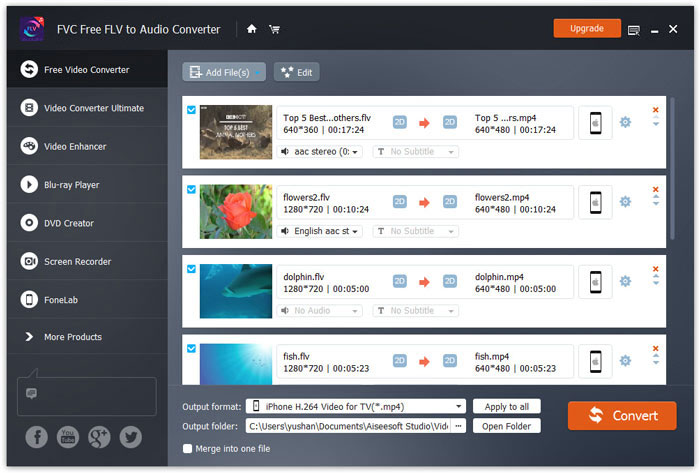
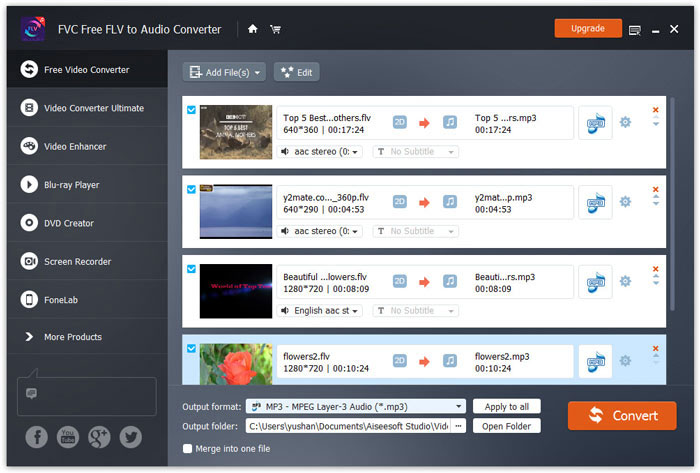
パソコンに Free FLV to Audio Converter をダウンロードして実行します。Add Files(s) ボタンをクリックして、FLV ファイルまたはフォルダー全体を取り込みます。本ソフトは複数の FLV を一括変換でき、複数の FLV ファイルを同時にインポートすることができます。
ステップ2。 オーディオ形式を選択
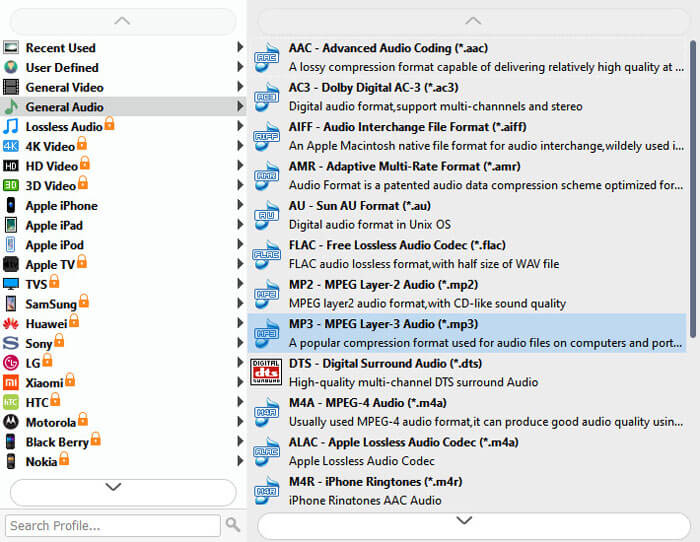
Output format のドロップダウンから音声の出力形式を選択します。検索バーを使って、目的の出力形式を直接選ぶこともできます。あるいは、デバイス名をクリックすることで、FLV をそのデバイス用形式に直接変換することも可能です。
ステップ3。 オーディオファイルを編集する
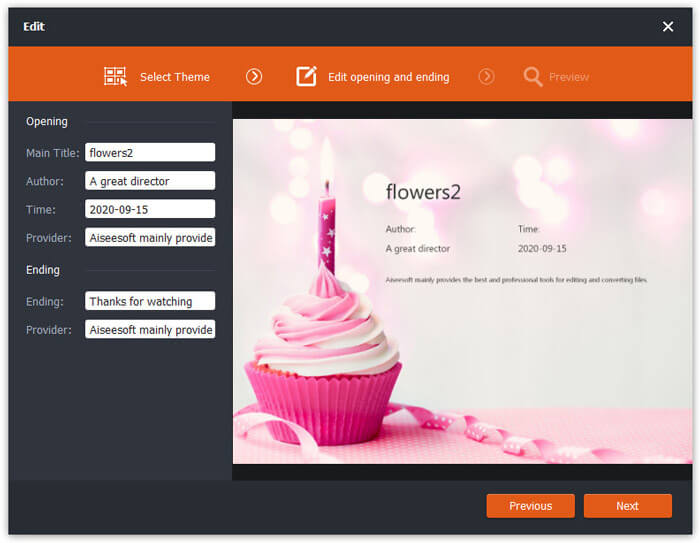
必要に応じて、Edit ボタンをクリックして、出力ファイルに冒頭や末尾のテーマ(オープニング/エンディング)を追加します。さらに、上矢印/下矢印アイコンを動かして出力ファイルの順序を調整し、左下の「Merge into one file」をクリックすることで、複数ファイルを1つに結合できます。
ステップ4。 FLVをオーディオに変換する
Output folder の横にあるブラウズボタンをクリックして、変換後ファイルの保存先を指定し、Convert をクリックして FLV から音声ファイルへの変換(トランスコード)を開始します。


 ビデオコンバーター究極
 スクリーンレコーダー
 ビデオ修復
ビデオ修復



Aakhus著
無料のFLVからオーディオへのコンバーターはちょうどいいそして最高のFLVからMP3へのコンバーターです。これを使用すると、FLVビデオファイルからMP3オーディオをバッチ抽出して、iPodで簡単に再生できます。
ヘイリー
AMDアクセラレーションをサポートすることは素晴らしいことです。私は多くのフリーウェアを試しましたが、変換速度は私が必要とするものではありません。このフリーウェアは、これらのツールよりも高速に変換プロセスを高速化します。
Appelによる
素晴らしく、使いやすい。 FLVをMP3に変換するために使用する前。偶然にも、FLVをMP4、MOV、その他のビデオファイルに変換できることがわかりました。良くやった。ありがとう!