


 ビデオコンバーター究極
 スクリーンレコーダー
 ビデオ修復
ビデオ修復これらのオンラインGIFからビデオへのコンバーターを使用して、オンラインでGIFを変換します
メッセージ付きのGIFを送信することは、私たちがはるかに優れたメッセージを表現するための新しいルーチンになりました。それにもかかわらず、InstagramのようなプラットフォームはまだGIF形式をサポートしていません。画像とビデオ形式のみをサポートし、静止画像はサポートしません。そのため、InstagramにGIFを追加しようとすると、ファイルが読み込まれないか、読み込まれない可能性があります。第二に、静止画像は投稿されている場合にのみ取得できます。ただし、別の方法があります。サードパーティのアプリをダウンロードするか、オンラインでアクセスしてGIFをビデオ形式に変換する方法です。これらのツールの使用方法を学ぶことは、覚えておくべき素晴らしい知識です。したがって、オンラインGIFからビデオへのコンバーターを探しているなら、あなたは正しい場所にいます。利用可能なツールとそれに応じた使用方法を知るために読み続けてください。

トップ1。Ezgif
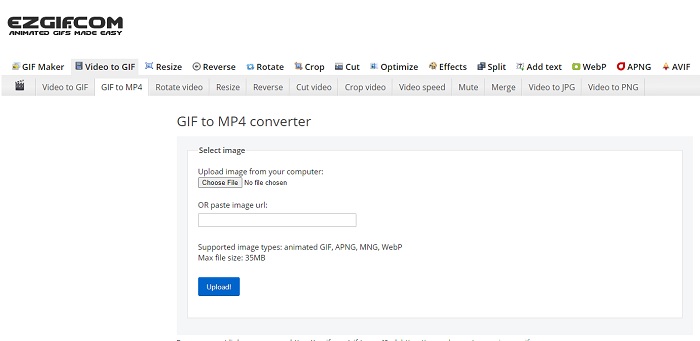
GIFの作成や変換がうまくできなくて困っていますか?心配はいりません。Ezgif があなたを助けてくれます。このオンラインツールは、単に1つの作業だけに特化しているわけではありません。GIF の編集を行うことも可能です。ただし、このツールの編集機能は驚くほど高性能というわけではなく、あくまで標準的なレベルです。また、GIF ファイルの作成や変換には上限もあります。
長所
- GIFを作成するのが理想的です。
- そのウェブサイト上のすべての広告はPG-13制限されています。
- 初心者向けのシンプルな編集機能。
短所
- Webインターフェイスを見るのは少し退屈です。
- GIFを変換しようとすると、MP4形式のみが使用可能になります。
トップ2.Cloudconvert
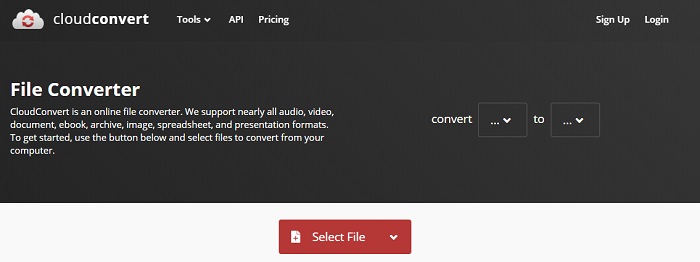
変換ツールについて語るなら、Cloudconvert をリストに入れないわけにはいきません。この オンラインGIF動画変換ツール は、あらゆる動画や音声を再生可能な形式に変換するために作られています。しかし、このツールには制限があり、変換するGIFの画質を向上させることはできません。つまり、このツールでできるのは「変換そのもの」だけということになります。
長所
- オンラインで最も強力なコンバーターの1つ。
- ツールをダウンロードせずにアクセスできます。
- Webインターフェイスの優れた色の組み合わせ。
短所
- 変換したファイルを編集して、より良いファイルにすることはできません。
- 変換に失敗する可能性は非常に高いです。特にインターネットが中断された場合。
トップ3.Convertio
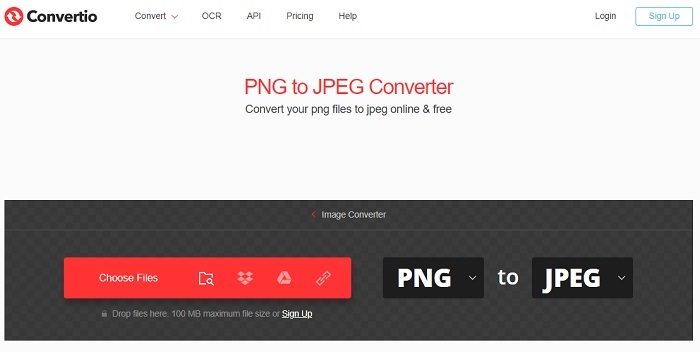
Cloudconvert と同様に、Convertio も変換専用として作られたツールです。対応しているフォーマット数も、先ほどのツールに劣りません。しかし、このツールの難点は、ウェブページ全体に広告が多く表示されていて煩わしいところです。広告はあるものの、ファイルを新しい形式に変換する練習用として使うには依然として優れたコンバーターです。
長所
- ウェブ上で利用可能なオープンアクセスツール。
- 変換を開始するために追加のファイルをダウンロードする必要はありません。
- ファイルのビットレートを選択します。
短所
- このツールと編集でGIFを作成することはできません。
- 広告はいたるところにあるので、不要なWebサイトを開かないようにしてください。
トップ4。ザムザール
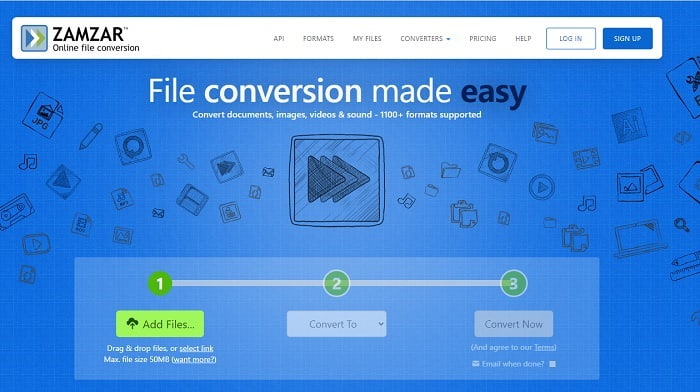
Zamzar のユーザーインターフェースは素晴らしく、このツールの操作はとても簡単です。ただし、最大ファイルサイズは50MBに制限されており、それ以上のサイズを扱いたい場合は有料版を購入するか、ログインする必要があります。さらに、変換処理が進行中の場合、たとえ×ボタンをクリックしても処理を途中で止めることはできません。そのため、変換を開始する前に、正しいファイルを選択しているか必ず確認してください。途中で止めることはできないからです。
長所
- ここですべてのビデオ、画像、オーディオを変換します。
- ここにあるすべてのファイルは1日以上保存されます。
- 1つのファイルの最大ファイルサイズは50mbです。
短所
- 変換のプロセスはインターネットの速度に依存するため、インターネットを使用している場合、変換には多くの時間がかかります。
- 変換したビデオをより良いものに編集することはできません。
推奨:FVCビデオコンバーター究極-最高のGIFコンバーター
「最後に良いものを残しておく」と言いますが、その“良いもの”こそが FVC Ultimate Video Converter です。このプレミアムツールは、ここで紹介した他のどのコンバーターよりも多機能です。インターネット接続不要で高品質な変換を行いたいなら、このツールが最適です。さらに優れている点は、単なる変換だけでなく、変換、強化、作成など、より多くのことが行えることです。ユーザーは、このツールが提供するさまざまな機能を試し、他よりも良い出力を目指すことができます。以下の手順をよく読んで、このツールの使い方をステップごとに確認してください。変換後に、ツールバーから変換済みGIFをさらに強化することもできます。
ステップ1. 適切なプログラムツールをハードドライブにインストールします。表示される設定を確認し、必要に応じて変更してから[完了]をクリックしてツールを起動します。
無料ダウンロードWindows 7 以降に対応安全なダウンロード
無料ダウンロードMacOS 10.7 以降に対応安全なダウンロード
ステップ2. ツールがバックグラウンドで起動すると、タブ上に小さなアイコンが表示され、ツールがすでに起動していることがわかります。また、このようなインターフェースが画面に表示されます。
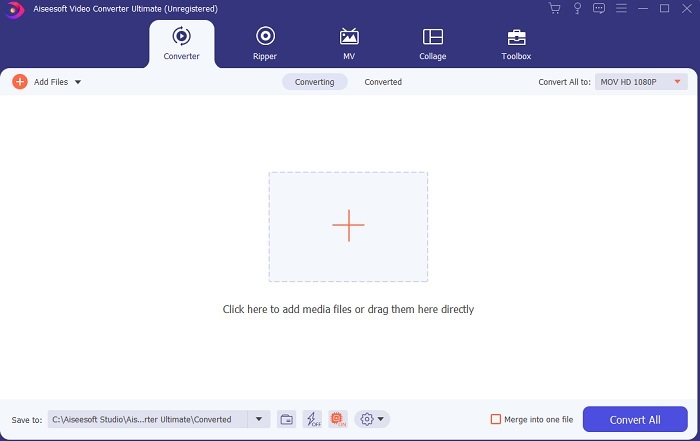
ステップ3. コンバーターにファイルを追加するには、インターフェース中央にある プラス アイコンをクリックします。2~3個以上のファイルを追加する場合は、ドラッグ&ドロップでまとめて追加することもできます。
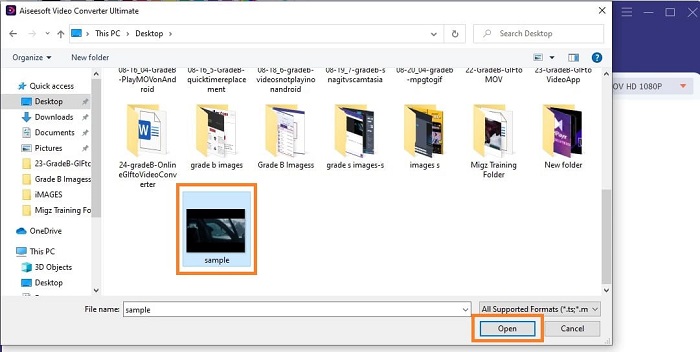
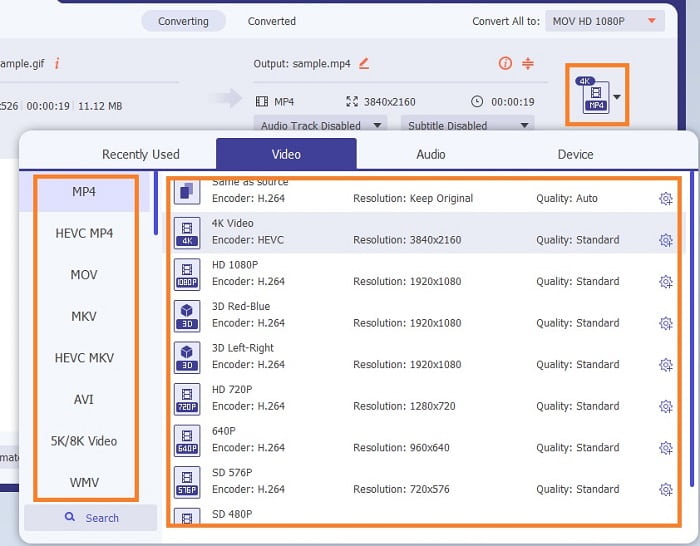
ステップ4. GIF ファイルがインターフェース上に読み込まれたら、ドロップダウン ボタンを押し、サブメニューから変換したい形式を選択します。[一括変換]をクリックして変換プロセスを開始します。
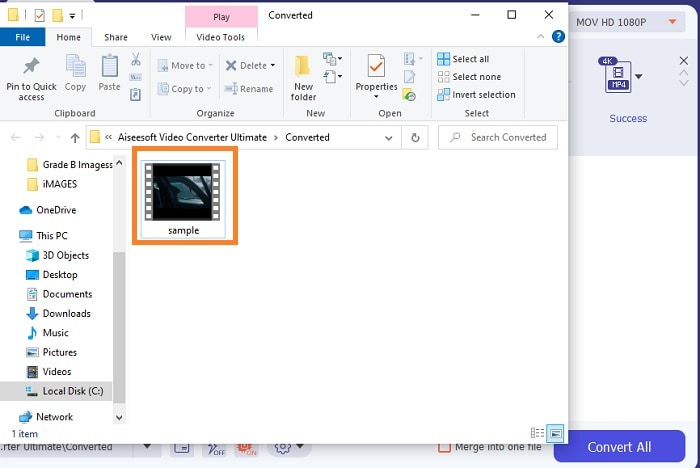
ステップ5. 処理が完了すると、ファイルマネージャーが自動的にタブ上に開き、変換後のファイルを確認できます。変換したGIFをさらに強化したい場合は、あとでツールバーから編集を行ってください。
長所
- お客様がご利用いただける多目的ツールです。
- 最終出力にエフェクトなどを追加して想像力を制限しないでください。他の出力よりもはるかに見栄えが良くなります。
- 変換プロセスは、オンラインおよびオフラインで利用できるどのツールよりもはるかに高速です。
短所
- 従量制ツール。つまり、無料でツールにアクセスすることはできませんが、それほど高価ではありません。
- ダウンロード可能なツール。ツールを起動するために追加のファイルが必要なことだけを意味します。しかし、それにもかかわらず、インターネットが中断されているかどうかを心配することなく、このツールを使用できます。
オンラインGIFからビデオへのコンバーターに関するFAQ
GIF形式で録音できますか?
実際のところ、「はい」、自分でGIFを録画することは可能です。この高性能でありながら軽量なGIFレコーダー、あるいは同様にGIF形式で保存できる別のレコーダーを使えば実現できます。GIF形式で録画を行う方法については、Best GIF Recorder Review を読んで確認してください。
GIFの最良の代替手段はどれですか? WebMまたはAPNG?
GIFは、アニメーション画像と静止画像をサポートする古い形式ですが、時間が経つにつれて。現在、WebMやAPNGのような競合他社があります。 2つを比較してみましょう。WebMはWebサイト上の動画をサポートする新しいGIFですが、古いバージョンの検索エンジンを使用しようとすると、WebMはサポートされません。一方、APNGは24ビットの色と透明度をサポートしているため、2つよりも視覚的に魅力的であることが知られていますが、一部のソーシャルメディアプラットフォームは現在APNGをサポートしていません。
GIFの頭字語は何ですか?
テキストのGIFは、グラフィック交換形式を意味します。
結論
最後に、使用できるオフラインおよびオンラインのGIFからビデオへのコンバーターとして最適なものを理解するのが簡単になりました。このツールの使用方法を知っていることは、開発するための優れたスキルであり、将来的には、これを使用して支払いを受けることもできます。究極のパフォーマンスが必要な場合は、まさに究極のツールを選択する必要があります。 FVC Ultimate Video Converterは、ビデオを変換して強化し、他の人や配信先に良い印象を与えるための最良のツールです。彼らが言うように、このツールはその名前が意味する以上のものをもたらすので、何も期待しないでください。
-
 WebMからGIF–独自のGIFを作成するための3つの無料のWebMからGIFへのコンバーター
 WebMはGIFですか?ビデオをGIFに変換する方法は?無料のWebMからGIFへのコンバーターはありますか?この投稿では、WebMをGIFに変換するのに役立つ3つの無料の方法を共有しています。
-
 Photoshop / FFmpegを使用せずにMKVビデオをアニメーションGIFに変換する方法
 コンピューターにMKVムービーをダウンロードして視聴した後、友人やインターネットでGIFとして素晴らしい瞬間を共有したい場合があります。この記事では、MKVをGIFに変換する2つの最も簡単な方法について学ぶことができます。
-
 オンラインGIFメーカーを介して最高のアニメーションGIFを作成する[2021]
 Web上ですでに遭遇したかどうかにかかわらず、これらの単純なオンラインGIFメーカーを使用してGIFを作成する方法についての有益なレビュー。
