


 ビデオコンバーター究極
 スクリーンレコーダー
 ビデオ修復
ビデオ修復
 安全なダウンロード
MP4をオンラインおよびオフラインで3GPに変換する方法
MP4は、MP4プレーヤー、携帯電話、タブレットで再生できる人気のあるビデオ形式です。ウェブサイトからダウンロードする映画は通常MP4形式のままです。ただし、一部の携帯電話は3GPビデオの再生のみをサポートしています。この記事では、3つの無料のMP4から3GPへのコンバーターを紹介し、手間をかけずにMP4を3GPに変換できます。

パート1。WindowsとMacでMP4を3GPに変換する方法
オフラインでMP4を3GPに変換したい場合は、デスクトップ用のMP4から3GPコンバーターを使用できます。FVC Free FLV to 3GP Converterは、WindowsとMac向けの無料で使いやすい動画変換ソフトです。FLV、MP4、MOV、MKV、MTS、M2TSなどさまざまな動画を、簡単に3GPへ変換できます。さらに、冒頭/末尾部分にテーマを追加したり、作者名、時間、プロバイダー情報を調整したりできる編集機能も備えています。

- MP4、MKV、AVI、MOV、MP3、AAC、AIFFなどのビデオを3GPに変換します。
- ワンクリックでMP4ファイルから3GPビデオとロスレスオーディオファイルをエクスポートします。
- ユーザーがプロバイダー、タイトル、作成者、時間を編集し、テーマを追加できるようにします。
- 一部の携帯電話で再生するために、MP4を3GPにバッチ変換します。
無料ダウンロードWindows 7以降対応安全なダウンロード
無料ダウンロードMacOS 10.7以降対応安全なダウンロード
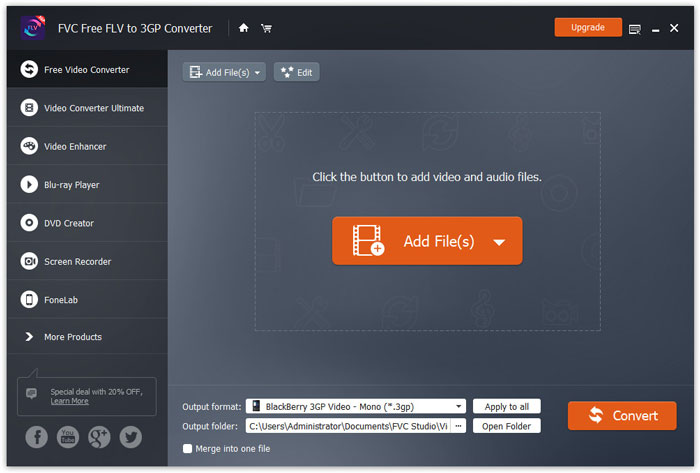
ステップ1. FVC Free FLV to 3GP Converter をWindowsまたはMacに無料でダウンロードし、インストールして起動します。ファイルを追加ボタンをクリックして、パソコンからMP4ファイルを読み込みます。複数のMP4ファイルを同時に変換することもできます。
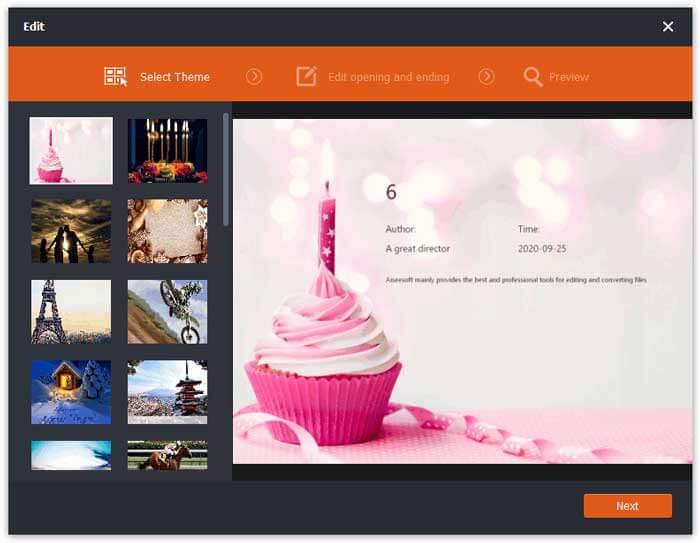
ステップ2. MP4ファイルをクリックし、編集ボタンをクリックします。MP4ファイルにテーマを追加したり、オープニングとエンディングの内容を編集したりできます。その後、次へをクリックしてプレビューし、変更を保存します。
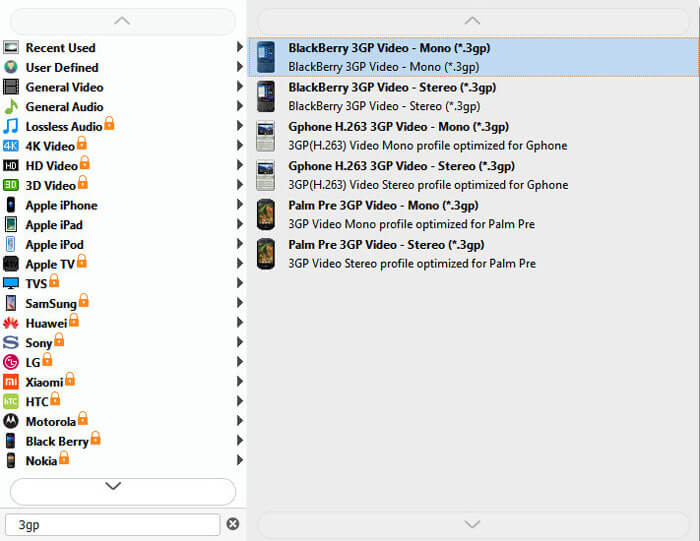
ステップ3. 画面下部の出力形式のドロップダウンリストから3GPを選択します。「BlackBerry 3GP Video - Mono (*.3gp)」など、任意の形式を選べます。
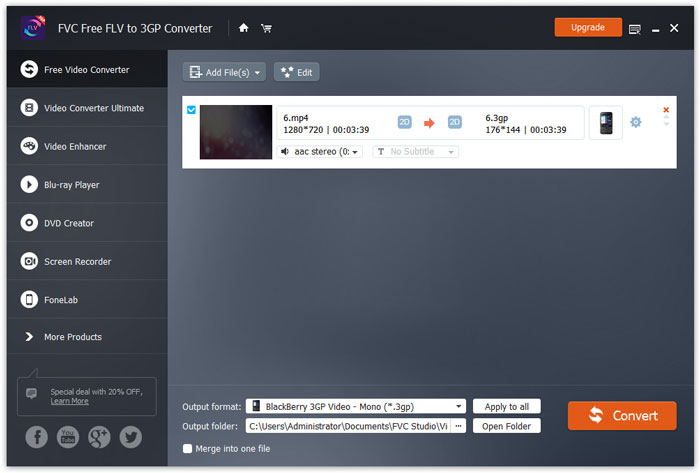
ステップ4. 最後に、パソコン上の出力フォルダーを指定し、[変換]ボタンをクリックしてMP4から3GPへの変換を開始します。
パート2.2つのオンライン3GPコンバーターを使用してMP4から3GPをエクスポートする
デスクトップ3GPコンバーターをインストールする場合と比較して、Webベースのコンバーターを使用するとMP4を3GPに変換するのがはるかに簡単になります。このパートでは、2つのオンライン3GPコンバーターを共有して、MP4を3GPに問題なく変換できるようにします。
1.FVC無料オンラインビデオコンバーター
FVC Free Online Video Converterは、有名なオンライン動画コンバータープラットフォームで、一般的な動画・音声形式を3GP、MKV、MOV、WMV、AVI、MP3などに変換できます。
ステップ1. FVC Free Video Converterの公式サイトにアクセスします。変換するファイルを追加ボタンをクリックして、ランチャーをダウンロード・インストールします。
ファイルを一括変換するには、デスクトップ版をダウンロードしてください。

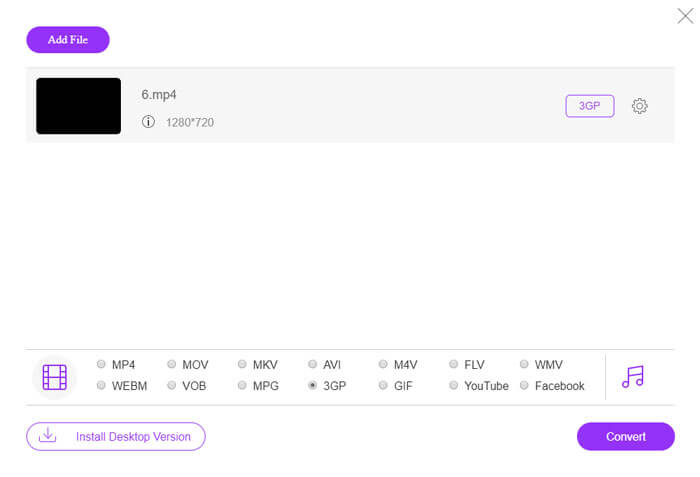
ステップ2. ローカルコンピュータからMP4ファイルを選択します。歯車アイコンをクリックすると、ビデオビットレート、サンプルレート、フレームレート、解像度、音量を調整できます。

ステップ3. 画面下部で出力形式を3GPに設定します。その後、変換ボタンをクリックしてMP4から3GPへの変換を開始します。複数のMP4ファイルをまとめて3GPに一括変換することもできます。
2.ザムザール
Zamzarは、オンラインビデオコンバーター、オーディオコンバーター、画像コンバーター、eBookコンバーターです。 Zamzarを使用してMP4を他のさまざまな形式に変換すると便利です。以下は、MP4を3GPに変換する簡単な手順です。
ステップ1. zamzar.com/convert/mp4-to-3gp/ にアクセスし、ファイルを追加ボタンをクリックしてMP4ファイルをアップロードします。
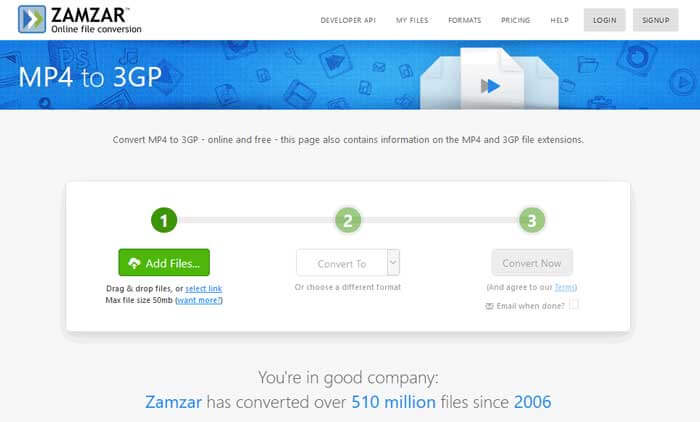
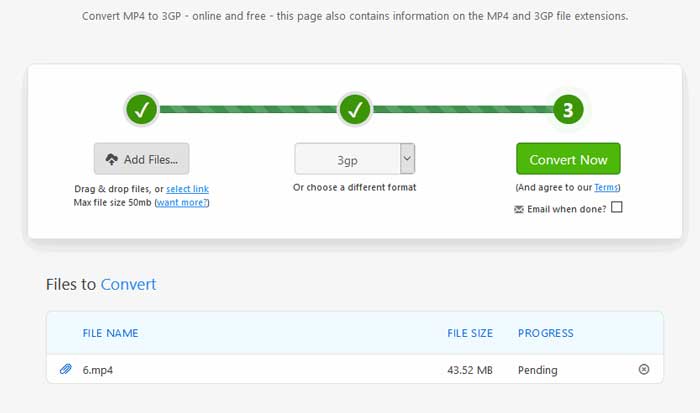
ステップ2. 別の出力形式を選択することもできます。通常は、出力形式として3GPがデフォルトで設定されています。今すぐ変換ボタンをクリックして、MP4から3GPへの変換を開始します。
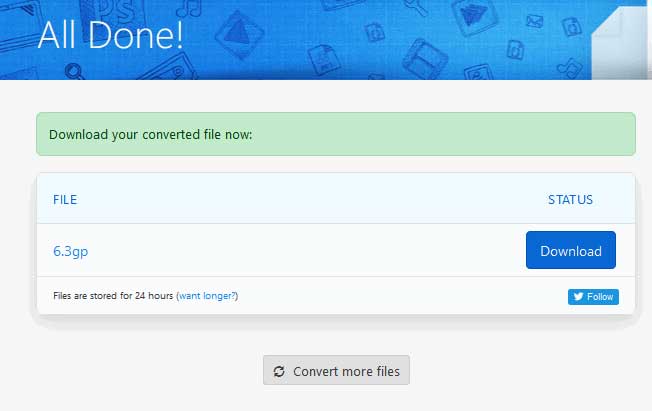
ステップ3. その後、別のページに移動します。ダウンロードボタンをクリックして、変換された3GPファイルをパソコンに保存します。
MP4ファイルのサイズが大きい場合はどうすればよいでしょうか?こちらでMP4ファイルを圧縮する方法を確認してください。
MP4と3GP
2001年にMovingPictureExperts Group(MPEG)によってリリースされたMP4形式は、ビデオ、オーディオ、字幕、および画像データを別々のトラックに保存するのに役立ちます。これはMPEG-4Part14の略です。さらに、ビデオのストリーミングと共有に使用される最も一般的な形式の1つです。
3rd Generation Partnership Project(3GPP)は、マルチメディアコンテナフォーマットとして3GP/3GPPフォーマットを作成しました。実際には、ISOメディアファイル形式に基づいています。 3G携帯電話とオンラインの間で送信されるビデオ/オーディオストリームを保存するためによく使用されます。
パート3。MP4から3GPへの変換に関するFAQ
1. 3GPはMP4よりも優れていますか?
3GPは3Gネットワーク対応携帯電話向けに設計された形式です。3GPファイルは、QuickTime、VLC、RealPlayerなどのプレーヤーで再生できます。MP4は3GPよりもはるかに互換性が高く、多くのポータブルメディアプレーヤーやスマートフォンで広くサポートされています。
2. 3GPとは何ですか?
3GPは、第3世代で定義されたマルチメディアコンテナ形式です。 3G携帯電話で再生するビデオとオーディオストリームを保存できますが、一部の2Gまたは4G電話でも再生できます。
3. MP4をFLVに変換するにはどうすればよいですか?
FVC Free Online Video Converterを使えば、簡単にオンラインでMP4をFLVに変換できます。このオンラインサイトにアクセスし、「変換するファイルを追加」ボタンをクリックしてランチャーをインストールします。その後、パソコンからMP4ファイルを選択し、出力形式としてFLVにチェックを入れます。[変換]ボタンをクリックして、MP4からFLVへの変換を行います。
結論
WindowsとMacでMP4を3GPに変換する3つの方法について主に話しました。オンラインソリューションをご希望の場合は、FVC Free Online VideoConverterまたはZamzarをオンラインでお試しください。さらに完璧にするためにMP4ファイルを編集したい場合は、代わりに無料のFLV to 3GPConverterを使用できます。より良い解決策があれば、遠慮なくコメントを残してください。
-
 MP4をVOBにすばやく変換するためのトップ3の無料の方法
 Windows PCとMacでMP4をVOBに変換する方法は?この問題を解決するために、この投稿では、MP4をVOBに無料で変換するのに役立つ3つの最良の方法を共有します。
-
 無料|品質を損なうことなくMP4をWMVに変換するための3つの最良の方法
 この投稿では、MacまたはWindowsでMP4ビデオをWMV形式に変換する方法を共有しています。また、デスクトップソフトウェアとWebベースのオンラインコンバーターの両方を含む、いくつかのオプションを提供します。最高のMP4からWMVへの変換ツールを知る準備はできましたか?
-
 画像でMP3をMP4に変換する3つの方法
 MP3を高品質でMP4に変換する方法は?この投稿では、WindowsとMacでMP3をMP4に変更するための3つの効率的で無料の方法を示しています。

