


 ビデオコンバーター究極
 スクリーンレコーダー
 ビデオ修復
ビデオ修復
 安全なダウンロード
AMRフォーマットレコーダーアプリについての基本を知る
AMR(Adaptive Multi-Rate)は非可逆圧縮形式です。このタイプのファイルには音声録音、MMSメッセージなどが含まれます。もともとは3G携帯電話専用に作られましたが、現在ではこの形式に対応した他のメディアプレーヤーでも開くことができます。さらにユーザーの多くは、自分のニーズに合った最適なAMR 録音ツールを選ぶ際に悩みがちです。そこで本記事では、あなたの要件・手順・情報などを基に選べるツールを紹介します。将来の利用者として自分に一番合うものを見極めるために、ぜひ最後までお読みください。それでは早速始めましょう。
パート1。WindowsおよびMac用の最高のAMRレコーダー
FVC無料オーディオレコーダー

通話、ジャムセッション、ナレーション録音など、あらゆる音声をオンラインで録音できるツールが、FVC Free Audio Recorderです。FVC が開発したこのツールは、オンラインで快適な録音体験を提供します。このツールは音声レコーダーとして必要な作業をきちんとこなします。「本当に使えるのか」と不安なら、まずは一度試してみてください。余計な説明はさておき、この優れたツールを実際に触りながら学べるよう、以下の簡単な手順に従ってみましょう。
ステップ1. メインサイトへ移動するには、このリンクをクリックします。マルウェアの心配はありません。
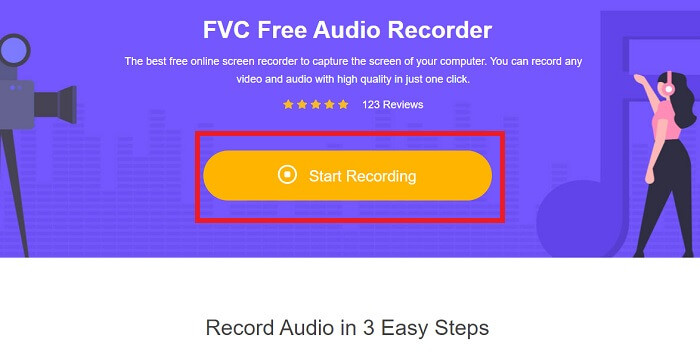
ステップ2. Start Recording をクリックしてツールを起動します。
ステップ3. このようなツールバーが画面に表示されます。ツールがすでに動作していることを意味します。
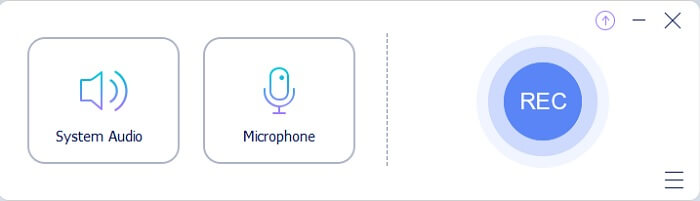
ステップ4. ツールバーには、システム音を録音するためのSpeakerと、声を録音するためのMicがあります。準備ができたら、丸いボタンをクリックしてStartします。
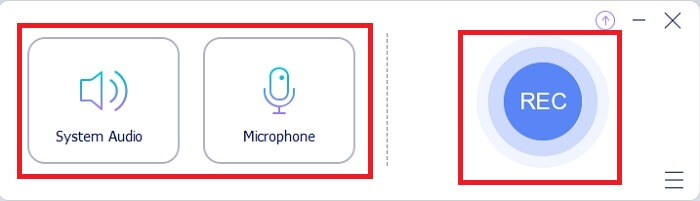
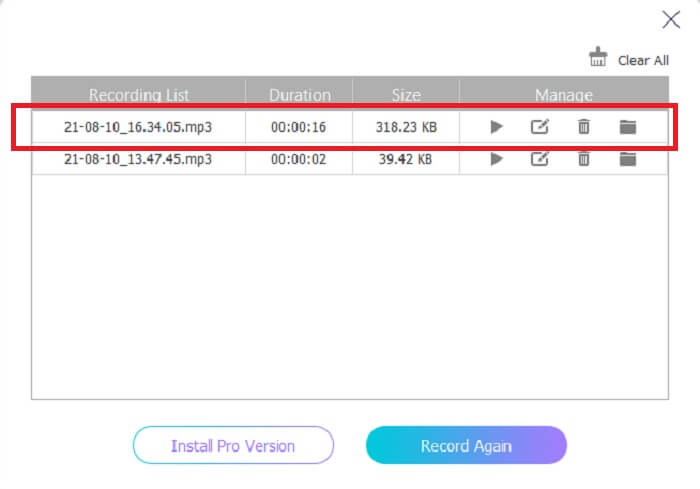
ステップ5. 録音が終わったら、四角(キューブ)のボタンをクリックして録音を停止します。録音は自動的にストレージに保存されます。もう一度聞き直したい場合は、下部にある三本線をクリックすると、録音リストが表示され、一番上に最新の録音が出てきます。
パート2。WindowsおよびMac用のAMRレコーダーの4つの最良の代替ツール
1.FVCスクリーンレコーダー
最高のmp3, amr, wav, ac3 対応オーディオレコーダーを探しているなら、これが最適です。他のツールを探し回る必要はなく、このツールが何を提供できるかに集中してください。というのも、このツールこそが唯一無二のFVC Screen Recorderだからです。これは多くのユーザーにとって第一候補となっている、最高クラスの有料動画・音声レコーダーです。「なぜ個人用のレコーダーとしてこのツールを選ぶべきなのか」と疑問に思うかもしれません。その問いに答えるべく、このツールの概要と、簡単な手順を紹介します。それでは早速ステップに進みましょう。最後までしっかりと従えば、録音のプロになることができます。
ステップ1. 現在使用しているプラットフォームを選び、ダウンロードしてインストールします。自分の好みに合わせてPreferences(設定)を変更し、Finishをクリックして保存します。
無料ダウンロードWindows 7以降に対応安全なダウンロード
無料ダウンロードMacOS 10.7以降に対応安全なダウンロード
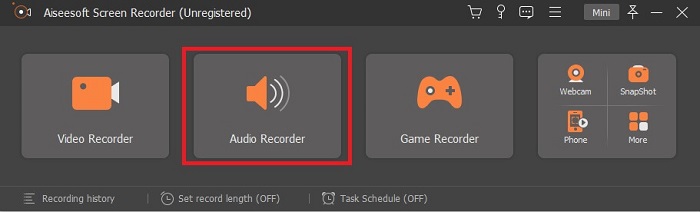
ステップ2. ツールを起動すると、このようなフローティングツールバーが画面に表示されます。続いてAudio Recorderをクリックします。
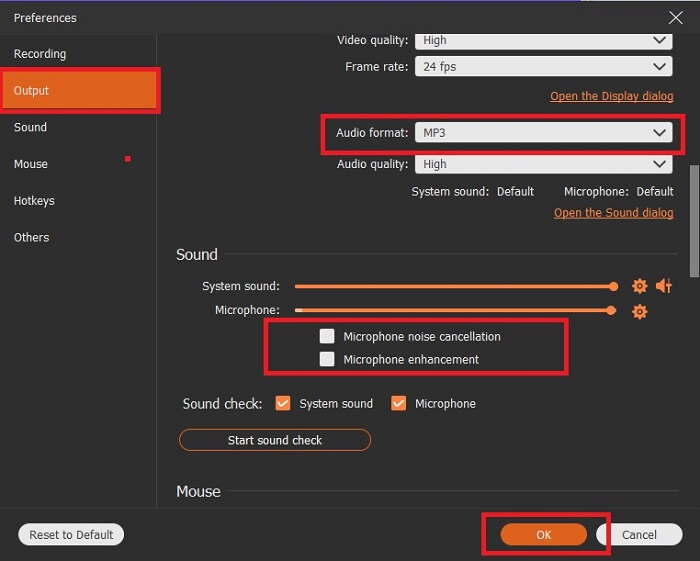
ステップ3. 設定画面に入るには歯車アイコンを探してクリックします。Audio outputを希望する形式に変更し、ほかのオプションも調整してからOKをクリックして保存します。
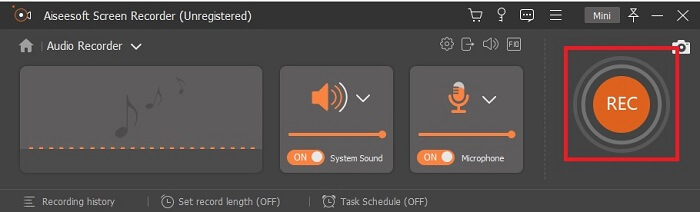
ステップ4. ツールバーでSystem SoundとMicrophoneを有効にして、システム音と自分の声を録音対象に追加します。すべての準備が整ったら、丸いRECボタンをクリックして録音を開始します。
ステップ5. 録音が完了したら、四角ボタンをクリックして録音を停止します。続いてSaveとNextをクリックし、最終的な出力を保存します。録音内容を振り返りたい場合は、二本線のアイコンをクリックすると、録音の履歴が表示されます。
2.大胆さ
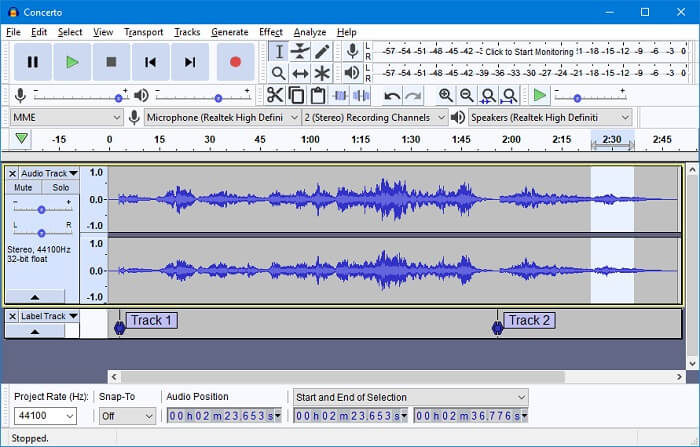
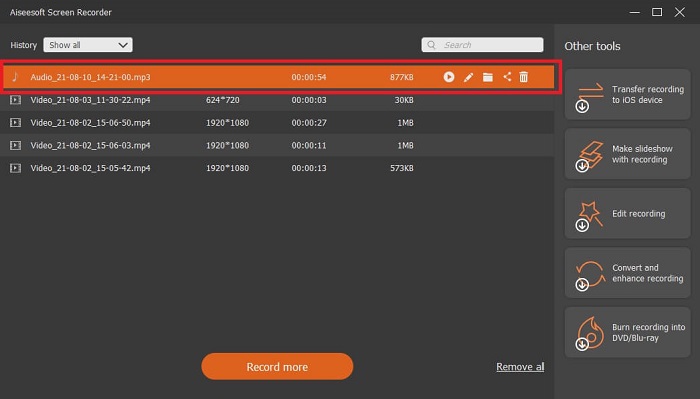
もうひとつの音声録音ツールがAudacityです。インターフェースに慣れていない初心者にとっては少し複雑に感じられますが、使い続けるうちに扱い方が分かってきます。録音だけでなく、トラックの結合などの編集も可能です。ただし、このプログラムはミキシング機能が限定的であり、プラグインやエンコーダー用のインストールファイルが別々になっているという難点があります。
3.ワボサウルス
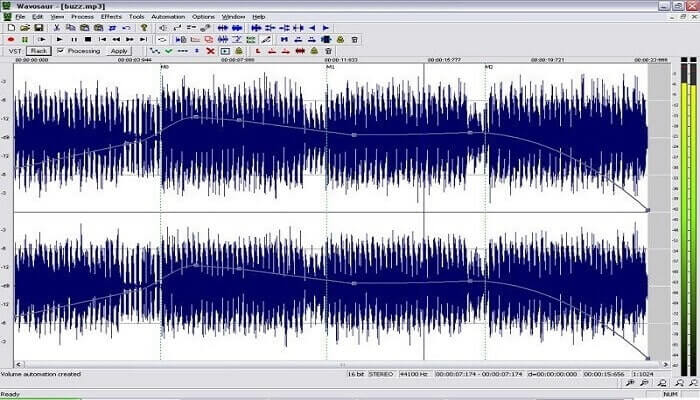
Wavosaurには、コピー、トリミング、分割などの録音・編集ツールが揃っています。音楽アレンジや複雑なビート作成など、より高度な処理もこなせます。ツールの使い方に不慣れで困っている場合でも、理解しやすい動画チュートリアルが用意されているので安心です。
4. AdobeAudition
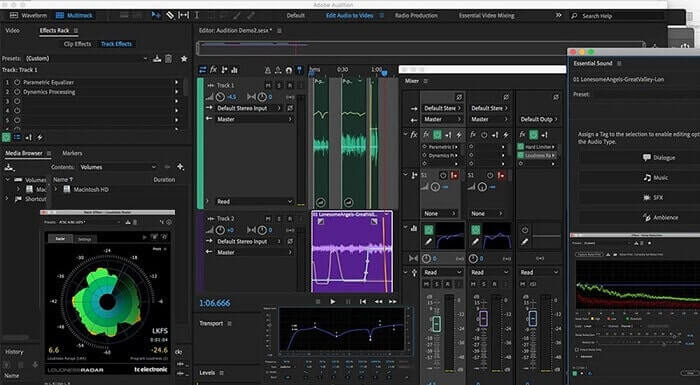
このツールは業務用のレコーディングでよく使われています。費用をあまり気にしないのであれば、Adobe Auditionは音楽制作に適した優れたツールです。音楽の精密な編集、ノイズ除去、サウンドデザインなどに対応しています。ただし、買い切り型のライセンスはなく、ユーザーインターフェースはかなり情報量が多く圧倒されるかもしれません。利用してみたい場合は、あらかじめその点を理解しておく必要があります。
パート3。比較チャート
| 特徴 | FVC無料オーディオレコーダー | FVCスクリーンレコーダー | 大胆さ | ワボサウルス | Adobe Audition |
| 録音 |  | | | | |
| ノイズキャンセル |  | | | | |
| 編集ツール | | | | | |
| マイクの機能強化 | | | | | |
| 専門 | シンプルでありながら効率的なレコーディング | プロフェッショナルな出力を備えた無料バージョンではなく、より多くのオプションがユーザーに提供されます。それでも、プロの出力で簡単に使用できます。 | 基本的なエフェクト、編集、追加。 | 再生、停止、録音、巻き戻しなどの編集ツール。 | 包括的なツールセット。 |
| 利用可能なフォーマット | MP3とAMR | MP3、WMA、AAC、M4A、FLAC、OGG、AMR、Opusなど。 | WAV、AIFF、およびMP3 | WAVとMP3 | AC-3、M4A、MAT、VOX、W64、WAV、その他多数 |
| 価格帯 | これは無料のオンラインツールです | 1か月間:$25.00 1年間:$31.20 生涯ライセンスの場合:$55.20 | 無料でダウンロード可能なソフトウェア | 無料でダウンロード可能なソフトウェア | $27.62 /モーメント、年間 $315.61 /年、年間 $41.43 /月額プラン |
パート4。AMRレコーダーに関するFAQ
さまざまな種類のAMRファイルは何ですか?
AMR には AMR-NB と AMR-WB という 2 つの規格があります。
AMR-NB はナローバンド版で、基本バージョンとも呼ばれます。MP3 における 300 ~ 3400 Hz 程度の低ビットレートを含み、従来型の固定電話で主に利用されています。ビットレートの例としては、06.70 kbps、07.40 kbps、07.95 kbps、10.20 kbps、12.20 kbps などがあります。
一方、AMR-WB はより広い帯域幅を扱うことができます。NB よりも高音質の音声を保存でき、その周波数帯域は 50 ~ 7000 Hz です。この広い周波数レンジを活かすため、GSM や UMTS で最適化用途として利用されています。使用されるビットレートの一例は、15.85 kbps、18.25 kbps、19.85 kbps、23.05 kbps、23.85 kbps などです。
メディアプレーヤーでAMRを開くことができないのはなぜですか?
ほかのファイル形式と同様に、この形式には対応していないメディアプレーヤーもあります。そのため、AMR 形式の録音を再生したい場合は、FVC Free Video Playerを使えば再生できる可能性があります。
AMRは圧縮ファイル形式ですか?
はい、音声コーディング用の圧縮オーディオコーデック形式です。
結論
記事をまとめるために、このツールには独自の異なる能力と独自性があります。しかし、それらのすべてが初心者にとって最良の選択であるとは限りません。だから、初心者やエキスパートが選んだ最高のレコーダーを知りたいのなら。 FVC Screen Recorderは、やりたいことを実行できる多機能ツールです。ユーザーを境界線に限定するものではありません。しかし、それはあなたがもっと進んであなたの安全地帯に足を踏み入れるのを助けます。だからあなたは何を待っているのか、この特別なツールはあなたにとって負担ではありませんが、あなたの大きな助けになるでしょう。
-
 Windows / Mac用のトップ5ベストWebMスクリーンレコーダー:詳細なレビュー
 記事を読んでWebM拡張ファイルの詳細を確認し、WebMビデオの画面記録に使用できるWebMスクリーンレコーダーアプリを見つけてください。
-
 無料でオンラインでアクセスできる4つの最高のSWFビデオレコーダー
 SWFファイルについて聞いたことがありますか?このファイル形式の詳細を確認し、無料のオンラインツールを使用してSWFファイルを記録する方法を見つけてください。
-
 Mac / Windowsコンピュータと互換性のある比類のないMTVビデオレコーダー
 この記事は、MTVファイル形式と、コンピューター画面を簡単に記録するために使用できるMTVビデオレコーダーのリストについて学習するのに役立ちます。
