


 ビデオコンバーター究極
 スクリーンレコーダー
 ビデオ修復
ビデオ修復
 安全なダウンロード
高品質でWebMビデオを録画するトップ5のWebMレコーダー
WEBMファイル拡張子は通常、Webブラウザーで使用されます。多くは Google Chrome、Opera、Firefox、Safari、Edge などの最新ブラウザーです。一般的に、これらのブラウザーは動画のライブ配信をサポートする HTML5 対応サイトで利用されています。代表的な例として、YouTube や Twitch などの各種メディアプラットフォームが挙げられます。WEBM は 360p から最高解像度までの動画に対応しています。この形式を他と比較すると、MKV、MOV、MP4 と同様の圧縮フォーマットです。違いはファイルに含まれるコンテンツ(中身)にあります。Windows と Mac のどちらでも、対応するコーデックやプラグインがプレーヤーに入っていれば、この形式のファイルを再生できます。一方、よりよい方法で WebM ファイルを録画・取得したい場合は、以下のおすすめWebM 録画ソフト一覧をチェックしてみてください。

パート1。最高のWebMレコーダー:FVCスクリーンレコーダー
FVC Screen Recorderを使用すると、スナップショットを作成し、画面を記録し、WebMビデオファイルを3つの簡単なステップで記録する最も簡単な方法を入手できます。このWindowsおよびMac用の.webmスクリーンレコーダーは、YouTube、Skype通話、ライブストリーミングなどのWebMサイトを記録でき、他のサイトはWebM形式をサポートしています。ビデオ品質を損なうことなく、ゲームプレイのライブストリーミングをキャプチャします。さらに、ビデオ、オーディオ、およびマイクを録音することができます。システムサウンドを録音するため、バックグラウンドノイズがないことが保証されています。したがって、FVC Screen Recordingを使用して、ビデオチュートリアルのシームレスな記録と優れた編集機能を体験してください。一方、ツールの使用方法は次のとおりです。
手順1. 下のダウンロードボタンから FVC スクリーンレコーダーをダウンロードします。
無料ダウンロードWindows 7以降に対応安全なダウンロード
無料ダウンロードMacOS 10.7以降に対応安全なダウンロード
手順2. セットアップウィザードに従ってインストールを完了し、アプリを起動します。
手順3. 浮かび上がるツールバーが表示されたら、動画レコーダーをクリックします。
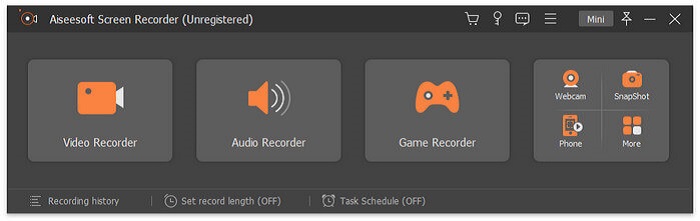
すると別のウィンドウが表示されます。ここでカスタムまたはフルスクリーンをクリックします。カスタムを選択した場合は、フレームサイズを任意の大きさに調整してください。
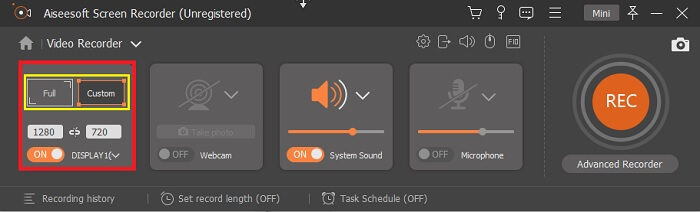
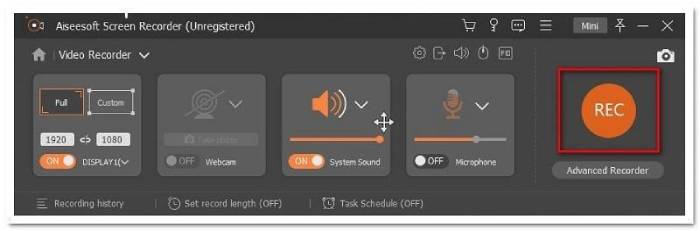
手順4. 録画を開始するには、RECボタンをクリックし、普段どおりパソコンを操作します。
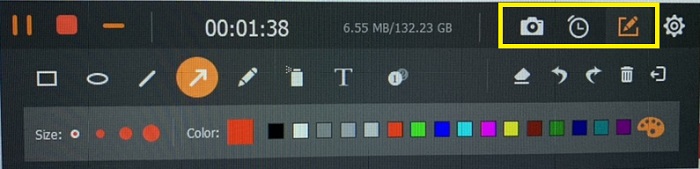
次に、注釈を付けたり、矢印を追加したり、記録にテキストを送信したりできます。
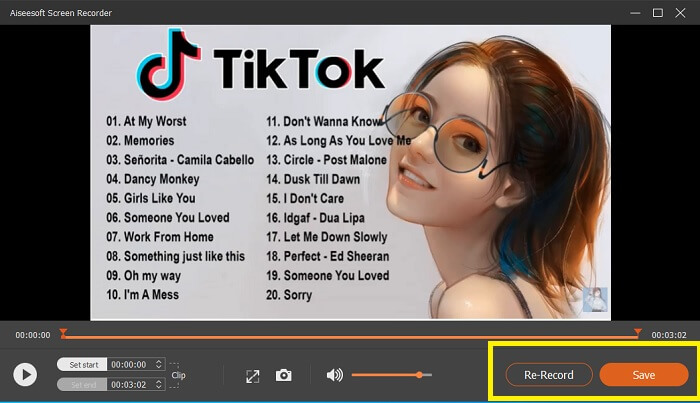
手順5. 録画を停止するには、赤い四角のボタンをクリックします。その後、新しいウィンドウが表示され、「保存」するか「再録画」するかを選択できます。録画したファイルを確認するには、浮かび上がるツールバー下部の一覧をチェックしてください。
パート2。あなたのコンピュータのための他の人気のあるWEBMレコーダー
1.FVC無料スクリーンレコーダー
特長: マルウェアフリー。100% 安全。
最初のツールに満足できなかった場合、もっと実用的なものをお探しかもしれません。FVC Free Screen Recorder は、お金をかけずに充実した機能を活用したいときに最適なツールです。一般的に無料ツールは有料版より画質が劣ると言われますが、このツールはそのハードルを一段引き上げています。無料でありながら、高品質な動画とクリアな音声を録画することができます。さらに、操作も簡単です。以下の手順に従って、詳しい使い方を確認してください。
手順1. お使いの PC で Web ブラウザーからアプリを起動します。どのブラウザーを使用していても構いません。このツールはさまざまな環境から柔軟にアクセスできます。公式ページに直接アクセスするには、こちらのリンクをクリックしてください。
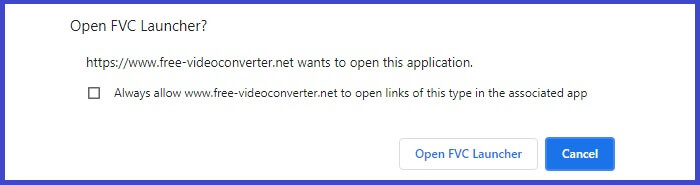
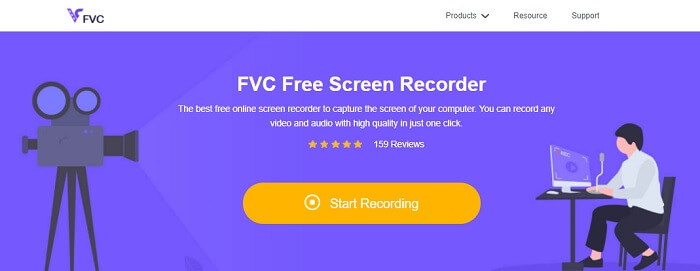
手順2. 録画開始ボタンをクリックしてツールを起動します。
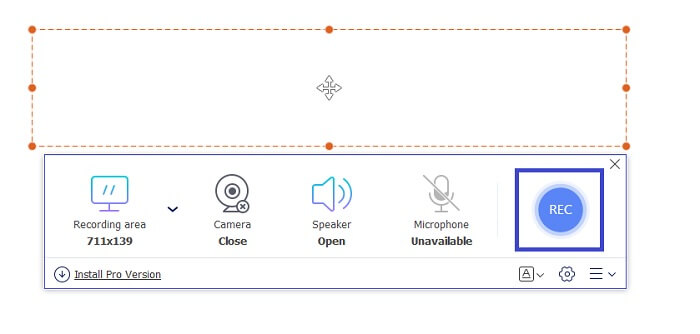
手順3. ツールを起動すると、浮かび上がるツールバーが表示されます。フレームを調整してアスペクト比を変更し、RECボタンをクリックして録画を開始します。
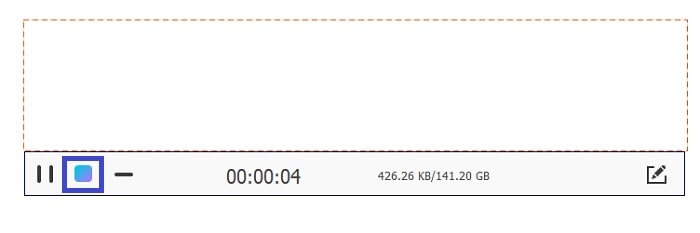
手順4. 録画を停止するには、下の画像にある四角ボタンをクリックします。
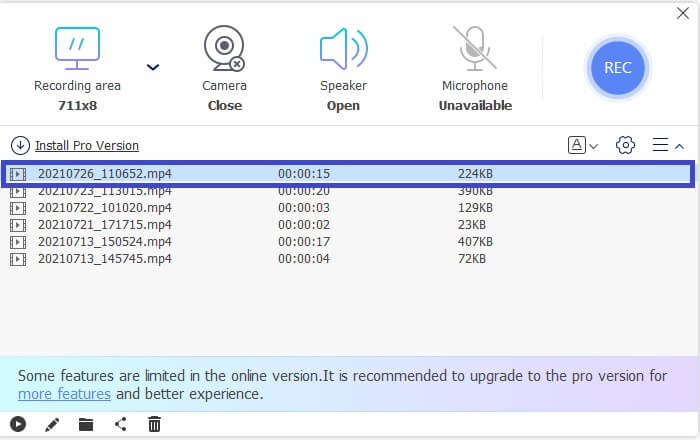
手順5. 録画したファイルを確認するには、浮かび上がるツールバーの下にある一覧をチェックしてください。
長所
- 100%はマルウェアから安全です。
- アスペクト比、ビットレート、フレームレートを柔軟に調整できます。
- ピクチャーインピクチャーがサポートされています。
短所
- ハードウェアアクセラレーションはサポートしていません。
2.タイニーテイク
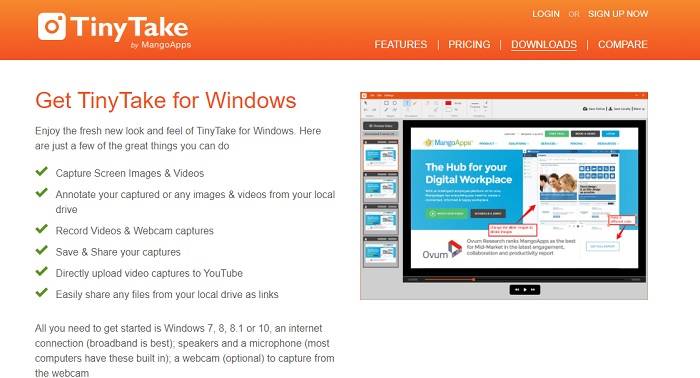
特長: コラボレーションやリモートワークに対応。
TinyTakeは、MangoAppsによって開発されたビデオ録画および無料のスクリーンキャプチャツールです。 Tiny Takeは、プロフェッショナルまたは個人的な会議を簡単にスクリーンキャプチャまたは記録するための優れたソリューションを提供します。このツールが人気を博したのは、リモートで作業したり、ファイルの一括共有を行ったり、注釈機能と長期保存を使用したりできるコラボレーション機能と、ギャラリー(オンライン)です。
長所
- ローカルドライブから画像やビデオをキャプチャできます。
- YouTubeで直接共有してください。
- 録音中に注釈を付けます。
短所
- ロックインウィンドウ機能はありません。
3.スクリーンキャスト-O-Matic
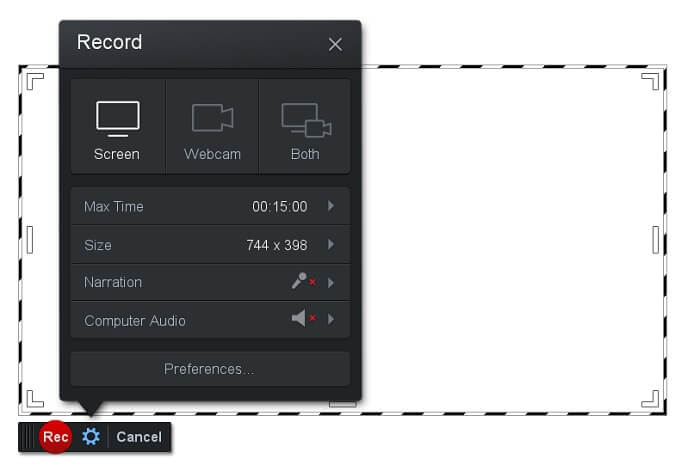
特長: インターフェースがシンプルで、操作とナビゲーションが非常に分かりやすい。
Screencast-O-Matic は、多くのユーザーに広く利用されているソフトのひとつです。パソコン画面を録画でき、登録すれば無料で利用できます。無料ツールを利用するにはアカウント作成が推奨されています。そのほか、書き出し前に動画を直接編集できる機能も搭載されています。内蔵のストック素材ライブラリからインスピレーションを得て、動画制作のクオリティをさらに高めることも可能です。また、スクリーンショットを撮影したり、作成したコンテンツをそのまま SNS などのソーシャルメディアに共有することもできます。
長所
- クラウドホスティング機能があります。
- 編集用のビデオをアップロードします。
- ホストコンテンツ。
短所
- 登録が必要です。
4. Screencastify
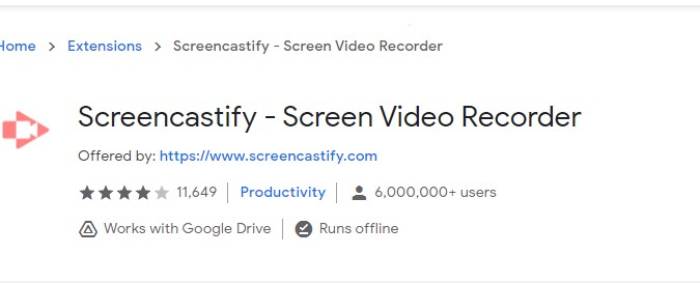
特長: Web ブラウザー拡張機能。
リストに少し多様性を与えましょう。 Screencastifyは、特にChromeブラウザの拡張機能であるWeb依存ツールです。これは主に教育者と学生によって使用されます。主な理由は、ツールのシンプルさと、教育者と学生がクラスに集中できるようにする注釈機能です。 Udemyやそのような学習サイトを介して勉強しているほとんどの人はこのスクリーンレコーダーを使用しています。同じことをしている場合は、それを使用することを検討できます。一方、ここにツールに関するより詳細な情報があります。
長所
- すべてのメディアプラットフォームと互換性があります。
- ホストコンテンツ。
- 編集用のビデオをアップロードします。
短所
- ブラウザに依存するため簡単にアクセスできますが、不利になることもあります。
- それを使用するには多くの権限が必要です。
パート3。WebMレコーダーに関するFAQ
WebMファイルが開かないのはなぜですか?
混乱してしまうのも無理はありません。最新のブラウザーを使っているのに再生できない、と感じているかもしれません。お使いのブラウザーが最新バージョンで動作しているか確認したことはありますか? まだであれば、アップデートしてください。動画が再生されないもっとも一般的な原因のひとつが、バージョンの古さです。なお、WebM ファイルがサポートしているブラウザーの一例として、Chrome 6、Firefox 4、Internet Explorer 9 以降があります。また、WebM プレーヤーを利用して再生を試してみる方法もあります。
MacでWebMビデオを再生できないのはなぜですか?
Mac OSXプラグイン用のVLCプレーヤーまたはVLCをダウンロードすることを強くお勧めします。 64ビットのIntelプロセッサが必要です。
パート4。比較チャート
| 特徴 | FVCスクリーンレコーダー(プレミアム) | FVCスクリーンレコーダー無料 | TinyTake | ScreenCast-O-matic | ScreenCastify |
| オーディオとビデオの記録 |  | | | | |
| ビデオ編集機能 | | |  | | |
| ロックインウィンドウ機能 | | | | | |
| 注釈機能 | | | | | |
| WebMがサポートされています | | | | | |
| マルウェアセーフ | | | | | |
| 調整可能なビットレートとアスペクト比 | | | | | |
結論
この記事でレビューしたすべてのWebM記録ツールは、信頼性が高く効率的です。どのツールがPCとオペレーティングシステムの要件に適合するかを確認する必要があります。ほとんどの人は、Webベースのアプリを使用して安全な場所に行きます。しかし、それでも決定するのはあなたの呼びかけです。
-
 偏りのないシンチレビューオーディオレコーダーと最良の代替品
 Cinch Audio Recorderは、ストリーミングサイトから音楽をダウンロードするための最良の方法です。公平なレビューと記事からの最良の代替案についてもっと学びましょう。
-
 WindowsとMac用のトップ5の最高のマウスとキーボードレコーダー
 これは、マウスの動きとキーボードのクリックを保存し、イベントを繰り返すことができる、マウスとキーボードのレコーダープログラムのトップ5です。
-
 スクリーンビデオをAVIファイルとしてキャプチャするためのトップ4の無料AVIスクリーンレコーダー
 高品質のAVIファイルに画面を記録するために、この記事では、この投稿で上位4つの無料のAVIスクリーンレコーダーを特定して共有しました。それに応じて目的のものを見つけるために詳細を学びます。
