


 Video Converter Ultimate
 Skjermopptaker
 Videoreparasjon
 Sikker nedlasting
Hvordan konvertere MP4 til OGG gratis og online
MP4 er en digital multimedia container som lagrer video, lyd og undertekster. OGG er et gratis og åpent containerformat for effektiv streaming og filkomprimering. Noen ganger må du konvertere MP4 til OGG-format for å spille på noen lydspillere. Dette innlegget vil dele 3 gratis MP4 til OGG-omformere for å konvertere MP4 til OGG uten problemer.

Del 1. Profesjonell måte å konvertere MP4 til OGG gratis
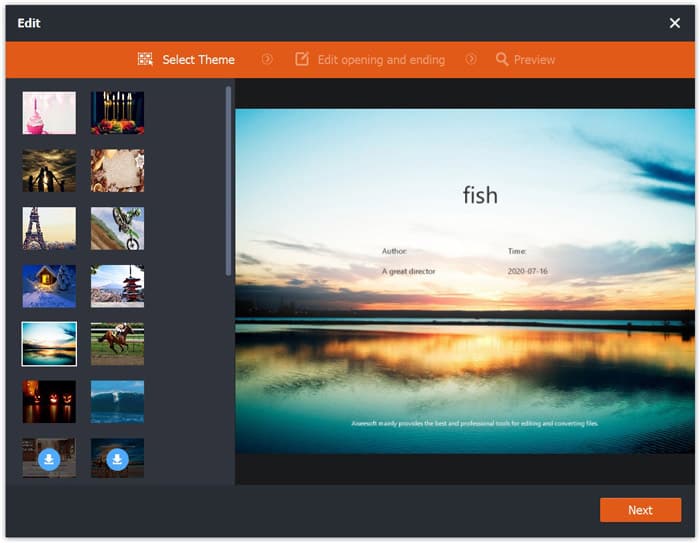
If you want to find the best MP4 to OGG converter, you can try FVC Free FLV to MP4 Converter. It is the free and easy-to-use video converting software for Windows and Mac. You can convert various videos like MP4, FLV, MOV, MKV, MTS, M2TS, etc. to OGG with ease. Moreover, it offers editing features to add themes, adjust author, time, provider at the beginning/ending part.

- Konverter videoer i MP4, MKV, AVI, MOV, MP3, AAC, AIFF, etc. til OGG.
- Eksporter OGG-videoer og tapsfri lydfil fra MP4-fil med ett klikk.
- Tillat brukere å redigere leverandør, tittel, forfatter, tid og legge til tema.
- Batchkonverter MP4 til OGG for å spille på noen bærbare lydspillere.
Free DownloadFor Windows 7 or laterSecure Download
Free DownloadFor MacOS 10.7 or laterSecure Download
Step 1. After downloading, install and launch FVC Free FLV to MP4 Converter on your Windows or Mac. Click Add Files button to load the MP4 files from your computer. If you want to convert several MP4 files at one time, just upload them all.
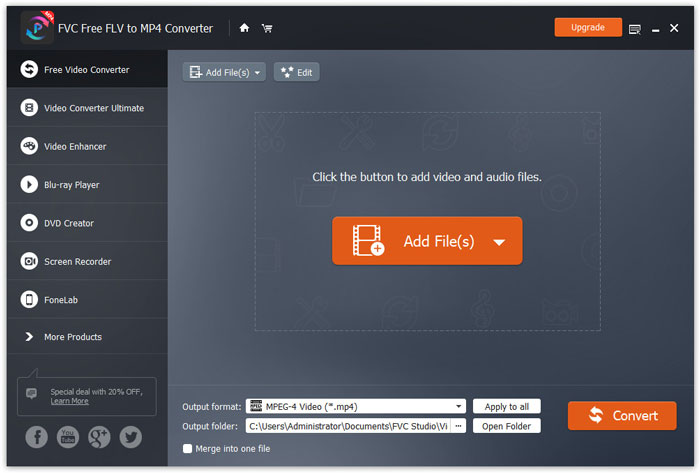
Step 2. Click on your MP4 file and click Edit button. You can add a theme to your MP4 file, and edit the opening and ending content. Then click Next to preview and save the changes.
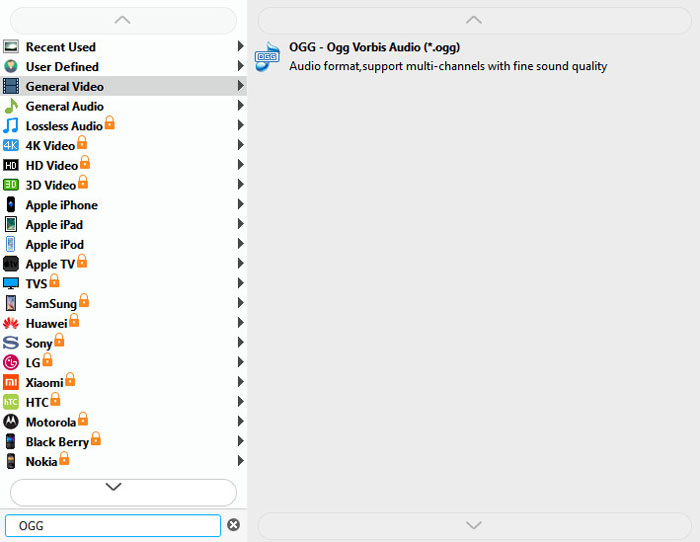
Step 3. Click the drop-down Output format button at the bottom, and search OGG format from the list. You can select OGG - Ogg Vorbis Audio (*.ogg) as the output format.
Step 4. Browse the output folder on your computer and click Convert button to start changing MP4 to OGG.
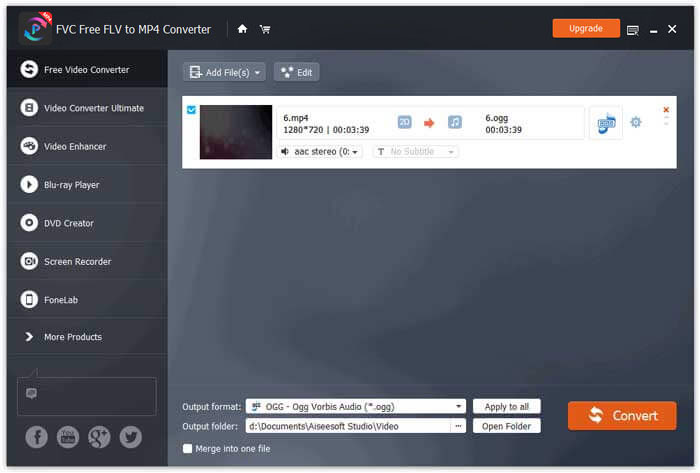
With FVC Free FLV to MP4 Converter, you can also combine several MP4 files into one.
Del 2. Hvordan endre MP4 til OGG Online
Sammenlignet med en stasjonær omformer er bruk av en online omformer en tidsbesparende metode for å konvertere MP4 til OGG. Det er mange online MP4 til OGG-omformere du kan velge. I denne delen vil vi dele 2 MP4 til OGG-omformere for å transformere MP4-filene dine til OGG gratis online.
1. Zamzar
Zamzar er en multifunksjonell online plattform for videokonverter, lydkonverter, bildekonverterer og eBook-konverter. Med Zamzar kan du enkelt konvertere MP4 til en rekke andre formater som OGG. Her er enkle trinn for å konvertere MP4 til OGG med Zamzar online.
Step 1. Go to www.zamzar.com/convert/mp4-to-ogg/, and click Add Files button to upload your MP4 files.
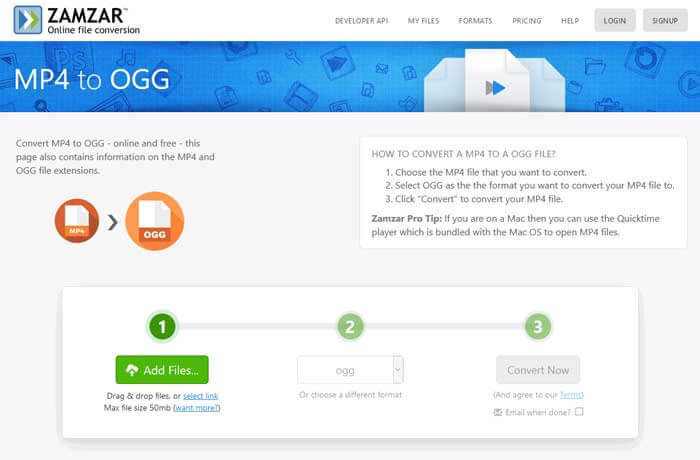
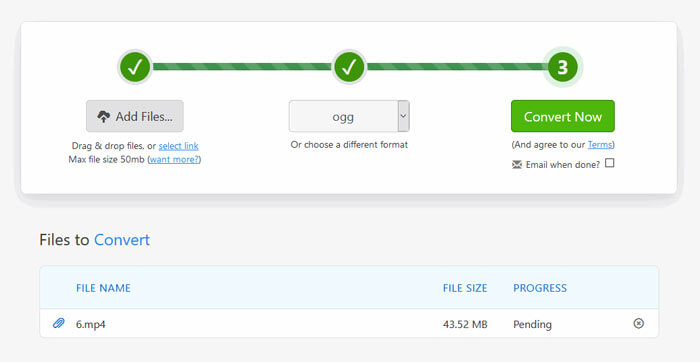
Step 2. The default output format has been set to ogg already. Click Convert Now button to start converting MP4 to OGG.
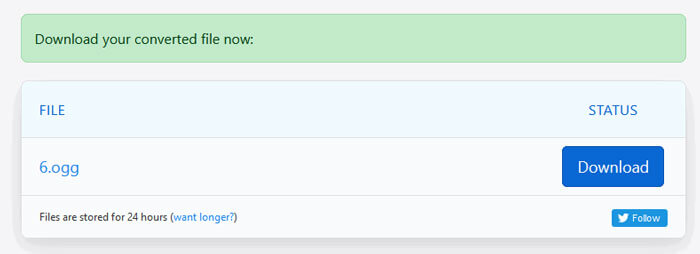
Step 3. Then it will jump to another page. You can click Download button to save the converted OGG file to your computer.
When you are converting a MP4 file in large size, the conversion may get stuck using Zamzar. You need to refresh the page and convert again. If you want a smooth conversion, FVC Free FLV to MP4 Converter can help you a lot. (See more MP4 players here)
2. Convertio
Convertio er et enkelt verktøy for å konvertere dokument-, bilde-, regneark-, eBok-, lyd- og videofiler. Ved hjelp av Convertio kan MP4-filene konverteres til MP3 med utmerket nøyaktighet. Følg trinnene nedenfor for å eksportere OGG fra MP4 med Convertio.
Step 1. Go to Convertio MP4 to OGG Converter (convertio.co/mp4-ogg/). Click Choose Files button to upload your MP4 files. You can also add MP4 files from Dropbox, Google Drive, or copy the URL.
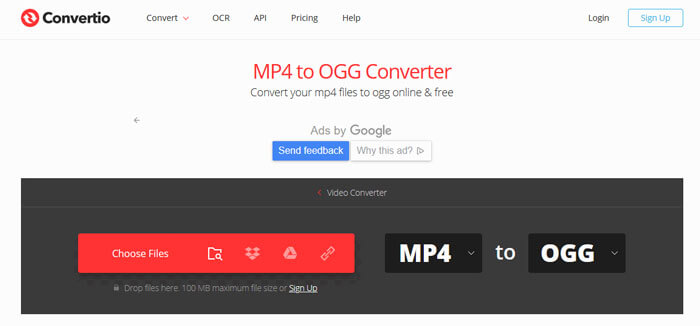
Step 2. Choose OGG from the drop-down icon, and then click the gear icon to set the codec, quality, audio channels, frequency, volume. You can cut the MP4 file to the wanted part.
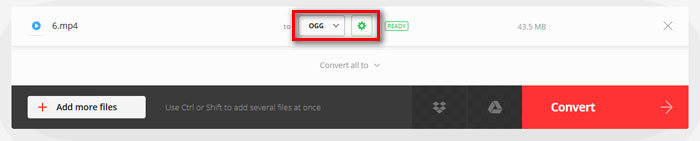
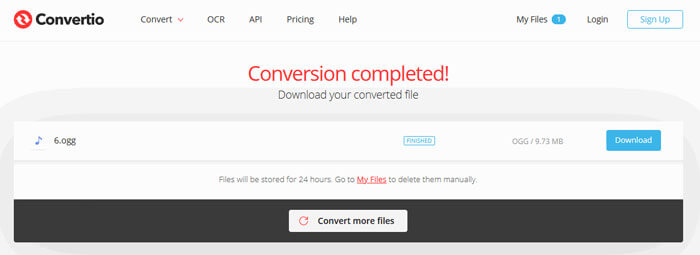
Step 3. After all is set, click the Convert button to convert MP4 to OGG. After conversion, click the Download button to save the converted OGG file to your computer.
Del 3. Vanlige spørsmål om konvertering av MP4 til OGG
1. Hva er OGG-videoformat?
OGG er et gratis og åpent containerformat som kan inneholde musikk, video, tekst som teksting og metadata.
2. Hvilken spiller kan spille OGG-fil?
Det er mange bærbare spillere som kan spille OGG-filer som VLC, Windows Media Player, Adobe Audition, Audials, MPlayer og mer.
3. Hvordan konverterer jeg MP4 til MP3?
With the help of FVC Free Online Video Converter, you can easily convert MP4 to MP3 online. Go to this online site and click Add Files to Convert button to install the launcher. Then select the MP4 files from computer, and check MP3 as the output format. Click Convert button to convert MP4 to MP3.
Konklusjon
Vi introduserte hovedsakelig 3 MP4 til OGG konverterer for å konvertere MP4 til OGG filer online og offline. Med skrivebordet FVC Free FLV til MP4 Converter kan du enkelt eksportere OGG-filen med åpen kildekode fra MP4. Hvis du har bedre løsninger, ikke nøl med å legge igjen en kommentar.
-
 WebM til MP4 | Gratis konvertere WebM til MP4
 Hvordan ser jeg på WebM-filer uten nettleser? Du må konvertere WebM til MP4. Her er topp 10 gratis WebM til MP4-omformer for å endre WebM til MP4 online og på Mac og Windows-datamaskiner.
-
 MP4 til FLV | Topp 3 gratis omformer
 Dette innlegget er den detaljerte guiden til MP4 til FLV-konvertering. Du kan ta de 3 beste gratis omformerne for å endre MP4 til FLV online, på Windows eller Mac-datamaskiner uten problemer.
-
 Topp 6 måter å kombinere MP4-filer på Windows / Mac / Online
 Vil du slå sammen dine rå MP4-filer til prosjektet ditt? Dette innlegget samler de 6 beste måtene for å hjelpe deg med å kombinere MP4-videoer på Windows, Mac og online uten problemer.
