


 Video Converter Ultimate
 Skjermopptaker
 Videoreparasjon
Mestre kunsten å konvertere OGV-fil til AVI-format via online og offline
OGV files is an open-source made by Xiph.org that has the same structure as OGG Vorbis. Also, this format can contain one or more codecs to suppress the video streams. However, playing the .ogv file on Windows Media Player or Quicktime doesn't support the codecs like Theorec, Daala, or Diarac. In this case, you aren't able to play the video because of compatibility reasons. The solution to solve this problem is to convert the file into a much-supported format like AVI. This article states the converters you can use and how to convert OGV files to AVI.
Del 1. OGV og AVI - En oversikt
Som informasjonen sier tidligere, er OGV åpen kildekode-filer som lagrer videostrømmer av høy kvalitet. Men hvis du vil synkronisere mediefilavspilling, må AVI være valget. Selv om disse to beholderne fortsatt er flotte å bruke, har de sin hensikt. La oss bestemme formålet deres ved å grave etter mer informasjon om de to formatene.
OGV
Et annet formål med OGV er å spille av videoer på HTML 5 fordi det er et av de best patenterte formatene du kan sette inn på nettet. Med den oppgraderte HTML 5 laget, trenger du ikke en plug-in for å spille av videoene på nettet. Dette formatet gir også webdesigneren som støtter multimedia og bekvemmelighet. Selv om OGV-filer støtter streaming av video på HTML 5, støtter formatet fortsatt ikke andre mediespillere for å spille av dette formatet.
AVI
I mellomtiden får AVI-formatet allerede omfattende støtte fra alle mediespillere og redaktører sammenlignet med OGV. Og på grunn av det ukomprimerte formatet er filstørrelsen som er lagret i dette formatet mye større enn det andre medieformatet. Selv om filene er mer omfattende, kan du fortsatt bruke forskjellige kodektyper for å komprimere dette formatet og lagre dem mindre. Men hvis du klemmer filen under dette formatet, forvent at kvaliteten på videoen vil endre seg.
Og nå som vi har en bakgrunn om de to formatene, er det nå rett tid for å konvertere OGV til AVI på Linux, PC og Mac. For å spille den av på din lokale mediespiller eller redigere videoen under, er det et must å konvertere filen til AVI.
Del 2. Best Choice Offline Converter for å konvertere OGV til AVI
FVC Video Converter Ultimate
Do you want to know which is the best OGV to AVI converter that provides the fastest and secured conversion process? If so, FVC Video Converter Ultimate is a choice. For all of the converters we searched and tried over the internet, this tool is incomparable and does provide phenomenal output. This software offers many advanced features on the toolbox like the editor, merging, compressing, and more. Also, the conversion process is 30x faster because this software uses hardware acceleration and faster conversion than the other converters available online or offline don't have.
Dessuten, hvis du ønsker å gjøre batchkonvertering, kan du enkelt gjøre det her uten å svette. Videre er grensesnittet og de avanserte funksjonene tilgjengelig for både Windows- og Mac-brukere. Så nå, la oss gå videre til trinnene for å konvertere OGV-filen din til et nytt AVI-format innen noen få sekunder ved å følge trinnene nedenfor.
Step 1. Before you can convert OGV to AVI on Windows or Mac, you must download the software first. Install the software on your computer drive and click Start Now to run the software on the system.
Gratis nedlastingFor Windows 7 eller nyereSikker nedlasting
Gratis nedlastingFor MacOS 10.7 eller nyereSikker nedlasting
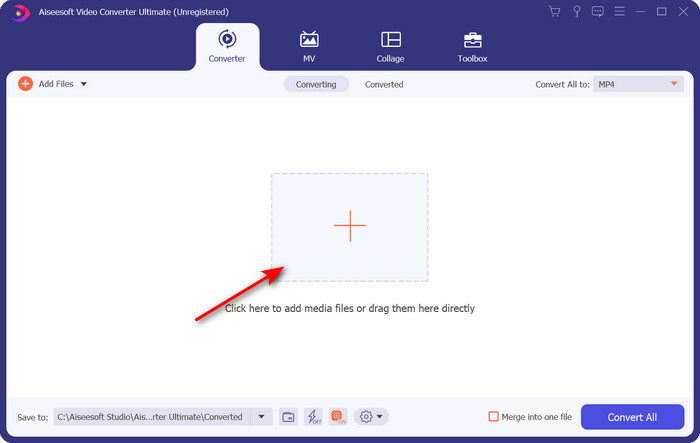
Step 2. Upload the .ogv file by clicking the + button; a file folder will show where you can locate the file, and then click Open.
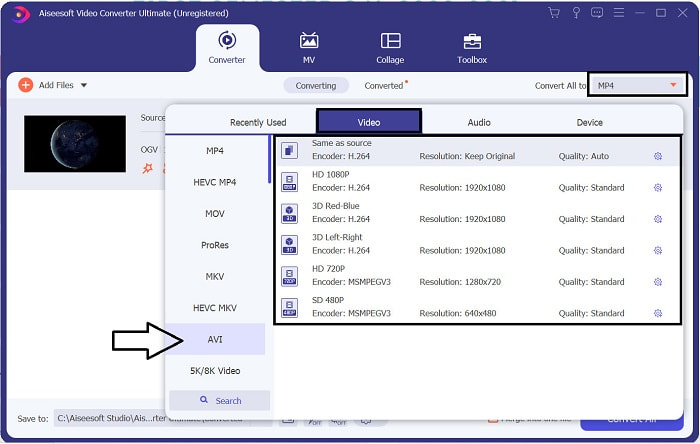
Step 3. Once the file is uploaded, click Convert All to, choose the AVI format or the other format you want the final output would you want it to turn.
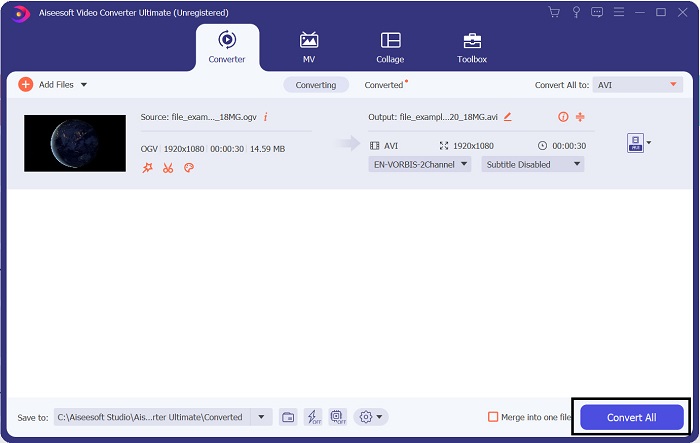
Step 4. Click Convert All to start the conversion process; this process will only take a few seconds because of the fast conversion this tool supports.
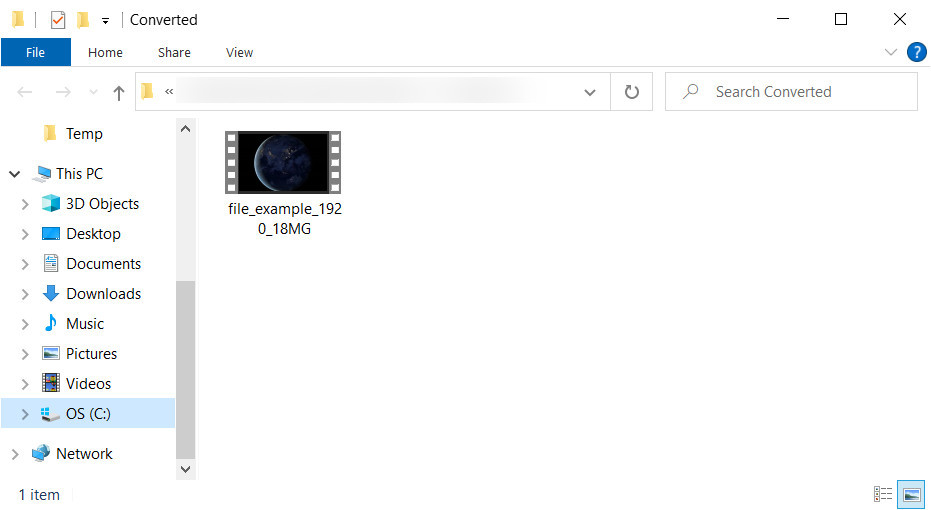
Step 5. After the conversion, a file folder will show on your screen containing the .avi file; click the file to watch it on your media player.
Del 3. Beste gratis OGV til AVI-konvertering tilgjengelig online
FVC Free Video Converter Online
Don't want to download a converter on your drive; instead, convert OGV to AVI online for free? Then FVC Free Video Converter Online is the best pick-up. Nowadays, converting can be done online and by searching for a web tool that will help you. However, not all of the web tools support format like the .ogv file. Although there are some trusted converters, this online converter is the safest, has no ads, and is everyone's favorite. To proceed, if you want to convert your OGV files without downloading any converter and with no limitation, then follow these steps.
Step 1. Go to the official website of FVC Free Video Converter Online by clicking this link.
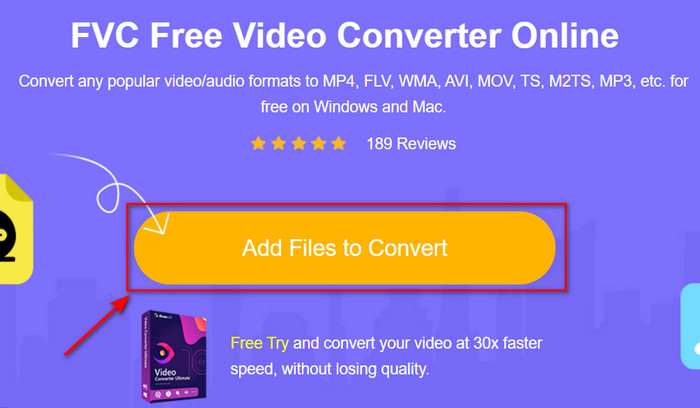
Step 2. Once the website is open, click the Add Files to Convert to download the launcher. Press it again to open a folder to see the .ogv files, then click Open to upload. Additional information, although you can convert without limit here, you still can't do batch conversion.
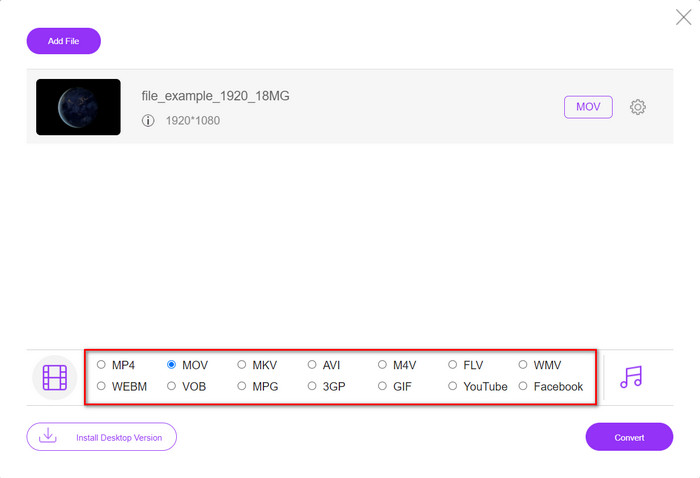
Step 3. Choose the AVI format on the submenu and click it.
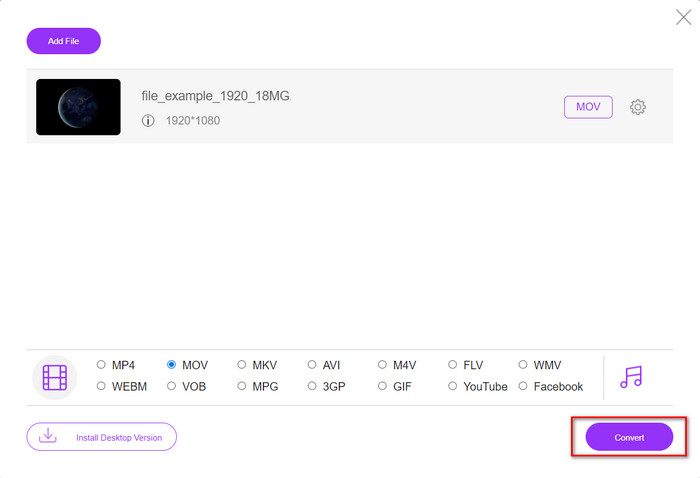
Step 4. Let's start now converting the OGV format to AVI by clicking the Convert button.
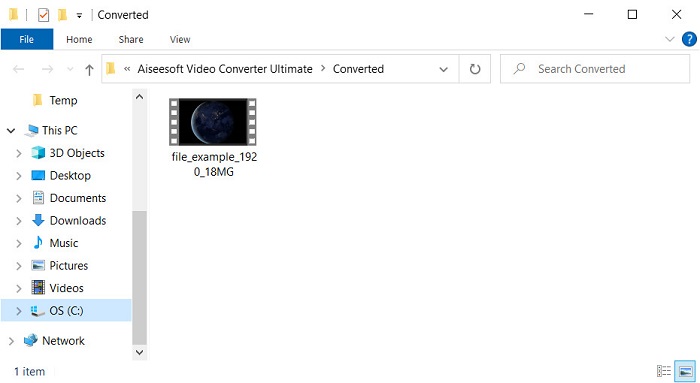
Step 5. Converting the file will end shortly; a folder will show with the .avil file.
Del 4. Vanlige spørsmål om OGV til AVI-konvertering
Kan jeg spille .ogv på VLC?
Yes, you can play the .ogv video file on your VLC Player as quickly as that, and it is one of the most prominent media players you can download for free. But if you want to know the 5 best alternatives for VLC, click this link to have an idea about the other media player you can use on PC and Mac.
Er OGG og OGV det samme?
Xiph.org grunnla OGG og OGV for å være et av de beste formatene du kan bruke som bruker kodeker som Vorbis og Theora. Selv om .ogg kan inneholde video og lyd, passer den fortsatt best på lyd sammenlignet med en video. Derimot er .ogv det beste formatet for å ha både video- og lydfiler.
Etter konvertering av .ogv, blir kvaliteten dårligere?
It depends on what converters you will use because some OGV converters don't provide high-quality output. Unlike FVC Video Converter Ultimate, this tool lets you manipulate the quality into low, middle, or high to make your output better in quality and smaller in size.
Konklusjon
All of the mentioned converters in this article convert the OGV to AVI format without losing its quality. It is best to choose the perfect converter that provides the most efficient way of converting the format. If you want to convert a single file without spending a penny, use the FVC Free Video Converter Online. But suppose you're going to do batch conversion easily and without any trouble looking for an internet connection; you must download the FVC Video Converter Ultimate.
-
 2 av det beste valget av RMVB-fil til AVI-konverterer [online og offline]
 Vet du ikke hvordan du konverterer RMVB til AVI? Denne artikkelen fokuserer på omformerne du kan bruke til å konvertere RMVB til AVI, enten online eller offline.
-
 Hvordan konvertere XviD til AVI uten å miste kvaliteten på videoen [2025]
 Vil du konvertere XviD-filen til AVI? Hvis det er tilfelle, les denne artikkelen mens vi snakker mer om XviD og hvordan du konverterer XviD-filen til et AVI-format.
-
 Beste strategi for hvordan du konverterer DV-fil til AVI-format med detaljerte trinn
 Vil du konvertere DV-filen til AVI? Les deretter denne artikkelen for å vite det unike verktøyet du kan bruke til å konvertere og en mediespiller for å spille av DV-en din på PC eller Mac.
