


 Video Converter Ultimate
 Skjermopptaker
 Videoreparasjon
Mest pålitelige MP4 Metadata Editor for å legge til, redigere, fjerne MP4 Metadata enkelt
MP4-tagger kan hjelpe deg med å organisere og administrere filene ved å sortere dem etter metadata. Av den grunn er mange brukere på jakt etter den perfekte metadataredigereren for å håndtere denne oppgaven på en enkel måte. Heldigvis har vi i dag silt ut de beste taggredigererne du kan bruke på MP4-filene dine på markedet. Med hjelp av grundig research, la oss se hvilken MP4-metadataredigerer du bør bruke for å ordne filene på riktig måte.

Del 1. 4 beste gratis MP4-tag-redigerere tilgjengelig på nettet og offline
VLC Media Player
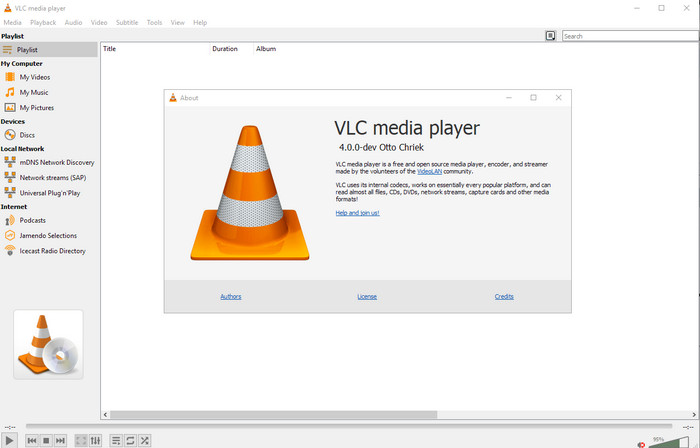
Tilgjengelig på: Windows, Mac og Linux
Først på listen vår er den beste videospilleren, men hvis du vil ha en gratis mp4-metadataredigerer, kan det hende du trenger denne. VLC Media Player gir deg en gratis opplevelse av å redigere eller fjerne taggene som er knyttet til MP4-filene dine. Med dette verktøyet kan du enkelt endre metadata i filen, som tittel, opphavsrett, sjanger, artist, dato, klokkeslett og mer. Selv om mange brukere sier at det er enkelt å redigere metadata her, er det også noen som er uenige. De synes det er forvirrende og lite effektivt sammenlignet med andre tagg‑redigerere. Likevel, hvis du vil ha et trygt verktøy å laste ned som allerede har bevist mye for brukerne, bør du prøve dette verktøyet.
Amvidia Tag Editor
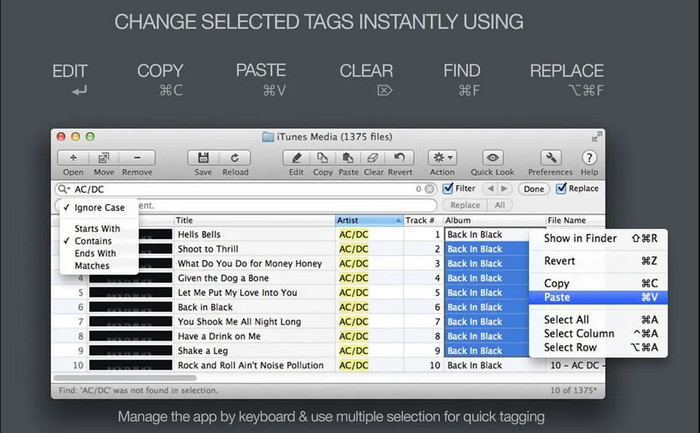
Tilgjengelig på: Mac
En annen MP4-metadataredigerer på Mac er Amvidia Tag Editor. Hvis du trenger å legge til metadata, omslagsbilder, tagger i iTunes eller endre filnavnet, kan du gjøre alt dette her. Hvis du trenger batch‑tagging, vil dette verktøyet også hjelpe deg. I tillegg støtter denne gratis nedlastbare programvaren et stort antall medieformater du kan laste opp i verktøyet, men du må laste den ned først. På grunn av de detaljerte funksjonene den støtter, kan det ta tid for nybegynnere å bruke verktøyet, siden du må gjennom mange trinn før du legger til metadata. Dessuten er grensesnittet foreldet, omtrent som VLC.
TigoTago
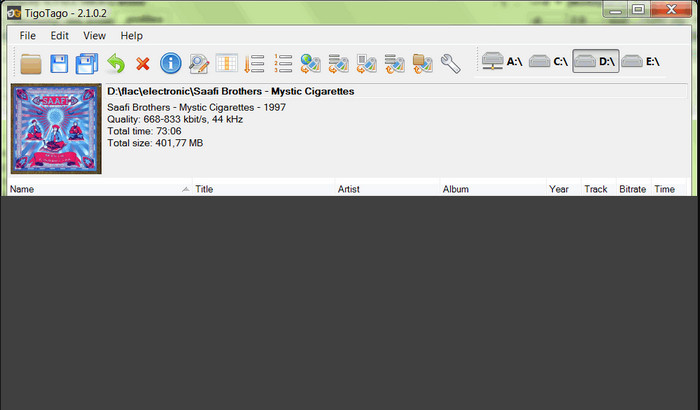
Tilgjengelig på: Windows
TigoTago er en annen MP4-metadatatagger du kan bruke gratis på Windows. Så hvis du trenger å redigere spesifikke data eller tagger i MP4-filen din, laster du ned verktøyet og endrer MP4-tagene enkelt, én om gangen. Med dette verktøyet kan du fylle inn de grunnleggende taggene en fil har, som tittel, album, spor og artist, men du kan også legge til mer avanserte tagger som sangtekster, kommentarer osv. Sammenligner vi dette verktøyet med VLC, kan vi si at det er mye bedre fordi det har redigering av tagger som førsteprioritet. Selv om det tilbyr mer enn mediespilleren, trenger det fortsatt forbedringer, blant annet i brukergrensesnittet og andre funksjoner.
InstantD3 - Gratis Online ID3 Tag Editor
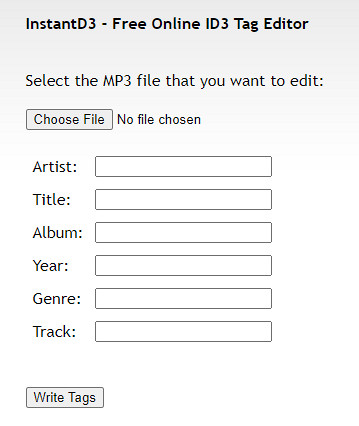
Tilgjengelig på: Nett
Hvis du ikke vil laste ned programvare, kan du få tilgang til denne online MP4 video tag-editoren, InstantD3 - Free Online ID3 Tag Editor. Selv om verktøyet er tilgjengelig på nettet, kan det ikke søke i metadata på nettet for å bruke kodene du trenger på MP4-en din automatisk. Verktøyet tilbyr et intuitivt grensesnitt for å la brukerne oppleve en enkel måte å legge til tagger til lydfilene sine. Fordi verktøyet er gratis, er det annonser på nettstedet, men vi må advare deg om at annonsene på nettstedet er upassende for alderen 18 år nedenfor. Få tilgang til verktøyet på egen risiko; Når du har åpnet verktøyets nettside, er ikke internettforbindelsen din sikret.
Del 2. Best Choice Video Editor for å legge til, redigere og fjerne metadata på Windows og Mac
Tilgjengelig på: Windows, Mac og Linux
MP4-metadataredigererne som er nevnt ovenfor, er gode, men FVC Video Converter Ultimate er den kraftige metadataredigereren du vil trenge for å redigere eller fjerne metadata. Dette verktøyet tilbyr de beste redigeringsfunksjonene som er enkle å bruke, men som likevel gir et profesjonelt resultat. I motsetning til verktøyene nevnt ovenfor, som støtter et begrenset antall mediaformater, kan du med dette verktøyet laste opp MP4, MOV, MKV, FLV, AVI og over 1000 andre formater og raskt endre metadataene for alle disse. Er det ikke imponerende hva dette verktøyet kan gjøre? Når du ser hvor fantastisk verktøyet er, kan du enkelt følge den trinnvise veiledningen vi har lagt ved for å redigere, legge til og fjerne tagger på MP4-filene dine.
Trinn 1. Trykk først på nedlastingsknappen for å laste ned MP4-taggredigereren på Mac eller Windows. Følg installasjonsprosessen etter at du har klikket på filen, og åpne den.
Gratis nedlastingFor Windows 7 eller nyereSikker nedlasting
Gratis nedlastingFor MacOS 10.7 eller nyereSikker nedlasting
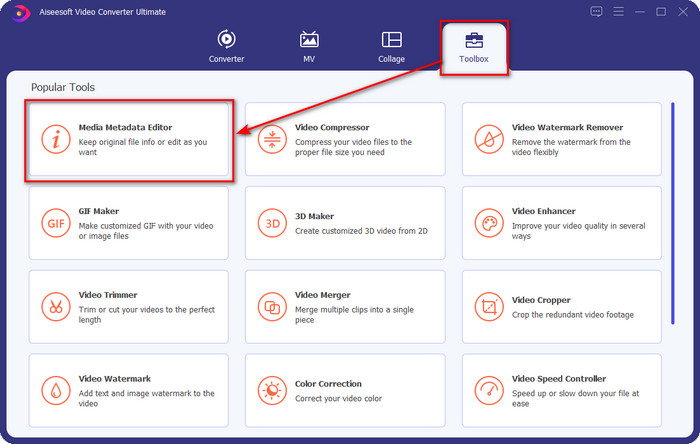
Trinn 2. Nå som du har åpnet redigeringsprogrammet, velger du Verktøykasse blant de tre delene som er tilgjengelige; klikk deretter på Media Metadata Editor under denne.
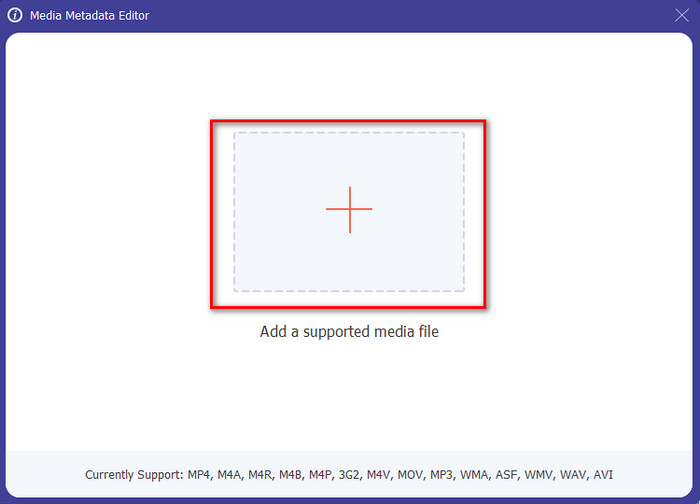
Trinn 3. For å laste opp MP4-filen, klikk på +-knappen, finn .mp4-filen i mappen som vises, og trykk Åpne for å sette den inn.
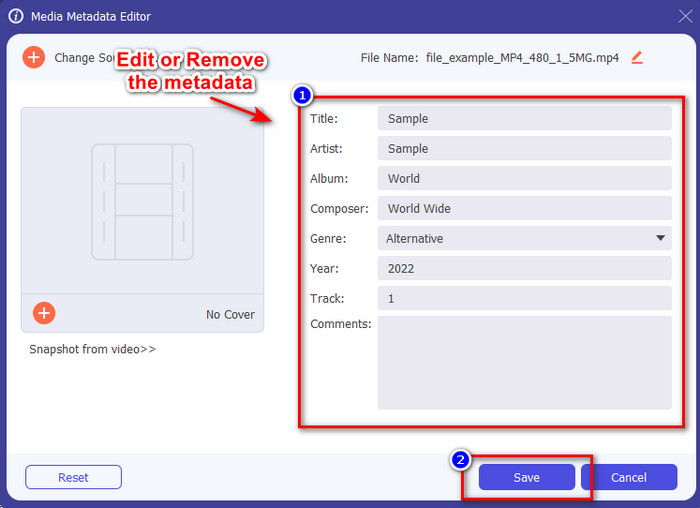
Trinn 4. Legg til, fjern og rediger informasjonen i tekstboksen som vises på skjermen; fyll den ut slik du ønsker. For å lagre endringene du har gjort i MP4-taggen, klikker du på Lagre-knappen. Du kan lett si at dette er en svært enkel oppgave hvis du velger det ultimate redigeringsprogrammet.
Relatert:
Del 3. Vanlige spørsmål om MP4 Tag Editor
Hvordan sjekke MP4-metadata på Windows?
Hvis du vil sjekke metadataene til MP4-filen din, følg disse trinnene. Finn først .mp4-filen, trykk på musens høyreklikkknapp, gå til Egenskaper, og klikk til slutt på Detaljer. All informasjon du trenger om metadataene dine er i denne listen. Så hvis du vil redigere dem i henhold til dine ønsker, velg verktøyet du bør bruke ovenfor.
Hvor kan jeg se MP4-filer?
De fleste mediespillere støtter MP4-filer fordi det er det standard videoformatet. Men spørsmålet er: Hvor kan du se MP4-videoer i høy oppløsning? I så fall må du klikke på denne lenken. Alt du trenger å vite, finner du i denne artikkelen.
Hvordan velge den beste MP4-tag-editoren?
Du må huske et par ting før du velger MP4-metadataredigeringsprogrammet du vil bruke; hvis du ikke vet hva disse er, kan du stole på disse standardene. Først må du kontrollere at metadataeditoren støtter formatet du har; ikke alle redaktører støtter et bredt formatutvalg. Å bruke et metadataredigeringsprogram som ikke støtter formatet ditt ville være ubrukelig. For det andre, sørg for at verktøyet er enkelt å bruke; hvis du er ny på redigering av metadata, sørg for at verktøyet du velger ikke er for stivt å lære. Til slutt, sørg for at det er trygt å bruke; hvis det er nedlastbart eller online, må du vite om det er trygt å bruke. Sørg for at før du bruker redigeringsprogrammet, må du følge alle disse enkle standardene for å bare ha det beste.
Konklusjon
MP4-metadataredigererne vi har tatt med i denne artikkelen, kan hjelpe deg med raskt å redigere, legge til eller fjerne metadata på MP4-filene dine. Med de relevante vurderingene vi har skrevet om verktøyene, kan vi nå sammenligne dem og se hvilken som passer våre behov når det gjelder redigering av MP4-tagger. Hvis du fortsatt ikke har bestemt deg for hvilket du skal bruke, tilbyr vi deg det beste på listen: FVC Video Converter Ultimate. Dette fantastiske verktøyet vil dekke behovene dine; den eneste måten å få det på er å laste det ned. Så klikk på nedlastingsknappen, følg trinnene vi har gitt deg, og nyt å redigere taggene uten å svette.
-
 5 enkleste måter å fjerne metadata i alle mediefiler
 Hvordan fjerne metadata? Er det vanskelig å gjøre det? Må jeg kjøpe eller bruke et gratisverktøy for å fjerne tagger? Alle disse spørsmålene har svar i denne artikkelen.
-
 Topp 5 metadatauttrekkere tilgjengelig online og offline [2025]
 Du kan finne flere metadatauttrekkere på markedet, men i dag velger vi kun de fem mest valgte tagekstraktorene i henhold til publikum.
-
 Topp 5 videometadataredigerere for 2025 [Ubiased review]
 Vil du se videometadataene dine? I så fall, les detaljene nedenfor for å forstå emnet fullt ut og vite hvilket verktøy som passer deg best.
