


 Video Converter Ultimate
 Gravador de ecrã
 Reparo de vídeo
 Secure Download
6 melhores conversores HEIC para JPG para usar para converter HEIC em um JPG padrão
In this day and age, many of us love to take snaps, whether they are selfies or groupies on our mobile devices, such as iPhones. The vast majority of the images taken on iOS devices are in the format of HEIC because it has become the standard image format for iOS. When you transfer the file to others that are non-iOS, it won't open because that device doesn't support it by default. If you want to send the image file on other devices, you must consider converting it into a JPG format because this format supports widely by many devices. The list below will teach you to convert HEIC to JPG with the five converters you can use to finish the job.

Parte 1. Como converter HEIC para JPG usando as ferramentas da Web [Maneiras on-line]
Testamos cada um desses 3 conversores HEIC online mencionados para fornecer informações relevantes sobre eles. Se você deseja usar uma ferramenta web gratuita, esta é a parte para você, mas lembre-se de que existem algumas limitações para usar um conversor como este. Mais importante, garanta uma conexão de internet estável se você usar as ferramentas abaixo para evitar interrupções durante a conversão. Por favor, leia os detalhes completos abaixo para conhecer cada um deles.
FVC Free HEIC to JPG Converter
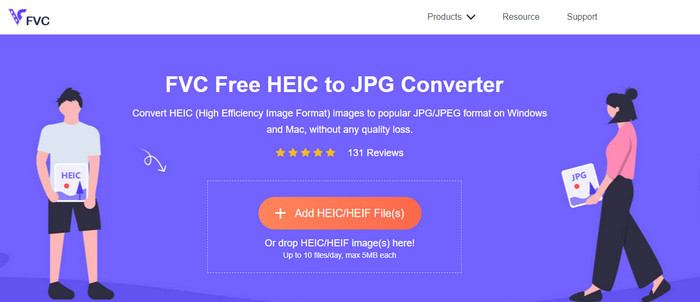
FVC Free HEIC to JPG Converter can help you convert HEIC files to JPG format in less than a few clicks. With this web tool, you won't need to download any additional installer on your drive or even sign up to use it. Although this tool is free to use, there are some limitations, like you can convert up to ten files per day, and the maximum file size for each image should be 5MB or less. Compared to some converters online, this might be enough, especially if you aren't using it often. So, if you want to test the online tool out, you can follow the instructions we include below.
Step 1. First and foremost, click this link to open a new tab on your web browser; this link will lead you to the main website of the online converter.
Step 2. Hit the Add HEIC/HEIF File (s), find the HEIC file on the folder that will show, click it and press Open to upload it.
Step 3. The conversion process will automatically start; you may now click the Download button when converting is finished.
HEIC para JPEG
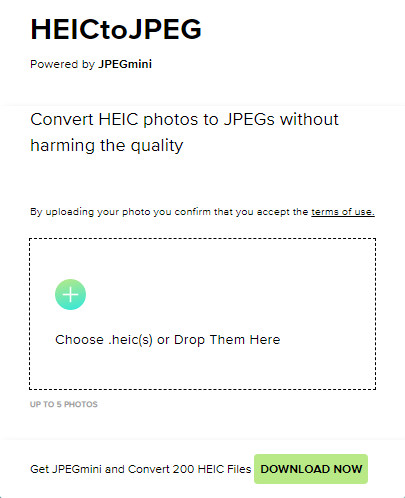
HEIC to JPEG is an online tool you can depend on how to convert HEIC to JPG, same as the online tool we mentioned this is free to access. With this tool, you can convert your HEIC file into a supported JPG then transfer it to the other device that doesn't support HEIC. Even though the tool can convert your HEIC, you will need to keep in mind that there are limitations on how many times you can convert per day. Unlike the online converter abovementioned, this web tool can only convert five HEIC files per day, which is much more limited than the other converters. If you want to use it, follow the steps given.
Step 1. Search the web converter on your search engine and open it.
Step 2. Click the plus button to upload the HEIC file you have on your desktop.
Step 3. Wait for the uploading process and optimizing, then click Download JPEG.
Image.convert-online
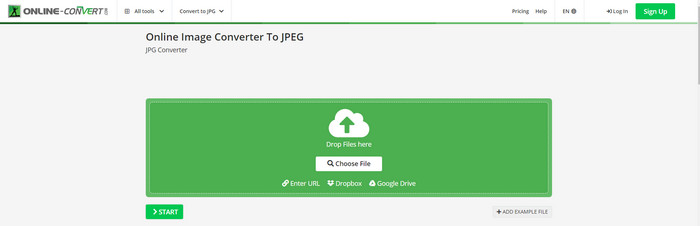
Image.convert-online allows you to convert HEIC to JPG online with the other optional setting to adjust the quality of the picture. Far from the first two converts, you can use on the webS, and you can use this web tool without limitation and convert your HEIC files here more than what the other two offer. Also, you can enhance the quality of the image and choose the compression you want to have. However, this tool's image editing features aren't as pro as the other dedicated editor you can use. Nonetheless, it is still a great HEIC converter you can use.
Step 1. Open your favorite browser, type the Image.convert-online, then click to open.
Step 2. Click Choose File and insert the HEIC file on the web tool.
Step 3. Adjust the image settings and compression; click Start if everything is settled in, then click Download to save it to your desktop.
Parte 2. Como converter arquivo HEIC em JPG ou JPEG no Windows e Mac [Formas offline]
Se você tiver uma conexão de internet ruim, a ferramenta da web que mencionamos acima não é a melhor escolha para resolver e lidar com esse problema. Portanto, se você deseja resolver o problema sem usar uma conexão com a Internet, pode ler e seguir as etapas que adicionamos a cada ferramenta mencionada abaixo. Por favor, leia-os com atenção para saber como converter o HEIC em sua área de trabalho usando maneiras offline.
Aiseesoft HEIC Converter – Melhor escolha na conversão de arquivos HEIC
Aiseesoft HEIC Converter is the tool that you will ever need in regards to how to change HEIC to JPG problem you will encounter on your desktop. If you want the best tool for converting the HEIC file, then there is no doubt that this is the tool that can help you. With its straightforwardness, you won't need to be a professional to use the tool because, with just a few clicks, you can have the converted HEIC at your reach.
Além de sua capacidade de conversão, esta ferramenta suporta um processo de conversão de relâmpago, então não se preocupe mais porque você pode ter o JPEG instantaneamente. Surpreendentemente, a ferramenta pode converter vários arquivos HEIC simultaneamente se você tiver vários arquivos HEIC. Incrível, certo? Se você ficou surpreso com a descrição que mencionamos, continue lendo as etapas seguintes, pois fornecemos um tutorial fácil de seguir para converter HEIC para JPG no Windows e Mac com sucesso.
Step 1. After downloading the software, follow the installation process, then open it.
Step 2. You can drag and drop the HEIC files in here for an easier process of uploading the file here, or you can either click the Add HEIC, find the file on your desktop, then click Open to place it.
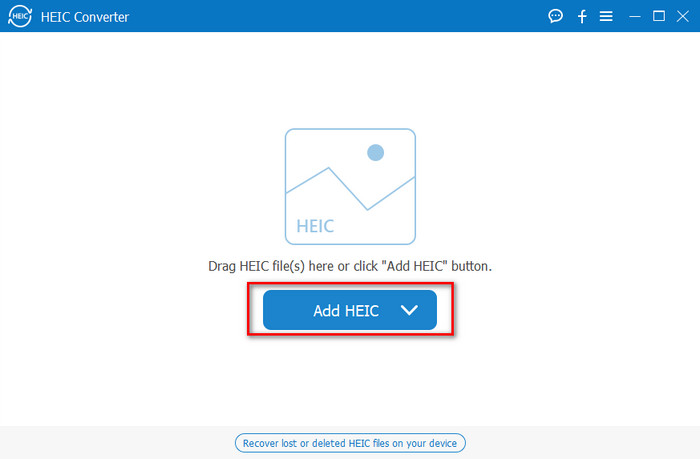
Você adiciona quantos desejar um arquivo HEIC aqui porque esta ferramenta pode converter simultaneamente o arquivo HEIC em um JPG.
Step 3. After uploading the HEIC file, click the drop-down button at the upper right corner of the interface and choose the JPEG/JPG.
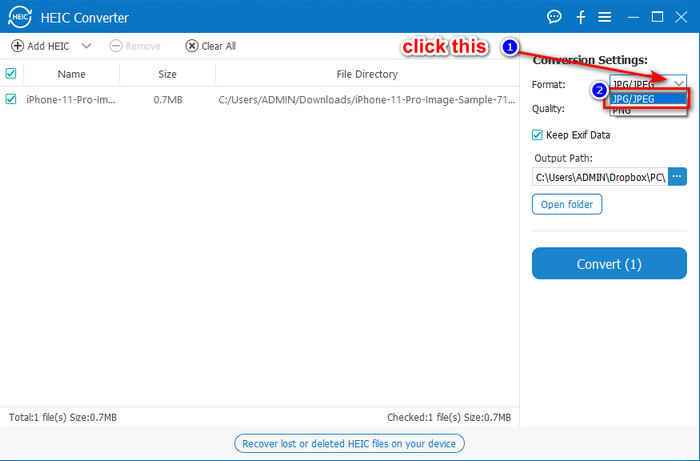
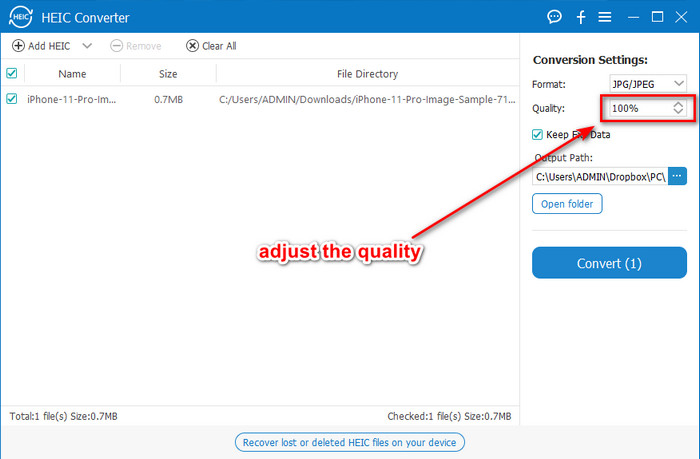
Optional. Unlike on some converters, here, you can adjust the quality of the HEIC image by changing it on the Quality before you export it.
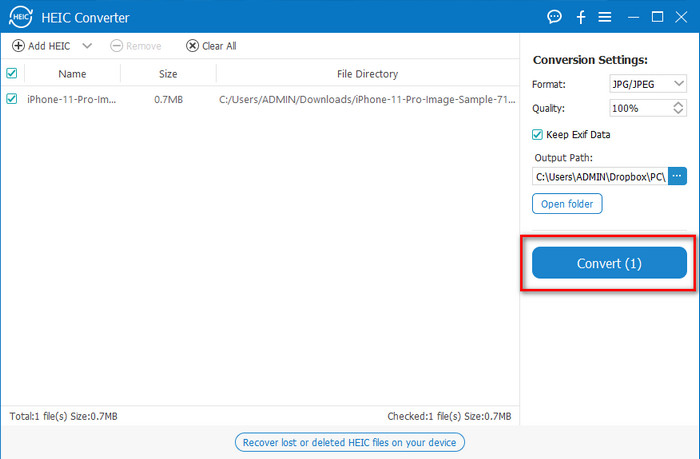
Step 4. If everything is done and you're ready to convert the HEIC to JPG, you can now click the Convert button. The conversion process will begin; waiting is unnecessary because of the ultra-fast converting process this tool supports. As easy as that, you can now share the file in another format but in the .jpg extension.
Isso é tudo para converter sua foto HEIC para JPG. Além disso, você pode usar esta ferramenta para converter HEIC para PNG em um lote.
Antevisão
Preview is the native image viewer you can use to view and change the HEIC format. However, the converting this tool can do isn't usual that will take a process like the other tool in this article. If you use this default image viewer, you can change the file extension of the HEIC into .jpg.
Além de sua capacidade de visualizar e converter, ele também pode criptografar arquivos PDF e restringir o uso do arquivo, a correção de imagem e outros. Você pode seguir as etapas abaixo para converter HEIC para JPG no macOS se for um usuário de Mac.
Step 1. Open your Finder, locate the Preview, then open the HEIC file using the tool.
Step 2. Once you open the file with the Preview, go to the File menu and choose on the list Export.
Step 3. Click format and select either JPEG or JPEG-2000, and click Save if you are finished.
GIMP
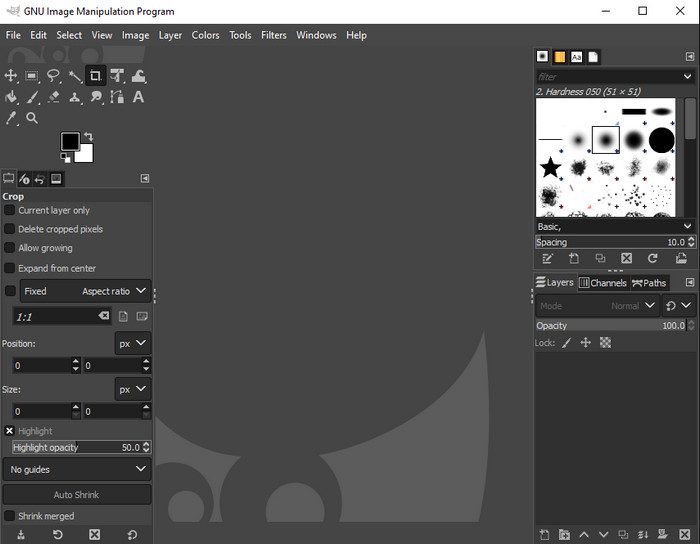
GIMP is a dedicated image editor you can download on your Windows and Mac. This tool supports editing the HEIC file; you have to make it look better, like adjusting the saturation, contrast, etc. Same as the Preview available on Mac, this tool performs not as a converter, but it can change the file extension of HEIC into a JPE, JPEG, JPG, or another image format you want.
Não há muito essa ferramenta para oferecer na conversão, mas se você quiser aprender a converter HEIC para JPG no PC, poderá copiar as etapas que adicionamos abaixo.
Step 1. Download the software on your Windows or Mac, then launch it after the downloading process.
Step 2. Go to the File menu, click Open, select the HEIC file you have on your desktop and upload it.
Step 3. Back to the File menu, click Export As, then a panel of Export Image will show, click Select File Type (By Extension), then click the JPEG on the list. Lastly, click Export if you are done.
Parte 3. Perguntas frequentes sobre como converter HEIC em JPEG
Depois de converter fotos HEIC para JPG, isso remove a transparência?
Yes, the transparency of HEIC will is unavailable after you convert the format to JPG. After all, JPEG or JPG doesn't support transparency like the PNG. Instead, you can use the Aiseesoft HEIC Converter to convert HEIC into a transparent PNG. In step 3, after clicking the drop-down button, choose the PNG instead of the JPG/JPEG, follow the succeeding steps to export the file.
Qual é o formato HEIC?
HEIC is a known format containing image files but in a smaller file size than the JPG, but the quality is preserved and high-quality. Apple Inc now uses this format as a native image format on their iOS and Mac products. If you want to know more about the said format, you can click this link to learn more about the HEIC file format.
Posso converter em lote HEIC para JPG?
You can use the Aiseesoft HEIC Converter, a dedicated batch HEIC file converter you can download on your Windows and Mac. Upload as many as you want HEIC files in here, then convert them all into JPG or PNG without degrading their quality. Also, there isn't a limitation on how many times you can convert, and the file size doesn't matter with this tool.
Conclusão
Agora você pode lidar com a conversão dos arquivos HEIC em um formato JPG com as informações e etapas. Escolha se deseja usar um conversor HEIC para JPG online ou offline; seja qual for a sua escolha, o sucesso está ao seu lado enquanto você lê este artigo.
If you haven't decided yet on what to use, we suggest that you download the Aiseesoft HEIC Converter, for it is the best HEIC converter among the rest on the list. You can test the tool by downloading it on your desktop, see if it fits you, and solve the problem by following the steps above.
-
 Melhor MOV para DivX Free to Use Converters para Mac e Windows
 Nós temos a solução para você se você estiver procurando por conversores gratuitos de MOV para DivX. Este artigo apresenta os principais conversores MOV para DivX para Mac e Windows.
-
 Conversores WMV para DivX gratuitos A melhor escolha do usuário
 Aqui estão os melhores conversores WMV para DivX gratuitos que os usuários mais usam. Este artigo fornece as melhores maneiras de converter seu arquivo WMV para DivX.
-
 Dicas sobre como alterar metadados de vídeo no iPhone ao seu alcance
 Você tem dificuldades para alterar os metadados de vídeo em dispositivos iPhone? Felizmente, este artigo fala sobre a melhor maneira de alterar os metadados de vídeo no iPhone.
