


 Video Converter Ultimate
 Gravador de ecrã
 Reparo de vídeo
Acelere vídeos no Android com aplicativos úteis no Android [2025]
Nowadays phones are the most versatile technology that we use every day. This device helps us to communicate, record, edit things like cropping, trimming, speeding up and more even if we don't have a lot of equipment to set-up. So today we will be going to know how to speed up video on Android with the help of a third-party app that you can download. Additional information, your Android phone has no built-in speed up video that you can use to make watch a video faster. So if you want to have one then continue reading this article as we accumulate different apps you can rely on.

Parte 1. Como acelerar o vídeo no Android
1. FilmoraGo
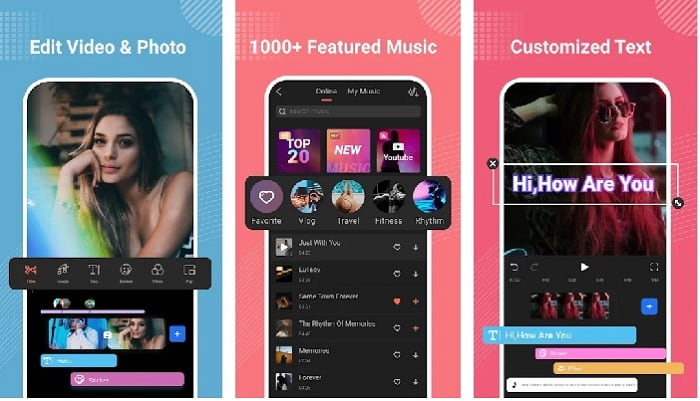
Filmora developed an app that can be downloaded to your Android to experience the almost same features the tool on desktop provides. Filmora Go is one of the best free video editors you can use to make a splendid video. Moreover, this tool has an all-out feature you will likely use even if you don't have experience on editing videos. However, the free version only supports the sample features you can use. Like the speed up video on Android this feature is free but it has a limitation. Although the tool looks perfect, there are some concerns the users would like to be solved on the review of the app.
Prós
- É um editor de vídeo gratuito, mas poderoso, que você pode usar em seus dispositivos Android.
- A ferramenta recebe uma das melhores críticas que já vimos e recebe 4,6 estrelas.
- A ferramenta já constrói uma reputação como um dos melhores editores de desktop.
Contras
- A perda de arquivos às vezes acontece aqui.
- Às vezes, exportar os arquivos sai confuso, mesmo se você editá-lo.
- Na maioria das vezes, o áudio e o vídeo não estão sincronizados.
2. Hyper Timelapse
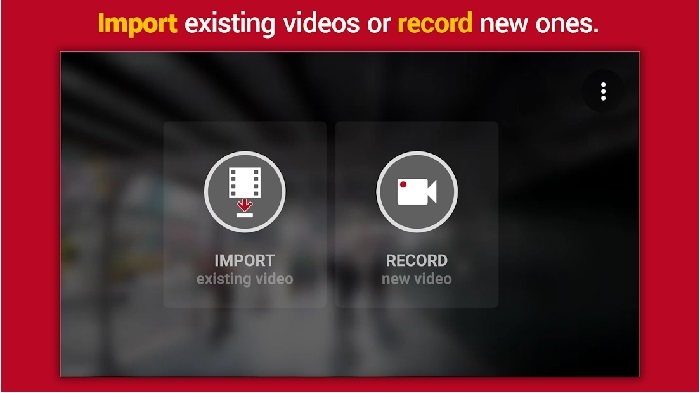
Hyper Timelapse is one of the speeds up video playback on Android you can download for free. This app already reached a 4.1 star rating which is great. However, reviews on this app are terrible to read because they have a lot of complaints. And when we try to use the app, the interface is not so bad, the speed up is great but when we export it the app crashes. Then we try to use the time lapse as the file size of the video becomes larger every minute passes. Basically, you can't take a long video of a time lapsed video in here.
Prós
- O aplicativo é muito simples de usar, mesmo se você for um iniciante.
- Tem um lapso de tempo embutido.
- A interface da ferramenta não está boa.
Contras
- Falhas e bugs ainda estão acontecendo nesta ferramenta.
- Ele não salva a saída final porque sempre que você faz isso, ele trava.
3. Lapse It
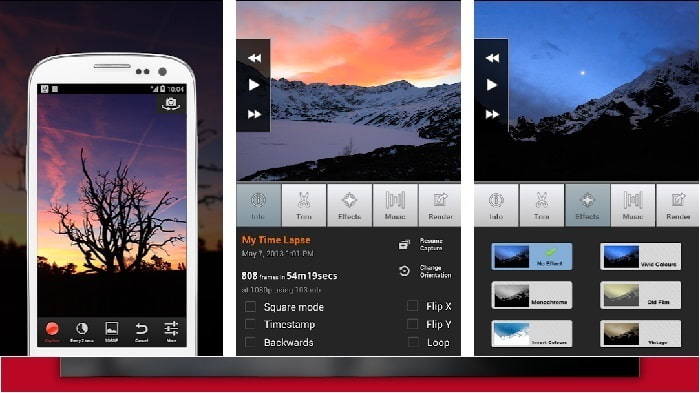
If you're looking for an app to speed up video on Android then try to use Lapse It. This tool is the combination of the two tools above because you can do time lapse, stop motion and editing features. Although the tool sounds great to be used on Android it still got the lowest start in this article. The app got only 3.5 starts and a lot of the comments on the review thinks this app is good for nothing. And some comments say that this tool is their go to app when it comes to making a splendid video but now there are a lot of apps better than this tool.
Prós
- Ele tem um recurso único e poderoso que muitos usuários gostam de usar.
- Este aplicativo pode ter a melhor renderização no Android.
- A personalização do vídeo pode ser feita facilmente com a ajuda deste aplicativo no Android.
Contras
- A ferramenta mudou da classe S para D porque travamentos e bugs ainda estão acontecendo mesmo após a atualização ter sido feita.
- As instruções não são claras sobre como executá-lo.
- Em cada final de vídeo, há sempre um anúncio pop-up chegando.
Parte 2. Quer um controlador de velocidade mais profissional? Experimente o Video Converter Ultimate!
Video Converter Ultimate is the most unique tool you are most likely to use if you want to have an amazing output. Speeding up a video here can be easily done with the help of this tool. Also, the overall features of this tool are superb than this android tool. However, this software can't be used on Android devices because it is not supported. Although it can be used on your phone still you will never encounter freezing, crashing and bugs while using this tool. So, if you want to learn how to speed up a video on Android then follow the steps below.
Step 1. The first thing you should do is to download the tool. Install it to next after the downloading process is done then do the quick set-up and click finish to proceed.
Free DownloadFor Windows 7 or laterSecure Download
Free DownloadFor MacOS 10.7 or laterSecure Download
Step 2. Next, go to the Toolbox and locate the Video Speed Controller, click it to be opened.
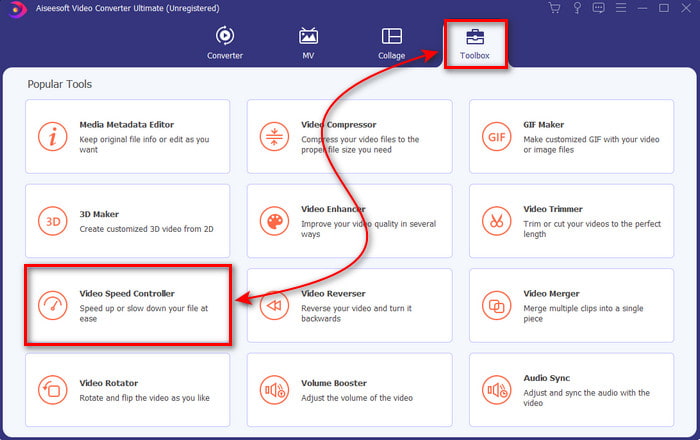
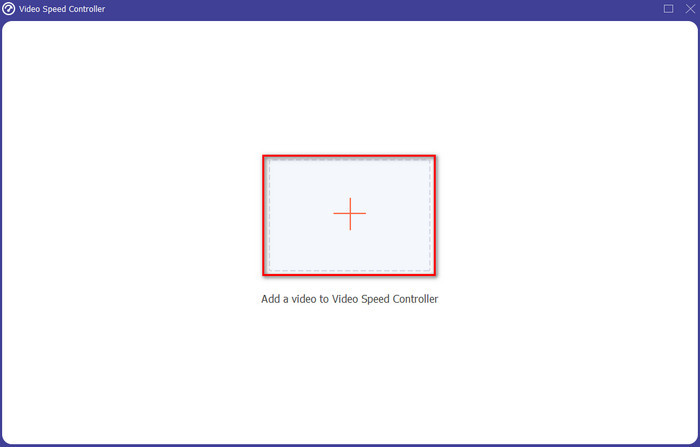
Step 3. And an interface will show next, click the + button to insert the file. After clicking it a folder will show then select the file you want to speed up and click Open.
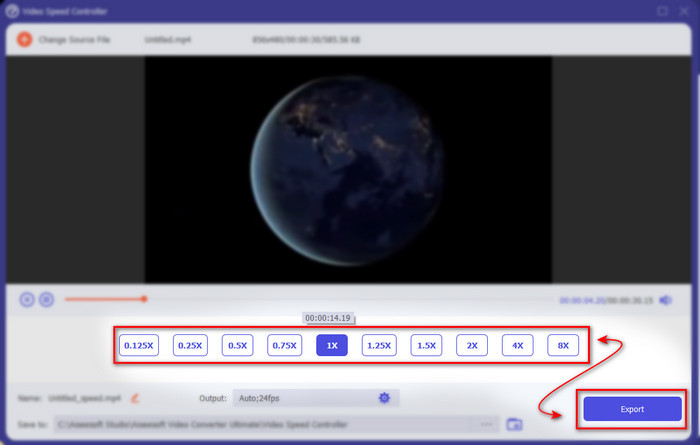
Step 4. A new interface again will show up, then select the speed you want on these small boxes. If you are now ready to export the speed up file then click the Export.
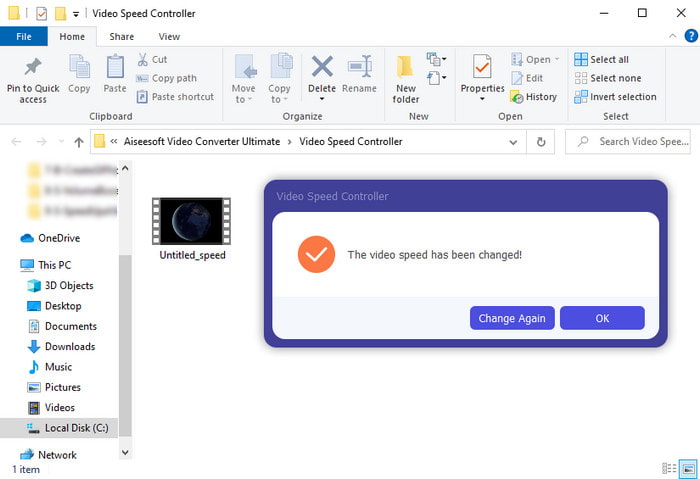
Step 5. Wait for a short time and if the video is done a folder will show next containing the speed up file you just made. Click the video file to watch the speed up version.
Parte 3. Perguntas frequentes sobre como acelerar um vídeo no Android
Acelerar meu vídeo destrói sua qualidade?
Se você está prestes a acelerar um vídeo, não espere nenhuma mudança na qualidade do vídeo. No entanto, se o aplicativo que você está usando não suporta saída de vídeo de alta qualidade, então espere que a saída de vídeo seja automaticamente reduzida.
Posso assistir a um vídeo em câmera lenta?
Definitely yes! with the help of the 5 Best Slow Motion Video Players click this link to proceed to a new write up.
Por que eu preciso acelerar meu vídeo?
There are a lot of reasons why you need to play a video into 2x or up. So, if you want to find out that reason then try to read this article talking about what is 2x video.
Conclusão
To end, all of the presents in here are great to be used if you have an Android phone however there is a tool that stands out the most. And the phenomenal tool is the Video Converter Ultimate because if you use this tool, you will never experience bugs and issues. But this tool is not available on Android phones so if you want to try it then download it now to your desktop. To enjoy the full feature of this magnificent software.
-
 Como reproduzir arquivos MKV no iPad 2025
 Como reproduzir arquivos MKV no iPad 2? Posso converter MKV em MP4 para jogar no iPad Pro / Air / 2? Esta postagem compartilha 2 maneiras fáceis de jogar MKV no iPad.
-
 [Resolvido] VLC não reproduz DVD, como consertar
 O VLC pode reproduzir um DVD? Por que o & #039; t VLC reproduziu meu DVD? Como faço para que o VLC reproduza um DVD no Windows 10? Esta postagem compartilha 3 dicas para corrigir o problema de VLC não reproduzindo DVD.
-
 [Resolvido] Reproduzir arquivos MP4 no Chromebook 2025
 Você pode reproduzir vídeos no Chromebook? Como reproduzir arquivos MP4 de USB no Chromebook? Esta postagem compartilha três maneiras de jogar MP4 no Chromebook.
